News

How Color Tones Shape Your Photography

Sep 19, 2024
Ever taken a photo that just didn’t quite capture the vibe you were going for? The secret might lie in the color tone. Whether you're aiming for warmth, coolness, or something more playful, the right color tone can elevate your images from good to unforgettable. In this blog, we’ll explore how different tones—warm, cool, and even unique hues like green and red—affect the mood of your photos and how to use them effectively. By the end of this guide, you’ll be ready to add new layers of depth and emotion to your shots simply by adjusting your color palette! Perfecting the Tone with Lighting   Lighting is a pivotal element in achieving the right color tone for your photos. To master this, consider using advanced lighting tools like the ZHIYUN CINEPEER C100 and ZHIYUN CINEPEER CF100. The ZHIYUN CINEPEER C100 pixel light is equipped with RGBWW 5-in-1 color mixing technology, offering 36,000 color options. This allows you to fine-tune your lighting to match your creative vision, from warm, cozy hues to cool, cinematic shades. With its powerful 100W output, it brightens every scene while enriching color depth. On the other hand, the ZHIYUN CINEPEER CF100 RGB Stick Light provides a versatile range of effects with six built-in lighting moods and seven effects. It enables precise control over each LED's brightness and color, perfect for creating unique lighting scenarios like dynamic color transitions or lightsaber glows. By leveraging these tools, you can enhance your photos with customized lighting that perfectly aligns with your chosen color tones. Warm Tones: Capturing Comfort and Serenity   Warm tones, such as yellows and oranges, are often used to evoke feelings of warmth, safety, and nostalgia. These colors are ideal for golden hour shots, autumn landscapes, or family gatherings where you want to highlight a sense of comfort and care. When you want to give your image a soft, friendly feel, adjust your white balance to a higher Kelvin (K) setting or use the “Flash” or “Daylight” settings on your camera. This technique helps amplify the warmth already present in natural light.   For example, a sunset shot with warm tones can instantly transport the viewer to a peaceful moment. This simple adjustment can bring a cozy, almost cinematic feel to your photos.   Cool Tones: Cinematic and Edgy   On the opposite end of the spectrum, cool tones like blues are often associated with feelings of calm, distance, or even tension. They’re perfect for creating a stylish, moody look, often seen in Hollywood films. To achieve this tone, try lowering the Kelvin setting on your camera (around 2500K) or choose the “Tungsten” white balance preset.   Cool tones work wonderfully in urban photography, nighttime shots, or rainy day scenes, where you want to convey isolation or intensity. Blue tones can give your photos a high-end, editorial quality, making them look more polished and sophisticated. Green Tones: Playful or Disturbing Green is a unique color in photography that can evoke very different emotions depending on how it’s used. On one hand, it can feel playful and energetic—think of the vibrant greens in LOMO cameras. On the other hand, green can also be eerie or unsettling, often used in horror or thriller movies to create tension.   For more control over green tones, you can experiment in post-production by adding filters through software like Adobe Lightroom. This can be particularly helpful when you want a more experimental look or something a little offbeat.   5. Red Tones: Bold and Dramatic Red tones in photography are all about drama and energy. They often mimic light leaks from film cameras, adding a vintage, edgy feel to your photos. Red can give your photos a bold pop that instantly grabs attention. It’s a great choice for portrait photography or street photography where you want to create a sense of urgency or passion.   To introduce red tones, use Photoshop or Lightroom to tweak your color balance after taking the photo. You can add red filters or adjust the saturation to make the color stand out, giving your image a bold, artsy flair.   Conclusion Color tones have a powerful effect on the mood of your photos, helping you tell a story and evoke emotions through visual cues. Whether you're aiming for warmth, cool sophistication, playful quirkiness, or bold intensity, mastering color tones will bring your photography to the next level. So next time you’re framing a shot, think about the tone you want to convey and adjust your settings accordingly—your photos will thank you for it!   If you're interested in learning more, be sure to check out ZHIYUN photography lights for all the details.   FAQs: Q: How do warm and cool tones impact the mood of a photograph?   A: Warm tones, like yellows and oranges, evoke feelings of comfort, safety, or nostalgia, ideal for cozy, personal images. Cool tones, such as blues, create a sense of calm, isolation, or tension, often used in urban or cinematic photography for a sleek, moody effect. Q: What camera settings should I use to achieve warm tones in outdoor shots?   A: For warm tones, adjust your white balance to a higher Kelvin setting (around 5,000K–7,000K). Using presets like “Daylight” or “Flash” in golden hour or autumn scenes can enhance warmth, adding a soft, welcoming atmosphere to your images. Q: How can green tones be effectively used in photography?   A: Green tones can add playfulness or eeriness depending on context. Use them carefully with complementary colors like oranges or neutrals. To avoid overwhelming the shot, control green saturation in post-processing and balance lighting to keep it subtle yet impactful.

Tips for Stunning Portrait Photography with an iPhone

Sep 19, 2024
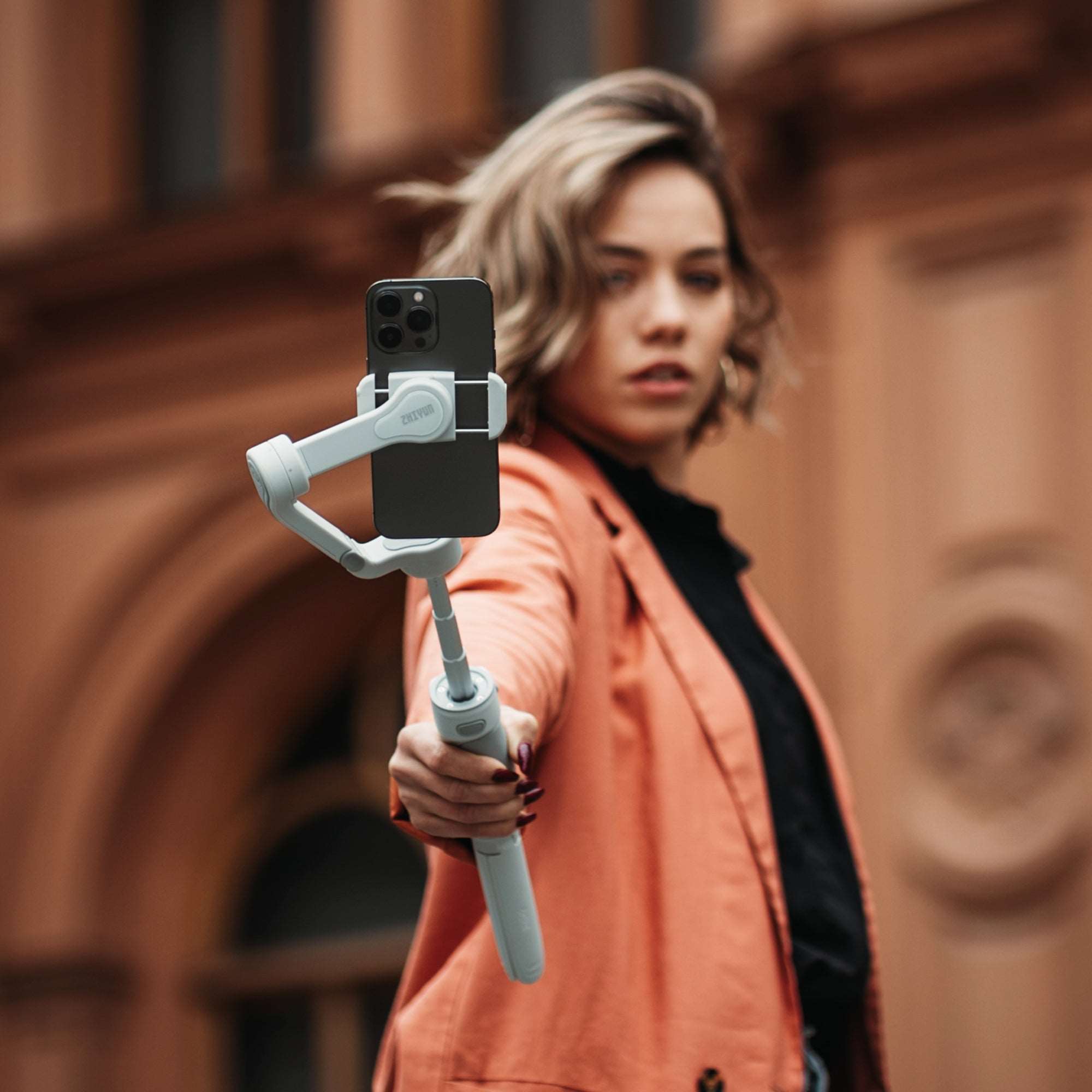
In today's world, where almost everyone has a smartphone, capturing stunning portraits no longer requires a high-end camera. The iPhone, with its powerful features, allows you to take professional-quality portraits with just a few taps. However, getting that perfect shot involves more than just pointing and clicking. In this guide, we'll explore some essential tips and tricks to help you make the most of your iPhone's capabilities and capture portraits that truly stand out.    Master the Portrait Mode One of the iPhone's most powerful features for portrait photography is its Portrait Mode. This mode uses depth-effect technology to blur the background and keep the subject in sharp focus, mimicking the shallow depth of field typically achieved with professional cameras. To use it effectively, ensure that your subject is well-lit and has a contrasting background. Experiment with the different lighting effects available in Portrait Mode to find the one that best suits your subject. Refine Your Focus Post-Shot With iOS 17 and later versions, you can adjust the focus after taking a shot in Portrait Mode. This feature allows you to shift the focus to different parts of the image, giving you more creative control over the final result. Simply tap on the area you want to be the focal point, and the image will adjust accordingly. While this can be a powerful tool, remember that the initial focus during the shot should still be as accurate as possible to achieve the best results. Frame Your Shot with Care: Fill the Frame A well-composed portrait can make all the difference. When framing your shot, consider filling the frame with your subject. This technique not only draws attention to the subject but also adds a sense of intimacy to the portrait. Move closer to your subject or use the iPhone's telephoto lens (if available) to get a tighter shot. This approach works particularly well when you want to emphasize facial features or capture the emotion in your subject's eyes.   Mind the Headroom When composing your portrait, be mindful of the space above your subject's head. Too much empty space can make the photo feel unbalanced and less engaging. Ideally, you should leave just a small amount of space above the head to create a well-proportioned composition. This subtle adjustment can significantly enhance the overall aesthetic of your portrait.   Capture Movement: Make It Dynamic Static poses can sometimes feel stiff, especially if your subject isn’t comfortable in front of the camera. Instead, let your subject move naturally—walk, spin, or interact with their surroundings—and capture these candid moments. Using your iPhone’s burst mode, you can snap multiple shots in quick succession, giving you a range of options to choose from later. To keep your photos sharp and clear even with movement, consider using a phone stabilizer like ZHIYUN Smooth 5S or Smooth 5S AI mobile stabilizer. The Smooth 5S, for example, offers exceptional anti-shake technology, ensuring that your footage remains steady without compromising on quality. It also features built-in and magnetic fill lights, providing excellent lighting to highlight your subject no matter where you are.   If you want to take your shots to the next level, the Smooth 5S AI includes an advanced magnetic AI tracker that follows your subject automatically, making it easier to capture dynamic scenes without worrying about framing. Its intelligent gesture control and robust stabilization make it an ideal tool for creating smooth, cinematic footage on the go.   Using these tools not only helps reduce the chances of blurry, unusable photos but also allows you to focus on capturing those spontaneous, dynamic moments that make your portraits stand out.   Conclusion Your iPhone is a powerful tool for capturing stunning portraits, but getting the best results requires more than just using the default settings. By mastering features like Portrait Mode, refining your focus, and paying attention to composition, you can elevate your photography to the next level. So, the next time you're out with your iPhone, try these tips and watch your portraits go from good to great!   FAQs: Q: How can an iPhone's Portrait Mode enhance the quality of portrait photos?   A: Portrait Mode on an iPhone simulates a shallow depth of field, blurring the background and keeping the subject in sharp focus. This creates a professional-looking photo by drawing attention to the subject while minimizing distractions from the background. Q: Why should someone consider using burst mode for portrait photography?   A: Burst mode allows the iPhone to take multiple photos in quick succession, increasing the chances of capturing the perfect moment, especially when the subject is moving. It’s an effective way to select the best shot from a series. Q: What role does lighting play in iPhone portrait photography?   A: Lighting is crucial in portrait photography, as it affects the mood and clarity of the photo. Tools like the built-in and magnetic fill lights on the Smooth 5S can enhance lighting conditions, ensuring that the subject is well-lit and the details are sharp.

Simple Techniques for Pro-Quality Landscape Shots with Your Smartphone

Sep 19, 2024
In an age where everyone has a powerful camera in their pocket, capturing breathtaking landscapes is no longer limited to those with high-end DSLRs. Whether you're standing before a majestic mountain range or watching the sun dip below the horizon, your smartphone is more than capable of freezing those awe-inspiring moments in time. But how do you ensure your landscape photos are as stunning as the scenes you're witnessing? With the right techniques and a few simple tools, your smartphone can become a powerful device for creating professional-quality landscape photos.   Leverage the Rule of Thirds Composition is key to creating visually appealing landscape photographs. The Rule of Thirds is a fundamental principle that can dramatically enhance your shots. By dividing your frame into a 3x3 grid, you can position the most important elements of your scene along the grid lines or at the intersections, creating balance and drawing the viewer’s eye to the focal points. Most smartphones have a grid option in the camera settings, which makes it easier to apply this rule. By mastering the Rule of Thirds, you’ll be able to capture landscapes that are not only beautiful but also well-composed and engaging.   Utilize HDR Mode for Dynamic Range High Dynamic Range (HDR) mode is a powerful feature available on most smartphones that can enhance the detail in your landscape photos. HDR works by taking multiple shots at different exposures and blending them together to create a single image with balanced lighting. This is particularly useful in landscape photography where you often have a wide range of light levels, from bright skies to shadowy terrain. By enabling HDR mode, you can capture both the bright and dark areas of your scene in vivid detail, resulting in a more balanced and lifelike photo. Stabilize Your Shots for Clarity While capturing stunning landscapes in photos is exciting, you might also want to record the beauty of your surroundings in video form. This is where a phone stabilizer becomes essential. ZHIYUN Smooth 5S mobile stabilizer offers unmatched stabilization, ensuring that dynamic scenes like galloping horses on the plains, birds soaring through the sky, and flowing rivers are captured with cinematic smoothness. Its built-in fill light and additional magnetic lights keep your videos well-lit even in cloudy days. Plus, with AI shooting templates, you can easily create professional-looking videos without needing extensive editing skills. For those seeking even more advanced features, ZHIYUN Smooth 5S AI takes it a step further. With its magnetic AI tracker that supports custom framing tracking, you can effortlessly keep your subject in frame. Embrace the Power of RAW If you're serious about landscape photography, consider shooting in RAW format. Unlike JPEG, which compresses image data, RAW files preserve all the details captured by your smartphone's sensor. This gives you much more flexibility in post-processing, allowing you to fine-tune the exposure, color balance, and sharpness without losing quality. Many smartphones now support RAW capture, either natively or through third-party apps. By shooting in RAW, you can bring out the full potential of your landscape photos, making adjustments that might not be possible with standard JPEG files. Maximize Your Smartphone's Lens Capabilities Modern smartphones come equipped with multiple lenses, each offering unique advantages for landscape photography. The ultra-wide lens is perfect for capturing expansive vistas, allowing you to fit more of the scene into your frame. Telephoto lenses, on the other hand, can bring distant elements closer, adding a sense of depth and scale to your images. When using these lenses, it’s important to avoid digital zoom, which can degrade image quality. Instead, rely on your phone’s optical zoom or simply move closer to your subject to maintain sharpness and detail.   Conclusion: Landscape photography with a smartphone has never been more accessible or more rewarding. By applying these techniques, you can elevate your photos from simple snapshots to stunning works of art. Whether you’re a seasoned photographer or just starting out, your smartphone is a powerful tool that, with the right approach, can help you capture the beauty of the world around you. So next time you find yourself in front of a breathtaking landscape, remember these tips, and let your creativity shine.   FAQ: Q: How can the Rule of Thirds improve landscape photography? A: The Rule of Thirds is a composition technique that helps in creating balanced and engaging images by positioning key elements along grid lines or intersections, enhancing the overall visual appeal of landscape photos. Q: What is the benefit of using HDR mode in landscape photography? A: HDR mode captures multiple exposures and combines them into a single image, ensuring balanced lighting across different areas of the scene, which is particularly useful for landscapes with varying light levels. Q: What are the advantages of shooting in RAW format for landscape photography? A: Shooting in RAW format preserves all the details captured by the smartphone’s sensor, providing greater flexibility in post-processing for adjusting exposure, color, and sharpness without losing quality.  Q: What are the common mistakes to avoid in smartphone landscape photography? A: Common mistakes include relying too much on digital zoom, ignoring the composition rules, and failing to clean the lens, which can all impact the quality of the photos.

Rocking the Shots: A Guide to Capturing Clear and Smooth Footage at Live Concerts

Sep 19, 2024
Live concerts are electrifying experiences that captivate both the audience and performers. Capturing the essence of these moments through clear and smooth footage can be challenging due to the dynamic and often unpredictable environment. Whether you're a professional videographer or an enthusiastic concert-goer, this guide will provide you with essential tips and techniques to ensure your concert footage rocks just as hard as the performance.   Positioning Yourself for the Best Shots Your position in the venue can greatly impact the quality of your footage: Front and Center: Being close to the stage provides clear views of the performers and avoids crowd obstructions. Side Angles: Shooting from the sides can offer unique perspectives and capture the depth of the stage setup. Elevated Positions:If possible, find an elevated spot to avoid heads and hands in your shots and get a clear view of the stage.   Gear Up for the Action Camera Gear: DSLR or Mirrorless Camera: These types of cameras offer greater control over settings and generally perform better in low-light conditions. Concert photography Lens: A fast lens with a wide aperture (f/2.8 or lower) is ideal for low-light environments. A zoom lens (e.g., 24-70mm) can give you versatility, while a prime lens (e.g., 50mm) can offer superior image quality. Tripod/Monopod: For videography, a tripod or monopod can help stabilize your shots, especially during long performances. External Microphone: For better audio quality in videos, use an external microphone to capture clearer sound. Accessories: Extra Batteries and Memory Cards: Concerts can be long, so it's essential to have extra batteries and memory cards on hand. Lens Cleaning Kit: Keep your lenses clean to prevent any dust or smudges from ruining your shots. Stabilization Solutions: To avoid shaky footage, invest in a gimbal or a camera stabilizer. The ZHIYUN Smooth 5S AI is a great choice for mobile filmmakers. It is crafted to mitigate the inevitable shakes and tremors of handheld filming. This capability proves invaluable in concert environments, where constant movement—both by performers and audiences—can challenge steady filming. With Smooth 5S AI phone stabilizer, effortlessly capture smooth pans and tracking shots that faithfully convey the concert's vibrant atmosphere, free from the disruptions of camera instability.   Composing Your Shots: Techniques for Dynamic Footage Good composition is key to captivating concert footage: Rule of Thirds: Divide your frame into thirds and place your subject along these lines for balanced and engaging shots. Close-Ups: Focus on the performers' expressions and instruments for emotional and impactful shots. Wide Shots: Capture the entire stage and audience to convey the atmosphere and scale of the event. Movement: Use planning and tilting to follow the action on stage, but keep movements smooth and deliberate.   4. Dealing with Low Light and Flashing Lights Concerts often have low light and flashing lights, which can pose challenges. Choose equipment that performs well in low light, such as a camera with high ISO capabilities and a wide aperture lens. Adjust your shutter speed and use manual settings to control exposure during flashing lights.   Additionally, using available light can significantly improve your shots. Fill lights, often built into or attached to stabilizers and gimbals, provide essential illumination in dim environments. They help capture clear and vibrant selfies by casting soft, balanced light and avoiding harsh shadows. The ZHIYUN MOLUS X60 photography light is a great tool for this, offering a powerful 60W output without stroboscopic effects, and its compact size makes it easy to carry. However, use fill lights considerately to avoid disrupting others' enjoyment of the concert.   Conclusion: Photographing and filming live concerts is an exhilarating blend of creativity, technical skill, and passion. Whether you're aiming for Instagram-worthy photos or creating a documentary-style video, these tips will help you capture the essence of live music with clarity and smoothness. So, grab your gear, soak up the atmosphere, and let your camera tell the story of the next unforgettable concert experience. Remember, the best shots often capture not just the music, but the emotions and energy that make live concerts truly unforgettable.     FAQ: Q: What are some essential pieces of equipment for concert photography and videography? A: Essential equipment includes a DSLR or mirrorless camera, a fast lens with a wide aperture, a zoom or prime lens, a tripod or monopod, an external microphone, extra batteries, memory cards, a lens cleaning kit, and stabilization solutions such as a gimbal. Q: What are some techniques for capturing clear and smooth video footage at concerts? A: Use a gimbal for stability, keep your movements slow and deliberate, and focus on smooth transitions between subjects and angles to maintain the concert's energy and enhance the viewer's experience. Q: How can fill lights be used effectively during live concerts for photography? A: Fill lights can provide essential illumination in low-light environments, such as nighttime concerts. Use them considerately by choosing moments wisely, angling the light to avoid disturbing others, and keeping selfie sessions brief. Q: What are key photography tips for capturing memorable moments at concerts? A: Master your camera settings by understanding manual mode and adjusting ISO, aperture, and shutter speed to adapt to changing lighting conditions. Use available light creatively and ensure your lenses are clean to prevent any dust or smudges from ruining your shots.

Understanding Diffused Light: A Filmmaker’s Essential Tool

Sep 17, 2024
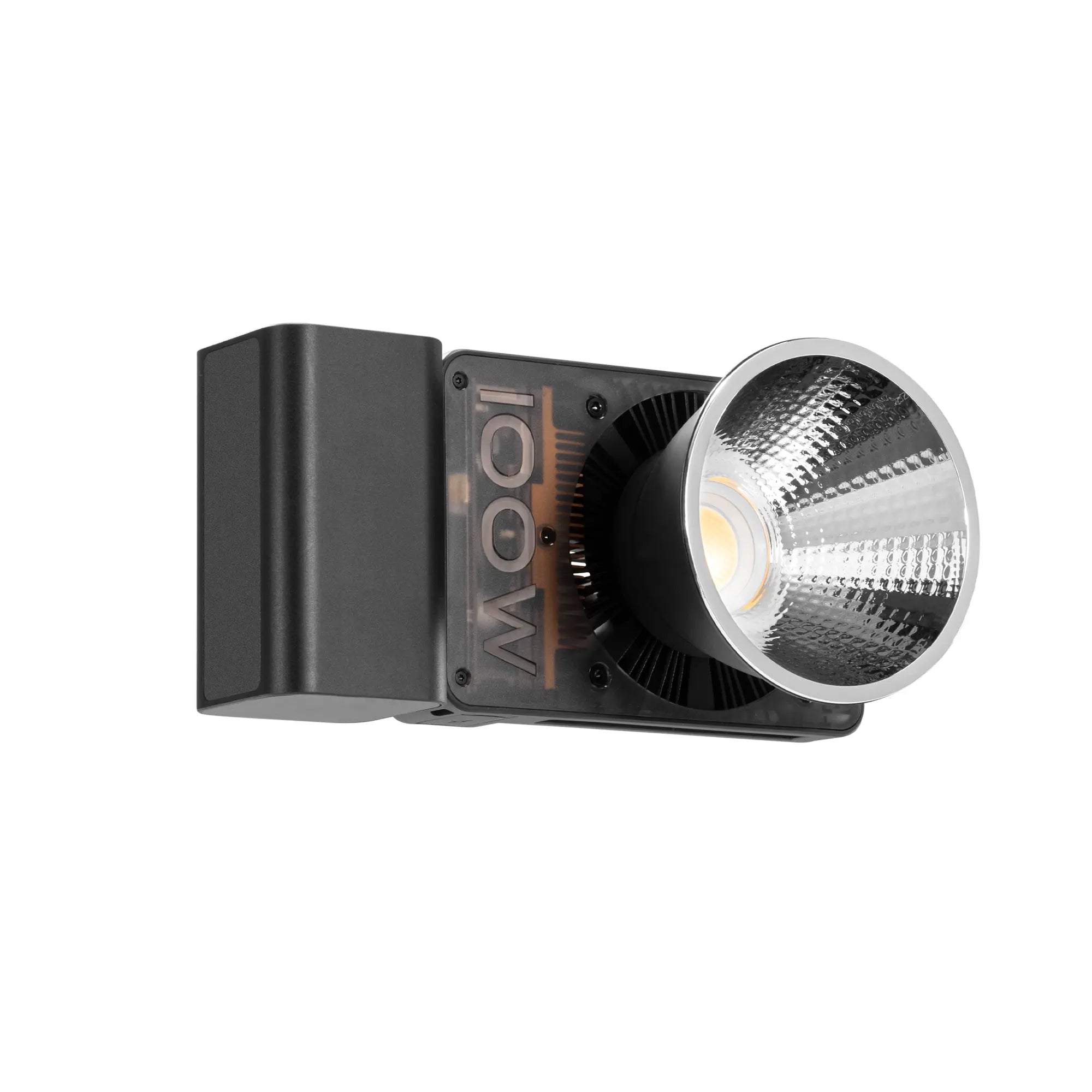
We’ll cover: What is Diffused Light? Benefits of Diffused Lighting How to Implement Diffused Lighting    Light is one of the most important elements in creating compelling cinematic visuals. As a filmmaker, understanding the various types of lighting is key to crafting atmospheres that enhance storytelling. One lighting technique that is indispensable, yet often overlooked, is the use of diffused light. By diffusing light sources, you can achieve a soft, balanced look that is flattering for both people and scenes. This blog will explore the fundamentals of diffused light and how you can leverage it to elevate the production value of your films.   What is Diffused Light? Diffused light refers to the quality of light when its source is softened or scattered. The goal is to eliminate hard, clearly defined shadows by spreading out and muting the light source. This results in more broadly illuminated and aesthetically pleasing shots with subtler transitions between lit and unlit areas. There are a few main ways light can be diffused in filmmaking:   Diffusion Gels:Sheets placed over a light source that scatter and soften the light passing through. Different densities create varying levels of diffusion. Softboxes: Fabric enclosures that surround lighting fixtures, dispersing light evenly with no hotspot, perfect for achieving a softbox for lighting effect. Umbrellas: Works similarly to softboxes in bouncing light onto the subject or scene from multiple angles. Bouncing Off Reflectors: Placing a semi-glossy reflector next to or behind the light source redirects some of its energy in a softer fashion. For filmmakers looking to take their lighting to the next level, products like the ZHIYUN CINEPEER CF100 and ZHIYUN MOLUS X100 COB lights offer advanced lighting solutions. The ZHIYUN CF100's ability to switch between HSI and RGB modes, combined with its built-in diffusion options, makes it an excellent tool for achieving diffused lighting with vibrant color effects. On the other hand, the ZHIYUN MOLUS X100’s lightweight design and powerful 100W output, paired with its ZY Mount Ecosystem, provide versatile shaping solutions that can be easily adapted to various diffusion techniques.   The Benefits of Diffused Lighting Diffused light offers several practical advantages for filmmakers. Since shadows are softened, more detail is retained in dimly lit and transitional areas of a shot. This lets exposures be increased without blowing highlights. Additionally, diffuse lighting helps minimize facial imperfections and wrinkles on-camera. It is considered more flattering for both people and products being filmed. The lack of defined shadows also lends itself to a more cinematic and moodier atmosphere.   How to Implement Diffused Lighting Some tips on utilizing diffused light effectively in your films:   Use larger light sources close to subjects for wraparound coverage and minimal shadows. Softboxes, umbrellas, and bouncing techniques work well. Balance diffused key and fill lighting to maintain dimension while softening shadow contrast. Reflectors on-camera are ideal small fill lights. Add subtle hair/rim lights behind subjects for quality separation without harsh edges. Diffuse as desired. For outdoors, flags can be used to block direct sunlight and allow open shade to naturally diffuse light. Bouncing into large muslin diffusers held overhead during interviews provides soft, consistent illumination. Consider mounting LED panels or lights inside softboxes on camera rigs for flexible yet soft on-camera lighting. The ZHIYUN MOLUS X100’s ZY Mount system allows for easy attachment of softboxes, ensuring a consistent, diffused light source. Pair diffused light with warmth-enhancing gels and practical lighting sources to augment realism. The ZHIYUN CINEPEER CF100is particularly well-suited for this, with its rich lighting effects that can add warmth and depth to your scenes.   Mastering the subtle dynamics of soft, diffused lighting takes practice but can significantly elevate the polish and cinematic appeal of your films. While the temptation may be to always bypass diffusion for its intensity, remember that quality over quantity often produces the best results.     FAQ: Q: What are some common scenarios where diffused lighting works best? A: Diffused lighting is ideal for portraits, interviews, product photography, and general beauty work where you want to flatter skin tones and textures. It also works well for establishing scenic shots and creating moody atmospheres. Q: What are some dos and don'ts of mixing diffused with other types of lighting? A: Do balance diffusion with harder edge lights to keep dimension. Don't overmix sources as it muddies the image. Do gel diffusion to match lighting temperatures. Don't undiffuse key on dark skin tones. Q: How can diffused light be used creatively beyond just portraits and interviews? A: Experiments lighting dramatic sequences, architectural details, abstract macro shots, still life setups, and create moody establishing shots for outdoor scenes with diffused lighting placed strategically. Q: How do you select the right color temperature for diffused light matching content? A: Match to time of day,white balance, and overall scene palette for coherence but also consider how softer light affects color perception when setting temperature. Warm-balanced lighting works well for diffusion.

Light Up Your Shots: Essential Lighting Tips for Video and Photography

Sep 17, 2024
Lighting is the secret sauce behind every stunning photograph or captivating video. It doesn’t matter how amazing your camera is—without proper lighting, your visuals will fall flat. Whether you’re a YouTuber, photographer, or content creator, mastering lighting techniques can elevate your work from ordinary to extraordinary. In this blog, we’ll explore key lighting setups, tips for using lighting equipment like softboxes and reflectors, and some budget-friendly DIY hacks to get the best out of your shooting environment.     Understanding the Basics The Three-Point Lighting Setup The three-point lighting setup is a tried-and-true method used by filmmakers, photographers, and vloggers alike. It consists of three light sources: the key light, fill light, and backlight. This combination provides balanced illumination, reducing shadows and adding depth to the subject.   Key Light: This is your main light source and is responsible for most of the lighting in the scene. Typically positioned at a 45-degree angle from the subject, the key light creates shadows that give the subject dimension. Softboxes or even natural window light work well here.   Fill Light: Acting as the secondary light, the fill light softens the harsh shadows created by the key light. You can use an LED lamp, a softbox, or even a DIY solution like a reflective surface to achieve this effect.   Backlight: This light separates the subject from the background, adding a three-dimensional feel to the video. You don't need an expensive setup—a simple lamp placed behind the subject can do the trick.   The Power of Softboxes The softbox is a photographer’s best friend. They create soft, diffused light that eliminates harsh shadows and gives your subject a natural, even glow. When you’re shooting portraits or filming for YouTube, place a softbox at a 45-degree angle from your subject for flattering, balanced lighting. ZHIYUN’s 90cm parabolic softbox, with excellent design and materials, is easy to setup and provides perfectly defused light. Lights for Close-Ups If you’re doing product photography, makeup tutorials, or any content that requires crisp close-ups, a photography light is an excellent tool. It creates even lighting around the subject, reducing shadows and giving a nice catchlight effect in the eyes. For content creators focused on precision and versatility, a good photography light is essential. ZHIYUN CINEPEER CM15 light an ideal companion for both studio and location shoots, offering professional-grade output in a compact size. Its RGB lighting features and 18 dynamic effects make it perfect for creative experiments, allowing you to adjust brightness, color temperature, and color mix with ease. Whether you're shooting interviews, product photography, or short films, this little powerhouse can help you achieve professional-quality lighting without bulky equipment. ZHIYUN MOLUS B-Series light is also a good choice. It offers adjustable brightness and color temperature, allowing you to fine-tune your lighting to match the mood or ambient light. With wireless control via an app, you can adjust the lighting settings from anywhere on set, giving you full creative freedom. Using Reflectors for Balanced Light A reflector is an essential tool for bouncing light back onto your subject, filling in shadows and creating balance in your lighting setup. You can use professional reflectors or DIY options like aluminum foil, a white sheet, or even a poster board.   Reflectors are perfect for outdoor shoots when you need to redirect natural sunlight or indoor shoots when you want to balance the intensity of your light source. Place the reflector on the opposite side of your key light to gently illuminate any dark areas.   Conclusion: Mastering lighting is key to creating professional-looking videos and photos. Whether you're working with professional lighting equipment like softboxes and photography lights or using DIY solutions, understanding how to control light is crucial. The more you experiment with different setups, the more control you'll have over the mood, clarity, and overall quality of your content. So grab your lights, get creative, and watch your work shine!   FAQs: Q: How can photographers use reflectors effectively in outdoor shoots?   A: By bouncing sunlight back onto the subject, reflectors fill in shadows and balance the overall lighting. Different surfaces—white, silver, or gold—can modify the reflected light’s color and intensity to suit the creative vision of the shot. Q: What is the three-point lighting setup?   A: It consists of a key light, fill light, and backlight, which work together to highlight the subject, fill in shadows, and separate the subject from the background, giving the shot depth and dimension. Q: How can one control the color temperature of lighting on set?   A: Color temperature can be controlled using adjustable lights like the ZHIYUN MOLUS B-Series. It provides quick access to five levels of brightness from 20-100% and five common color temperatures. This enables photographers and videographers to match ambient lighting or create specific moods. Q: What is the difference between soft lighting and hard lighting in photography?   A: Soft lighting creates gentle shadows and even lighting across the subject, often achieved with softboxes or diffusers. Hard lighting produces sharp, defined shadows and is usually the result of direct lighting from a single, undiffused light source. It’s often used for dramatic or high-contrast shots.  

Shooting at New Angles: Master Dynamic Low Shots with a Gimbal Stabilizer

Aug 27, 2024
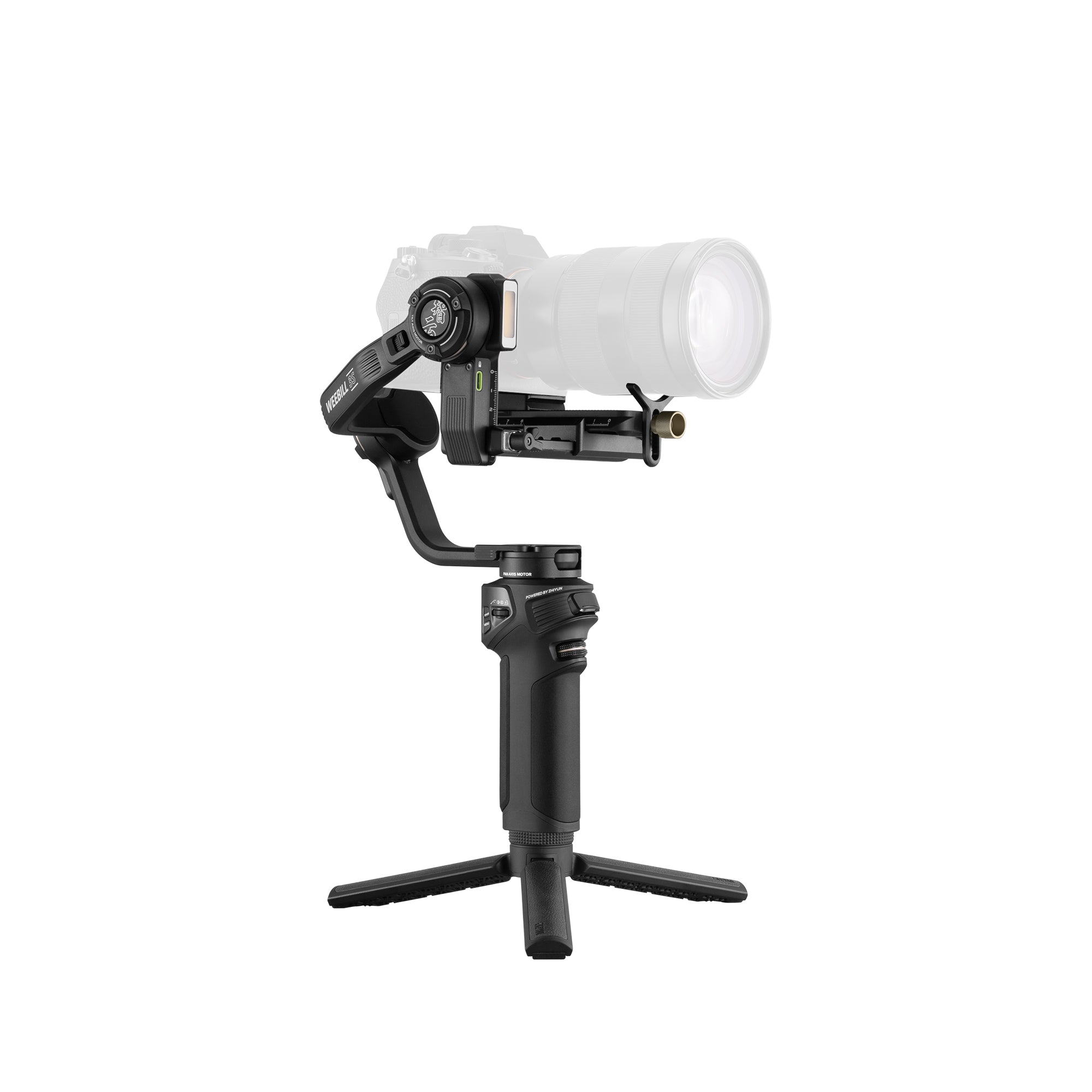
We’ll cover: The Impact of a Low Camera Angle Shot Getting Low(er) with a Gimbal Stabilizer Tips for Low-Angle Shots on a Gimbal Low-angle shots are a powerful cinematic technique that can imbue your video scenes with drama and intensity. However, shooting consistently smooth and steady low shots hands-free can be challenging without the right equipment. A quality gimbal camera stabilizer is key for filmmakers looking to expand their visual storytelling toolbox and shoot more ambitious low-angle sequences.   In this blog, we'll explore the creative and technical applications of low-angle shots along with techniques for nailing them using a gimbal. By the end, you'll have a solid understanding of how to craft compelling scenes and shots from unorthodox angles below eye level.   The Impact of a Low Camera Angle Shot The placement of the camera in relation to the subject has a significant influence on the viewer's perspective and the overall mood or tone conveyed. In general, low camera angles make subjects appear more powerful, imposing or ominous by literally looking up at them. This perspective puts the viewer in a position of vulnerability and grants the subject an implicit sense of authority over the frame.   For instance, low-angle shots are commonly used in movies to establish a sense of heightened threat or intimidation when pointing the lens upward at an antagonist. The same technique works well for scenes where you want your audience to feel small, overwhelmed or remotely controlled/observed. Beyond film and videos, many portrait photographers will also shoot from a low vantage point to make models seem more alluring or subjects appear elevated in status. Getting Low(er) with a Gimbal StabilizerSome popular gimbals like the ZHIYUN WEEBILL 3E camera gimbal stabilizer features movable arms and can achieve a maximum downward tilt angle of 120 degrees. The ZHIYUN cinepeer weebill 3e’s three-axis gimbal stabilization isolates camera movement whether you're shooting horizontally, vertically or anywhere in between. This makes gimbals the go-to tool for achieving sophisticated panning and tilting low shots smoothly without a shaking jello effect.   Once balanced on the gimbal, you'll have the freedom and balance necessary to maneuver freely around low-lying subjects or entire scenes hands-free. This opens creative opportunities to capture compelling close-ups, establish establishing/contextual wide shots or frame dynamic footage on the fly from down under. Advanced motors also allow controlled dolly/slide shots from distinct low camera angles. Tips for Low-Angle Shots on a GimbalHere are some best practices to help you execute impactful low-angle shots on a gimbal stabilizer: Practice balancing your camera rig until rock steady at different tilt angles before heading on location. Test all controls, especially those at unnatural angles. Experiment with different focal lengths - wider primes work great for context establishing shots, 50-85mm range best for close-ups and details. Be mindful of your framing when tilted down - keep essential headroom or lead space appropriate for chosen shot scale. For intimate close-up sequences, try framing upward at faces from directly between subjects' legs. Frame contextually appropriate background scenes behind and around your subject for dimension when shooting establishing angles. Lights and reflectors are crucial when framing faces from below - position to maintain flattering illumination on key features. Consider natural light sources as part of the scene composition when shooting exterior locations during golden/blue hours. For impact, pair low-angle footage in videos or films with an appropriately ominous or intense soundtrack. In addition to a stabilizer, lighting is also crucial. The ZHIYUN CINEPEER CF100 is a portable 100W LED light stick that delivers up to 2610Lux output and features 6 lighting moods and 7 lighting effects. It also supports both HSI and RGB color modes for versatile scene creation and creative expression. Wrapping UpWith practice, low-angle shots go from difficult to execute smoothly to an expressive technique in your directorial toolkit. A motorized gimbal provides filmmakers the steady control needed to capture unique perspectives from down low. Follow these tips to master dynamic low-shots that grip viewers emotionally and advance compelling visual storytelling.   FAQ: Q: What is a low-angle shot and what effects does it create? A: A low-angle shot is one captured from a camera position below eye level of the subject. It makes subjects appear more powerful or imposing by literally looking up at them, putting the viewer in a vulnerable position. Q: What types of scenes benefit most from using low-angle shots? A: Scenes that aim to establish a sense of threat, intimidation or dominance over characters. It also works well for expressing a sense of being overwhelmed or remotely observed. Q: What focal lengths work best for different types of low-angle shots? A: Wider lenses (12-24mm) for establishing shots, normal lenses (50-85mm) capture close-ups, and telephoto lenses compress background for portraits. Q: What natural light conditions are ideal for low-angle filming outdoors? A: Golden hour/blue hour when the sun is lower and lights the subject attractively from below.

A Comprehensive Guide to Mastering Sunrise and Sunset Photography Techniques

Aug 27, 2024
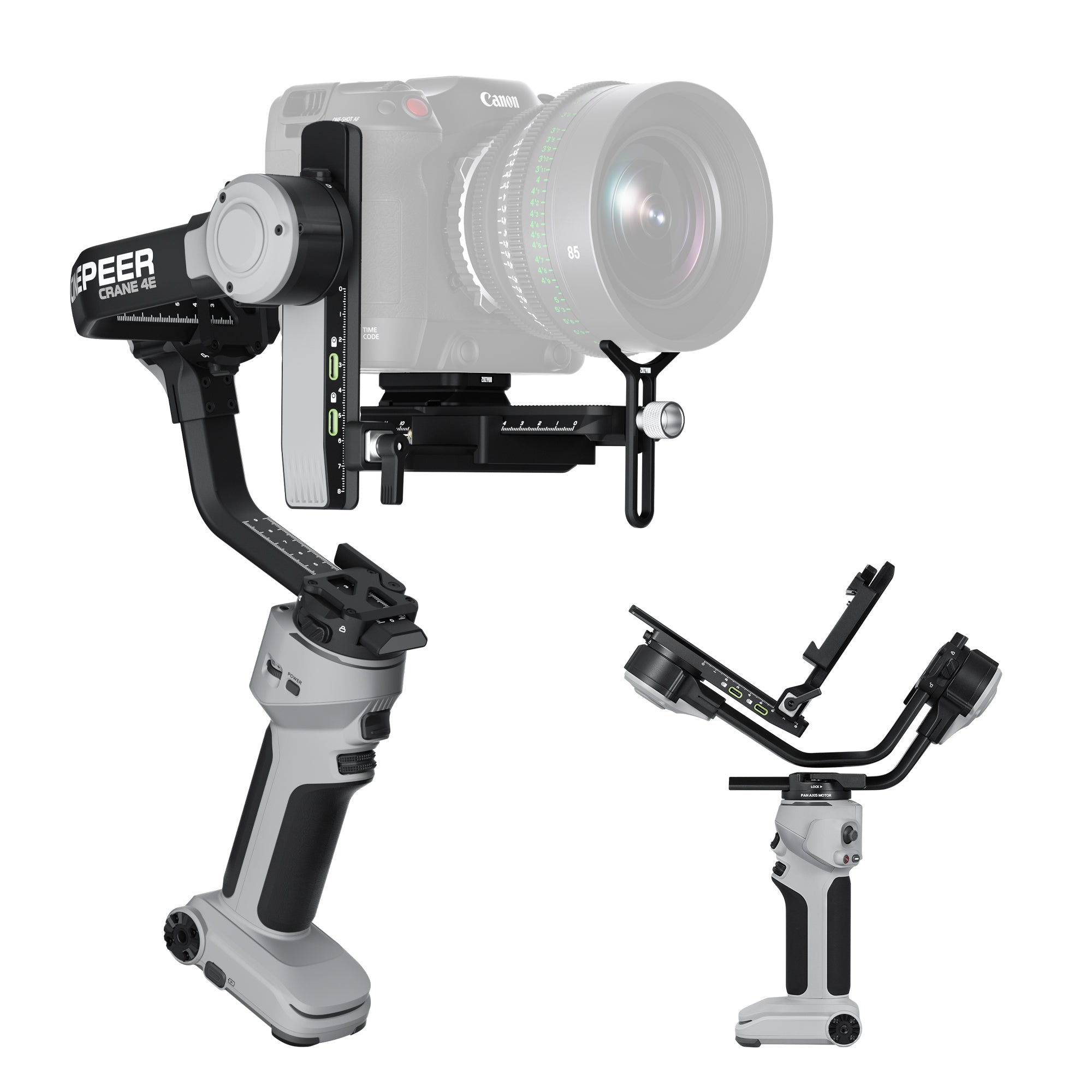
Introduction  The golden hour, that magical time just before sunrise and just after sunset, offers photographers a unique opportunity to capture nature's beauty in its most vibrant hues. For both seasoned photographers and enthusiastic beginners, mastering the art of shooting sunrises and sunsets is an exciting challenge that can greatly enhance your photography skills. This guide will walk you through essential tips and techniques to help you make the most of these fleeting moments and create images that truly stand out.   Timing Is Everything To capture the best sunrise and sunset photos, timing is crucial. It’s not just about the moments when the sun is at the horizon but also the period before and after. For sunrises, aim to arrive at least 30 minutes before the sun rises. This early arrival lets you photograph the sky as it transitions from the dark of night to the soft blues and eventually to warm oranges and pinks. The pre-sunrise colors are often the most breathtaking. Similarly, for sunsets, waiting until the sun has dipped below the horizon can provide spectacular colors and dramatic effects, especially if there are clouds to catch the light. Use a Camera Stabilizer A camera stabilizer is indispensable for sunrise and sunset photography due to the low light conditions. It ensures that your camera remains steady during longer exposures, which are often necessary to capture the subtle lighting of the golden hour. Without a camera stabilizer, even the slightest camera shake can result in blurry images. ZHIYUN Crane 4 is lightweight and handles heavy cameras with ease. Photographers can carry it out without pressure. Meanwhile, ZHIYUN CINEPEER WEEBILL 3E is ultra-compact and minimizes fatigue with its Sling Mode 2.5, providing up to 16 hours of runtime and the flexibility to operate while charging. Both stabilizers ensure steady, professional-quality footage during those magical moments of the day. Master Your Camera Settings Understanding and manipulating your camera settings is key to achieving stunning results. Use manual mode to have full control over your exposure settings. Start with an aperture of f/8 to f/11 to ensure a deep depth of field, which keeps the entire scene in focus. Set your ISO as low as possible, typically ISO 100, to reduce noise and maintain image quality. Adjust your shutter speed based on the light conditions; during the early moments of sunrise or as the sun sets, you might need slower shutter speeds to capture the full range of colors.   Experiment with different shutter speeds to find the right balance for your scene. Remember that as the light changes quickly during these times, you may need to adjust your settings frequently to keep up. Play with White Balance White balance can greatly influence the mood and color temperature of your photos. For sunrises, a lower Kelvin setting (around 2500-3000K) can enhance the cool, tranquil feeling of the early morning light. Conversely, for sunsets, use a higher Kelvin setting (around 6000-7000K) to bring out the warm, golden tones. Adjusting white balance helps you capture the atmosphere you want and can reduce the need for extensive color correction in post-processing.   Consider Using Filters Filters are valuable tools for managing light and enhancing your photos. A graduated neutral density (GND) filter helps balance the exposure between the bright sky and darker ground, preventing the sky from being overexposed while keeping the foreground details visible. For sunsets where the sun is near the horizon, a reverse GND filter can be more effective, as it provides a darker gradation in the center where the sun is located. These filters can make a significant difference in achieving a professional look in your images. Conclusion Capturing the perfect sunrise or sunset requires more than just being at the right place at the right time; it involves careful preparation and technical knowledge. By arriving early, using the right equipment, mastering your camera settings, playing with white balance, and utilizing filters, you can transform fleeting moments into stunning photographs. Embrace the challenge, experiment with different techniques, and most importantly, enjoy the process of capturing these beautiful, ephemeral moments of nature.   Continue reading: Illuminate the Night: How to Add Light for Stunning Night Photography   FAQs: Q: How does a tripod improve my sunrise or sunset photos? A: A tripod stabilizes your camera during low light conditions, enabling you to use longer exposures without introducing blur from camera shake. Q: What is the benefit of using a graduated neutral density (GND) filter? A: A GND filter balances the exposure between the bright sky and the darker foreground, ensuring that both elements are properly exposed without overexposing the sky. Q: How does white balance affect the mood of my photos? A: White balance adjusts the color temperature of your photos, allowing you to emphasize warm tones for sunsets or cooler tones for sunrises, enhancing the mood and atmosphere of your images. Q: What is the impact of aperture settings on sunrise and sunset photos? A: Using an aperture of f/8 to f/11 provides a deep depth of field, ensuring that both the foreground and background are in focus. This setting is ideal for capturing the expansive scenes typical of sunrise and sunset photography, maintaining clarity across the image.

Mastering Cinematic Storytelling: 5 Techniques to Elevate Your Filmmaking

Aug 21, 2024
In the world of filmmaking, creating videos that feel like a story straight out of a movie is a highly sought-after skill. Whether you're a budding videographer or a seasoned pro, understanding how to infuse your videos with a cinematic quality can elevate your work and engage your audience on a deeper level. In this tutorial, we'll explore techniques to help you capture that movie-like storytelling magic in your videos.   Start Simple: Focus on Basic Story Elements To create a video with a strong narrative, begin with simple story elements. Focus on capturing small, meaningful moments, like the reflection in a puddle, a dimly lit street corner, or a child passing by with a balloon. These straightforward subjects can convey powerful stories without overwhelming the viewer with too many details. Keeping your scenes simple allows your audience to easily grasp the story you're trying to tell.   Establish a Clear Theme A clear theme or message is crucial for storytelling. Ask yourself: What do you want your audience to feel or understand after watching your video? Every shot should contribute to this overarching theme. Whether it's a sense of nostalgia, joy, or suspense, make sure your theme is evident in your footage. This clarity helps your audience connect with your story on an emotional level. Play with Light and Shadow Lighting is a key element in creating a cinematic look. Experiment with different lighting setups to enhance the mood of your scenes. Look for high-contrast scenarios, silhouettes, and dramatic lighting to add depth and dimension to your shots. For those looking to master the art of lighting, ZHIYUN MOLUS B-Series is an excellent choice to provide the light for photography. With power options ranging from 100W to 500W, this versatile light allows you to fine-tune the mood of your scenes with its 2700K-6500K color range. Whether you're after bold contrasts or subtle nuances, the MOLUS B-Series makes it easy to achieve cinematic color rendering. Plus, its intuitive dials and wireless control via the ZY Vega APP let you adjust settings effortlessly, ensuring your lighting is always on point.   Use Color to Convey Emotion Colors can significantly impact the mood of your video. Experiment with different color palettes to evoke specific feelings. Warm, sepia tones can give a nostalgic, vintage vibe, while cool blues and greens can create a modern, toy camera feel. Post-processing apps and software offer various filters and effects to enhance your color grading, allowing you to craft a unique and intentional visual style that supports your story. Embrace Spontaneity and Break the Rules While understanding technical aspects like composition, aperture, shutter speed, and ISO is essential, don't be afraid to break the rules. Sometimes, the most authentic and impactful footage comes from spontaneous moments. Set your camera to automatic mode if necessary, and focus on capturing the essence of the story you're telling. In the digital age, experimentation is encouraged—there's no cost to trying new things, and it often leads to discovering fresh, creative techniques. However, no matter how you choose to shoot, for filmmakers and vloggers alike, a high-quality stabilizer is always essential. It gives you the freedom to explore different angles and perspectives without worrying about shaky footage. Consider the camera stabilizer ZHIYUN CINEPEER WEEBILL 3E. This ultra-compact stabilizer, weighing just 990g, offers seamless control with its Bluetooth shutter, eliminating the hassle of cables. Plus, its long runtime ensures you can keep shooting for up to 16 hours on a single charge, so your creativity never has to pause. Conclusion Creating videos with a cinematic storytelling quality involves a balance of technical knowledge and creative intuition. By starting with simple story elements, establishing a clear theme, experimenting with light and shadow, using color to convey emotion, and embracing spontaneity, you can transform your videos into captivating visual narratives. Remember, the most compelling stories are those that connect with the audience on an emotional level, so focus on conveying your message with clarity and creativity.     FAQs: Q: What is cinematic storytelling in filmmaking? A: Cinematic storytelling refers to the art of using visual elements, narrative structure, and audio to create a movie-like experience in videos, engaging the audience emotionally and intellectually. Q: How can I use color to convey emotion in my cinematic videos? A: Colors significantly impact mood. Experiment with color palettes to evoke specific feelings. Warm tones can create a nostalgic vibe, while cool tones can evoke a modern feel. Post-processing apps help enhance your color grading, crafting a unique visual style.

Capture Dreamy Bokeh with These Easy Tips

Aug 21, 2024
Bokeh, the captivating blur effect in photography, adds a magical touch to your images, highlighting the subject while rendering the background beautifully soft. Creating stunning bokeh can seem challenging, but with the right techniques and a bit of practice, you can achieve professional-looking results. In this tutorial, we’ll explore some essential tips and tricks for capturing beautiful bokeh.   Choose the Right Lens To achieve captivating bokeh, the lens you choose plays a crucial role. Telephoto lenses (50mm and above) are ideal for bokeh photography as they compress the distance between the subject and the background, enhancing the blur effect. Prime lenses with large apertures (f/1.8, f/1.4, etc.) are particularly effective, allowing more light to enter and creating a shallower depth of field.   Using a telephoto lens not only compresses the background but also helps in isolating the subject from distractions. This isolation is essential in portraits and close-up shots where you want the viewer's attention to be solely on the subject. Use a Wide Aperture The size and shape of the aperture significantly influence the bokeh effect. Shooting with a wide aperture (small f-number) such as f/1.8 or f/2.8 helps in creating a shallow depth of field, making the background more blurred and the bokeh more pronounced. Additionally, the aperture blades’ shape affects the bokeh’s appearance. Lenses with more rounded aperture blades produce more circular and aesthetically pleasing bokeh.   When using a wide aperture, it's essential to focus carefully on the subject to ensure it is sharp. The shallow depth of field can make it easy to misfocus, especially in low light conditions or with moving subjects.   Pay Attention to the Background A cluttered background can distract from the bokeh’s beauty. Simplify your composition by choosing backgrounds with soft colors, subtle patterns, or distant lights. For a striking effect, position your subject against points of light, such as streetlights or holiday decorations, to create bokeh balls. Remember, the distance between your subject and the background significantly affects the bokeh; the greater the distance, the more pronounced the blur.   Consider the color contrast between the subject and the background. A contrasting background can make the bokeh more vibrant and the subject more prominent. For example, a brightly colored subject against a darker background with small light sources can create stunning bokeh highlights. Experiment with Lighting lighting for photography is very important. Using artificial lighting creatively can also enhance bokeh. String lights, lanterns, or even a flashlight can add interesting light points in the background. Adjusting the distance and angle of these lights can change the bokeh's size and shape, providing a variety of artistic effects. To elevate your bokeh photography, ZHIYUN MOLUS B-Series offers a versatile solution for indoor or low-light scenarios. These lights seamlessly transition from 2700K to 6500K, providing cinematic color rendering that enhances both bold and subtle scenes. With intuitive dials and wireless control through the ZY Vega APP, adjusting the lighting to craft the perfect atmosphere for stunning bokeh is effortless. If you're looking for a more compact option, ZHIYUN CINEPEER CM15 is an excellent choice for lighting in photography. This portable yet powerful light features 18 dynamic lighting effects and full-color RGB capabilities, allowing you to customize the speed, color mix, color temperature, and brightness to match your creative vision. Whether using string lights, lanterns, or even a flashlight, the CM15 makes it easy to add interesting light points in the background, giving your bokeh shots a variety of artistic effects. Master Your Camera Settings Understanding and utilizing your camera settings is essential for bokeh photography. Switch to aperture priority mode (A or Av) to have control over the aperture while the camera adjusts the shutter speed. Use manual focus to ensure your subject is sharp while the background blurs beautifully. Experiment with different focal lengths and distances to find the perfect balance for your shot.   In aperture priority mode, adjusting the exposure compensation can help in achieving the desired brightness. Underexposing slightly can enhance the background lights, making the bokeh more pronounced. Additionally, experimenting with different ISO settings can help you find the right balance between light sensitivity and noise.   Conclusion Creating stunning bokeh requires a combination of the right equipment, thoughtful composition, and a keen eye for light. By following these tips and continuously experimenting, you’ll be able to capture dreamy, professional-looking bokeh in your photos. Happy shooting!     FAQs: Q: What is bokeh in photography? A: Bokeh refers to the aesthetic quality of the blur produced in the out-of-focus areas of an image, particularly in the background, while the subject remains sharp. It is often used creatively to emphasize the subject, add depth, and create visually appealing effects with lights and shapes in the background. The quality of bokeh depends on factors like the lens design and aperture shape. Q: What type of lens is best for capturing bokeh? A: Telephoto lenses (50mm and above) and prime lenses with large apertures (f/1.8, f/1.4) are ideal for bokeh. They compress the background and isolate the subject, enhancing the blur effect. Q: How does aperture size affect bokeh? A: A wide aperture (small f-number like f/1.8 or f/2.8) creates a shallow depth of field, making the background more blurred and the bokeh more pronounced. Rounded aperture blades produce more pleasing bokeh. Q: What should I consider about the background for better bokeh? A: Choose backgrounds with soft colors, subtle patterns, or distant lights. Position your subject against light sources like streetlights for bokeh balls. Greater distance between the subject and background enhances the blur. Q: How can lighting improve my bokeh shots? A: Use string lights, lanterns, or flashlights to add light points in the background. Adjust the distance and angle for different effects. Tools like the CINEPEER CM15 and ZHIYUN MOLUS B-Series lights offer dynamic lighting options. Q: Which camera settings are best for bokeh photography? A: Use aperture priority mode (A or Av) to control the aperture while the camera adjusts the shutter speed. Manual focus ensures a sharp subject with a blurred background. Experiment with different focal lengths and distances.

Take Your Food Photos to the Next Level: Expert Advice on Lighting, Composition and Styling

Aug 15, 2024
In today’s digital age, the smartphone has become an indispensable tool for capturing life’s moments. Whether you're a food enthusiast, a budding food blogger, or just someone who loves to showcase their home-cooked meals, knowing how to take professional-looking food photos with your phone can make a world of difference. In this blog, we’ll explore practical tips and techniques to elevate your food photography game, making your dishes look as mouth-watering on screen as they do in real life.   Illuminate Your Food Shots One of the simplest yet most effective ways to enhance your food photos is by using a DIY reflector. A white foam board or even a sheet of A4 paper can be your best friend when it comes to diffusing light and softening harsh shadows. Position the reflector opposite your main light source to bounce light back onto your dish, creating a more even and flattering illumination. Experiment with different angles and sizes of reflectors to achieve the desired effect. If needed, use clips or stands to secure your reflector in place. For those looking to take their lighting game to the next level, consider using professional food photography lighting tools like ZHIYUN MOLUS B-Series. With adjustable color temperatures from 2700K to 6500K, you can achieve professional-grade lighting that perfectly suits your scene, whether it's bold or subtle. The intuitive dials and control features make it easy to fine-tune brightness and color, ensuring your food looks its best. Additionally, try golden hour photography to take advantage of the warm, natural light during sunset or sunrise, which can add a beautiful glow to your food photos. Additionally, ZHIYUN CINEPEER CM15 is a compact yet powerful light that can significantly enhance your food photography. Despite its small size, the CM15 boasts an impressive 15W output and full-color RGB features, allowing you to experiment with 18 dynamic lighting effects. This flexibility helps you create the perfect ambiance and highlight the textures and details of your dishes. By combining DIY reflectors with these advanced lighting tools, you can elevate your food photos from ordinary to extraordinary. Food Styling: Make Your Dish Shine Food styling is crucial for transforming an ordinary meal into a visually appealing masterpiece. Here are some styling tips to help you achieve a professional look: Layering: Add depth to your photos by stacking ingredients or using plates of varying heights. This creates a more dynamic and interesting composition. Garnishing:A sprinkle of herbs, a drizzle of sauce, or a dusting of powdered sugar can make your dish look more enticing. Just be careful not to overdo it. Texture:Use close-ups or macro shots to highlight the unique textures of your food, such as a crispy crust or a gooey center. Whitespace: Allow some empty space around your main subject to give viewers a chance to focus on and appreciate the dish. Black and White Photos:Consider experimenting with black and white photos to create a classic and elegant look that highlights the textures and contrasts in your dish.   Smartphone Photography: Key Considerations Modern smartphones boast impressive camera capabilities, but there are still some essential aspects to keep in mind: Camera Settings: Adjust settings like exposure and white balance to suit your shooting environment. This helps in capturing the most accurate colors and details. Focus: Tap on your phone’s screen to ensure the dish is in sharp focus. A clear, well-defined subject is key to a professional-looking photo. Props and Backgrounds: Enhance Without Overpowering Using props and backgrounds can add visual interest to your food photos, but it’s important to strike a balance. Here’s how to use them effectively: Color Coordination: Choose props that complement but don’t overshadow your dish. Neutral-colored plates or utensils can make vibrant foods stand out more. Thematic Consistency: Ensure all elements in your photo match the theme or mood you want to convey. For a rustic feel, opt for wooden cutting boards and vintage cutlery. Simplicity: Often, less is more. Avoid cluttering the frame with too many props, which can detract attention from the food itself. Avoid Overuse:Too many accessories can make the photo look busy and chaotic. Keep the focus on the food to maintain a clean and appealing composition.   Conclusion:  Capturing professional-looking food photos with your smartphone is more about technique and creativity than expensive equipment. While the best photography camera can enhance your results, mastering the art of lighting, styling, and composition is key to creating magic moment photography. Remember, practice makes perfect, so keep experimenting with these tips to find what works best for you. Happy shooting!     FAQs: Q: How to use a DIY reflector effectively for food photography? A: Place a white foam board or paper opposite your main light source to bounce light onto your food, reducing harsh shadows and creating a more even illumination. Q: What are some key tips for food styling in smartphone photography? A: Consider layering ingredients, adding garnishes, highlighting textures with close-ups, and leaving whitespace around your dish to create a balanced and engaging composition. Q: How to manage lighting when photographing food in low-light conditions? A: Use a tripod or steady surface to stabilize your phone, and consider using additional light sources or adjusting camera settings to compensate for the lack of natural light. Q: Why is it important to use natural light for food photography? A: Natural light provides a more accurate and flattering representation of your food’s colors and textures, reducing the risk of blurriness and unnatural color tones.

Mastering Vlogs: Essential Camera Techniques for Smooth Transitions

Aug 15, 2024
In the ever-evolving world of vlogging, mastering smooth transitions is key to creating engaging and professional-looking videos. Transitions are more than just a way to move from one scene to another; they can enhance storytelling, maintain viewer interest, and elevate the overall production quality of your content. Here, we’ll explore essential camera techniques that will help you achieve seamless transitions in your vlogs.   Plan Your Shots Smooth transitions begin with good planning. Before you start filming, outline the key scenes of your vlog and consider how you want to transition between them. Planning your shots allows you to visualize the flow of your video and identify opportunities for creative transitions. Storyboarding or sketching a rough sequence of scenes can be incredibly helpful in this process. Use In-Camera Transitions In-camera transitions are executed while filming and don't require post-production effects. They can add a dynamic touch to your vlogs. Here are a few techniques: Whip Pan:Quickly move the camera from one direction to another, creating a motion blur. Start the next shot with a similar movement to create a seamless transition. Match Cut:Align objects or shapes in two different scenes to match their position and movement. For instance, ending one scene with a door closing and starting the next with another door opening. Camera Blocking:Move the camera behind an object, such as a wall or a person, to obscure the view. Begin the next scene with the camera emerging from behind a similar object.   Leverage Editing Software While in-camera transitions are effective, editing software can elevate your transitions to the next level. Programs like Adobe Premiere Pro, Final Cut Pro, and DaVinci Resolve offer a range of tools to create smooth transitions. Cross Dissolve:This classic technique fades out one clip while fading in the next, creating a smooth blend between scenes. L-Cut and J-Cut:These involve overlapping audio and video. An L-Cut has audio from the next scene start before the video, while a J-Cut has the video from the next scene start while the audio from the previous scene continues. Masking Transitions:Use masking to create creative transitions by revealing one scene over another. This requires precise editing but can result in visually stunning effects. Get Steady: The Importance of Stabilizers Imagine capturing the sun-kissed beaches, vibrant markets, and breathtaking landscapes of your travels without a hint of shake or blur. That's where stabilizers come in, seamlessly transforming every step, turn, and leap into a fluid narrative. Whether it’s beach photography, lifestyle photography, or vlogging, a stabilizer ensures that your footage remains stable and crystal clear, capturing every magic moment in its purest form. Step up your game with ZHIYUN Crane 4 camera stabilizers, the lightweight warrior designed to conquer even the most demanding vlog challenges. Lightweight, sturdy, and powerful, it boasts Bluetooth shutter control for fluid filming and a long-lasting battery with PD fast charge.  For an ultra-compact yet powerful solution, ZHIYUN CINEPEER WEEBILL 3E is the ultimate travel companion. Its sleek design and featherweight build make it easy to slip into your backpack without adding unnecessary bulk. With Bluetooth shutter control at your fingertips and Sling Mode 2.5 reducing fatigue during extended shoots, you’ll be able to capture every twist and turn of your journey with ease. Use Natural Elements Incorporating natural elements into your transitions can add a professional touch. Here are some ideas: Zoom Transitions:Start by zooming in on an object to fill the frame, and begin the next shot by zooming out from a similar object. Sky or Ground Transitions:Point the camera toward the sky or ground to end a scene and begin the next shot from the same perspective. Water Transitions:Utilize water splashes, waves, or reflections to transition between scenes, creating a fluid effect.   Maintain Continuity Continuity is crucial for smooth transitions. Ensure that lighting, color balance, and motion direction are consistent between shots. This helps maintain the illusion of a seamless transition. Pay attention to the small details, such as the position of objects and the direction of movement, to avoid jarring the viewer.   Experiment with Speed Ramping Speed ramping involves changing the speed of a clip to create a smooth transition. This technique can be particularly effective for action sequences or dynamic scenes. Gradually speeding up or slowing down the footage can create a seamless blend between different scenes. Slow Motion:Use slow-motion shots to create a dramatic effect and smooth out transitions. Fast Forward:Speed up mundane activities to move quickly from one scene to another, maintaining viewer interest.   Utilize Light and Color Light and color can be powerful tools for creating smooth transitions. Here’s how: Color Matching:Ensure that the color tones of consecutive shots are similar. This can be achieved through color grading in post-production. Lighting Transitions:Use changes in lighting to transition between scenes. For instance, ending a scene with a dim light and starting the next with a bright light. Lens Flares:Incorporate lens flares to create a visually appealing transition, especially when moving between outdoor scenes.   Practice and Experiment Mastering smooth transitions requires practice and experimentation. Don't be afraid to try new techniques and push your creative boundaries. Watch other vlogs and films for inspiration, and practice replicating the transitions you admire. Over time, you'll develop your unique style and a repertoire of transition techniques that work best for your content.   Conclusion Smooth transitions are a vital component of professional vlogging. By planning your shots, using in-camera techniques, leveraging editing software, incorporating natural elements, maintaining continuity, experimenting with speed ramping, utilizing light and color, and ensuring stability with tools like the ZHIYUN Crane 4 and ZHIYUN CINEPEER WEEBILL 3E, you can create engaging and seamless transitions that elevate your vlogs. Remember, the key to mastering transitions is practice and experimentation. So, grab your camera, start filming, and take your vlogs to the next level with smooth, professional transitions.   FAQs: Q: How can I use natural elements to create transitions? A: Natural elements like zooming in and out, pointing the camera toward the sky or ground, or utilizing water splashes can create visually appealing transitions. These methods can add a professional touch to your vlogs and help maintain viewer interest. Q: What are some tips for maintaining continuity between scenes? A: To maintain continuity, ensure consistent lighting, color balance, and motion direction between shots. Pay attention to small details, such as the position of objects and the direction of movement, to avoid jarring transitions that can distract viewers.