News

Unleash Your Creativity Hands-Free: Discover the ZHIYUN CINEPEER CQ5 AI Voice-Controlled Gimbal

Oct 31, 2024
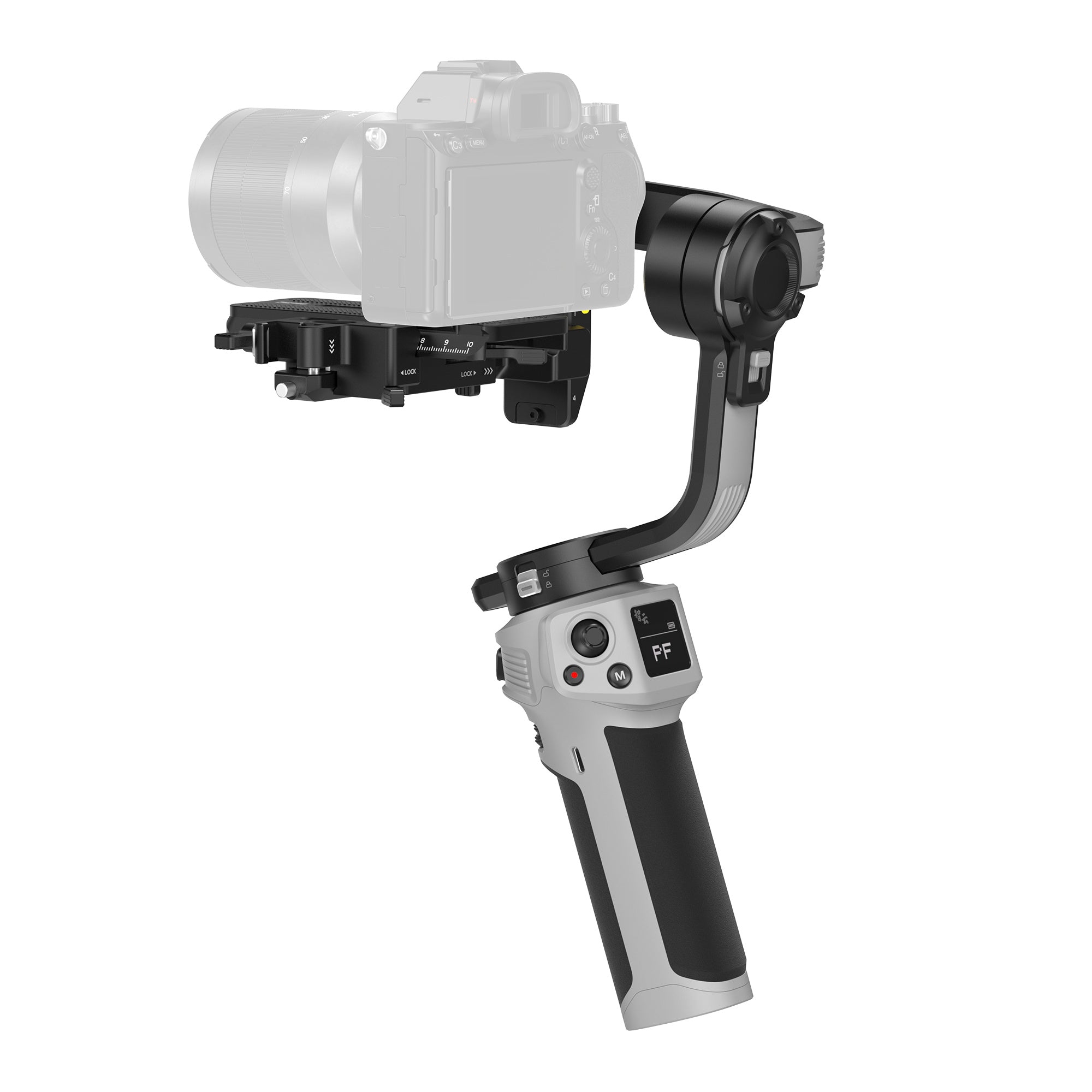
Enter the Era of AI Voice-Controlled Gimbals In an era where content creation is constantly evolving, ZHIYUN has introduced the CINEPEER CQ5 phone stabilizer gimbal. As the first gimbal to feature ZHIYUN’s groundbreaking AI Voice Control System, this device frees your hands, allowing you to command your stabilizer with just a word. It’s more than a gimbal; it’s your intelligent filming assistant. AI Voice Control – Hands-Free Shooting Like Never Before Imagine filming your adventure or creating content without having to touch your device. With the ZHIYUN CINEPEER CQ5, you can simply say, “Hey Cami”, and instantly command your stabilizer. This feature is perfect for vloggers, solo content creators, or anyone who wants a hassle-free filming experience. The voice recognition system is highly responsive within a range of up to 3 meters, making it ideal for on-the-go shooting. This voice control functionality opens a new world of creativity, freeing up your hands to focus on the shot rather than the setup. Compact Folding Design – Portable, Powerful, and Pocket-Ready The CQ5 is designed with portability in mind. Its foldable design and sleek, slide-lock mechanism make it a breeze to carry and set up. When folded, it fits comfortably into a pocket or small bag, making it the perfect travel companion for spontaneous shooting sessions. Whether you’re on a solo hike or wandering through busy city streets, the CQ5 is always ready to capture the moment, no extra hassle required. Smart AI Tracking – Your Personal Camera Operator AI-powered tracking makes the ZHIYUN CQ5 an ideal tool for creators who need freedom to move. The gimbal’s intelligent AI can recognize hand gestures, providing touchless control from a distance. This feature transforms the CQ5 into your personal cameraman, seamlessly keeping you in frame while you focus on delivering the best content. Whether capturing fast-paced action or shooting solo vlogs, the AI tracking system ensures every shot remains smooth and centered.   (Note: AI tracking is available with the ZHIYUN CINEPEER CQ5 Combo package.) Extendable Rod for Wide-Angle Shots – Unlock New Perspectives The ZHIYUN CINEPEER CQ5 takes creativity to new heights with its 215mm extendable rod. With a quick pull, you can capture wide-angle shots that are otherwise challenging with standard gimbals. This feature is ideal for group selfies, panoramic shots, and dynamic angles that add an artistic touch to your content. Extend your reach and bring a new perspective to your filming, effortlessly elevating your shots. Magnetic Fill Light – Perfect Lighting at Your Fingertips Low light conditions are no longer a challenge with the CQ5’s magnetic fill light. Featuring 5 levels of brightness adjustment, it’s easy to add just the right amount of light to enhance your footage. The magnetic design ensures secure placement without the hassle of cables, making it quick to attach and adjust on the go. Whether you’re shooting in dimly lit settings or just want to add a professional touch, this fill light provides everything you need to capture stunning, well-lit footage.   Seamless Dual Control Dial – Effortless Adjustments on the Fly The dual control dial on the CQ5 gimbal is designed with user convenience in mind. This feature allows you to switch between working modes, adjust focal length, and control the brightness of the magnetic fill light effortlessly. The dial’s intuitive design means that all adjustments are just a simple twist away, enabling quick customization without pausing to access the app. With the CQ5, you’re always ready to capture that perfect shot in an instant.   Rock-Solid Stability and All-Day Battery Life – Filming Without Limits Thanks to ZHIYUN’s advanced 3-axis stabilization technology, the CQ5 delivers incredibly smooth footage, even during fast movements. The stabilization is so precise that the footage appears as steady as if it were shot on a tripod. Plus, the quick-mount phone clamp saves you from tedious balancing adjustments, allowing you to start shooting right away.   The CQ5 also features an impressive 11-hour battery life, with fast charging capabilities that allow you to power up in just two hours. With this extensive battery life, you can confidently capture everything from dawn to dusk without worrying about running out of power.   Experience the Future of Gimbals with ZHIYUN CINEPEER CQ5 The ZHIYUN CINEPEER CQ5 is more than just a gimbal; it’s a revolutionary tool that makes advanced filming accessible to everyone. With features like AI voice control, smart tracking, an extendable rod, and a magnetic fill light, this device caters to both beginners and seasoned creators alike. The ZHIYUN CQ5 mobile stabilizer truly embodies ZHIYUN’s vision of creating intelligent, user-friendly solutions for modern filmmakers.   So, if you’re ready to elevate your content and experience the freedom of hands-free shooting, it’s time to step into the future with the ZHIYUN CINEPEER CQ5. Say "Hey Cami" and unlock a new level of creative control today!   FAQs: Q: Is the AI-powered tracking available in all models? A: No, it is only for Smooth 5S AI and CQ5. Q: How long does the ZHIYUN CINEPEER CQ5 battery last? A: The CQ5 provides up to 11 hours of battery life and supports quick charging, reaching full power in just two hours. Q: Can the ZHIYUN CINEPEER CQ5 be used for low-light filming? A: Yes, the CQ5 is equipped with a magnetic fill light, which attaches easily to the phone clamp and provides five levels of adjustable brightness. This feature allows for optimal lighting in various conditions, from dim indoor settings to evening shots outdoors. Q: How is the dual control dial beneficial for adjusting shots? A: The dual control dial is engineered for quick adjustments, allowing you to shift between modes, focus, and control brightness on the fly. This means you don’t need to pause or reach for your phone every time you want to make minor adjustments. Instead, you can maintain control over your shot with just a twist, seamlessly transitioning between scenes and settings without interrupting the flow of your filming.

How to Photograph the Northern Lights: A Beginner’s Guide

Oct 31, 2024
Capturing the Northern Lights, or Aurora Borealis, is an exhilarating experience for photographers. These magnificent, colorful displays paint the night sky with greens, purples, and reds, making them a dream subject. However, photographing them effectively requires proper preparation, equipment, and techniques. In this guide, we’ll show you how to photograph the Northern Lights and incorporate helpful tools like stabilizers and photography lights to enhance your results.   Choose the Right Location and Time To capture the Northern Lights, you’ll need to be in the right place at the right time. The best locations for viewing include high-latitude areas such as: Norway (Tromsø or Lofoten Islands) Iceland Alaska Northern Canada   Aim for clear, dark skies and check aurora forecasts to increase your chances. The peak season to witness the Northern Lights is between September and March, when the nights are long and the sky is darkest.   Use the Right Equipment While you can capture auroras with a basic camera, using professional-grade equipment will ensure your photos stand out. Here's what you'll need: Camera: A DSLR or mirrorless camera with manual settings is essential for adjusting exposure and focus. Wide-angle lens: Choose a fast lens with an aperture of f/2.8 or lower to capture more of the night sky. Tripod:Keeping your camera steady during long exposures is crucial. Use a sturdy tripod to stabilize the shot and avoid blurry images. Gimbal or stabilizer:If you want to take smooth, motion-filled videos of the Northern Lights, consider using a gimbal stabilizer like the ZHIYUN Crane 4. The ZHIYUN Crane 4 camera stabilizer is lightweight yet highly stable, capable of handling heavier camera setups. It features balance indicator lights to ensure precise calibration and a quick-release module that allows easy switching between horizontal and vertical shooting modes—perfect for capturing both landscape and portrait shots of the aurora. Additionally, its extendable sling grip offers more comfort and flexibility, allowing you to adjust for different shooting styles, whether in sling mode or two-handed. Camera Settings for Northern Lights Photography To successfully photograph the Northern Lights, you’ll need to adjust your camera settings to capture enough light while avoiding overexposure. Here are some recommended starting points: Aperture:Set your lens to its widest aperture (f/2.8 or lower) to allow more light into the camera. ISO: Start with an ISO of around 800-3200. Higher ISO values can brighten your image but might introduce noise, so find a balance that works for your camera. Shutter Speed: Aim for a shutter speed between 5 and 20 seconds. If the auroras are moving quickly, use a shorter exposure to avoid blurring the lights. Manual focus: Switch your camera to manual focus and adjust to infinity. Autofocus struggles in low-light conditions, so use a distant light source to focus manually.   Add Depth with a Foreground To make your Northern Lights photos more dynamic, consider adding foreground elements like mountains, trees, or even a person to create depth in your composition. To ensure these elements are visible without overpowering the natural beauty of the aurora, use a portable and adaptable photography light like the ZHIYUN CINEPEER C100. This lightweight, portable light offers full-color RGB with 36,000 hue options, adjustable color temperature from 2700K to 6500K, and a powerful 100W peak output, making it perfect for illuminating your foreground. The ZHIYUN C100 also features built-in music mode and multiple lighting effects, giving you the flexibility to adapt your lighting setup to different scenarios. With its ultra-long battery life, adaptive charging technology, and DynaVort Cooling System™, the ZHIYUN CINEPEER C100 light ensures you won’t miss a shot, staying cool and reliable in even the most challenging conditions.   Composition Tips for Stunning Shots Composing your shot is just as important as camera settings. While the Northern Lights themselves are awe-inspiring, including a well-chosen foreground can make your image more dynamic. Here are a few tips: Rule of Thirds:Position the horizon line on the lower or upper third of the frame for a balanced shot. Incorporate landscape elements: Mountains, trees, and lakes provide context and help guide the viewer’s eye through the photo.   Consider Time-Lapse and Video In addition to still shots, capturing a time-lapse or video of the Northern Lights can add a unique perspective. Set your camera on a time-lapse mode with an interval of 5-10 seconds between shots, and let it run for an extended period to capture the movement of the auroras.   Post-Processing Tips After capturing your shots, you’ll likely need to do some light editing. Tools like Adobe Lightroom or Photoshop can help enhance your photos: Increase exposure slightly if needed. Reduce noise caused by higher ISO settings. Boost contrast and vibrancy to make the auroras pop. Make sure to adjust carefully so the colors remain natural and the overall feel of the photo remains authentic.   Conclusion Photographing the Northern Lights requires preparation, the right gear, and a bit of patience. By following the tips outlined in this guide, you’ll be well on your way to capturing breathtaking images of this natural wonder. With the right settings, a sturdy gimbal stabilizer, and a creative composition, your photos will do justice to one of nature’s most beautiful displays.   Whether you’re a seasoned photographer or a beginner, photographing the Northern Lights is an unforgettable experience. So grab your camera, dress warmly, and head out into the night sky for your chance to capture the auroras in all their glory.   FAQs: Q: How to set iPhone camera for northern lights? A: Night Mode: Enable Night Mode for long exposure shots. The iPhone will automatically suggest this in low-light conditions. ISO: Increase the ISO to 800-1600 for brighter images in the dark. Exposure: Manually adjust exposure to around 10 seconds or more to capture the auroras’ movement. Focus: Tap and hold to lock focus on a distant light source. You can also adjust the exposure by sliding up or down on the focus box. Q: What weather conditions are ideal for photographing the Northern Lights? A: Clear, cloudless skies are crucial for Northern Lights photography. Cold temperatures also reduce atmospheric moisture, improving visibility of the aurora. Q: How can I protect my camera in extreme cold conditions? A: To avoid battery drain in freezing temperatures, keep spare batteries warm in your pocket. Consider using weatherproof camera covers to protect your gear from moisture and frost. Q: How can I avoid condensation on my camera lens? A: To prevent condensation, let your camera acclimatize to the cold by leaving it outside for a while before you start shooting. After the shoot, place the camera in a sealed plastic bag before bringing it back indoors to avoid fogging.

Top 5 Tips and Tools for Stabilizing Your Smartphone Videos

Oct 31, 2024
In today’s fast-paced world, smartphones have become powerful tools for creating high-quality videos. However, one challenge that content creators often face is keeping the footage stable. Whether you're vlogging, filming short clips for social media, or recording a family event, shaky videos can detract from the professionalism and quality of your content.   Luckily, there are several ways to stabilize your smartphone videos and elevate the overall quality of your footage. From simple techniques to advanced tools, here are the top five tips and tools to help you achieve smooth, professional-looking videos.   Use a Smartphone Gimbal for Maximum Stability A gimbal is one of the most effective tools for stabilizing your smartphone videos. It uses motors and sensors to keep your phone balanced, no matter how much you move. Gimbals are designed to compensate for shaky hands, uneven surfaces, and sudden movements, ensuring that your videos come out smooth and steady. ZHIYUN Smooth 5S Gimbal The ZHIYUN Smooth 5S phone stabilizer is an excellent option for both beginners and advanced creators. It offers multiple shooting modes, including pan-follow and POV modes, giving you full control over your shot angles. Its powerful motors allow for smooth movement, even when you’re walking or running, making it a must-have tool for smartphone videographers. For those seeking a lightweight, more compact option, the ZHIYUN CINEPEER CQ5 is an excellent choice. Its compact folding design makes it portable enough to fit in your pocket, while its 215mm extension rod allows for capturing wide-angle shots effortlessly. The ZHIYUN CQ5 phone stabilizer​ also comes with cutting-edge features like voice control, magnetic fill light, and AI-powered tracking, making it a smart, intuitive stabilizer for content creators of all levels. Leverage Your Smartphone’s Built-in Stabilization Features Many modern smartphones come equipped with optical image stabilization (OIS) or electronic image stabilization (EIS). These built-in features help reduce shakiness by compensating for minor hand movements. Although these features may not completely eliminate shaking, they provide a great starting point for more stable footage.   Tip: Check your phone’s camera settings to ensure OIS or EIS is enabled before filming. If your phone offers different video quality options, note that the stabilization features may vary across resolutions (e.g., some phones only offer OIS at 1080p).   Hold Your Smartphone Properly One of the simplest ways to stabilize your videos is by holding your smartphone with both hands and keeping your elbows close to your body. This reduces the range of movement, creating a more stable shooting platform.   For even better results, consider using a smartphone grip or handle. These accessories provide extra support, reducing the chances of accidental shaking. Smartphone grips also give you more control when moving the camera during tracking shots or pans. Tip: While walking and filming, try to keep your movements slow and smooth. Bend your knees slightly and walk heel-to-toe to absorb the shock from your steps, preventing it from transferring to the camera.   Invest in a Tripod for Stationary Shots For static shots, nothing beats a good tripod. Tripods offer the ultimate stability and are especially useful for filming interviews, time-lapses, or long takes that require the camera to stay still. Look for a lightweight, portable tripod that can easily be carried and set up when you’re on the go.   Tip: If you're filming outdoors, use a remote or timer function to avoid shaking the camera when you press the record button.   Edit Out Shakiness in Post-Production If your footage is already shaky, don’t worry—you can often fix it in post-production using video stabilization software. Many video editing apps offer stabilization features that smooth out camera movements and reduce visible shaking.   Top Editing Tool: Adobe Premiere Pro For professionals, Adobe Premiere Pro provides powerful video stabilization tools, including the Warp Stabilizer. This feature analyzes your footage and automatically smooths out any unwanted motion, making your videos look as if they were shot with professional gear.   If you’re looking for a more affordable option, iMovie for iOS or DaVinci Resolve (free version) also offer effective stabilization tools, perfect for smoothing out smartphone footage.   Tip: While post-production tools can help stabilize your footage, they work best on videos that are only slightly shaky. Extreme shakiness can lead to distorted results after editing, so it’s always better to minimize shake during filming.   Final Thoughts Stabilizing your smartphone videos doesn’t have to be a complex process. By combining the right techniques with the best tools, you can significantly improve the quality of your footage. Whether you’re investing in a gimbal or simply taking advantage of your phone’s built-in features, these tips will help you create smoother, more professional-looking videos.   Remember, good video stabilization is essential for engaging your audience and conveying a polished, high-quality aesthetic. So, before your next shoot, make sure to consider these tips and tools to take your smartphone videography to the next level!   FAQs: Q: How do I stabilize smartphone videos when walking? A: To stabilize videos while walking, use a gimbal for dynamic shots or practice walking slowly and smoothly with bent knees, absorbing shock through heel-to-toe steps. Q: What is the difference between OIS and EIS in smartphones? A: Optical Image Stabilization (OIS) physically adjusts the camera lens to counteract movement, while Electronic Image Stabilization (EIS) uses software to correct shakes digitally. Q: How can I stabilize videos in low-light conditions? A: In low-light, a gimbal with built-in lights, like the ZHIYUN Smooth 5S, can help. Also, keep your movements slow and steady to avoid exaggerated shakes caused by longer exposure times. Q: Does zooming in affect video stability? A: Yes, zooming in can exaggerate shakiness in your video. To reduce this, it's better to physically move closer to your subject rather than relying on digital zoom. Q: What’s the best frame rate for stabilizing videos? A: Higher frame rates, such as 60 fps, can make footage look smoother and reduce the visibility of shakiness, especially in action shots.

10 Videography Mistakes and How to Avoid Them: Tips for Beginners

Oct 31, 2024
Getting started with videography can be exciting, but it’s easy to make some common mistakes that can affect the quality of your videos. In this guide, we’ll explore 10 of the most frequent videography mistakes and how you can avoid them to take your filmmaking to the next level.   Shaky Footage One of the most common mistakes beginners make is producing shaky footage. Unsteady hands can ruin even the best shots, making the video appear unprofessional. How to avoid it: Invest in a tripod or a gimbal stabilizer. The ZHIYUN Crane 4 camera stabilizer is a lightweight, stable gimbal designed for heavy payloads. It features quick-release for easy switching between horizontal and vertical shots, an extendable sling grip, built-in 10W fill light, and Bluetooth shutter control. With customizable settings, dual follow focus, and strong battery life, it’s ideal for professional, all-day shooting. Poor Lighting Lighting plays a crucial role in setting the tone and quality of your video. Inadequate lighting can make your footage appear dark, grainy, or overly bright. How to avoid it: Familiarize yourself with the basics of lighting. For indoor shoots, use softbox lights for soft, even illumination. Consider the ZHIYUN MOLUS B-Series, which offers 100W to 500W power and adjustable color temperatures from 2700K to 6500K. Its intuitive dials allow for quick brightness and color adjustments, ensuring consistent lighting. With an integrated power source and compact design, the MOLUS B-Series is perfect for on-the-go shoots, providing a powerful and flexible lighting solution to elevate your videography. Ignoring Audio Quality Clear audio is just as important as high-quality visuals. Poor sound can disengage your audience, no matter how great your footage looks. How to avoid it: Invest in a good external microphone. Lavalier mics for interviews or shotgun mics for general use can significantly improve your audio quality. Always test the audio levels before recording.   Overcomplicating Shots Trying to incorporate too many angles or movements in one shot can make the video feel chaotic and confusing for viewers. How to avoid it: Stick to simple, well-composed shots, especially when you're starting out. Master the basics of framing and composition before experimenting with complex techniques. Use dynamic shots when appropriate but don’t overdo them.   Bad Framing Amateur videographers often struggle with framing, cutting off parts of their subject or placing them awkwardly in the shot. How to avoid it: Learn the rule of thirds, where you divide the frame into a grid of nine sections. Place key elements along these lines or at their intersections to create a balanced, aesthetically pleasing shot. Not Using Manual Settings Relying on automatic camera settings can lead to inconsistent footage. Auto-focus, auto-exposure, and auto-white balance can all cause issues, particularly in changing light conditions. How to avoid it: Take the time to learn your camera’s manual settings. Control your exposure, ISO, shutter speed, and white balance manually to have consistent and professional-looking shots.   Not Planning Shots Going into a shoot without a plan can result in aimless footage and missed opportunities to capture important moments. How to avoid it: Storyboarding or creating a shot list can help you visualize and plan your video in advance. This ensures you don’t miss crucial shots and keeps your production organized.   Overusing Effects and Transitions It's tempting to use flashy effects and transitions, but overdoing them can make your video look unprofessional and distracting. How to avoid it: Use transitions sparingly and choose simple, clean effects. Focus on telling your story through well-composed shots and natural movement, rather than relying on too many post-production tricks.   Inconsistent Color Grading Inconsistent color grading or neglecting it altogether can make your video look disjointed, especially when combining footage from different locations or lighting conditions. How to avoid it: Learn the basics of color correction and color grading. Most editing software offers built-in tools for adjusting the color balance and tone of your footage to make it cohesive. Consistent color grading enhances the overall look and feel of your video.   Not Editing Enough Many beginner videographers hesitate to trim their footage, resulting in overly long and unengaging videos. How to avoid it: Be ruthless in the editing room. Cut out unnecessary parts of your footage to keep your video concise and engaging. Make sure each clip serves a purpose in telling your story.   Conclusion Videography is a skill that requires practice, patience, and attention to detail. By avoiding these common mistakes, you can improve the quality of your videos and create more polished, professional content. Remember, the key to success is to keep learning, experimenting, and refining your craft.     FAQs: Q: What equipment should I use to improve my audio quality? A: Invest in an external microphone such as a lavalier mic for interviews or a shotgun mic for capturing general sound. Testing audio levels before recording is crucial for good sound quality. Q: What is the rule of thirds in videography? A: The rule of thirds is a compositional technique where you divide the frame into nine equal sections and place important elements along the lines or at their intersections for balanced framing. Q: What’s the benefit of using manual camera settings? A: Manual settings allow you to control exposure, ISO, shutter speed, and white balance, ensuring consistent footage in changing conditions, which automatic settings may not handle well.

Revitalize Your Photography: 5 Techniques for Fresh Inspiration

Oct 16, 2024
Photography is an art form that invites endless possibilities, yet many of us hit a creative block after a while. If you're finding yourself stuck in a rut, struggling to find new subjects, don’t worry—it's completely normal. In this blog, we’ll explore five dynamic photography techniques that will not only reignite your passion but also help you see the world through a fresh lens. Whether you’re a seasoned photographer or a beginner, these ideas will challenge your eye and push the boundaries of your creativity.   Play with Colors Our world is rich in vibrant hues, and color can be a powerful tool in photography. One way to challenge yourself is by setting a daily color theme for your shots. For example, spend one day capturing every red object you see, and the next day, focus on blues or yellows. You could even look for contrasting colors like red and green or blue and yellow, as they make for striking compositions. By isolating and emphasizing color, you’ll train your eye to notice subtle tones and how they interact in your environment. Explore Light and Shadow Light and shadow are the twin forces that can transform a mundane scene into something extraordinary. After you’ve experimented with colors, switch your camera to black-and-white mode and focus on the dance between light and shadow. Study how the sunlight changes throughout the day—from the soft glow at sunrise to the harsh midday sun, and finally, the golden hour at dusk. For more control over these elements, the ZHIYUN MOLUS B-Series photography lights offer a versatile solution. With adjustable color temperatures from 2700K to 6500K, you can seamlessly capture cinematic lighting at any time of day, enhancing the interplay of light and shadow in your shots, even in low-light or night settings. Capture Textures Texture is everywhere, from the rough surface of a brick wall to the delicate petals of a flower. The challenge here is to find interesting textures and emphasize them in your photographs. Play with angles and compositions that bring out the depth and detail of the textures you discover. Consider shooting close-ups of natural textures like tree bark, water ripples, or sand patterns, as well as man-made materials like metal, glass, or fabric. Textured shots can evoke a tactile sensation, giving your photos a sense of touch and richness.   Highlight Lines and Shapes Lines and shapes are fundamental elements of design that guide the viewer’s eye and create a sense of structure in photography. Look for strong lines in your environment, such as buildings, roads, or fences. You can use leading lines to draw attention to your subject, diagonal lines to create a dynamic feel, or symmetrical shapes for balance. For an even more dramatic effect, try incorporating silhouettes or framing techniques to emphasize these visual elements. You'll find opportunities in both urban and natural landscapes to practice this approach. Freeze or Blur Motion Motion can bring an image to life, giving it a sense of movement or passage of time. With a fast shutter speed, you can freeze fast-moving subjects like a bird in flight or an athlete in action, capturing crisp, dynamic moments. On the flip side, using a slower shutter speed allows you to blur motion—ideal for creating artistic images of flowing water, light trails, or people walking in busy streets. To ensure stability in these scenarios, especially with long exposures, the ZHIYUN Crane 4 camera stabilizer can be a game changer. Its lightweight design and strong battery life provide reliable support, while the Bluetooth shutter control makes triggering shots seamless, allowing you to capture both sharp and artistic motion with ease. Conclusion:  Photography is all about seeing the world differently. By practicing these five techniques—playing with colors, exploring light and shadow, capturing textures, highlighting lines and shapes, and experimenting with motion—you’ll sharpen your skills and discover new ways to tell visual stories. Each approach offers a unique way to challenge yourself and expand your photographic repertoire. So, grab your camera, step outside, and start shooting with a fresh perspective!     FAQs: Q: How can a photographer use color theory to create more impactful images?   A: A photographer can apply color theory by focusing on complementary color schemes like blue and orange or red and green to create visual harmony and contrast. This can be done during shooting by selecting scenes with natural or artificial colors, or during post-processing by adjusting the color balance to emphasize specific tones. Q: What camera settings should be used to capture strong contrasts between light and shadow?   A: To capture sharp contrasts between light and shadow, a photographer should use a lower ISO (100-200) to avoid noise, a high contrast setting, and manual exposure control. Metering for the highlights can help maintain detail in bright areas while letting the shadows remain dark, emphasizing the contrast. Q: How can a photographer highlight textures in both natural and artificial lighting conditions?   A: In natural light, side-lighting from the sun (especially during golden hours) enhances textures by casting shadows. For artificial lighting, using directional light such as a single light source or a softbox angled to the side can accentuate texture details. Adjusting aperture to a higher f-stop (f/8 or higher) can increase depth of field, bringing out texture in the entire frame. Q: What are the best practices for capturing motion blur in a dynamic scene?   A: A photographer should use a slow shutter speed (1/30 sec or slower) and stabilize the camera with a tripod. In scenes with fast-moving subjects, panning the camera to follow the motion can create a blurred background while keeping the subject sharp. Adjusting ISO and aperture to balance the exposure during longer exposures is also essential. Q: How can a photographer use lines and shapes to enhance composition?   A: A photographer can utilize leading lines to direct the viewer's eye toward the subject, while incorporating geometric shapes or natural lines (like roads, bridges, or tree branches) to create balance and structure in the frame. Positioning these elements in the rule of thirds or using diagonal lines adds a sense of depth and dynamism to the composition.

Filming 101: The Different Types of Camera Shot Angles

Oct 16, 2024
In filmmaking, the right camera angles and shot types can make or break a shot. Whether you’re trying to emphasize the emotional state of a character, set the tone of a scene, or build suspense, the angle from which you capture your subject has a significant impact. In this guide, we’ll walk you through the most common types of camera shot angles, offering insights on when and how to use each.   Eye-Level Shot The eye-level shot is perhaps the most straightforward and commonly used angle in filmmaking. As the name suggests, the camera is positioned at the subject's eye level, creating a neutral and relatable perspective for the viewer.   - When to use it: Eye-level shots are great for maintaining a natural perspective and keeping the audience on an equal footing with the character or subject. They are typically used in dialogue scenes, making the viewer feel like they are in the room, observing events unfold naturally. For creators looking for ergonomic comfort during extended shoots, the ultra-compact ZHIYUN WEEBILL 3E gimbal offers a perfect handheld stabilizing solution. Weighing just 990g and as compact as A4 paper, it ensures smooth, stable shots with minimal fatigue, making eye-level scenes even more immersive. With ZHIYUN Crane 4's versatile sling grip and upgraded wrist rest, filmmakers can achieve precise low-angle shots effortlessly. The grip's adjustable design and comfortable texture provide stability and ease during extended shoots, while the built-in fill light adds professional-grade lighting, making low-angle shots not only powerful but visually striking. High-Angle Shot Conversely, a high-angle shot places the camera above the subject, looking down. This makes the subject appear smaller, weaker, or more vulnerable.   - Effect: A high-angle shot can diminish the power of a character, making them seem less significant or more vulnerable. It’s an excellent way to convey feelings of helplessness or inferiority. - When to use it: Use this angle when you want to evoke sympathy for a character or showcase their vulnerability. It's also common in scenes involving danger, where the character is overpowered or in a precarious situation.   Bird’s-Eye View The bird’s-eye view is an extreme high-angle shot, usually taken from directly above the subject. It provides an overhead perspective, often making the environment or landscape a central focus.   - Effect: This angle can make characters appear insignificant within a vast environment, giving a sense of isolation or exposing the larger context of the scene. - When to use it: Bird's-eye shots are great for establishing scenes, giving viewers a wide view of the landscape. They are also used in dramatic moments where the vastness of the world or the overwhelming nature of a situation needs to be highlighted.   Dutch Angle (Tilted Shot) The Dutch angle, also known as a canted or oblique angle, tilts the camera to one side, creating a skewed horizon line. This shot introduces tension, unease, or disorientation.   - Effect: This angle is often used to convey psychological imbalance, confusion, or chaos within a scene. It distorts reality, making the audience feel unsettled. - When to use it: The Dutch angle works well in scenes involving mental instability, high tension, or moments where the world feels “off.” It’s often found in psychological thrillers, horror films, or action sequences where the environment is chaotic.   Over-the-Shoulder Shot The over-the-shoulder shot frames the subject from behind another character, focusing on what that character sees. It’s commonly used in dialogue scenes.   - Effect: This angle allows the audience to adopt the perspective of the character whose shoulder is visible, creating a sense of participation in the conversation or action. - When to use it: Use this shot in dialogue-heavy scenes to immerse the audience in the conversation. It can also be used in confrontations to heighten the tension between two characters.   Conclusion Camera angles and shots in film are powerful storytelling tools in filmmaking. Whether it’s the neutral eye-level shot or the unsettling Dutch angle, each shot and angle offers a unique way to shape the narrative, control the viewer’s emotional response, and highlight key elements within a scene. Understanding when and how to use these camera angles and shots in film will elevate your filmmaking, helping you tell more compelling stories that resonate with your audience.   FAQs: Q: What is an eye-level shot, and when should it be used? A: An eye-level shot places the camera at the subject’s eye line, creating a neutral, natural perspective. It's ideal for dialogue scenes, making the audience feel as if they’re on equal footing with the character, providing a sense of realism and connection to the action. Q: What is the purpose of a high-angle shot in filmmaking? A: A high-angle shot positions the camera above the subject, looking down. This angle diminishes the character’s stature, making them appear vulnerable or weak. It’s commonly used to create empathy for the character or to show their inferiority in a given situation. Q: What is a Dutch angle, and why is it used? A: A Dutch angle, or canted angle, tilts the camera to skew the horizon line, creating a sense of imbalance or tension. It's frequently used to convey psychological instability, chaos, or disorientation in a scene, often found in thrillers, horror films, and suspenseful moments. Q: What is a long shot camera angle, and how is it used in filmmaking?A: A long shot camera angle, also known as a wide shot, frames the subject from a significant distance, capturing both the subject and the surrounding environment. It is typically used to establish context, show the subject's relationship to their surroundings, or convey scale. Long shots are ideal for setting the scene, showcasing action, or emphasizing isolation and distance, providing the audience with a broader perspective of the world within the film. Q: What is the effect of an extreme wide shot in filmmaking? A: An extreme wide shot shows a large, expansive area, often used as an establishing shot to set the scene or show the vastness of the environment. It can convey isolation or insignificance of the character in relation to the larger world around them. Q: How does a tracking shot create a sense of motion in film? A: A tracking shot follows a moving subject, often on a dolly or rails, to create a smooth, continuous motion. This type of shot immerses the audience in the action, maintaining a constant connection to the character or object as it moves through the scene.

What is Low-Key Lighting & High-Key Lighting in Film

Oct 08, 2024
Introduction Lighting plays a crucial role in shaping the mood, tone, and overall aesthetics of a film. Two popular lighting techniques used in filmmaking are low-key and high-key lighting. Understanding these lighting styles can help filmmakers create the desired atmosphere and impact, making scenes more visually engaging and emotionally resonant. In this blog, we'll explore what low-key and high-key lighting are, how they differ, and when to use each to elevate your storytelling.   Low-Key Lighting: Creating Drama and Mystery What is Low-Key Lighting? Low-key lighting is a technique that uses a limited light source to create strong contrasts between light and shadow. This results in dark, shadowy areas with just a few highlights, giving a dramatic and mysterious feel to the scene. It's characterized by its high contrast and deep shadows, making it ideal for creating tension, suspense, or a sense of danger.   How to Achieve Low-Key Lighting - Use a Single Light Source: Typically, a single key light is used to illuminate the subject. This light is often placed to the side or at an angle to create sharp contrasts. - Minimize Fill Light: In low-key lighting, fill lights are either minimized or eliminated to maintain the shadows' depth. - Adjust the Background: Keeping the background dark enhances the contrast and emphasizes the subject, drawing attention to specific details. The ZHIYUN CINEPEER C100 is an excellent tool for achieving low-key lighting. With its powerful 100W light output and full-color RGB capabilities, it allows filmmakers to create deep shadows and rich lighting effects effortlessly. The ZHIYUN C100’s adjustable color temperature (ranging from 2700K to 6500K) and its high CRI value ensure accurate color reproduction, making it ideal for scenes that demand intense contrast and atmosphere. When to Use Low-Key Lighting - Drama and Suspense: Perfect for scenes with tension, suspense, or conflict, commonly seen in horror, thriller, and noir films. - Character Depth: This lighting style adds depth and dimension, making it great for revealing a character's darker side or inner turmoil. - Moody Atmospheres: Low-key lighting works well for moments that require an intimate, serious, or mysterious mood.   High-Key Lighting: Brightness and Clarity What is High-Key Lighting? High-key lighting is a technique that uses multiple light sources to eliminate shadows and create an even, well-lit scene. This style is characterized by its low contrast, bright highlights, and absence of shadows, making it perfect for scenes that need to convey a cheerful, light-hearted, or clean atmosphere.   How to Achieve High-Key Lighting - Use Multiple Light Sources: A combination of key lights, fill lights, and backlights ensures even illumination across the scene. - Soft Light: Soft, diffused light helps reduce shadows and creates a uniform brightness. - Bright Background: A brightly lit or white background enhances the effect of high-key lighting, making the entire frame look clean and clear. For achieving an effective high-key lighting setup, the ZHIYUN MOLUS X60 stands out as an ideal option. With its stable 60W output and easy-to-use dual-dial design for quick adjustments, this light offers the flexibility needed for creating evenly lit scenes. Its grip battery and PD charging capabilities ensure that you maintain consistent, bright lighting even during extended shoots, making it exceptionally suitable for high-key lighting in various film and commercial settings.   When to Use High-Key Lighting - Comedies and Romances: Ideal for films that require a positive, uplifting, or light-hearted tone, such as romantic comedies and family movies. - Advertising and Commercials: High-key lighting is widely used in commercials and product photography to convey a sense of purity, freshness, and approachability. - Musicals and Sitcoms: This lighting style is effective in creating a lively and engaging atmosphere, suitable for feel-good content. Low-Key vs. High-Key Lighting: Key Differences Choosing Between Low-Key and High-Key Lighting Selecting the right lighting technique depends on the mood and message you want to convey: Low-Key Lighting:Ideal for scenes with tension, mystery, or intense emotions. It’s perfect when you want to add depth, contrast, and an element of surprise. High-Key Lighting: Best suited for moments that require clarity, joy, or lightness. It’s the go-to choice for making scenes feel warm, inviting, and approachable.   Tips for Filmmakers: Blending Both Techniques Experiment with Both Styles:Don’t feel restricted to just one type of lighting. Combining low-key and high-key techniques within different scenes of the same film can create dynamic contrasts and add visual interest. Consider the Genre:Match the lighting style to your genre. While thrillers often lean towards low-key lighting, romantic comedies thrive on high-key lighting. Use Lighting to Enhance Storytelling: Lighting should serve your narrative. Think about how each technique can highlight a character’s emotions, reveal important plot points, or set the overall tone.   Conclusion Both low-key and high-key lighting are powerful tools that allow filmmakers to create unique visual experiences. Understanding how to use these techniques can significantly enhance your storytelling, helping you convey emotions, mood, and atmosphere more effectively. Whether you want to evoke mystery with shadows or brightness with soft light, mastering these lighting styles will add depth and professionalism to your film projects.   FAQs: Q: What is the main difference between low-key lighting and high-key lighting? A: Low-key lighting emphasizes shadows and contrast, creating a dramatic, intense mood, while high-key lighting focuses on even, bright illumination to produce a cheerful, clear ambiance. Q: What type of scenes are best suited for high-key lighting? A: High-key lighting works best for scenes that need a bright, positive, or light-hearted atmosphere, such as in comedies, romantic scenes, and commercials. Q: What kind of lighting equipment is ideal for high-key lighting? A: Bright, soft lights, such as LED panels, softboxes, and ring lights, are ideal for creating the even, shadow-free illumination required for high-key lighting. Q: Can low-key lighting be used in daylight settings? A: Yes, low-key lighting can be achieved in daylight by controlling the light using flags, black drapes, or placing the subject in shaded areas to maintain contrast.

The Art of Short Video: Essential Tips for Beginners

Oct 08, 2024
Creating short videos has become an essential skill in the era of social media and digital content. Whether you're looking to become the next viral sensation on TikTok or simply share moments with friends, learning the basics of video shooting is crucial. This guide will introduce you to key techniques that will help you shoot stable, engaging, and well-lit videos, even if you're a beginner. Let's dive into the essential tips to get you started on your short video journey! Stability is Key The foundation of any good video is stability. A shaky camera not only distracts viewers but can also make them feel dizzy. If you're shooting with a smartphone and don't have access to a stabilizer, worry not! You can stabilize your footage by simply using your body as a tripod. Hold your phone with both hands and keep your elbows close to your body. This technique helps reduce small shakes and movements. For those wanting higher-quality, professional-looking videos, investing in a gimbal or a tripod is a great idea. The ZHIYUN Crane 4, for instance, offers impressive stability while being lightweight and capable of handling heavier cameras. Its upgraded Bluetooth shutter control and long battery life ensure seamless shooting, giving you smooth, cinematic footage even on the move.   Learn the Art of Composition Just like photography, video shooting relies heavily on good composition. The "Rule of Thirds" is a common guideline that can help you create visually balanced shots. Most smartphones have a grid feature that can be activated in the camera settings. By aligning your subject along the grid lines or placing them at the intersection points, you can create a dynamic and aesthetically pleasing composition.   Beyond the Rule of Thirds, experiment with other composition techniques like diagonal lines or triangular framing, often seen in cinematic productions. As you become more experienced, you’ll start recognizing how these techniques can enhance the storytelling in your videos.   Harness the Power of Light Lighting plays a significant role in the mood and quality of your videos. When shooting outdoors, aim for even lighting by positioning your subject where sunlight is diffused. Golden hour—right after sunrise or just before sunset—is the best time to shoot, as the natural light is soft and flattering. For indoor shoots, tools like the ZHIYUN CINEPEER CF100 can elevate your lighting game. With its rich RGB lighting effects and adjustable brightness, the CF100 allows you to easily manipulate indoor lighting to match your creative vision. Whether you're looking for a soft glow or a more dramatic effect, this portable light stick ·offers the flexibility to create anything from subtle highlights to vibrant color transitions. Experiment with different light angles—backlighting can add a dramatic halo, while side lighting can bring out more texture and depth in your subject. Experiment with Different Angles and Shots To keep your videos visually engaging, avoid shooting everything from a single angle. Instead, experiment with various shots: close-ups, medium shots, and wide shots. For example, when filming a person, a close-up can capture emotions, while a wide shot sets the scene. Switching between different shot types keeps your video dynamic and helps tell a more comprehensive story.   Additionally, don’t hesitate to try low-angle or high-angle shots to create different perspectives. These angles can make your content stand out and add visual interest that hooks viewers in. Control Exposure and Focus Manually Many smartphones have an automatic focus and exposure adjustment feature, but it’s worth learning how to control these manually. This is especially useful when shooting in tricky lighting conditions, like indoors with bright windows. Locking your exposure will prevent the video from shifting between dark and bright scenes, which can be distracting.   Manual focus is equally essential. By tapping on the area of the screen where you want your camera to focus, you can ensure the subject stays sharp throughout the video. Practice these techniques, and soon you'll be in full control of how your video looks!   Conclusion With the right techniques and a bit of practice, creating professional-looking short videos is within anyone's reach. Remember, stability, composition, lighting, and shot variation are the keys to captivating videos. As you continue to experiment and hone your skills, you'll see improvements in your content, attracting more viewers and making your videos stand out. Now, grab your phone and start shooting—your viral moment could be just one video away!   FAQs: Q: How can new creators make their videos look more professional?A: Using tools like gimbals or stabilizers, can drastically improve video stability. Practicing with manual settings like exposure and focus also helps ensure better control over the visual quality, resulting in more polished videos. Q: What should beginners focus on to improve storytelling in their videos?A: Beginners should focus on shot variation—combining close-ups, medium shots, and wide shots. This creates a more engaging narrative and helps keep viewers interested throughout the video. Q: How can beginners use lighting to create mood in their videos?A: Understanding basic lighting principles is key. For example, shooting during golden hour offers soft, flattering light. For indoor shoots, using a tool like the ZHIYUN CINEPEER CF100 allows for adjustable, rich lighting effects, helping to set the right mood and atmosphere.

Mastering Night Portraits: How to Light Your Subject for a Cinematic Ambiance

Sep 24, 2024
Shooting portraits at night can be both challenging and rewarding. The darkness offers a blank canvas for photographers to sculpt their subjects with light, creating a sense of mood and atmosphere. Whether you're aiming for a warm, intimate vibe or a mysterious, edgy look, lighting is the key to unlocking the ambiance of your night-time shots. In this blog, we'll explore the techniques and tools you can use to transform your night portraits into cinematic masterpieces by using creative lighting setups. Understand the Power of Color Temperature   Different light sources emit varying color temperatures, which can dramatically alter the mood of your portraits. Warm tones (around 2700K-3200K) can create a cozy, romantic atmosphere, reminiscent of candlelight. On the other hand, cooler tones (5000K-6000K) can evoke a sense of mystery or urban detachment, perfect for portraits that feel more modern or introspective. For versatile control over these effects, ZHIYUN MOLUS B-Series is an excellent photography light, offering a wide range of color temperatures from 2700K to 6500K, ensuring cinematic results. For a night shoot, using colored gels on your lights can also add a surreal, neon effect, transporting your subject into a dreamy or futuristic world. Don’t be afraid to experiment—this is where the mood of your portrait takes shape. Key Light and Fill Light: Creating Balance   At night, your primary source of light—your key light—should be placed to one side of your subject to create depth. This light forms the backbone of your portrait, highlighting key features such as the face or body. However, to avoid harsh shadows, a fill light placed on the opposite side will help soften the scene, providing balance. This two-light setup gives you control over the contrast and prevents your subject from being swallowed by the darkness. Embrace Practical Lights and Ambient Lighting Urban settings, in particular, offer a wealth of ambient light sources like street lamps, neon signs, and car headlights. Incorporating these "practical lights" into your portraits not only adds visual interest but also grounds your subject in the environment, giving your shots a natural, spontaneous feel. For added flexibility, ZHIYUN CINEPEER CM15 is a compact yet powerful option that fits perfectly into night shoots, offering vibrant RGB colors and 18 dynamic lighting effects. You can easily use it to complement or enhance the ambient lights, allowing for more creative lighting possibilities in your scene.   Use Reflectors and Diffusers for Softer Effects When you're out shooting at night, you'll often need to control the light to prevent it from being too harsh. Using a diffuser can soften the output, spreading the light more evenly across your subject. Reflectors can also be incredibly useful, bouncing light back onto areas that may otherwise fall into shadow. These tools help create a more natural, even look, ensuring your subject is well-lit without looking flat. Playing with Shadows and Light Ratios A significant part of shooting at night is how you handle contrast, especially when it comes to shadows. Light ratios—the difference between the bright and dark areas in your image—play a big role in setting the mood. A high light ratio, with strong contrasts between light and dark, can give your portrait a dramatic, film-noir look. A lower ratio, with softer transitions between light and shadow, can evoke a gentler, more ethereal feeling. To master this, try moving your key light closer or further from your subject, or adjusting its angle until you achieve the desired look.   Conclusion Lighting in night portrait photography is an art form that allows you to tell a story, evoke emotions, and craft unforgettable images. By understanding color temperature, balancing key and fill lights, utilizing ambient light, and mastering light ratios, you can create stunning, cinematic portraits. With a little experimentation and the right tools, you'll be able to transform any night shoot into a visual masterpiece that captivates your audience.   FAQs: Q: How to make my night portraits look more cinematic?   A: To achieve a cinematic look, focus on using a combination of warm and cool lighting, play with high contrast shadows, and incorporate practical lighting from the environment like street lamps or neon signs. Q: What is the best light setup for night portraits?   A: A two-light setup using a key light for the main subject and a fill light to reduce harsh shadows is an effective approach. Use diffusers and reflectors to balance the lighting for softer, more natural results. Q: Should people use flash when shooting portraits at night?   A: Flash can be useful, but it should be diffused or bounced off a surface to avoid harsh lighting. Alternatively, continuous lights, like LED panels, offer more control over the intensity and color. Q: How to prevent the night portraits from looking too dark?   A: Use a higher ISO setting and open up your aperture to let in more light. Additionally, utilize external lights, like an LED panel, to brighten your subject without sacrificing image quality. Q: How to create a moody, atmospheric effect in night portraits?   A: Experiment with backlighting your subject and using fog or smoke to scatter light. Combine this with colored gels or ambient light sources to add drama and texture to the scene.

Lighting Like a Pro: Maximizing the 3-Point System

Sep 23, 2024
Lighting is a key element in filmmaking, shaping mood and atmosphere. Among various lighting setups, the three-point lighting system is the most widely used due to its simplicity and versatility. It consists of the key light, fill light, and backlight, working together to create depth and contrast. In this guide, we’ll explore how to maximize the three-point system to give your videos a professional touch.   What is Three-Point Lighting? Three-point lighting relies on three main light sources: - Key Light: The strongest light, positioned at a 45-degree angle from the subject. It illuminates the subject and creates shadows. - Fill Light: Positioned opposite the key light, it softens the shadows cast by the key light. It’s typically half as bright and more diffused. - Backlight: Positioned behind the subject, it separates them from the background, adding depth and a subtle glow around the subject’s outline.   Perfecting Light Placement The success of three-point lighting depends on correct positioning. The key light should highlight the subject’s features, while the fill light softens shadows without eliminating them completely. The backlight adds dimension by creating separation from the background. Experiment with angles and light intensity to achieve the desired mood. For filmmakers looking to enhance their lighting setup, products like the ZHIYUN CINEPEER C100 are invaluable. The CINEPEER C100’s full-color RGB technology, offering 36,000 color options, allows for precise lighting customization. With its high CRI and TLCI ratings (≥98 and ≥95 respectively), the ZHIYUN C100 ensures vibrant, true-to-life color reproduction, making it ideal as your main or key light. Whether you need warm tones or cool hues, its adjustable color temperature (2700K to 6500K) makes it perfect for all lighting scenarios, from dramatic film scenes to commercial shoots. The compact design and adaptive charging technology provide flexibility and ease of use, ensuring that even during long shoots, your lighting remains consistent and professional. Mastering Shadow Control Shadows help create mood and texture. A stronger key light will cast deeper shadows, while adjusting the fill light can soften them. For a more dramatic look, use minimal fill light to increase contrast. Alternatively, for a balanced, neutral scene, bring the fill light closer in intensity to the key light.   Adjusting Color Temperature Color temperature is crucial to achieving the right look. Warm light (3200K) creates a cozy, natural feel, while cooler light (5600K) adds a modern touch. When filming people, be mindful of how different light temperatures affect skin tones. Mixing warm and cool lights can add visual depth and interest. For smaller, more intimate setups, or when shooting in tight spaces, the ZHIYUN CINEPEER CX100 is an excellent option. With its ultra-lightweight, compact design and powerful 100W light, the CINEPEER CX100 delivers professional-grade lighting in the palm of your hand. Its adjustable color temperature (2700K-6500K) and high CRI ensure true-to-life color rendering, while the intuitive dual-dial design allows for precise control over brightness and temperature. Perfect for handheld lighting outdoors or in constrained spaces, the ZHIYUN CX100 also supports versatile power solutions, including a built-in battery and PD/DC power supply, making it a reliable tool for any filmmaker on the go. Modifying Your Light To further improve lighting, use softboxes or reflectors to diffuse and bounce light. Softboxes reduce harsh shadows, creating a softer, more flattering light. Reflectors can substitute for a fill light, bouncing key light back onto the subject. Both tools help create even lighting in interviews or product shoots.   Conclusion Three-point lighting is an essential technique for filmmakers, providing flexibility and control over your scene’s look. With proper light placement and adjustments in shadow, color temperature, and light modifiers, you can craft stunning visuals. Tools like the ZHIYUN CINEPEER C100 and CX100 elevate your setup, offering professional features in compact, portable designs.   Master the three-point system, and your videos will always shine with a cinematic, polished look.     FAQs: Q: What is the three-point lighting system? A: The three-point lighting system is a technique that uses three lights—key light, fill light, and backlight—to illuminate a subject and create depth in the shot. Q: How do you position the key light in a three-point setup? A: The key light is typically positioned at a 45-degree angle from the subject’s face, either to the left or right. It’s often placed slightly above the subject to mimic natural light falling from above. This light creates the primary shadows and highlights, defining the subject’s features. Q: Is it necessary to use a backlight in all shots? A: While not mandatory, using a backlight can enhance the visual quality of most shots, especially in portrait or interview setups, by creating separation from the background. Q: What is the best color temperature for video lighting? A: The best color temperature depends on the look you want to achieve. A warm color temperature (around 3200K) gives a natural, cozy feel often used for indoor settings. A cooler temperature (around 5600K) mimics daylight and is commonly used in outdoor or brightly lit environments. Mixing color temperatures can create contrast and enhance storytelling. Q: What types of lighting modifiers can be used with the three-point system? A: Common modifiers include softboxes, grids, and reflectors, which help diffuse or focus light, providing more control over shadows and light spread.

4 Essential Tips for Shooting Short Videos

Sep 19, 2024
In the fast-paced world of video content, where attention spans are fleeting, creating high-quality videos that captivate your audience is key. Whether you're a budding content creator or a seasoned videographer, having the right shooting techniques can elevate your videos and set you apart from the millions of others. From camera angles to equipment, mastering the basics is crucial to making your content shine. In this guide, we’ll explore essential video shooting techniques that will help you create content that not only catches the eye but keeps your audience engaged.   Choose the Right Equipment While you don’t need professional gear to shoot videos, the quality of your device can significantly impact the final product. Smartphones are the most common tool, especially with advancements in 4K resolution and built-in stabilization systems that make your videos smooth and crisp. If you're looking to take your production up a notch, consider investing in a DSLR or mirrorless camera, which allows for finer control over depth of field, lighting, and focus. Don’t forget about accessories like tripods, stabilizers, and even drones if you want to experiment with aerial shots for a unique perspective. Master Your Camera Angles The angles you choose to shoot from can drastically change the message and impact of your video. For instance: - Low Angle (Upward Shot): This makes the subject appear powerful and dominant. - High Angle (Downward Shot): Creates a sense of vulnerability or insignificance. - Tracking Shots: Following your subject as they move can highlight interactions with their environment. - Close-ups: Perfect for showing expressions, emotions, or detailed shots of products or food. Experimenting with different angles will not only enhance your storytelling but will also keep your viewers engaged by offering fresh perspectives. Stabilize Your Shots No one wants to watch shaky footage. To avoid this, always use a tripod or a smartphone stabilizer to keep your shots steady. For creators on the go, handheld gimbals can provide smooth camera movements, even while walking or running. If you're using a camera, ZHIYUN Crane 4 camera stabilizer is a great choice – lightweight yet stable, it handles heavy payloads with ease and offers upgraded Bluetooth shutter control for seamless shooting. With a long battery life, it’s ideal for high-intensity shoots. If you're filming with a smartphone, consider the ZHIYUN Smooth 5S mobile stabilizer. It delivers unbreakable stabilization and features dual magnetic lights for optimal lighting. This stabilizer is an all-in-one solution for creators looking to produce professional-level videos with their phones. Create a Flow with Transitions Smooth transitions can make your videos more dynamic and professional. You don’t need complex editing software to achieve this – even basic in-app tools provide plenty of options to get creative. Try transitioning between different scenes using camera movements like pans or tilts to create a seamless flow. These small details can significantly impact the overall feel of your video and keep your audience engaged from one clip to the next.   Conclusion Creating engaging short videos is as much about creativity as it is about technique. Whether you’re working with a smartphone or a high-end camera, mastering the essentials like stabilization and transitions will enhance your videos' overall quality. By paying attention to camera angles and experimenting with your shooting style, you can capture your audience’s attention and keep them watching. So grab your camera, explore different techniques, and start shooting videos that will help you stand out!

How Color Tones Shape Your Photography

Sep 19, 2024
Ever taken a photo that just didn’t quite capture the vibe you were going for? The secret might lie in the color tone. Whether you're aiming for warmth, coolness, or something more playful, the right color tone can elevate your images from good to unforgettable. In this blog, we’ll explore how different tones—warm, cool, and even unique hues like green and red—affect the mood of your photos and how to use them effectively. By the end of this guide, you’ll be ready to add new layers of depth and emotion to your shots simply by adjusting your color palette! Perfecting the Tone with Lighting   Lighting is a pivotal element in achieving the right color tone for your photos. To master this, consider using advanced lighting tools like the ZHIYUN CINEPEER C100 and ZHIYUN CINEPEER CF100. The ZHIYUN CINEPEER C100 pixel light is equipped with RGBWW 5-in-1 color mixing technology, offering 36,000 color options. This allows you to fine-tune your lighting to match your creative vision, from warm, cozy hues to cool, cinematic shades. With its powerful 100W output, it brightens every scene while enriching color depth. On the other hand, the ZHIYUN CINEPEER CF100 RGB Stick Light provides a versatile range of effects with six built-in lighting moods and seven effects. It enables precise control over each LED's brightness and color, perfect for creating unique lighting scenarios like dynamic color transitions or lightsaber glows. By leveraging these tools, you can enhance your photos with customized lighting that perfectly aligns with your chosen color tones. Warm Tones: Capturing Comfort and Serenity   Warm tones, such as yellows and oranges, are often used to evoke feelings of warmth, safety, and nostalgia. These colors are ideal for golden hour shots, autumn landscapes, or family gatherings where you want to highlight a sense of comfort and care. When you want to give your image a soft, friendly feel, adjust your white balance to a higher Kelvin (K) setting or use the “Flash” or “Daylight” settings on your camera. This technique helps amplify the warmth already present in natural light.   For example, a sunset shot with warm tones can instantly transport the viewer to a peaceful moment. This simple adjustment can bring a cozy, almost cinematic feel to your photos.   Cool Tones: Cinematic and Edgy   On the opposite end of the spectrum, cool tones like blues are often associated with feelings of calm, distance, or even tension. They’re perfect for creating a stylish, moody look, often seen in Hollywood films. To achieve this tone, try lowering the Kelvin setting on your camera (around 2500K) or choose the “Tungsten” white balance preset.   Cool tones work wonderfully in urban photography, nighttime shots, or rainy day scenes, where you want to convey isolation or intensity. Blue tones can give your photos a high-end, editorial quality, making them look more polished and sophisticated. Green Tones: Playful or Disturbing Green is a unique color in photography that can evoke very different emotions depending on how it’s used. On one hand, it can feel playful and energetic—think of the vibrant greens in LOMO cameras. On the other hand, green can also be eerie or unsettling, often used in horror or thriller movies to create tension.   For more control over green tones, you can experiment in post-production by adding filters through software like Adobe Lightroom. This can be particularly helpful when you want a more experimental look or something a little offbeat.   5. Red Tones: Bold and Dramatic Red tones in photography are all about drama and energy. They often mimic light leaks from film cameras, adding a vintage, edgy feel to your photos. Red can give your photos a bold pop that instantly grabs attention. It’s a great choice for portrait photography or street photography where you want to create a sense of urgency or passion.   To introduce red tones, use Photoshop or Lightroom to tweak your color balance after taking the photo. You can add red filters or adjust the saturation to make the color stand out, giving your image a bold, artsy flair.   Conclusion Color tones have a powerful effect on the mood of your photos, helping you tell a story and evoke emotions through visual cues. Whether you're aiming for warmth, cool sophistication, playful quirkiness, or bold intensity, mastering color tones will bring your photography to the next level. So next time you’re framing a shot, think about the tone you want to convey and adjust your settings accordingly—your photos will thank you for it!   If you're interested in learning more, be sure to check out ZHIYUN photography lights for all the details.   FAQs: Q: How do warm and cool tones impact the mood of a photograph?   A: Warm tones, like yellows and oranges, evoke feelings of comfort, safety, or nostalgia, ideal for cozy, personal images. Cool tones, such as blues, create a sense of calm, isolation, or tension, often used in urban or cinematic photography for a sleek, moody effect. Q: What camera settings should I use to achieve warm tones in outdoor shots?   A: For warm tones, adjust your white balance to a higher Kelvin setting (around 5,000K–7,000K). Using presets like “Daylight” or “Flash” in golden hour or autumn scenes can enhance warmth, adding a soft, welcoming atmosphere to your images. Q: How can green tones be effectively used in photography?   A: Green tones can add playfulness or eeriness depending on context. Use them carefully with complementary colors like oranges or neutrals. To avoid overwhelming the shot, control green saturation in post-processing and balance lighting to keep it subtle yet impactful.