News

Light, Shadows, and Contrast: A Beginner’s Guide to Photography

Dec 24, 2024
Photography is all about capturing moments, emotions, and stories. At the core of every great photograph is the interplay of light, shadows, and contrast. Understanding how to manipulate these elements is essential for creating compelling, visually striking images. Whether you're just starting out or looking to elevate your photography skills, this beginner's guide will help you understand how to use light, shadows, and contrast to enhance your photos. The Importance of Light in Photography Light is the most fundamental aspect of photography. Without it, capturing an image is impossible. In simple terms, light illuminates a subject, allowing your camera to record its details. But the type of light you use, its direction, intensity, and quality can dramatically affect the mood and composition of your photos. Types of Light in Photography Natural Light:Sunlight is the most common and accessible light source. It can change drastically throughout the day, creating different moods in your images. Early morning and late afternoon light—often referred to as the “golden hour”—has a warm, soft quality that is perfect for portraits and landscapes. Artificial Light: This includes studio lighting, lamps, flash units, and other man-made light sources. These can be used to fill in shadows, add contrast, or create specific lighting effects for more dramatic results. Soft vs. Hard Light:Soft light is diffused, creating gentle shadows and smooth transitions between highlights and lowlights. It’s ideal for portraits. Hard light, on the other hand, is direct and creates sharp, well-defined shadows. It’s great for emphasizing texture and form. How to Use Light in Photography Direction of Light:The way light hits your subject can transform the photo’s effect. Front lighting illuminates the subject evenly, while side lighting creates depth and texture. Backlighting, where light comes from behind the subject, can create a silhouette effect. Quality of Light: Natural light can be diffused through clouds, creating soft lighting, while harsh direct sunlight creates sharp shadows. As a photographer, you can use reflectors, diffusers, and other tools to modify the light. Intensity of Light:Light can be strong or soft. A high-intensity light source can create high-contrast images with sharp shadows, while soft light produces even, balanced lighting. The Role of Shadows in Photography Shadows are often underestimated, but they can add an incredible amount of depth, drama, and intrigue to an image. The way shadows interact with light can guide the viewer's eye and bring attention to specific parts of the photo. Shadows can also add mystery—often leaving some elements of the scene to the imagination. Types of Shadows in Photography Cast Shadows:These are the dark shapes formed when an object blocks light. Cast shadows can be used creatively to frame your subject or add layers to your composition. Form Shadows:These are the shadows that occur on the subject itself due to its shape and the direction of light. For instance, the shadow on a person’s face when light hits them at an angle can add dimensionality and texture. Shaping Shadows: You can use shadows to shape the form and texture of objects in your photo, enhancing the overall visual impact. When you photograph objects with interesting textures, shadows can emphasize their features. How to Use Shadows in Photography Enhance Composition: Shadows can be used to create visual interest. Try framing your subject with long, dramatic shadows to add a sense of depth or emphasize certain aspects of the image. Highlight Textures: Shadows can bring out textures in your subject. For example, in product photography, the play of light and shadow can highlight details that make the subject more appealing. Create Mood:The presence and depth of shadows can influence the mood of a photograph. Shadows can evoke feelings of mystery, suspense, or even romance depending on their size, direction, and intensity. Contrast in Photography: Bringing It All Together Contrast refers to the difference between the lightest and darkest elements of a photograph. It plays a pivotal role in creating visual interest and emphasizing the main subject of your image. In photography, contrast can be achieved by varying light levels, the interplay between shadows, and the overall tonality of the photograph. Types of Contrast High Contrast:High contrast images have a sharp difference between light and dark areas, often resulting in bold and dramatic images. This type of contrast is commonly used in black and white photography to emphasize shapes, textures, and shadows. Low Contrast:Low contrast images have more subtle differences between light and dark areas. These photos often have a soft, muted look, and are great for creating a calm or dreamy mood. Color Contrast: Contrast isn't just about light and shadow; it can also involve colors. Complementary colors, like blue and orange or red and green, can be used to create visual contrast and make certain elements pop. How to Control Contrast in Your Photos Adjust Lighting: Changing the intensity or direction of light can increase or decrease contrast. Soft light, for example, produces low contrast, while hard light creates high contrast. Use of Shadows: The placement and length of shadows can affect how much contrast appears in your image. Long, dramatic shadows tend to create higher contrast. Post-Processing: In post-editing software, you can adjust contrast by tweaking the exposure, highlights, shadows, and blacks. This allows you to fine-tune the final look of your photograph. Practical Lighting Tools for Creative Control To truly master the art of light and shadows, you need the right tools. For instance, the ZHIYUN MOLUS G300 is a powerful light source that offers adjustable brightness (up to 500W) and is ideal for controlling light intensity and creating dramatic contrasts. Its portability, along with the ZY Vega App for real-time adjustments, makes MOLUS G300 a perfect choice for photographers who want to experiment with different lighting setups and shadow effects. Similarly, the ZHIYUN MOLUS B-Series provides even more versatility, with a power range from 100W to 500W and precise control over color temperature (2700K to 6500K). The ZHIYUN MOLUS B500 offers impressive capabilities. With a lux rating of 19,200 (without reflector) and 76,400 (with reflector) at 1m distance. This allows you to explore both warm and cool light and see how these changes affect the contrast and mood of your photographs. The ability to control both brightness and color temperature gives you creative freedom to sculpt the light and shadows exactly as you envision. Putting It All Together: Tips for Beginners Experiment with Lighting Angles: Don’t be afraid to experiment with the direction and quality of light. Changing the angle can completely alter the mood of your photo. Use Shadows Creatively: Look for ways to use shadows to add texture, depth, and interest. Play with different light sources and how they interact with your subject. Find the Right Contrast:Understand how the contrast between light and dark elements impacts the tone of your image. High contrast works great for dramatic portraits, while low contrast is perfect for soft, serene landscapes. Conclusion Understanding the balance of light, shadows, and contrast is key to becoming a better photographer. These elements not only affect the mood and composition of your photographs but also help you tell a compelling visual story. As a beginner, take time to experiment with different lighting techniques, shadow play, and contrast to discover your unique style. With practice, you'll be able to harness the power of light and shadows to create beautiful, impactful images that stand out. FAQS: Q: What is contrast in photography? A: Contrast refers to the difference between the light and dark areas in a photo. High contrast creates bold, dramatic effects, while low contrast results in softer, more subtle images. Contrast helps to define your subject and enhances visual interest. Q: What is the difference between soft light and hard light? A: Soft light is diffused, creating gentle shadows and smooth transitions, which is ideal for portraits. Hard light, on the other hand, is direct and creates sharp, well-defined shadows, often used for emphasizing texture or dramatic effects. Q: How can I control shadows in my photos? A: You can control shadows by adjusting the angle and distance of your light source. Using modifiers like reflectors or diffusers can soften shadows, while moving the light source closer or further away can create different shadow intensities. Q: How do I create a silhouette using light and shadow? A: To create a silhouette, position your subject in front of a strong backlight, such as the sun or a bright light source. Ensure the subject is completely dark with no visible details, highlighting only its shape.

6 Essential Accessories for Mobile Photography Enthusiasts

Dec 16, 2024
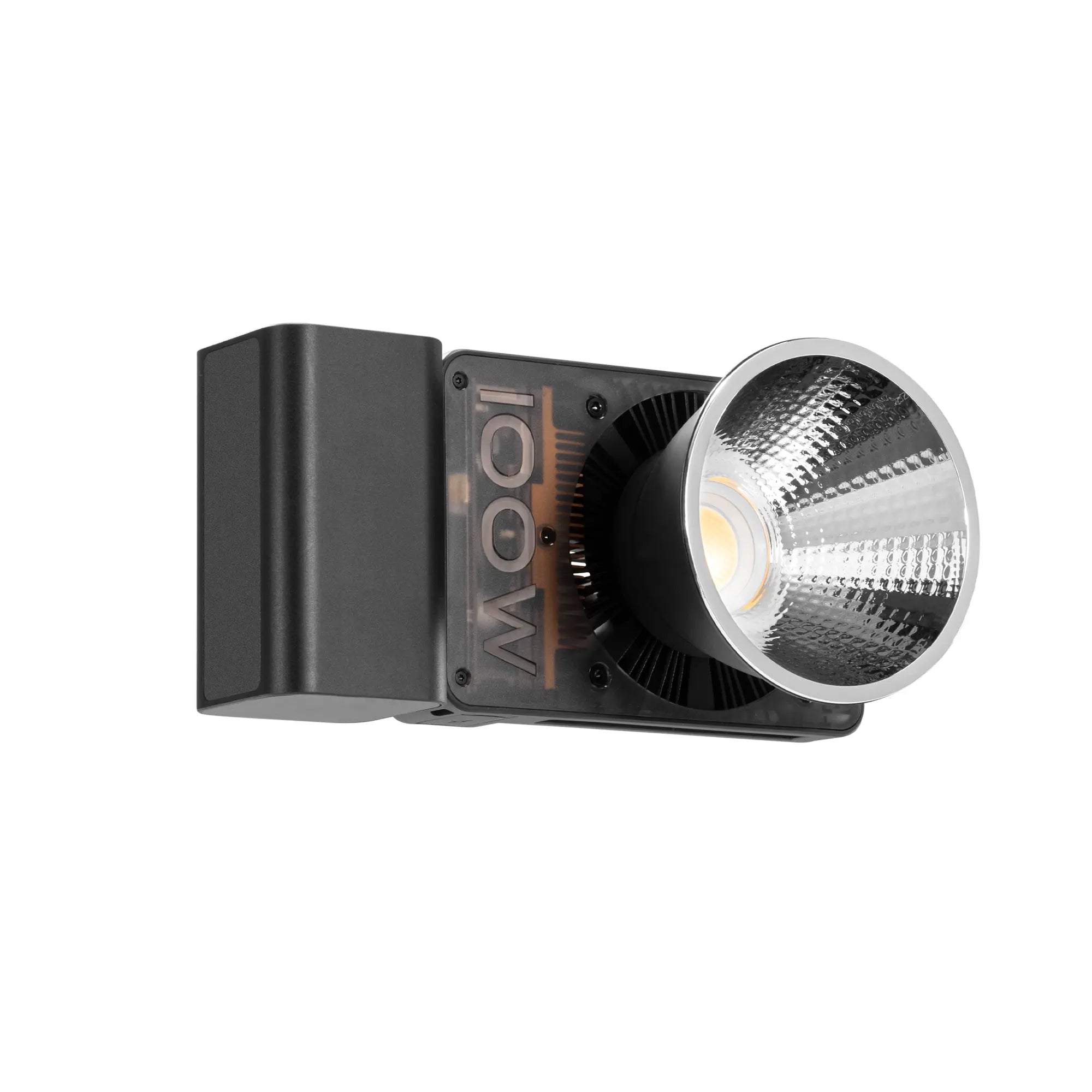
Mobile photography has transformed the way we capture and share moments. With advancements in smartphone cameras, creating professional-quality photos is now within everyone's reach. However, to unlock your full creative potential, having the right accessories is crucial. In this guide, we’ll explore essential tools that every mobile photography enthusiast should consider adding to their kit. Why Accessories Matter in Mobile Photography Smartphone cameras are impressive, but they have limitations. Accessories help overcome these limitations, enhancing your photography experience by improving stability, lighting, angles, and creativity. Whether you're a beginner or a seasoned mobile photographer, the right gear can make a significant difference in your shots. 1. Tripods for Stability and Precision A tripod is a must-have for sharp, steady photos, especially in low-light settings or when capturing long exposure shots. • Mini Tripods: Compact and lightweight, these are perfect for on-the-go photographers. • Flexible Tripods: Their bendable legs allow you to mount your phone on unconventional surfaces, opening up creative angles. • Recommendation: Look for models with a secure phone holder and adjustable height. • Pro Tip: Pair your tripod with a remote shutter to eliminate camera shake while taking photos. 2. External Lenses for Versatility Smartphone lenses are great for general photography, but external clip-on lenses can expand your creative options. • Wide-Angle Lenses: Ideal for landscapes and group shots. • Macro Lenses: Perfect for capturing intricate details of flowers, textures, or insects. • Telephoto Lenses: Great for zooming in on distant subjects while maintaining image quality. • Pro Tip: Invest in high-quality glass lenses for sharper and clearer images. 3. Portable Lighting for Perfect Illumination Lighting is a cornerstone of photography. Portable lights can make a huge difference in your shots. • Ring Lights: Provide even, soft light, perfect for selfies or close-ups. • LED Panels: Versatile and adjustable, ideal for both indoor and outdoor shoots. • Flash Attachments: Add extra brightness and enhance shadows in low-light conditions. Incorporating advanced lighting solutions like the ZHIYUN CINEPEER CX100 enhances your mobile photography and videography setups. The compact 100W output provides powerful illumination with up to 3840Lux brightness, making it ideal for both indoor and outdoor shoots. The CX100’s Pro Color Rendering ensures true-to-life colors with a wide 2700K-6500K range, maintaining a high CRI≥96 and TLCI≥97 for professional-grade results. With its intuitive dual-dial design for precise color temperature and brightness control, the ZHIYUN CX100 offers unmatched versatility. Its expandable compatibility with various accessories and Bowens mount modifiers allows for limitless creative possibilities. The lightweight design, paired with advanced cooling and versatile power options, ensures reliability and ease of use for cinematic-quality lighting in any scenario. 4. Gimbals for Smooth Videos and Dynamic Angles For mobile videography or action shots, a gimbal is indispensable. These stabilizers help eliminate shaky footage, enabling you to create cinematic videos. • Key Features to Look For: Lightweight design, extended battery life, and multiple shooting modes. The ZHIYUN Smooth 5S AI phone gimbal​ combines cutting-edge technology with stunning craftsmanship to enhance mobile videography. Featuring a magnetic AI tracker, it offers intelligent gesture control for smooth, effortless subject tracking and remote video recording. The crystal-clear, meticulously carved body provides a sophisticated look, while the orthogonal 3-axis structure supports unlimited 360° rotation, allowing for dynamic and immersive shots. With built-in fill lights offering up to 650 lux peak brightness and the option to expand to 2040 lux with magnetic add-ons, the Smooth 5S AI ensures optimal lighting in any environment. Its advanced stabilization technology and all-in-one control panel make professional-grade mobile filmmaking more accessible and versatile than ever before. 5. Cleaning Kits for Crystal Clear Shots Dirty lenses can ruin your photos. A simple cleaning kit with a microfiber cloth, lens cleaning solution, and an air blower ensures your camera lens remains spotless. 6. Props and Backgrounds for Creative Setups Props and backgrounds can add personality and depth to your photos. Ideas: Use colorful papers, textured fabrics, or small objects to create a unique scene. Portable Backdrops: Lightweight and foldable options are easy to carry and set up anywhere. Conclusion Mobile photography is more accessible than ever, and with the right accessories, you can take your skills to the next level. From stabilizing tripods to lighting solution like the ZHIYUN CINEPEER CX100, these tools empower you to experiment, refine, and create stunning visuals. Invest in these essential accessories, and watch your mobile photography evolve into a professional art form. FAQS: Q: How does external lighting improve mobile photography? A: External lights, such as ring lights or compact LED panels, provide consistent illumination, highlight textures, and enhance image quality, especially in low-light or indoor settings. Q: What type of lenses can be added to a smartphone for creative photography? A: Clip-on lenses are excellent for broadening your creative horizons. Wide-angle lenses are great for landscapes and group shots, macro lenses let you capture intricate details up close, and telephoto lenses are ideal for distant subjects. These lenses provide a cost-effective way to explore professional techniques without investing in a dedicated camera. Q: What accessories are best for capturing long-exposure shots? A: Long-exposure photography requires a stable tripod to prevent motion blur, a remote shutter release to avoid touching the phone during the shot, and neutral density (ND) filters to control light exposure in bright environments.

Exploring Food Photography with Different Lighting Styles: A Comprehensive Guide

Dec 16, 2024
Food photography is more than just snapping a picture of a dish; it's an art form that combines creativity and technical expertise. One of the most crucial aspects of capturing stunning food photographs is lighting. In this blog, we’ll explore how food photography looks with different types of lighting, including the effects of ring lighting and softbox lighting. Why Lighting Matters in Food Photography Lighting plays a significant role in setting the mood, highlighting textures, and making colors pop. Whether you're capturing the crispness of a fresh salad or the indulgent richness of a chocolate cake, the right lighting can make your food look irresistible. Poor lighting, on the other hand, can leave your dishes looking unappetizing. Different types of lighting create distinct effects, so choosing the right one depends on the story you want to tell. Let’s dive into the impact of various lighting styles and techniques in food photography. How Food Photography Looks with Different Types of Lighting Natural Light Natural light is one of the most commonly used lighting styles in food photography. Its soft and diffused quality brings out the natural textures and colors of food, making it an ideal choice for fresh, organic, or rustic-themed photos. Advantages: • Creates a natural and authentic look. • Requires minimal setup, making it perfect for beginners. • Works well with props to create storytelling compositions. Tips: • Shoot near a window during daylight hours. • Use a white curtain to diffuse harsh sunlight. • Reflect light with a white board to eliminate shadows. Example: A natural light setup can make a bowl of vibrant summer fruit look fresh and inviting. Artificial Light Artificial light gives photographers more control over the intensity, direction, and color temperature of the light. It’s a reliable choice for indoor shoots and consistent results, especially in professional settings. Types of Artificial Lighting: • Continuous lights. • Strobes or flash. • Specialty lights like ring lights and softboxes. Advantages: • Provides consistent lighting conditions regardless of the time of day. • Allows for creative experimentation with shadows and highlights. Example: Artificial light setups can create dramatic shots of gourmet dishes for advertisements. How Food Photography Looks with Ring Lighting Ring lighting is a popular choice in food photography, especially for creating even, shadowless light. This type of lighting is perfect for focusing attention on the subject while maintaining a clean, professional look. Key Features of Ring Lighting: • Produces circular, uniform light. • Minimizes harsh shadows. • Often creates a subtle highlight effect, especially on glossy surfaces. Advantages: • Perfect for close-up shots of detailed food items. • Enhances texture, such as the crispy edges of a pastry or the glossy surface of a sauce. Example: Using ring lighting to capture the intricate details of a frosted cupcake can make the dessert appear more appealing. Tips: • Position the ring light directly in front of your subject for even illumination. • Adjust brightness levels to avoid overexposure. • Use a macro lens for detailed shots. How Food Photography Looks with Softbox Lighting Softbox lighting is a staple in food photography, providing a diffused, even light that reduces harsh shadows and enhances the textures and details of your subject. This lighting style works wonders for capturing the natural allure of food, making it look both appetizing and true to life. For photographers looking to elevate their setups, the MOLUS X100, paired with the ZHIYUN Mini Softbox, offers a game-changing solution. The ZHIYUN X100’s compact, lightweight design delivers professional-grade 100W output, ensuring your shots are illuminated with precision and consistency. The addition of the Mini Softbox for X100 further diffuses the light, creating a beautifully soft effect that highlights every intricate detail of your culinary creations. Whether you’re working in a professional studio or a small kitchen, this combination provides portability and power without compromising on quality. Advantages: • Highlights the texture of food without overpowering shadows. • Ideal for flat-lay compositions and side lighting. • Versatile for both professional and casual shoots. Example: A softbox can beautifully illuminate a stack of pancakes, highlighting the syrup’s drip and the fluffiness of the layers. Tips: • Place the softbox at a 45-degree angle for side lighting. • Combine with reflectors to balance light on the opposite side. • Experiment with multiple softboxes for dynamic lighting effects.   Conclusion Lighting is the cornerstone of food photography, capable of elevating a simple dish into a masterpiece. Whether you’re using natural light, ring lighting, or softbox lighting, understanding how each affects your photos is key to creating compelling images. With the right lighting, you can make your audience’s mouths water before they even take a bite. Try experimenting with these lighting styles and watch your food photography skills flourish! FAQS: Q: Why is lighting important in food photography? A: Lighting sets the mood and highlights the texture, color, and details of food, making dishes look more appealing. Proper lighting can transform a simple dish into a visual masterpiece, while poor lighting can make food appear dull and unappetizing. Q: How can I use natural light effectively for food photography? A: To make the most of natural light, shoot near a large window during daylight hours. Use a sheer curtain to diffuse harsh sunlight, and place a white foam board or reflector opposite the window to bounce light and soften shadows. Timing is also crucial—early morning or late afternoon often provides the best natural light. Q: How does softbox lighting improve food photography? A: Softbox lighting produces a diffused, even glow that eliminates harsh shadows and brings out the natural beauty of food. It’s particularly useful for flat-lay compositions or angled shots that require a soft, professional aesthetic. Q: How do I avoid shadows in food photography? A: To reduce shadows, use a diffuser to soften light, reflectors to bounce light back into shadowed areas, or multiple light sources to balance the illumination. Experiment with light positioning—placing your light source at a 45-degree angle often reduces shadows while maintaining a natural look. Q: What are some tips for experimenting with food photography lighting? - Try side lighting to highlight textures like the crispy edges of pastries. - Use backlighting for translucent effects, such as drinks or fresh greens. - Experiment with color gels on artificial lights to create mood and contrast. - Adjust the light intensity to balance exposure and details. - Incorporate storytelling props like utensils, ingredients, or rustic tableware to complement your lighting style and bring the scene to life.

ZHIYUN Crane 4E: Redefining Lightweight Stability

Dec 04, 2024
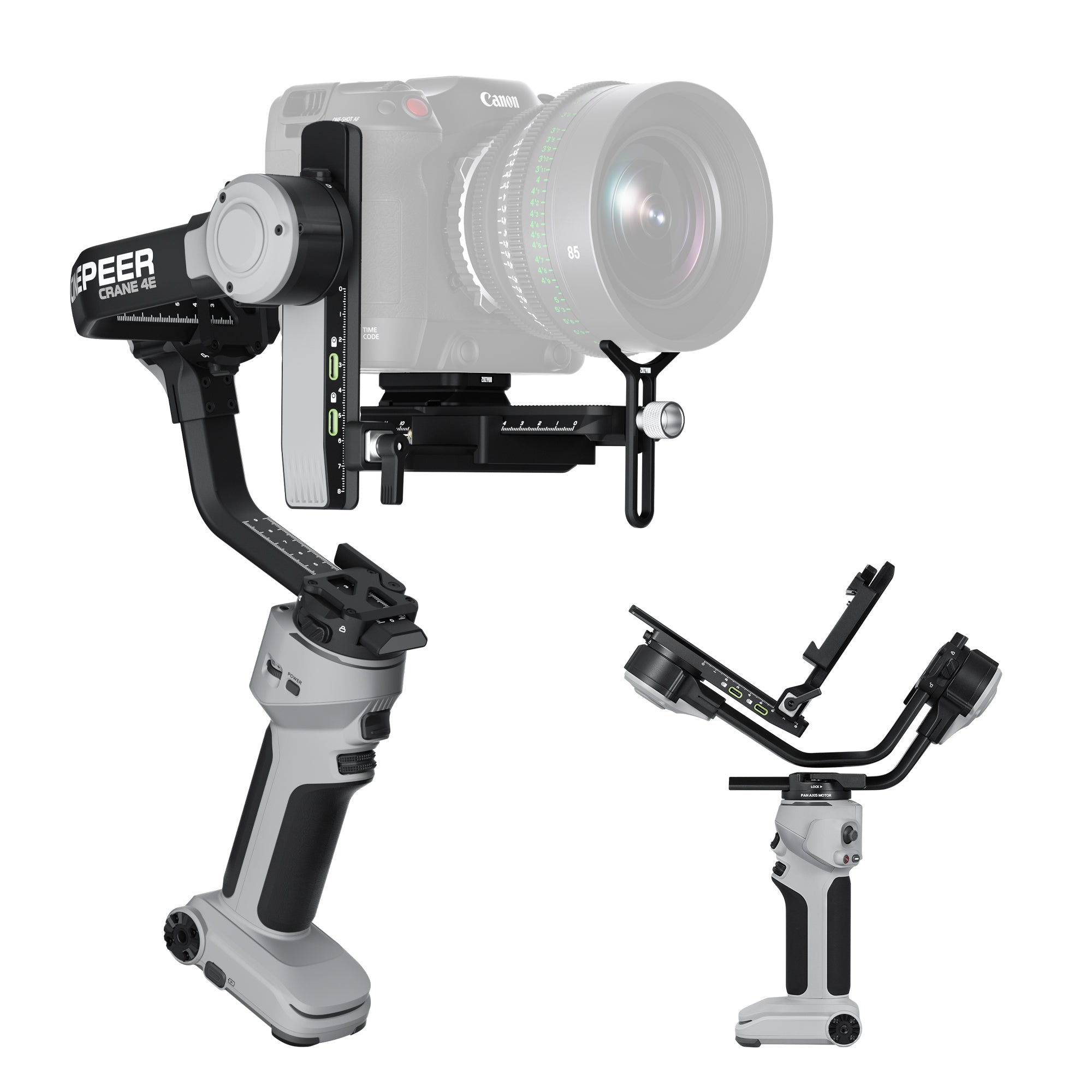
The ZHIYUN Crane 4E is the latest addition to ZHIYUN's Crane stabilizer lineup, designed to offer filmmakers an unparalleled balance of lightweight design, stability, and professional-grade functionality. Let’s explore the innovative features that make the crane 4e a must-have tool for creators seeking unmatched stability and control. Lightweight and Stable Design The Crane 4E camera stabilizer is engineered for ergonomic excellence, reducing wrist strain by 25% and lightening the load by 20% in Sling mode. Dual-hand usage becomes 15% easier, making extended shooting sessions more comfortable. Its optimized weight distribution ensures effortless stability, even with heavy cameras. Enhanced Load Capacity Equipped with robust arms and high-torque motors, the CINEPEER Crane 4E can handle mainstream full-frame and compact cameras with ease. This ensures stability and smooth operation in any shooting scenario. Integrated Horizontal and Vertical Lock Structure The Crane 4E’s innovative design allows for seamless transitions between horizontal and vertical shooting modes. Native vertical mounting is now more intuitive, giving creators an edge in fast-paced shooting environments. Professional Expansion Options Support for two servo zoom/focus motors enables precise control over focus and zoom, elevating cinematic effects. Pair this with the TransMount image transmission system for remote monitoring and collaborative shooting. Customizable Control for Precision With a front control wheel and side adjustment dial, the Crane 4E gimbal offers intuitive adjustments for parameters like shutter speed, aperture, and ISO. This ensures that creators can swiftly adapt to changing conditions. Long-Lasting Battery Life The built-in high-capacity battery provides up to 12 hours of operation. With PD fast charging, the stabilizer can be fully recharged in just 2 hours and supports simultaneous charging and usage for uninterrupted creativity. Who Is the ZHIYUN Crane 4E Designed For? The ZHIYUN CINEPEER Crane 4E is crafted for creators seeking a balance of lightweight design and robust functionality. For Long Shoots and Portability While the ZHIYUN Crane 3E prioritizes ultra-compact portability and the ZHIYUN Crane 4 excels at managing heavy equipment, the Crane 4E strikes an ideal middle ground. Its ergonomic design and reduced weight make it perfect for creators who need comfort during extended shoots without compromising on stability. Simplified Vertical Shooting The native vertical mounting system on the Crane 4E offers effortless transitions between horizontal and vertical orientations. This feature is particularly beneficial for content creators producing social media or portrait-oriented content, streamlining their workflow compared to older models. Enhanced Customization and Control The Crane 4E introduces a front control wheel and dual servo motor support, elevating its adaptability for precise adjustments. These features cater to filmmakers who demand flexibility and efficiency in capturing dynamic shots. Efficient Power Management Although the Crane 3E boasts a longer battery runtime of 16 hours, the Crane 4E’s 12-hour performance coupled with PD fast charging ensures minimal downtime and consistent operation. This balance is ideal for creators who value both reliability and quick recharging. Why Choose the ZHIYUN CINEPEER Crane 4E? The Crane 4E is a masterful blend of innovation and functionality. Whether you’re a professional filmmaker or a content creator, its lightweight stability, enhanced control, and versatile design make it a reliable companion for any project. With cutting-edge features like intuitive parameter adjustments, professional expansion options, and seamless vertical shooting, the Crane 4E redefines what’s possible with a stabilizer. Upgrade your filmmaking experience with the ZHIYUN Crane 4E and elevate your creations to new heights.

Say No to Gimbal Missteps: Essential Do's and Don'ts

Dec 04, 2024
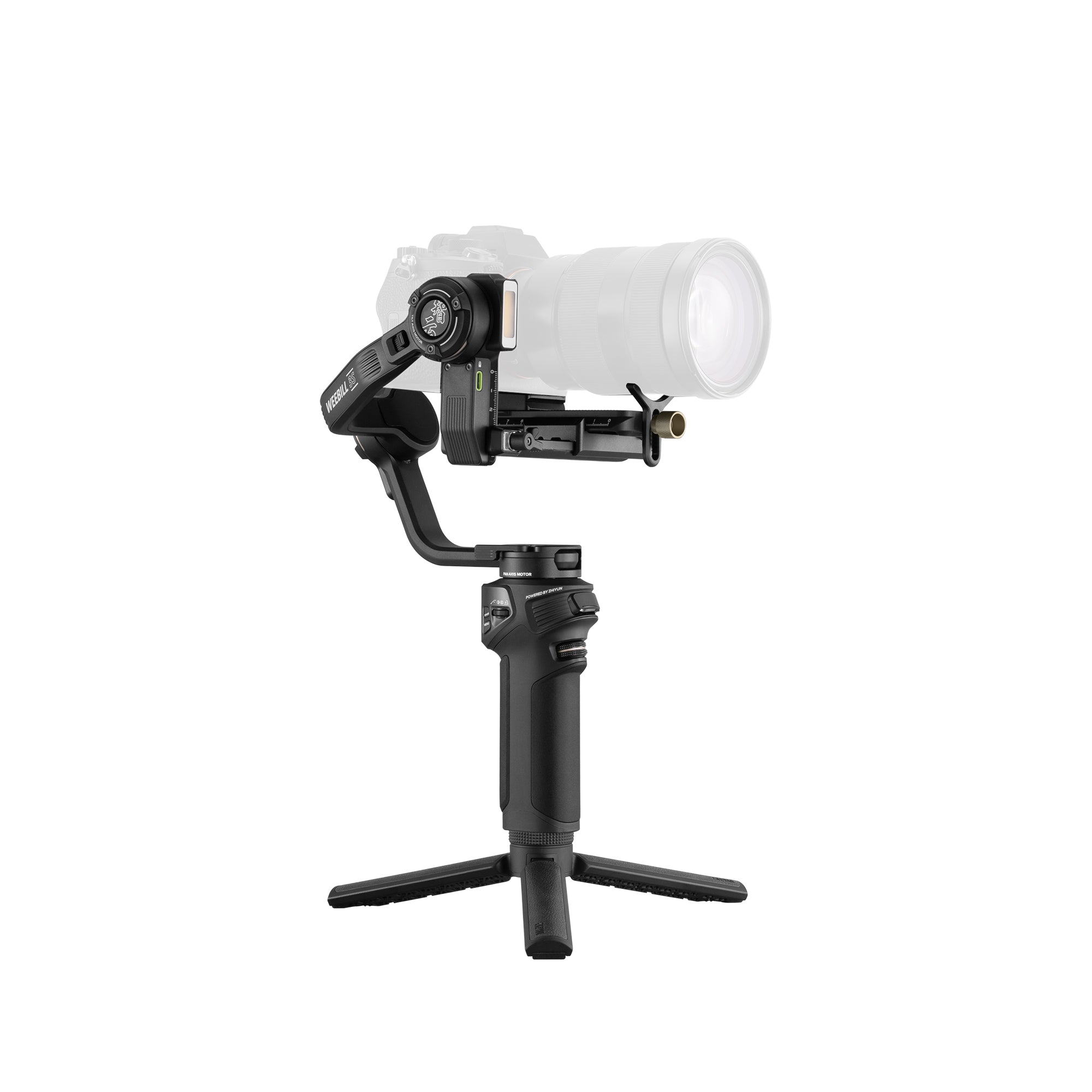
A gimbal is a game-changer for filmmakers, vloggers, and content creators who want to achieve smooth, professional-looking footage. However, improper use can result in shaky videos, damaged equipment, and frustration. To ensure you achieve smooth filming with camera stabilizers, we’ve compiled a list of essential do's and don'ts that every user should follow. Do's for Using a Gimbal Calibrate Before Use One of the most critical steps in using a gimbal is proper calibration. Always balance your camera or smartphone on the gimbal before turning it on. This ensures that the motors work efficiently and prevents unnecessary strain. To achieve the best calibration results, consider using the ZHIYUN Crane 4. Its intelligent balance indicator lights provide timely reminders, ensuring precise calibration. This feature eliminates guesswork and enhances stability from the start. Use the Right Gimbal Mode Modern gimbals come with various modes like pan follow, lock, and POV. The ZHIYUN Crane 4 gimbal enhances this versatility with its horizontal and vertical lock structure, enabling seamless switching between landscape and portrait shooting. Take time to understand each mode and choose the one that suits your shooting scenario. For instance, use the pan-follow mode for smooth horizontal movements and lock mode for static shots. Plan Your Shots A gimbal enhances your shots, but it can’t fix poor planning. Pre-visualize your movements, angles, and transitions to create dynamic footage. Practicing your shots beforehand will also reduce jerky or rushed movements. Keep Movements Slow and Steady Gimbals are designed to stabilize gradual movements. Fast, erratic motions can confuse the motors and compromise stabilization. Move slowly and smoothly for the best results. Don'ts for Using a Gimbal Don’t Ignore Weight Limits Every gimbal has a maximum payload capacity. Overloading it with heavy cameras, lenses, or accessories can strain the motors and cause malfunctions. Always check the gimbal’s specifications and stay within its limits. Avoid Quick Movements Sudden, rapid movements can destabilize your gimbal and ruin your footage. Avoid sprinting, jerking, or abrupt stops, as they can disrupt the stabilization process. Don’t Skip Maintenance Dust, dirt, and grime can accumulate on your gimbal over time, especially when filming outdoors. Regularly clean the motors, arms, and joints with a soft cloth and ensure all screws are tight to maintain performance. Don’t Forget to Turn It Off When Not in Use Leaving your gimbal on when it’s not balancing a camera can damage the motors. Always turn it off when switching cameras or during extended breaks. Don’t Neglect Battery Care Improper battery management can shorten your gimbal’s lifespan. Avoid overcharging, and use the manufacturer’s recommended charging cables. Store the gimbal in a cool, dry place when not in use to preserve battery health. Unlock Professional Filming with the ZHIYUN Crane 4 and Crane 4E To take your gimbal experience to the next level, consider the ZHIYUN Crane 4 camera stabilizer. Designed for filmmakers seeking precision and ease, this gimbal offers innovative features like balance indicator lights for precise calibration, a versatile sling grip for flexible shooting modes, and a built-in 10W fill light for enhanced lighting. Its thoughtful design, including a wrist rest and magnetic wrench, ensures a seamless shooting experience. Whether you’re shooting horizontal or vertical, the ZHIYUN Crane 4 adapts effortlessly to your needs. ZHIYUN Crane 4E For those looking for an even more refined filming experience, the ZHIYUN Crane 4E is a master of lightweight stability. This gimbal features optimized weight distribution that reduces wrist strain by 25%, lightens the load by 20% in Sling mode, and eases dual-hand use by 15%. It supports mainstream full-frame and compact cameras with ease, providing stable shots in any situation. The CINEPEER Crane 4E also includes Bluetooth shutter control for seamless operation, an intuitive front customizable dial for precise adjustments, and ultra-long battery life with PD fast charging. With integrated features like a native vertical mount and professional expansion support for zoom/focus motors, the ZHIYUN Crane 4E camera stabilizer ensures you can capture every moment with speed and precision. Intuitive camera parameter adjustments make it easy to switch between settings like shutter speed, aperture, and ISO, optimizing your workflow. Conclusion A gimbal is an invaluable tool for creating cinematic-quality videos, but only if used correctly. By following these do's and don'ts, you can avoid common pitfalls and maximize your gimbal’s potential. Whether you’re a beginner or a seasoned pro, these tips will ensure your footage is stable, smooth, and professional. Ready to elevate your filming game? Grab your gimbal, follow these guidelines, and start creating stunning visuals today! FAQS: Q: How do I balance my gimbal correctly for optimal performance? A: Start by mounting your camera securely and aligning it with the gimbal’s axes. Adjust each axis—tilt, roll, and pan—until the camera remains stable without motor assistance. A properly balanced gimbal reduces motor strain and results in smoother footage. Q: What are the risks of overloading my gimbal, and how can I prevent it? A: Overloading can cause the motors to overheat, shorten the gimbal’s lifespan, and lead to erratic performance. Always check the gimbal’s payload capacity and ensure your camera setup, including accessories like lenses or microphones, stays within limits. Q: How do I eliminate jerky movements while using a gimbal? A: Practice proper gimbal walking techniques, such as the "ninja walk," which involves soft, deliberate steps and minimal bouncing. Use the gimbal’s follow modes for gradual direction changes and avoid abrupt or forceful motions. Q: What are the most useful accessories to enhance gimbal use? A: Essential accessories include extra batteries for extended shoots, quick-release plates for easy camera mounting, a tripod extension for static shots, and a smartphone adapter for monitoring footage. A sturdy carrying case also helps protect your gimbal during transport. Q: What maintenance tips will help extend the lifespan of my gimbal? A: Clean the gimbal’s joints and motors regularly to remove dirt and dust. Store it in a protective case when not in use, and avoid dropping or overloading it. Periodically check for loose screws or parts and tighten them as needed to keep the gimbal in top condition.

Unlocking the Secrets of Light: A Guide to Soft and Hard Lighting in Photography

Dec 04, 2024
Lighting is one of the most critical elements in photography, capable of transforming a simple shot into a breathtaking image. Whether you're an amateur photographer or a seasoned pro, understanding the difference between soft and hard light can elevate your work to new creative heights. In this guide, we'll break down these two types of lighting, explain their effects, and show you how to master them for stunning photography. What Is Soft Light? Soft light refers to light that produces minimal shadows and a smooth transition between highlights and shadows. It is diffused, often spread over a larger surface or softened by filters or natural conditions like cloudy skies. Characteristics of Soft Light: Creates gentle, barely visible shadows. Reduces texture and detail, giving a smooth appearance. Ideal for portrait photography, as it flatters skin tones. How to Create Soft Light: Use a diffuser:Tools like softboxes or diffusers scatter light, softening its effect. Rely on natural conditions:Overcast days or shade provide naturally soft light. Reflect light:Bounce light off a white or silver surface to diffuse it. Best Applications: Soft light is perfect for portraits, product photography, and any scenario where you want to highlight the subject with a flattering, natural glow. What Is Hard Light? Hard light is the opposite of soft light. It produces sharp, well-defined shadows and adds dramatic contrast to your images. Hard light is direct and focused, often coming from a small, concentrated source like the midday sun or a spotlight. Characteristics of Hard Light: Produces strong, dark shadows with sharp edges. Emphasizes texture and detail. Creates a more dramatic and intense mood. How to Create Hard Light: Direct light source: Use an undiffused light source like a bare bulb or direct sunlight. For professional-grade results, consider the ZHIYUN MOLUS G300, a lightweight yet powerful option. Weighing just 1.56kg, it provides adjustable color temperatures and cinematic-quality brightness of up to 300W, with a peak illuminance of 15,500Lux. For even more intense lighting, activate its MAX Extreme Mode, which boosts the output to 500W (20,300Lux) at 4300K color temperature—ideal for creating sharp, dramatic shadows. Control the distance: Position the light source close to the subject for more intensity. The MOLUS G300features a 7.5m control cable, allowing you to fine-tune the light setup without moving the entire fixture, offering unparalleled flexibility on set. Best Applications:Hard light works well for fashion photography, still life, and creative projects where contrast and drama are essential. Soft Light vs. Hard Light: Key Differences Understanding these differences helps you choose the right lighting for your creative vision. How to Choose Between Soft and Hard Light Consider the SubjectFor portraits, soft light is often preferred as it minimizes harsh shadows and highlights. In contrast, hard light is excellent for emphasizing texture, such as in architectural photography or gritty urban scenes. Think About the MoodDo you want your photo to feel warm and inviting or bold and striking? Your choice of lighting will directly impact the emotional tone of your image. Experiment with ModifiersTools like diffusers, reflectors, and grids allow you to transition between soft and hard light, giving you greater control over the final outcome. The ZHIYUN MOLUS B-Seriesis an excellent choice for this, offering customizable brightness and color temperature (2700K to 6500K), making it easy to adapt to any lighting setup. Practical Tips for Mastering Light in Photography Golden Hour for Soft Light:Shoot during the golden hour (shortly after sunrise or before sunset) for naturally soft and warm light. Midday Sun for Hard Light:Use the midday sun to create bold and dramatic shadows, but be mindful of overexposure. Control Light Indoors:Use adjustable LED lights or strobes to experiment with both soft and hard light setups. The ZHIYUN MOLUS X60, despite its compact size (comparable to a credit card), delivers a stable 60W output, ensuring professional-quality lighting. Its intuitive dual-dial controls allow for quick adjustments to brightness and color temperature, making it perfect for indoor creative setups. Additionally, the ZY Vega app enables wireless control, adding advanced features like color recognition and intelligent matching for effortless ambiance creation. The Creative Power of Light Mastering light in photography isn’t just about choosing soft or hard light—it’s about understanding how each impacts your images and learning to adapt based on your subject and vision. By experimenting with different lighting setups and understanding their effects, you can bring depth, mood, and artistry to your photography. Whether you’re shooting a serene portrait bathed in soft light or a dramatic still life illuminated by hard shadows, the key is to let the light tell your story. Ready to take your photography to the next level? Start experimenting with soft and hard light today, and watch your images transform from ordinary to extraordinary. FAQS: Q: What is soft lighting in photography? A: Soft lighting creates a gentle and even illumination with minimal shadows. It is typically achieved using diffused light sources like softboxes or cloudy skies, making it ideal for portraits and product photography. Q: What is hard lighting in photography? A: Hard lighting produces sharp and well-defined shadows with high contrast. It comes from a direct, focused light source, such as the sun or a bare bulb, adding drama and texture to the scene. Q: How can I create soft lighting at home? A: You can create soft lighting by diffusing light with household items like white sheets or lampshades. Positioning your subject near a large window with indirect light also works well. Q: When should I use hard lighting? A: Hard lighting is ideal for creating dramatic effects, emphasizing textures, or capturing a moody atmosphere. It’s often used in fashion photography, creative portraits, and product shots requiring bold contrast. Q: What are the best tools for achieving soft lighting? A: Tools like softboxes, umbrellas, diffusers, and bounce boards are excellent for creating soft lighting. Reflectors can also help spread light evenly on your subject. Q: How does the size of the light source affect soft and hard light? A: Larger light sources create softer light, while smaller, more focused light sources result in harder light. The distance between the light source and the subject also influences the effect.

Shooting in the Cold: A Guide to Perfecting Your Snow Photography

Dec 04, 2024
Snow photography presents a unique opportunity to capture the serene beauty of winter landscapes. However, the cold environment and challenging lighting conditions can make it tricky to achieve perfect shots. This guide will help you overcome these challenges, ensuring your snow photography stands out, whether you’re a seasoned pro or just starting out. Prepare Your Gear for the Cold Cold temperatures can affect your camera’s performance, so preparation is key. Battery Life: Cold weather drains batteries quickly. Bring spares and keep them warm in your pockets. Lens Protection: Use lens hoods to shield against snowflakes and prevent glare. Keep a microfiber cloth handy to clean your lens. Weatherproofing: If your camera isn’t weather-sealed, use a rain cover or plastic bag to protect it from moisture. Dress for Comfort and Mobility Your comfort is as important as your gear’s safety. Wear layered clothing, insulated gloves that allow finger dexterity, and sturdy waterproof boots. Being warm and comfortable allows you to focus on your composition without distractions. Understand Snow Lighting Challenges Snow reflects a lot of light, which can confuse your camera's meter and lead to underexposed or overexposed photos. Here’s how to manage it: Use Exposure Compensation: Dial in a +1 or +2 exposure compensation to brighten your shots and prevent the snow from appearing gray. Shoot in RAW: RAW files retain more data, allowing you to correct exposure and white balance issues in post-processing. Master White Balance: Snow can appear blue in photos due to the cold light. Use the “Daylight” or “Cloudy” setting, or adjust manually for accurate tones. Composition Tips for Snow Photography Snowy scenes often appear monochromatic, so focusing on composition is vital. Look for Contrasts: Incorporate elements like trees, colorful clothing, or buildings to add contrast against the white snow. Use Leading Lines: Paths, fences, or shadows on the snow can draw the viewer’s eye into the scene. Capture Textures: Highlight patterns in the snow, like footprints, ripples, or icicles, to add depth and interest. Leverage Golden Hour and Blue Hour Lighting is crucial in snow photography, and winter provides unique opportunities during golden and blue hours. Golden Hour: Early morning or late afternoon light adds warmth and casts long shadows, perfect for creating drama in your snow photos. Blue Hour: The twilight before sunrise or after sunset offers a soft, cold glow that complements snowy landscapes beautifully. Experiment with Motion and Details Capture Falling Snow: Use a fast shutter speed to freeze snowflakes mid-air, or slow it down to create a dreamy effect. Zoom in on Details: Focus on frosty leaves, snow-covered branches, or icy patterns for unique close-ups. Essential Camera Settings for Snow Photography Choosing the right settings ensures your photos are sharp and vibrant. ISO: Keep ISO low (100-400) to avoid graininess in bright snowy conditions. Aperture: Use a small aperture (f/11-f/16) for landscapes to keep everything in focus. For close-ups, a wider aperture (f/2.8-f/5.6) can create beautiful bokeh. Shutter Speed: Adjust based on your subject. Use a fast speed for moving objects or snowflakes, and slower speeds for soft, dreamy effects. For photographers looking to capture the perfect shot in the snow, the ZHIYUN Crane 4 offers unparalleled stability and precision. This lightweight gimbal is engineered to handle heavy payloads, making it ideal for professional cameras and lenses. One of its standout features is the new intelligent balance indicator lights, which provide timely reminders for precise balance calibration, ensuring your shots are perfectly level even in harsh conditions. The extendable sling grip and flexible wrist rest offer superior comfort during long shoots, while the Bluetooth shutter control lets you easily trigger photos without having to touch the camera. With a built-in 10W fill light and customizable function settings, the Crane 4 enhances your creative process, making it easier to capture stunning snow scenes in both bright and low-light conditions. Conclusion Snow photography is a rewarding challenge that allows you to capture the magical stillness of winter. By preparing your gear, dressing for the weather, mastering lighting techniques, and experimenting with creative compositions, you can create images that truly stand out. As you venture out into the cold, remember to embrace the unique opportunities the snow presents. With the ZHIYUN Crane 4 camera stabilizer ensuring stability and precision, and your newfound knowledge of snow photography, you're ready to turn winter's serene beauty into breathtaking art. Happy shooting! FAQS: Q: Why do my snow photos look gray instead of white? A: Snow often appears gray due to your camera underexposing the scene to compensate for the brightness. Use exposure compensation (+1 or +2) to brighten the snow. Additionally, check your histogram to ensure the highlights are not clipped, retaining the snowy texture. Q: What are the best camera settings for snow photography? A: Use a low ISO (100-400) to avoid noise, a small aperture (f/11-f/16) for landscapes to keep everything sharp, and adjust the shutter speed depending on your subject. For moving snowflakes, a fast shutter (1/1000s or faster) works well, while a slower speed (1/30s) creates a soft, dreamy motion blur. Q: When is the best time to shoot in snowy conditions? A: Golden hour (early morning or late afternoon) provides warm, soft light and long shadows that enhance texture. Blue hour (just before sunrise or after sunset) offers a cold, ethereal glow that complements snow beautifully. Avoid midday light as it can be too harsh, flattening details in the snow. Q: How do I capture falling snow effectively? A: To freeze individual snowflakes mid-air, use a fast shutter speed (1/1000s or higher). For a dreamy, motion-filled effect, slow the shutter speed (1/30s or lower). Use a tripod or a stabilizer like the ZHIYUN Crane 4 to avoid camera shake during long exposures.  

How to Do Backlight Photography: A Simple Guide

Nov 24, 2024
Backlight photography is a powerful technique that can add drama and beauty to your images. By positioning the light source behind your subject, you can create striking effects such as glowing outlines, dramatic silhouettes, and an overall ethereal feel. Whether you’re a beginner or seasoned photographer, mastering backlighting can elevate your work. In this simple guide, we’ll walk you through the key tips and techniques to help you get started with backlight photography. What is Backlight Photography? Backlight photography is when the light source, such as the sun or an artificial light, is positioned behind the subject, pointing toward the camera. This creates a contrast between the subject and the light, often resulting in silhouettes or a halo effect around the subject. The technique can be used in portrait photography, landscape photography, and product shots to create unique and eye-catching images. Choose the Right Time of Day for Natural Light The time of day plays a huge role in how effective your backlight photography will be. The best times to shoot outdoors are during the "golden hours" — shortly after sunrise or just before sunset. The sunlight is softer during these times, creating a more flattering and diffused backlighting effect. If you’re shooting during midday, when the sun is high and harsh, you might struggle with overexposure or overly harsh shadows. In this case, try shooting in shaded areas or use a reflector to soften the light and reduce intensity. Position Your Subject Correctly To get the best backlight effect, place your subject in front of the light source. If you’re shooting portraits, have your subject face slightly away from the light while maintaining a direct line to the camera. This way, the light will create a beautiful glow around their hair or edges of their clothing. Experiment with different angles to find the best way to highlight the outline of your subject. For instance, having the subject at an angle to the light can create more dynamic shapes and interesting shadows. Adjust Exposure to Avoid Overexposure Backlighting can often lead to overexposure, where the light source is too strong compared to the subject, making the subject too dark or washed out. To fix this, adjust your camera settings. Lower the exposure:Reducing the exposure compensation can help avoid overexposed backgrounds or highlights. Use spot metering: This allows you to meter the light at a specific area in the frame, such as your subject, ensuring they’re properly exposed even if the background is much brighter. Increase ISO if necessary:If your subject is underexposed, slightly increasing the ISO can help balance the exposure without losing too much detail. Many cameras and smartphones offer HDR (High Dynamic Range) mode, which automatically adjusts for lighting differences, helping you capture both the subject and background clearly. Create Beautiful Silhouettes One of the most striking effects of backlighting is the silhouette. When your subject is positioned in front of a bright light source, the light exposure causes the subject to appear dark, creating a sharp outline against the brighter background. To achieve a perfect silhouette, make sure: The subject’s outline is clear and easily recognizable. You expose for the light source behind the subject, so they remain dark. The background is simple, without distracting elements. Silhouettes work especially well with dramatic or recognizable shapes, such as people, trees, or objects with interesting forms. Use Reflectors and Diffusers for Soft Light If the light is too harsh or creating unwanted shadows on your subject, using a reflector can help bounce light back onto your subject, softening the effect. A diffuser can also be used to scatter the light, making it softer and more flattering. Reflectors are especially helpful in portrait photography, where the light needs to fill in shadows on the face. You can easily purchase a reflector or even use a piece of white foam board to bounce light. Experiment with Artificial Lights Natural light isn’t always an option, so experimenting with artificial lights can expand your creative possibilities. The ZHIYUN MOLUS B-Series provides exceptional versatility with its range of power options (100W to 500W) and cinematic color rendering from 2700K to 6500K. The integrated power source and efficient cooling system allow you to focus on your creativity without worrying about overheating or complicated setups. The MOLUS B-Series’ ability to seamlessly glide through color temperatures and brightness levels, along with the ZY Vega App for wireless control, ensures perfect backlighting at your fingertips. Conclusion Backlight photography is a simple yet powerful technique that can create stunning effects in your photos. By carefully positioning your subject, adjusting your exposure settings, and using reflectors or diffusers, you can master this technique and produce images with a professional touch. Remember, practice makes perfect. Don’t be afraid to experiment with different times of day, light sources, and compositions. With these simple tips, you’ll soon be capturing striking backlit images that stand out and tell a compelling story. FAQS: Q: What is backlight photography? A: Backlight photography is a technique where the light source is positioned behind the subject, creating striking effects such as silhouettes, glowing outlines, and dramatic contrasts. The light shines towards the camera, illuminating the edges of the subject. Q: When is the best time to do backlight photography? A: The best times are during the "golden hours," shortly after sunrise or just before sunset, when the sunlight is soft and diffused. If shooting midday, use shaded areas or reflectors to soften harsh light. Q: How can I prevent overexposure in backlight photography? A: To avoid overexposure, lower the exposure settings on your camera, use spot metering for your subject, and adjust the ISO to balance the exposure. HDR mode can also help automatically adjust for lighting differences. Q: How do I position my subject for backlight photography? A: Position your subject in front of the light source, with their body slightly turned away from it, maintaining a direct line to the camera. This creates a glowing outline around the subject. Q: Can I use backlight photography for portraits? A: Yes, backlighting works beautifully for portraits. It adds drama and a halo effect around the subject, which enhances their features and creates a more dynamic composition.

Do I Need a Gimbal for My iPhone?

Nov 24, 2024
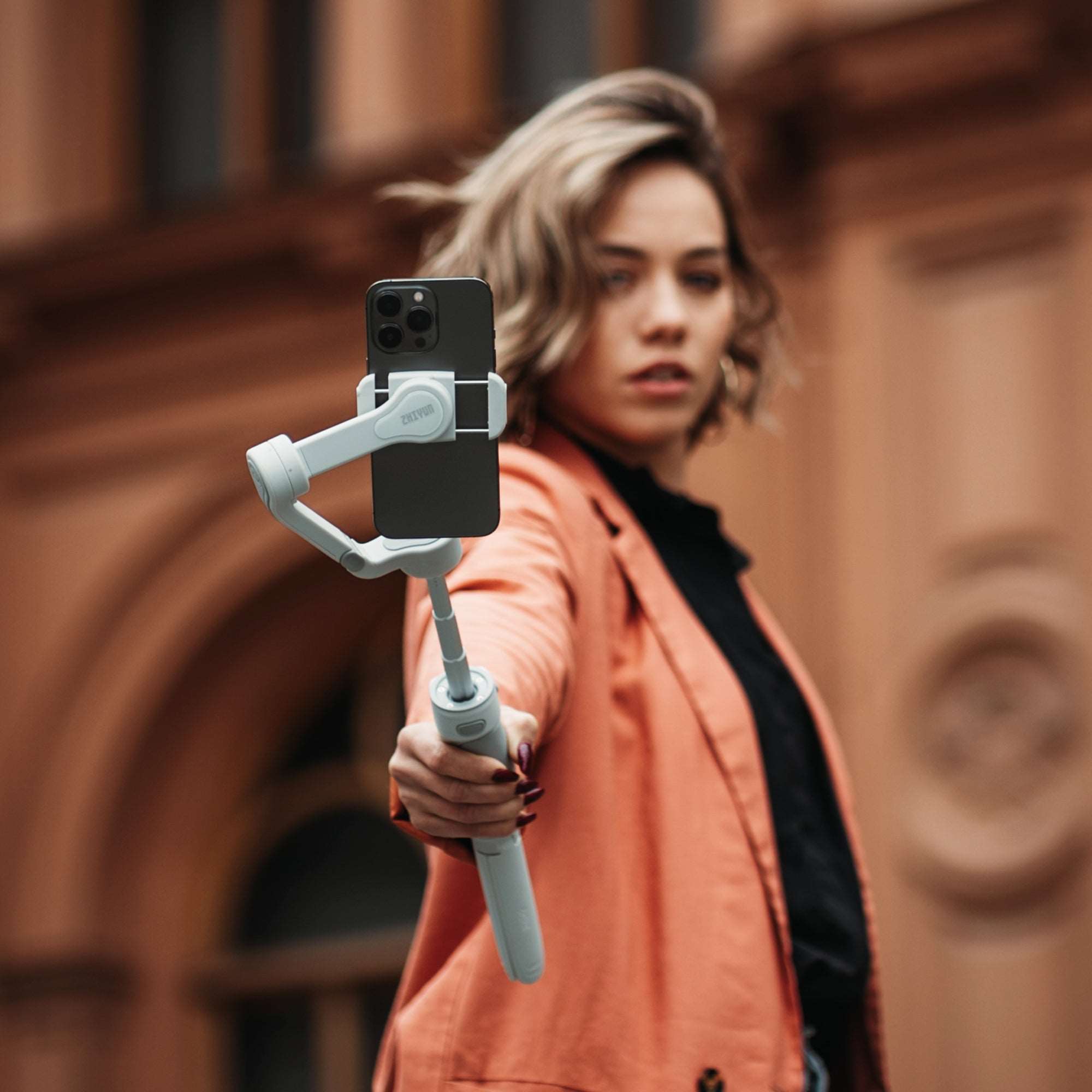
Smartphones have revolutionized the way we capture moments, and iPhones, with their cutting-edge cameras, are leading the charge. But even the best smartphone cameras can struggle with stability, especially during movement. This brings us to an essential question for content creators, vloggers, and casual photographers alike: Do you need a gimbal for your iPhone? In this blog, we’ll explore what a gimbal is, its benefits, and how to determine if it’s the right tool for your iPhone photography and videography needs. What Is a Gimbal? A gimbal is a stabilization device that uses motors and sensors to keep your camera or smartphone steady while filming or taking photos. Unlike basic image stabilization features built into smartphones, gimbals provide physical stability, ensuring smooth and shake-free footage, even in challenging conditions like walking, running, or panning quickly. Benefits of Using a Gimbal for iPhone Professional-Quality Stabilization Modern iPhones are equipped with impressive stabilization technology, but they can’t match the smoothness a gimbal provides. Whether you're capturing cinematic shots or casual videos, a gimbal minimizes unwanted shakes, giving your footage a polished, professional look. Enhanced Creative Control Gimbals open up a world of creative possibilities. Features like 360-degree rotation, follow modes, and time-lapse capabilities allow you to experiment with dynamic shots and angles. Improved Low-Light Performance Stability is crucial in low-light conditions, where longer exposure times are required. A gimbal helps keep your iPhone steady, resulting in clearer, sharper photos and videos. Effortless Vlogging and Streaming For vloggers and live streamers, a gimbal can be a game-changer. It lets you move around freely while ensuring your iPhone stays focused on you, making your content look seamless and professional. Longer Recording Sessions Holding your iPhone for extended periods can be tiring. A gimbal's ergonomic design provides a comfortable grip, reducing strain and making it easier to film longer videos. For those considering investing in a gimbal, two standout options are the ZHIYUN CINEPEER CQ5 and the ZHIYUN Smooth 5S AI. ZHIYUN CINEPEER CQ5 combines portability with versatility. It features a compact, foldable design that fits into your pocket, making it perfect for on-the-go creators. With an intuitive voice assistant activated by saying "Hey Cami," you can control the gimbal hands-free. The built-in 215mm extension rod and magnetic fill light enable wide-angle shots and enhanced lighting for professional-quality footage. ZHIYUN Smooth 5S AI is ideal for advanced users. With its magnetic AI tracking module and intelligent gesture control, it ensures seamless filming even from a distance. The orthogonal 3-axis structure allows for 360° full-angle movement, while built-in and add-on fill lights provide unbeatable illumination. Its professional-grade stabilization makes it a powerful tool for serious filmmakers.   Do You Really Need a Gimbal? The decision to invest in a gimbal depends on how you use your iPhone camera. Here are some scenarios to consider: You’re a Content Creator or Vlogger If you frequently create videos for platforms like YouTube, Instagram, or TikTok, a gimbal can significantly elevate the quality of your content. It ensures smooth transitions and stable shots, even during fast-paced activities. You Enjoy Action or Travel Videography Capturing your adventures while hiking, biking, or exploring new cities often involves movement. A gimbal helps maintain smooth footage, making your travel videos more engaging and professional. You Love Experimenting with Photography If you enjoy experimenting with techniques like panoramas, time-lapses, or creative angles, a gimbal can provide the stability and control needed to perfect these shots. You Only Take Casual Photos and Videos For casual users who mainly take static shots or occasional videos, your iPhone’s built-in stabilization might be enough. In such cases, a gimbal could feel like an unnecessary luxury. Final Thoughts While iPhones offer excellent camera features, a gimbal takes your videography and photography to the next level. It ensures smooth, professional-quality footage and opens the door to creative possibilities that are hard to achieve with handheld shooting alone. If you’re serious about creating high-quality content or capturing life’s moments with a cinematic touch, investing in a gimbal like the ZHIYUN CINEPEER CQ5 and the ZHIYUN Smooth 5S AI is a decision you won’t regret. However, for casual users, relying on your iPhone’s built-in stabilization may suffice. Ready to elevate your iPhone videography? Explore these gimbals today and experience the difference they can make in your content creation journey. FAQS: Q: What is a gimbal, and how does it work? A: A gimbal is a stabilization device designed to keep your iPhone steady while filming or taking photos. It uses motors and sensors to counteract movements and vibrations, ensuring smooth, stable footage even during motion. This makes it an ideal tool for videographers, vloggers, and anyone looking to improve the quality of their videos. Q: What are the benefits of using a gimbal with an iPhone? A: A gimbal provides multiple advantages, such as improved stabilization for smoother videos, enhanced performance in low-light conditions, and the ability to perform creative camera movements like pans, tilts, and tracking shots. It also reduces hand fatigue during long shoots and can elevate your mobile content to professional levels. Q: Can a gimbal help with low-light shooting? A: Absolutely. A gimbal helps stabilize your iPhone, minimizing motion blur that often occurs in low-light conditions. Some gimbals, like the ZHIYUN smooth 5s ai, come equipped with fill lights or allow you to attach magnetic lights, providing better illumination and more professional-looking footage in challenging lighting environments.

Mastering Multi-Camera Production: Tips for Seamless Shoots

Nov 15, 2024
Multi-camera production is a powerful way to capture a dynamic, engaging visual story. Whether you’re filming a live event, an interview, or a scripted scene, multi-camera setups can bring out new dimensions, capturing reactions, diverse angles, and seamless continuity. However, multi-camera production can also present unique challenges, from syncing footage to managing complex camera setups. Here are some essential tips to help you achieve a smooth, professional multi-camera shoot.   Plan Your Shots with Purpose One of the biggest advantages of multi-camera production is the ability to capture multiple angles and perspectives simultaneously. To make the most of this, carefully plan each camera’s role in the production. Identify your primary camera—the one that will capture the main action—and secondary cameras for close-ups, reaction shots, or wide-angle perspectives. Storyboard your shots if possible, or map them out on a set layout to visualize where each camera will be positioned.   Tip: Keep in mind how each shot will cut together in editing. Ensuring that every angle serves a purpose in the final composition will make editing smoother and create a more cohesive narrative. Select the Right Equipment For a successful multi-camera shoot, equipment choice is crucial. Consider these essentials: Matching Cameras:Using cameras with similar resolutions, frame rates, and color profiles is key to ensuring consistent footage. If possible, use identical cameras or, at the very least, models with similar specifications. Lenses: Choose lenses based on your desired framing for each shot. Wider lenses work well for establishing shots, while telephoto lenses can capture detailed close-ups without disturbing the scene. Synchronization: Many cameras have built-in timecode capabilities or can be synced with external audio devices. This helps keep footage aligned, making post-production much easier. Tripods and Stabilizers:Each camera should be properly stabilized to avoid jarring shifts. Tripods, gimbals, and other stabilizers can help keep your shots steady, especially for long takes. For added stability in multi-camera setups, the ZHIYUN CINEPEER WEEBILL 3E is an excellent choice. This ultra-compact gimbal, weighing just 990g, is designed for portability and comfort, making long shoots easier. With Bluetooth Shutter control, customizable buttons, and Sling Mode 2.5 to reduce fatigue, it’s an ideal stabilizer for capturing smooth, professional footage across multiple angles.   Lighting for Multi-Camera Shoots Lighting plays a critical role in multi-camera production. Since you’re capturing footage from multiple angles, lighting needs to be uniform and flexible. Avoid positioning lights in ways that might cast shadows visible from certain cameras. Soft lighting is often a good choice, as it minimizes harsh shadows and provides even illumination across the set. For optimal lighting control, consider using the ZHIYUN MOLUS G300 and ZHIYUN MOLUS B-Series lights. The MOLUS G300 combines high brightness at 300W with a unique MAX Extreme Mode that can overclock up to 500W, delivering impressive lighting power suitable for multi-camera setups. Its user-friendly design, including separate control and compatibility with the ZY Vega App, makes it easy to adjust settings on the fly, allowing seamless transitions between scenes.   Alternatively, the ZHIYUN MOLUS B-Series provides a range of power options from 100W to 500W, making it highly adaptable for various lighting needs. With pro color rendering (2700K to 6500K) and intuitive controls, including app-based remote adjustments, the B-Series offers precision in creating the right atmosphere for every shot. Both of these lights bring flexibility and power to multi-camera setups, ensuring consistency across all angles and enhancing the visual impact of your production.   Ensure Sound Consistency Sound is as important as visual continuity in a multi-camera production. When possible, use an external audio recorder to capture high-quality audio, as built-in camera mics are typically less reliable. Make sure all cameras can capture ambient sound if needed for synchronization, and use lapel or boom mics to capture voices with clarity.   Tip: If filming a live event, consider using audio feeds directly from the venue’s audio mixer, ensuring high-quality sound without background noise. Additionally, clap or use a slate at the beginning of the shoot to sync audio across multiple sources. 5. Manage Your Camera Angles and Movements Maintaining a variety of shots can make your production visually interesting. Here’s a quick breakdown of key angles and movements to consider: Static Shots:Primary cameras are often static to maintain continuity. These shots serve as anchor points in the final edit. Tracking Shots:Use secondary cameras to follow movement across the scene, adding dynamism. Reaction Shots: Capture expressions and reactions with a close-up camera, especially during interviews or performances. Wide Shots:Wide-angle cameras capture the full environment and are perfect for establishing context.   Tip: When directing, avoid overloading your footage with too many camera movements. Stability is often preferable, allowing editors to have more control over pacing and transitions.   Conclusion Mastering multi-camera production requires thoughtful planning, the right equipment, and an understanding of how each component—camera positioning, lighting, sound, and shot composition—contributes to the final piece. By planning your shots, selecting equipment that meets your needs, and ensuring balanced lighting and sound, you’ll create a seamless viewing experience that captivates your audience. As you build your multi-camera skills, remember that a well-coordinated shoot can make editing smoother and enhance the storytelling impact. Whether you’re capturing live events or cinematic scenes, these tips will help you produce professional, dynamic content with precision and creativity. Happy filming!   FAQS: Q: What is multi-camera production? A: Multi-camera production involves using multiple cameras to capture various angles and perspectives simultaneously, often used in live events, interviews, or complex scenes to create dynamic footage. Q: Why use a multi-camera setup? A: Multi-camera setups allow for capturing different perspectives at once, which adds depth to the video and makes editing easier. It’s ideal for live events, as it minimizes the need for retakes and helps in covering multiple aspects of the action. Q: What types of shots work well in multi-camera production? A: A mix of static, tracking, reaction, and wide shots creates visual interest. Static shots provide continuity, while tracking shots and close-ups add dynamics and emphasize details. Q: How can I streamline post-production for multi-camera footage? A: Sync all footage initially using timecode or audio markers, organize clips by camera angles, and start by editing primary shots. This structured approach helps streamline the process, making it easier to incorporate secondary shots and refine the final cut.

Enhancing Video Quality: How IBIS and Gimbals Work Together for Perfect Stability

Nov 15, 2024
Capturing smooth, stable footage is essential in filmmaking and videography. Even minor shakes can disrupt a viewer’s experience and reduce the professional quality of the video. Two of the most popular tools to achieve stable footage are In-Body Image Stabilization (IBIS) and gimbals. When used together, they provide a powerful combination that can take video quality to the next level. In this article, we’ll break down what IBIS and gimbals are, their individual benefits, and how they can work in harmony for stunningly stable shots.   What is In-Body Image Stabilization (IBIS)? In-Body Image Stabilization, commonly known as IBIS, is a technology built directly into the camera body. With IBIS, the camera’s sensor moves slightly to compensate for minor movements, reducing shake and helping to maintain a steady frame. This feature is especially useful when using handheld shots or shooting in low light without a tripod. IBIS is available in many modern mirrorless and DSLR cameras and is highly valued by photographers and videographers who need portable stabilization. Benefits of IBIS: Lightweight Stability: Since IBIS is built into the camera, it doesn’t add any extra weight to your setup. Versatile Use: Works with any lens, allowing videographers flexibility. Great for Low Light: Reduces the need for higher ISO settings, making it useful in low-light situations. Enhanced Portability: Ideal for handheld shooting where quick mobility is required.   What is a Gimbal? A gimbal is a separate, handheld device that provides stabilization by physically balancing the camera. It uses motors and sensors to counteract movement and keep the camera steady, making it especially valuable for moving shots. Gimbals are highly popular for dynamic videography, such as action shots, walking scenes, and tracking shots that follow a subject through different environments. Unlike IBIS, gimbals offer more extensive stabilization and allow for controlled, smooth movements across multiple axes.   Benefits of Gimbals: Dynamic Stabilization: Ideal for shots with significant movement, such as following a subject or capturing complex sequences. Multi-Axis Control: Stabilizes across three axes (tilt, roll, and pan), allowing for more diverse and fluid camera movement. Flexibility in Angles: Enables a wide range of creative angles, including low and high perspectives. Improved Cinematic Quality: Offers smoother transitions and more professional-looking footage. The Power of Combining IBIS and Gimbals While IBIS and gimbals are powerful individually, they can achieve exceptional stabilization when used together. Here’s how they can complement each other: Enhanced Stability in Challenging Conditions IBIS can manage subtle hand movements effectively, but when used with a gimbal, the two systems can counter both minor and major shakes. This is especially useful when filming in rough conditions like windy environments, crowded spaces, or uneven terrain.   Improved Low-Light Performance Gimbals can add stability without increasing the ISO, which helps keep the footage clean and noise-free in low-light settings. When IBIS and a gimbal work in tandem, you can capture stable shots without sacrificing video quality, even in challenging lighting situations.   Efficient Battery and Weight Management IBIS relies solely on the camera’s sensor, while gimbals use their own battery power to provide stability. This separation can reduce strain on your camera’s battery, allowing you to film for longer durations. Also, while carrying a gimbal adds extra weight, having IBIS means you can switch to handheld shots without needing another stabilizing device. Creative Versatility Gimbals allow for unique shots, like low-angle tracking or dramatic sweeps, while IBIS provides an extra layer of stability for fine movements. Together, they allow for a range of creative shots that are challenging to achieve with either tool alone.   For example, the ZHIYUN CINEPEER WEEBILL 3E is an ultra-compact, lightweight gimbal that’s ideal for handheld shooting. Its ergonomic A4-sized body is comfortable for long filming sessions and supports seamless wireless control with Bluetooth. Meanwhile, the ZHIYUN Crane 4 offers enhanced support with intelligent balance indicators and an extendable sling grip, which provides stability during complex shoots. These advanced gimbals ensure professional-grade stability and versatile filming options, allowing for effortless switching between portrait and landscape shots. How to Optimize Your Use of IBIS and Gimbals Choose the Right Gimbal for Your Camera SetupDifferent cameras vary in size and weight, and so do gimbals. If you’re using a mirrorless camera with built-in IBIS, look for a lightweight gimbal that won’t overpower your setup. Models like the ZHIYUN CINEPEER WEEBILL 3Eand ZHIYUN Crane 4 are excellent choices. The WEEBILL 3E’s Sling Mode 2.5 and customizable buttons make it perfect for mobile filmmakers, while the Crane 4's built-in fill light and dual follow focus interface enhance flexibility for professional-grade filming. Use IBIS for Subtle, Handheld ShotsFor scenes with minimal movement, IBIS alone can provide enough stability without needing a gimbal. Handheld shots with IBIS can be great for close-ups, interviews, or scenes where you want a more natural, organic feel. Switch to a Gimbal for Complex ShotsWhen shooting more complex scenes, like following a subject or capturing fast movements, switch to a gimbal. The gimbal will help counteract larger movements, while the IBIS will handle fine adjustments, allowing for smooth footage. Check Your Camera’s Stabilization SettingsSome cameras allow you to adjust the intensity of IBIS, which can affect how it interacts with a gimbal. Experiment with these settings to find the optimal stabilization level for your shots. Lowering IBIS intensity might help the gimbal’s motors work more smoothly with the camera.   Conclusion By using both IBIS and gimbals in your video production, you can elevate your footage’s quality and stability, making it suitable for professional-grade projects. IBIS provides portability and low-light benefits, while gimbals offer dynamic control for complex shots. Together, they create a perfect balance for achieving cinematic, shake-free footage.   Whether you’re filming action shots or close-ups, leveraging IBIS and gimbals can be your key to capturing seamless, captivating visuals that hold your audience’s attention.   FAQS: Q: What is IBIS, and how does it help with video stability? A: IBIS (In-Body Image Stabilization) is a system built into the camera body that compensates for camera shake by shifting the sensor to counteract unwanted movements. This technology enhances video quality by reducing blur and providing smoother footage, especially in handheld shooting situations. Q: Is IBIS enough for handheld videography without a gimbal? A: For minimal movement, IBIS can provide sufficient stabilization. However, for dynamic or highly mobile shots, a gimbal will offer better stability. Q: Which type of camera works best with IBIS for video stabilization? A: Cameras with built-in IBIS, such as mirrorless models (e.g., Sony Alpha series, Panasonic GH5), are excellent for video stabilization. These cameras benefit from both IBIS and gimbal support to achieve the highest level of smoothness and stability. Q: How does IBIS affect low-light performance? A: IBIS allows for stable shots without high ISO settings, which reduces noise in low-light shots, making it a great tool for handheld shooting in dim environments. Q: What features should I look for in a gimbal if I want to pair it with IBIS? A: Look for gimbals with adjustable settings that allow you to fine-tune the stabilization to complement IBIS. Key features to consider include Bluetooth control, customizable buttons, multiple shooting modes, and a lightweight design for comfortable, long-duration shooting.

Warm or Cool? Mastering Color Temperature for Stunning Photographs

Nov 04, 2024
Photography is not just about capturing images; it's about telling stories and evoking emotions. One of the most powerful tools in a photographer's arsenal is the understanding of color temperature. The temperature of light can drastically alter the mood of a photograph, influencing how viewers perceive the scene. In this blog post, we'll explore the concept of color temperature, the difference between warm and cool light, and how to master these elements to create stunning photographs.   Understanding Color Temperature Color temperature is measured in Kelvin (K) and refers to the hue of a light source. Lower color temperatures (around 2000K to 3000K) emit a warm, golden light, often associated with sunrise, sunset, or candlelight. Higher color temperatures (4000K to 6000K) produce cool, bluish light, similar to daylight or shade.   The color temperature of light can dramatically influence the atmosphere of your images. Warm light tends to evoke feelings of comfort, nostalgia, and intimacy, while cool light often conveys calmness, clarity, and a sense of distance.   The Power of Warm Light Warm light is often sought after for its ability to create a cozy and inviting atmosphere. Photographers often gravitate towards golden hour—the time just after sunrise or before sunset—when the sun casts a warm glow over the landscape. This soft light can enhance skin tones, create stunning silhouettes, and add depth to your images. Tips for Working with Warm Light: Golden Hour Photography: Aim to shoot during the golden hour for the most flattering warm light. This is when the sun is low on the horizon, creating a soft, diffused light that enhances colors. Use Reflectors: Reflectors can bounce warm light onto your subject, adding a beautiful glow and reducing harsh shadows. Gold reflectors are particularly effective for enhancing warm tones. Adjust White Balance: In post-processing, consider adjusting your white balance to enhance warm tones. Moving the slider towards the warmer side can give your images a more inviting feel. Experiment with Backlighting: Shooting with the light source behind your subject can create a halo effect, highlighting textures and adding warmth to your photograph.   The Allure of Cool Light Cool light, on the other hand, is essential for conveying clarity and precision. It's ideal for capturing crisp, clear images in bright daylight or shaded areas. Cool light can enhance details and create a fresh, clean look, making it a favorite for architectural and product photography. Tips for Working with Cool Light: Shooting in Shade: When the sun is harsh, shooting in the shade can provide cool, even lighting that helps prevent overexposed highlights and underexposed shadows. Daylight Balance:Use daylight-balanced lighting equipment when shooting indoors or in low light. This ensures your images maintain that crisp, cool tone. Cool White Balance: Adjust your camera's white balance settings to cooler temperatures (like tungsten) to enhance the bluish hues in your images. Mood and Atmosphere:Use cool light to convey emotions such as tranquility or isolation. This is particularly effective in landscape photography, where cool tones can create a sense of distance. Enhancing Your Lighting Setup: ZHIYUN CINEPEER CF100 and CINEPEER C100 To bring your vision to life with precision lighting, the ZHIYUN CINEPEER CF100 and CINEPEER C100 offer flexible color and brightness adjustments, making them ideal for both warm and cool lighting needs.   ZHIYUN CINEPEER CF100: This 100-watt stick light offers a One-Press MAX mode for high brightness up to 2610 Lux, with HSI and RGB for rich color control. It includes 6 lighting moods and 7 effects like color transitions, making it ideal for VLOGs and live streams. Flexible charging options ensure it’s ready whenever you are.  ZHIYUN CINEPEER C100: A professional-grade pixel light with 36,000 color options and a powerful 3870 Lux output, C100 is designed for true-to-life color in portrait and commercial work. Its long battery life and Bluetooth control allow synchronized multi-light setups with ease.   Conclusion Mastering color temperature is crucial for creating impactful photographs. Whether you’re drawn to the warmth of golden hour or the clarity of cool light, understanding how to manipulate these elements can elevate your work. With tools like the ZHIYUN CINEPEER CF100 and CINEPEER C100 Light, you can easily adjust lighting to achieve stunning visuals that resonate with your audience. Embrace the power of light and let your photography tell compelling stories.   FAQs: Q: What are some common sources of warm light? A: Common sources of warm light include natural phenomena like sunrise and sunset, as well as artificial sources such as incandescent bulbs, warm LED lights, and candlelight. These sources produce light that is rich in reds and yellows, making them ideal for creating a cozy and inviting atmosphere in photography. Q: What are the benefits of shooting in warm light? A: Shooting in warm light can enhance skin tones, making portraits more flattering and lifelike. It adds depth and dimension to images, creating a beautiful glow that highlights textures and details. Additionally, warm light can evoke emotions such as nostalgia and warmth, making it particularly effective for family portraits, weddings, and other intimate settings. Q: How can I adjust the color temperature in post-processing? A: In post-processing software like Adobe Lightroom or Photoshop, you can adjust the color temperature using the white balance tool. By moving the temperature slider toward the warmer side (right), you can enhance the warm tones in your image, while sliding it toward the cooler side (left) will emphasize cooler hues. This adjustment can help achieve the desired mood and tone that complements your photography. Q: What role does white balance play in color temperature? A: White balance is crucial in photography as it helps ensure that colors appear accurate and natural. Adjusting the white balance setting on your camera compensates for different lighting conditions, allowing you to maintain the desired color temperature in your images. Proper white balance can enhance the overall quality of the photo and accurately reflect the scene's true colors.