










How to Choose the Perfect RGB Video Light for YouTube & Short-Form Content
by Marketing Yinqingli on Feb 02, 2026Lighting is one of the most crucial elements that can elevate your video content from amateur to professional. Whether you are producing YouTube tutorials, short-form videos for Reels, TikTok, or Shorts, or shooting creative interviews, the right lighting setup ensures your videos are visually engaging and aesthetically pleasing. In this guide, we’ll cover everything a beginner needs to know about RGB lighting setup for video, explore the differences between bi-color vs. RGB video light, and provide a practical comparison between two popular Zhiyun products — the X100 RGB and M20C — so you can choose the right light for your workflow.
Understanding RGB Lighting Setup for Video
An RGB lighting setup for video is essential for creators who want maximum creative control. Unlike traditional lights that only provide warm or cool tones, RGB lights can produce a full spectrum of colors by blending red, green, and blue. This feature allows creators to:
- Set distinct moods for different scenes, from soft ambient glows to dramatic color effects.
- Highlight or separate the subject from the background using complementary or contrasting colors.
- Align lighting with branding or thematic color schemes for cohesive visual identity.

For example, a gaming streamer may use a deep blue RGB light to create a cool, immersive background, while a beauty vlogger might use soft pink or purple accents for a playful, engaging look. By carefully combining RGB lights, creators can transform an ordinary room into a versatile studio without requiring complex setups.
Practical Tip: For beginners, start with one RGB panel for background effects and one bi-color or neutral light for your main subject. This combination allows experimentation while keeping skin tones natural.
YouTube Studio Lighting for Consistent Quality
Good youtube studio lighting is the foundation of any professional-looking video. A well-lit studio ensures even illumination, reduces harsh shadows, and brings out natural skin tones. When planning your lighting setup, consider the following:
- Key Light: This is your main source of light, usually placed at a 45-degree angle from your subject. It should be bright enough to illuminate the face clearly but soft enough to avoid harsh shadows.
- Fill Light: Placed opposite the key light, it reduces shadows and balances the overall exposure.
- Accent or Background RGB Light: Adds depth and mood to the scene, enhancing visual interest.
When choosing youtube studio lighting, you also need to decide between bi-color vs rgb video light. Bi-color lights provide a simple, reliable solution for natural-looking skin tones. In contrast, RGB lights allow for dynamic backgrounds and creative effects that can make your videos stand out, especially on visually saturated platforms like YouTube Shorts.
Compact RGB Light Solutions for On-the-Go Creators
Not all creators work in a fixed studio. Many produce content on-the-go, such as travel vlogs, product demos, or lifestyle videos. For these scenarios, compact rgb light panels are indispensable.
Advantages of compact RGB lights:
- Portability: Small and lightweight, easily packed into a bag for travel or outdoor shoots.
- Flexible Placement: Can be mounted on tripods, shelves, or even handheld for unique angles.
- Quick Setup: Reduces the time spent arranging lights, which is especially important for short-form content where speed matters.
The Zhiyun FIVERAY M20C is a prime example of a compact RGB light. With its 20W output, adjustable HSI color controls, and magnetic mounting options, it’s ideal for creators who need versatile lighting in a small, portable form factor. Despite its size, the M20C provides sufficient brightness for tabletop videos, product demonstrations, or small studio spaces.
Bi-Color vs RGB Video Light: Which One Should You Choose?
One of the first decisions for beginners is understanding bi-color vs rgb video light. Here’s a detailed comparison:
|
Feature |
Bi-Color |
RGB |
|
Color Range |
Warm to Cool (2700K–6500K) |
Full spectrum of colors |
|
Ideal Use |
Natural skin tones, interviews, tutorials |
Creative backgrounds, dramatic effects, stylized content |
|
Flexibility |
Consistent, easy to use |
Highly customizable, dynamic lighting |
|
Complexity |
Simple controls |
Requires planning for mood and color effects |
|
Recommended For |
YouTube studio lighting |
Short-form content, mood lighting, dynamic effects |
Tip: Many modern RGB lights also include a bi-color mode. For example, the Zhiyun X100 RGB can be adjusted from 2500K to 10000K, combining the best of both worlds: natural light for your subject and full-color flexibility for the background.
Zhiyun X100 RGB vs M20C: Best Uses for Different Creators
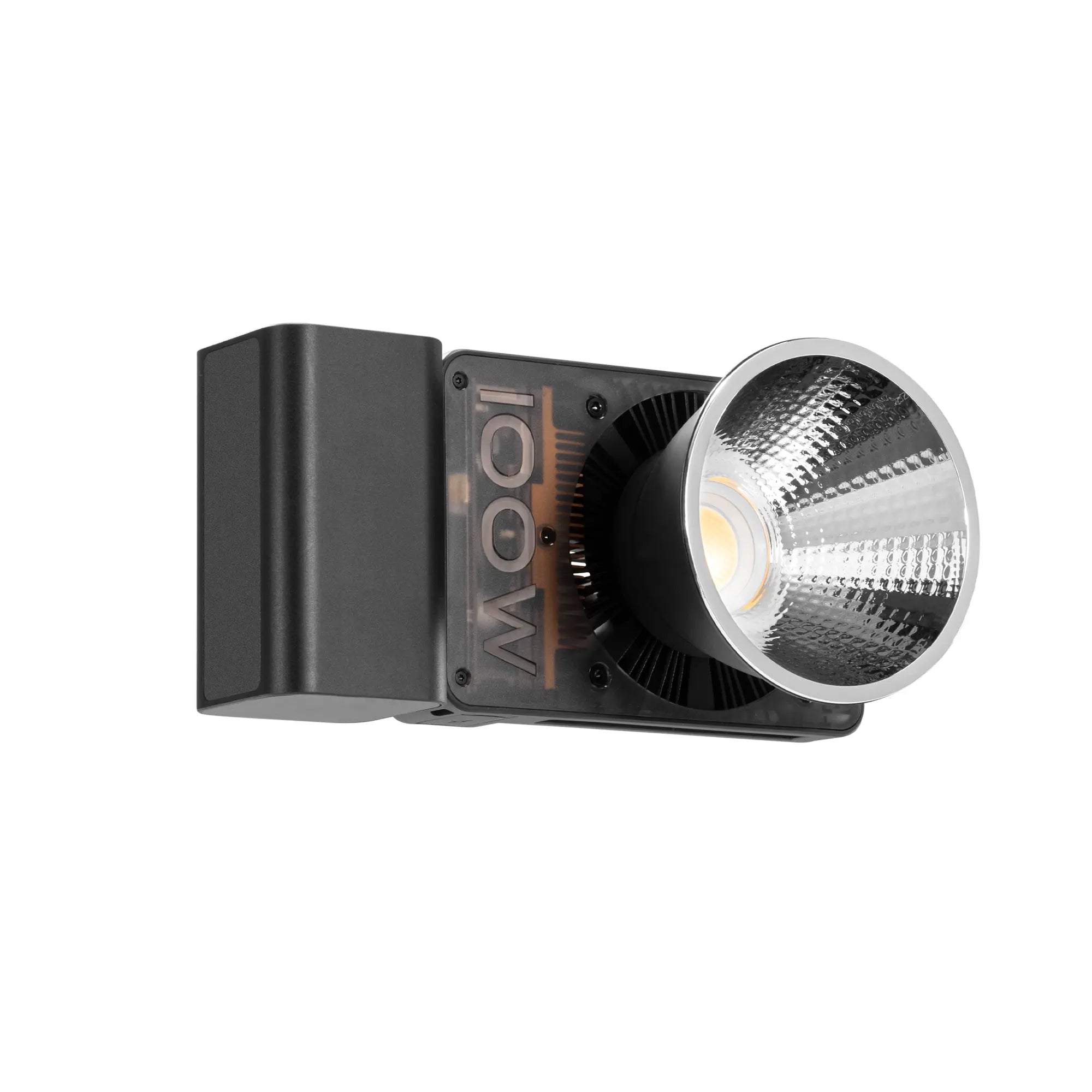
Zhiyun MOLUS X100 RGB
- 100W COB RGB LED with adjustable brightness and full color control.
- Color temperature adjustable from 2500K–10000K.
- Bluetooth app control for precise adjustments without touching the light.
- Ideal for creators who want professional youtube studio lighting with creative RGB effects.
- Perfect for interviews, tutorials, or content that requires dynamic color changes.

Zhiyun FIVERAY M20C
- 20W RGB output with HSI dimming for accurate color selection.
- Compact and portable, suitable for travel, vlogs, and short-form content.
- Magnetic mounts for versatile placement on shelves or metallic surfaces.
- Ideal for creators needing a compact rgb light that’s quick to set up.
- Great for Reels, Shorts, or fast-changing shooting environments.

Practical Tips for Effective RGB Lighting Setup for Video
1. Mix key and accent lights: Always use a bright key light for your subject and an RGB accent for background or side lighting.
2. Balance with natural light: RGB colors should complement ambient light to avoid unnatural skin tones.
3. Use diffusion: Soften harsh lights with diffusers or softboxes to maintain flattering skin illumination.
4. Control remotely: Many RGB lights, including X100, allow app-based adjustments for smooth hue and brightness changes without interrupting filming.
5. Experiment with effects: Short-form platforms benefit from creative effects such as pulsing, color transitions, or complementary color contrasts.
Conclusion: Choosing the Right RGB Video Light for Your Content
Selecting the right rgb lighting setup for video depends on your content type, production environment, and creative goals:
- For YouTube studio setups with professional-grade quality and creative freedom: Zhiyun X100 RGB.
- For portable, quick setups suitable for Reels, Shorts, or travel content: Zhiyun M20C.
By understanding youtube studio lighting, using a compact rgb light for mobility, and learning the differences between bi-color vs rgb video light, you can elevate your video content, enhance audience engagement, and make your productions look polished and professional — whether for long-form tutorials or short-form social media videos.
Lighting is not just technical; it’s part of your storytelling. With the right lights and techniques, you can transform any scene, captivate your audience, and stand out in a competitive digital space.


