










Your cart
Estimated delivery between November 26 and December 01.
You'll love this too



Skeleton text
Skeleton text
Skeleton text
Skeleton text
Skeleton text
Skeleton text
Skeleton text
Sign up to be the first to know when it's back in stock.
Skeleton text


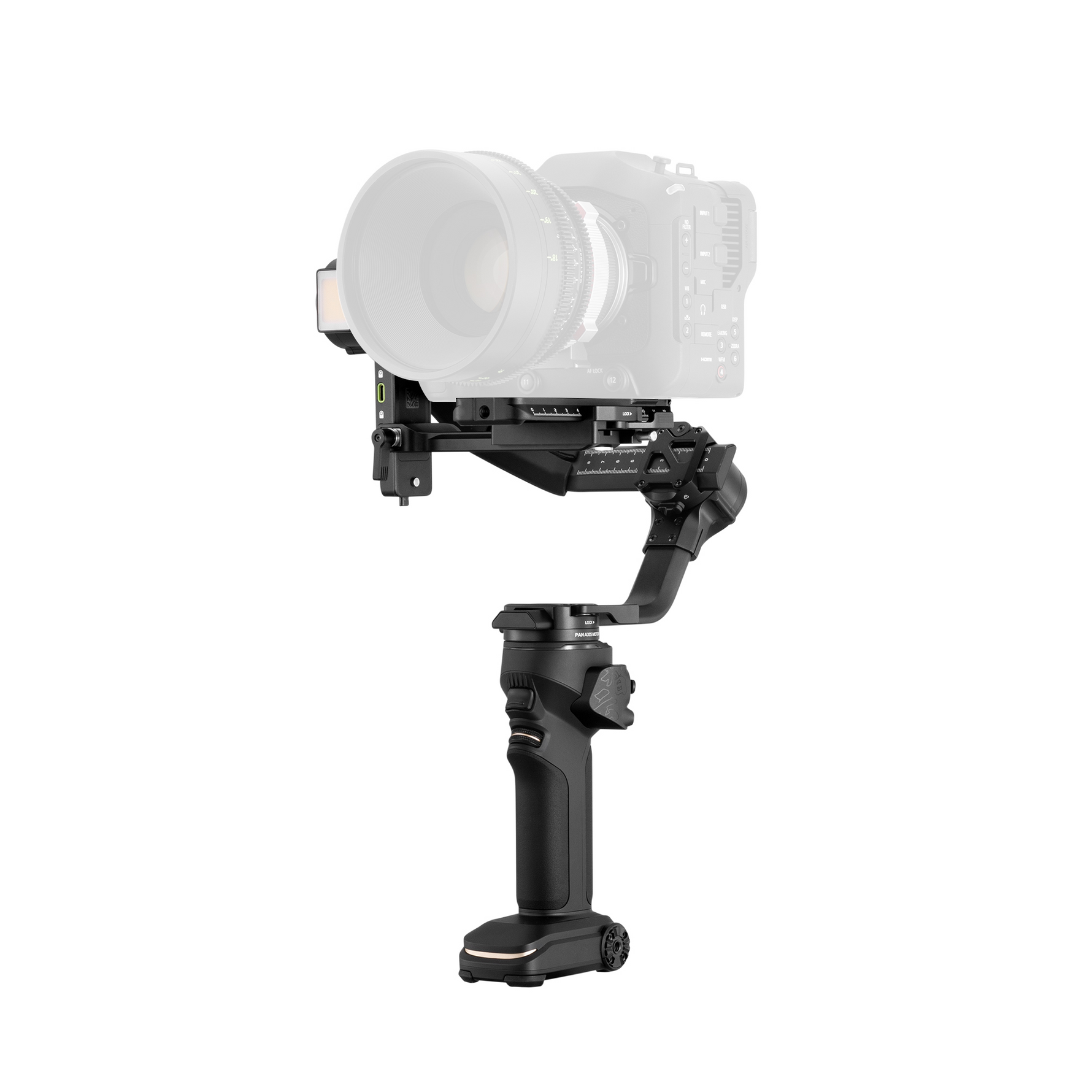
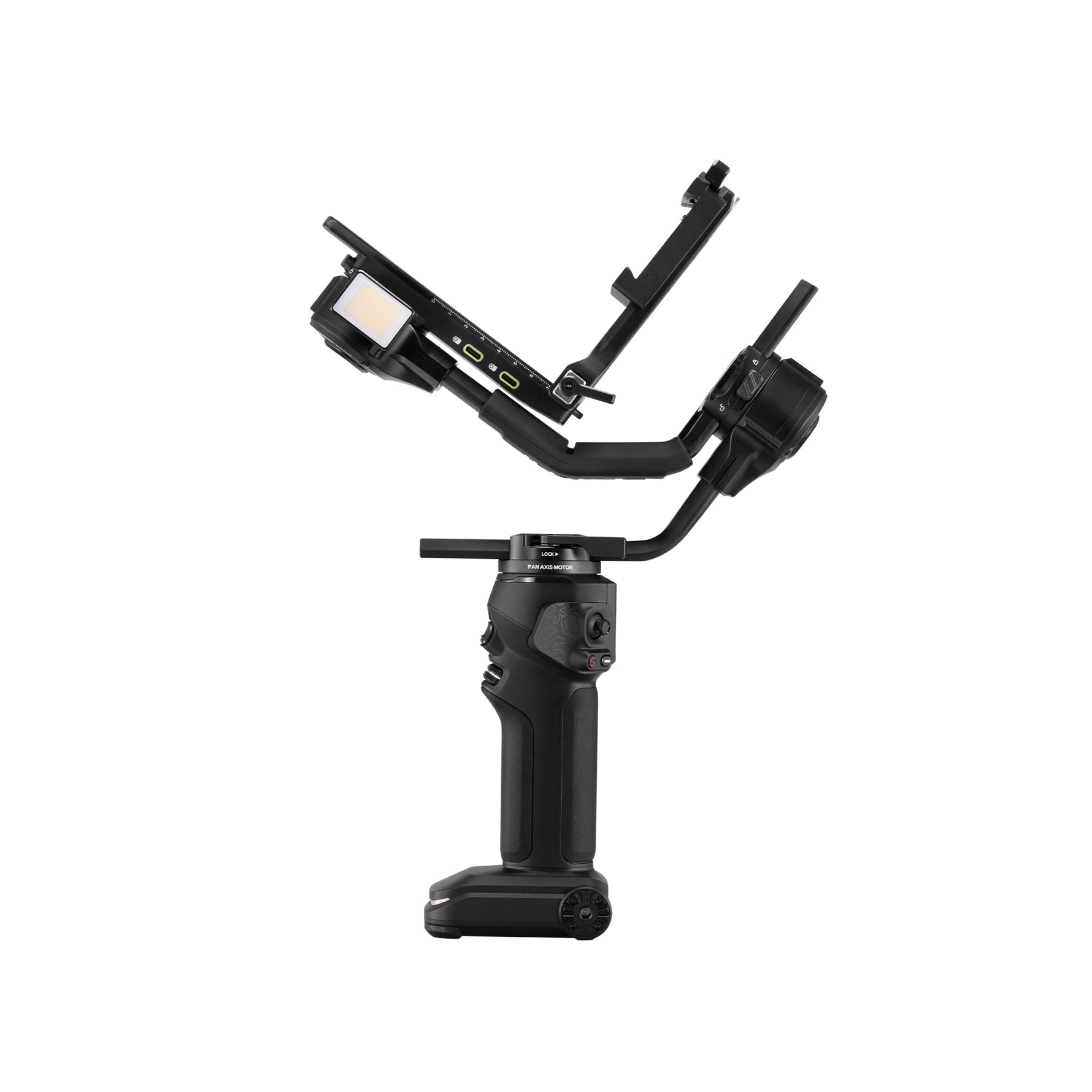


ZHIYUN Crane 4 | Full-Frame Camera Gimbal Stabilizer
$636.00
$669.00
-5%
63600
Tax included.
Shipping
calculated at checkout.

Shop Pay From $159.00/mo or 0% APR
- Cinematic Stability: Capture smooth, cinematic movements with advanced 3-axis stabilization.
- 4.5kg Payload: Supports full-frame camera and lens setups with ease.
- 1.22" Touchscreen Control: Quickly adjust settings and manage your workflow directly on set.
- Ergonomic Design: Designed for comfortable handling during demanding long-hour shoots.
- Built-In Dual-Color Fill Light: Add adjustable lighting for more creative shooting flexibility.

Shipping Policy

Refund and Replacement

Contact Us


ZHIYUN Crane 4 | Full-Frame Camera Gimbal Stabilizer
$636.00
$669.00
63600
$636.00
$669.00
63600
Less burdened.Feels right.
Crafted with ergonomic precision, the lightweight design delivers exceptional handling. Professional performance no longer has to come with unnecessary weight.

Crafted For Cinematic Scenes.
CRANE 4 brings remote monitoring and precise focus control to your set—keeping your crew connected and every shot on track.
*Image transmission accessories and follow-focus motors are sold separately.
Switch To Vertical In Seconds
Quickly switch between horizontal and vertical shooting modes with the quick release system.Adapt to different content formats without interrupting your creative workflow, from cinematic
productions to vertical social content.

One Rig. Endless Possibilities.
From lighting and audio to image transmission and focus control, build asetup that adapts to your vision-and every production.

Own Every Low Angle.
The ergonomic sling grip gives you smooth, confident control for dynamic shots close to the ground.

Create Beyond Boundaries.
Wherever the story takes you, CRANE 4 keeps every movement steady and every idea in motion.


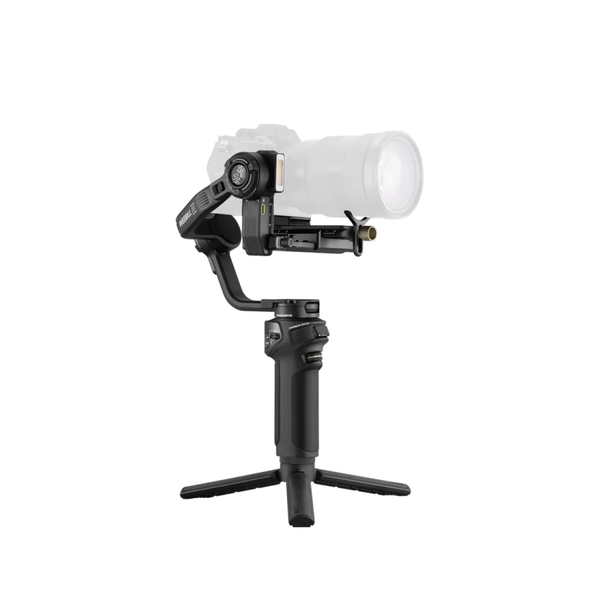


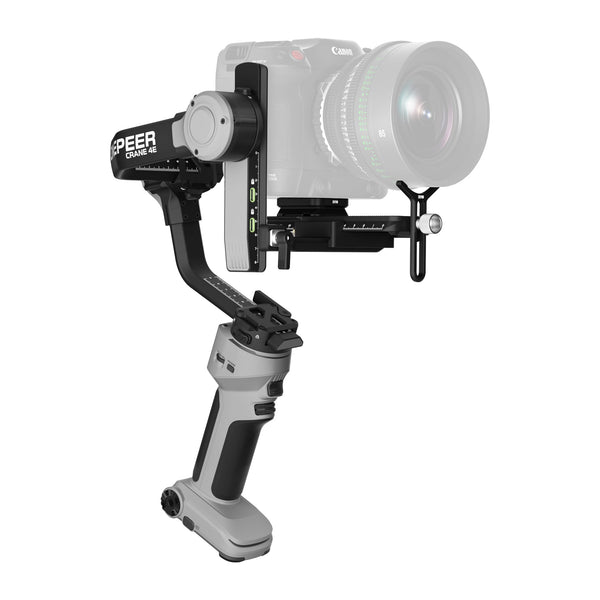
Reasons for Recommendation
Efficient Shooting Effortless Sling Mode 2.5 Native HorizontalVertical Shooting
Unlimited Creation 4.5KG High Payload Built-in 10W Fill Light
Best-in-class value Lighter, more professional
4.5kg high payload, native orientation switching, fatigue-free workflows
Gimbal Dimensions (Without Accessories)
305*210*72.5 mm
340*280*70 mm
305*210*72.5 mm
340*280*70 mm
Max Carry Weight
3,000g
4,500g
3,000g
4,500g
Net Weight
1,054.8g
1,673g
1,050g
1,640g
Battery Capacity
2,600mAh
2,600mAh
2,600mAh
2,600mAh
Fill Light
Horizontal / Vertical Shooting
Vortex Mode
Runtime
11.5H
12H
16H
12H
Charging Time
2H
1H50min
2H
2H
What's in the Box


FAQs
Is the ZHIYUN CRANE 4 a good gimbal for DSLR and full-frame mirrorless cameras?
Yes. As a professional 3 axis camera gimbal, the CRANE 4 provides a 4.5kg payload and extended axis arms for full-frame DSLR, mirrorless and selected compact cinema-camera setups. Its higher capacity is useful for heavier lenses and production accessories, but creators with a much lighter rig may prefer comparing other camera gimbal options.
What cameras and lenses are compatible with the CRANE 4?
The CRANE 4 supports numerous Canon, Sony, Nikon, Panasonic, Fujifilm, Blackmagic, ZCAM and Sigma camera setups. Physical mounting, balancing, Bluetooth control and wired camera functions have different compatibility requirements, so a camera may fit without supporting every control feature. Check the complete camera-and-lens combination in the official CRANE 4 Camera Compatibility List.
How much weight can the ZHIYUN CRANE 4 hold?
The ZHIYUN Store lists a maximum payload of 4.5kg for the CRANE 4. When calculating the payload, include the camera, lens, cage, filter and any other equipment mounted on the moving axes. Weight alone does not guarantee compatibility—the complete setup must also fit within the available axis space and balance without restricting motor movement.
Do I need to balance the CRANE 4 before turning it on, and how do the balance indicator lights help?
Yes. Mount the complete rig while the handheld gimbal stabilizer is turned off, unlock the axes and balance the tilt, roll and pan axes before powering it on. The balance indicator lights at each motor provide visual feedback about the balance status, but they do not balance the camera automatically. Rebalance the gimbal after changing the camera, lens or mounted accessories.
Can the CRANE 4 switch between horizontal and vertical shooting?
Yes. The CRANE 4 quick-release system includes horizontal and vertical mounting structures, allowing the camera to be repositioned for native portrait recording without a separate L-bracket. After changing orientation, make sure the camera is secure, properly balanced and able to move without the lens, screen or cables contacting the gimbal arms.
How powerful is the built-in fill light on the CRANE 4?
The CRANE 4 has a built-in 10W fill light rated at up to 3200 lux under ZHIYUN’s specified test conditions. It provides CRI 95+ color rendering and an adjustable 2700K–5500K color-temperature range, making it useful for close-range faces, interviews and emergency fill lighting. For larger subjects or more controlled productions, dedicated photography lights provide greater output and positioning flexibility.
Can I control recording, focus, zoom and camera settings from the CRANE 4?
Yes, but available controls depend on the camera model and connection method. Compatible cameras may support photo capture and start/stop recording through Bluetooth, while supported wired connections can provide access to functions such as aperture, shutter speed, ISO, electronic focus or electronic zoom. Optional servo motors provide mechanical focus or zoom control, and image-transmission equipment enables supported monitoring workflows; check the compatibility list before purchasing additional camera gimbal accessories.
How long does the CRANE 4 battery last, and can I use it while charging?
The CRANE 4 provides up to 12 hours of runtime under ZHIYUN’s specified laboratory conditions. It takes approximately 1 hour and 50 minutes to charge with a compatible 15V PD charger and supports charging while in use. Actual runtime depends on payload, balance, motor strength, accessory power consumption and operating temperature, as detailed in the official specifications.
What is the difference between the CRANE 4 Standard and Combo versions?
Both versions include the same CRANE 4 gimbal, quick-release plate, tripod, charging cable and camera-control cable set. According to the current product listing, the Combo version additionally includes the adjustable sling grip and wrist rest for improved low-angle, two-handed and extended operation. Package contents may vary by market or promotion, so check the current “What’s in the Box” section before ordering.
What is the difference between the CRANE 4 and CRANE 4E?
Both models offer a listed 4.5kg payload, native vertical mounting and up to 12 hours of runtime. The CRANE 4 includes a built-in 10W fill light and balance indicator lights at each motor, while the CRANE 4E uses a simplified design without these two features and is slightly lighter at approximately 1.63kg. The CRANE 4 takes about 1 hour and 50 minutes to charge under its specified test conditions, compared with approximately two hours for the CRANE 4E.
M
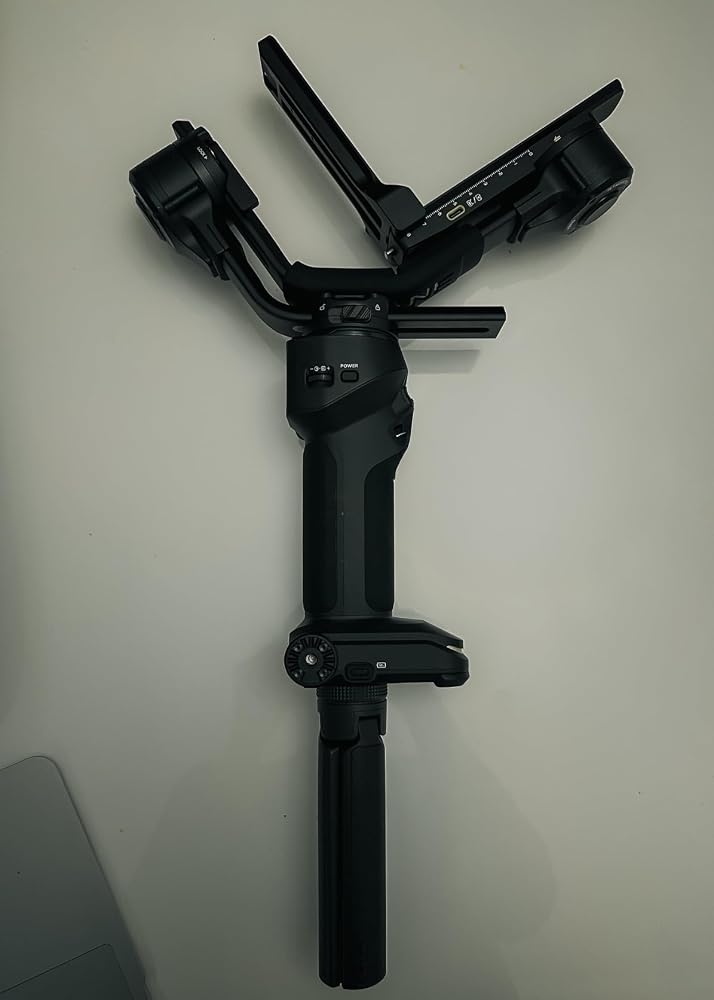
I have been using this gimbal for awhile. I love how easy it is to switch from landscape to portrait mode. This is so useful for social media contents.With Bluetooth connectivity, it is super easy to connect it with my A7CII and balancing the gimbal isn't hard at all. The touchscreen is definitely a nice touch and the battery life is enough for me to use for the day!Overall, I'm super happy with this purchase!!??


P
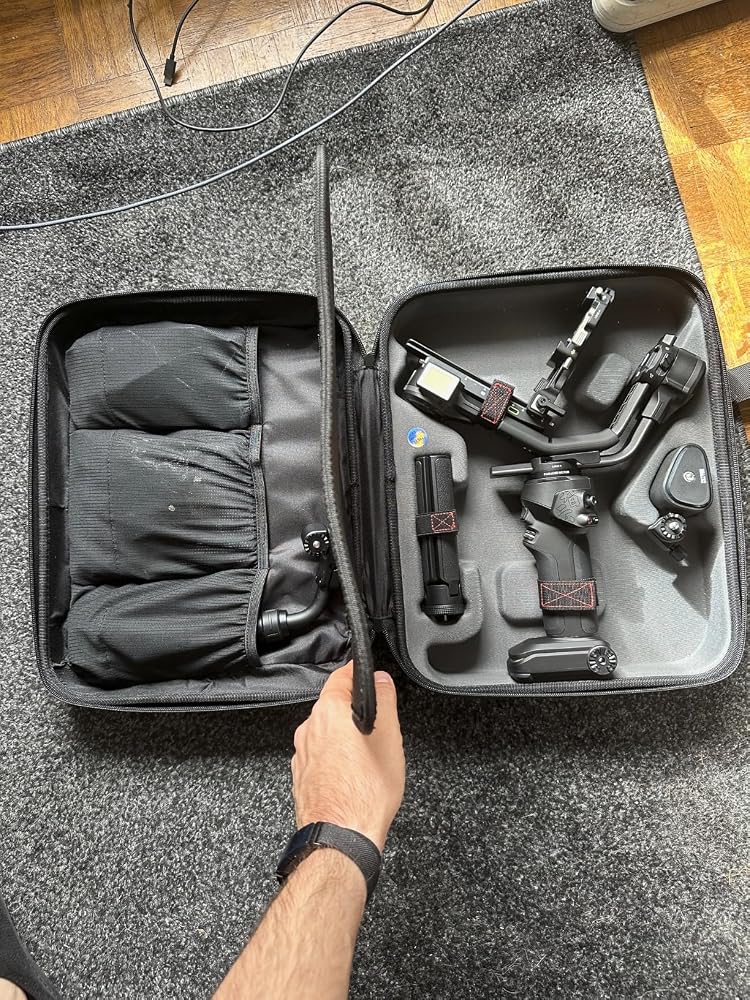
J'ai r��cemment commenc�� �� utiliser le stabilisateur ZHIYUN Crane 4, et je trouve qu'il a vraiment simplifi�� mes sessions de tournage. Grace �� son bras plus long et ses moteurs puissants, il peut accueillir diff��rents types de cam��ras. Ce qui me pla?t le plus, c'est la poign��e polyvalente. Avec le support de poign��e inclus, il est plus agr��able �� utiliser et r��duit la fatigue lors des longues s��ances de tournage. Le fait qu'il puisse supporter de grosses charges est un gros avantage, mais cela le rend un peu lourd �� transporter.J'appr��cie aussi le passage facile entre les modes paysage et portrait, ce qui est id��al pour adapter mes prises de vue selon le contexte. La lumi��re d'appoint int��gr��e est une bonne surprise, car elle offre un ��clairage d��cent, parfait pour les prises de vue en faible luminosit��. Toutefois, j'aurais aim�� que la batterie soit amovible pour faciliter la recharge ou le remplacement, surtout lors de longues journ��es de tournage.Un atout de ce stabilisateur, c'est son sac de transport. Il est bien con?u et prot��ge le stabilisateur pendant les d��placements. De plus, les fonctions Bluetooth permettent de contr?ler facilement certains param��tres de la cam��ra, ce qui rend son utilisation plus fluide. Malgr�� le poids, je trouve que le ZHIYUN Crane 4 est un excellent choix pour ceux qui ont besoin d'un stabilisateur capable de supporter des configurations plus lourdes tout en offrant des fonctionnalit��s pratiques et des accessoires bien pens��s.
S
The ZHIYUN Crane 4 Combo is an outstanding 3-axis gimbal stabilizer! Right out of the box, it feels premium and well-built. I use it with my Sony A7 IV, and the stabilization is incredibly smooth, eliminating all unwanted shakes.I��ve used many gimbals before, but this one truly stands out. Whether for professional shoots or content creation, the Crane 4 Combo is worth every penny. Highly recommended!!!


C
Overall great gimbal. This bad boy can fit any setup you throw at it. For cinema cameras make sure you add on the extension arm. When you add that you can fit v-mount batteries or anything your heart desires. The only con is it's very bulky and heavy if you use it by itself you will fatigue pretty fast so attach it to a ring, or vest setup so you can hold it for longer video shoots.


M
I chose this product because I wanted to do video projects with my Sony ZV1 and didn't have a gimbal that would work with it.It included everything needed to make it work, a couple of USB C cable for charging, a hard case for storage and travels and some user guides. The quick start manual wasn't clear enough for me to use it right away. I watched one of their video online about setting it up and it really helped me to be able to use it. There's a lot of different functions and I would advise you to read the instruction manual and watch a couple videos.It it very stable if you balance your camera right away, but there's a couple of thing you need to be aware. The motors are kinda noisy, so if you plan on using the camera microphones, they could be heard in the videos. Also, the battery life is fine, but might not be long enough depending on your projects.All in all, I consider this product to be a good option, but you will have to see if it is good enough for your projects.


S
The ZHIYUN Crane 4 Combo is an outstanding 3-axis gimbal stabilizer! Right out of the box, it feels premium and well-built. I use it with my Sony A7 IV, and the stabilization is incredibly smooth, eliminating all unwanted shakes.I’ve used many gimbals before, but this one truly stands out. Whether for professional shoots or content creation, the Crane 4 Combo is worth every penny. Highly recommended!!!
M
I have been using this gimbal for awhile. I love how easy it is to switch from landscape to portrait mode. This is so useful for social media contents.With Bluetooth connectivity, it is super easy to connect it with my A7CII and balancing the gimbal isn't hard at all. The touchscreen is definitely a nice touch and the battery life is enough for me to use for the day!Overall, I'm super happy with this purchase!!😁
P
J'ai récemment commencé à utiliser le stabilisateur ZHIYUN Crane 4, et je trouve qu'il a vraiment simplifié mes sessions de tournage. Grâce à son bras plus long et ses moteurs puissants, il peut accueillir différents types de caméras. Ce qui me plaît le plus, c'est la poignée polyvalente. Avec le support de poignée inclus, il est plus agréable à utiliser et réduit la fatigue lors des longues séances de tournage. Le fait qu'il puisse supporter de grosses charges est un gros avantage, mais cela le rend un peu lourd à transporter.J'apprécie aussi le passage facile entre les modes paysage et portrait, ce qui est idéal pour adapter mes prises de vue selon le contexte. La lumière d'appoint intégrée est une bonne surprise, car elle offre un éclairage décent, parfait pour les prises de vue en faible luminosité. Toutefois, j'aurais aimé que la batterie soit amovible pour faciliter la recharge ou le remplacement, surtout lors de longues journées de tournage.Un atout de ce stabilisateur, c'est son sac de transport. Il est bien conçu et protège le stabilisateur pendant les déplacements. De plus, les fonctions Bluetooth permettent de contrôler facilement certains paramètres de la caméra, ce qui rend son utilisation plus fluide. Malgré le poids, je trouve que le ZHIYUN Crane 4 est un excellent choix pour ceux qui ont besoin d'un stabilisateur capable de supporter des configurations plus lourdes tout en offrant des fonctionnalités pratiques et des accessoires bien pensés.
A
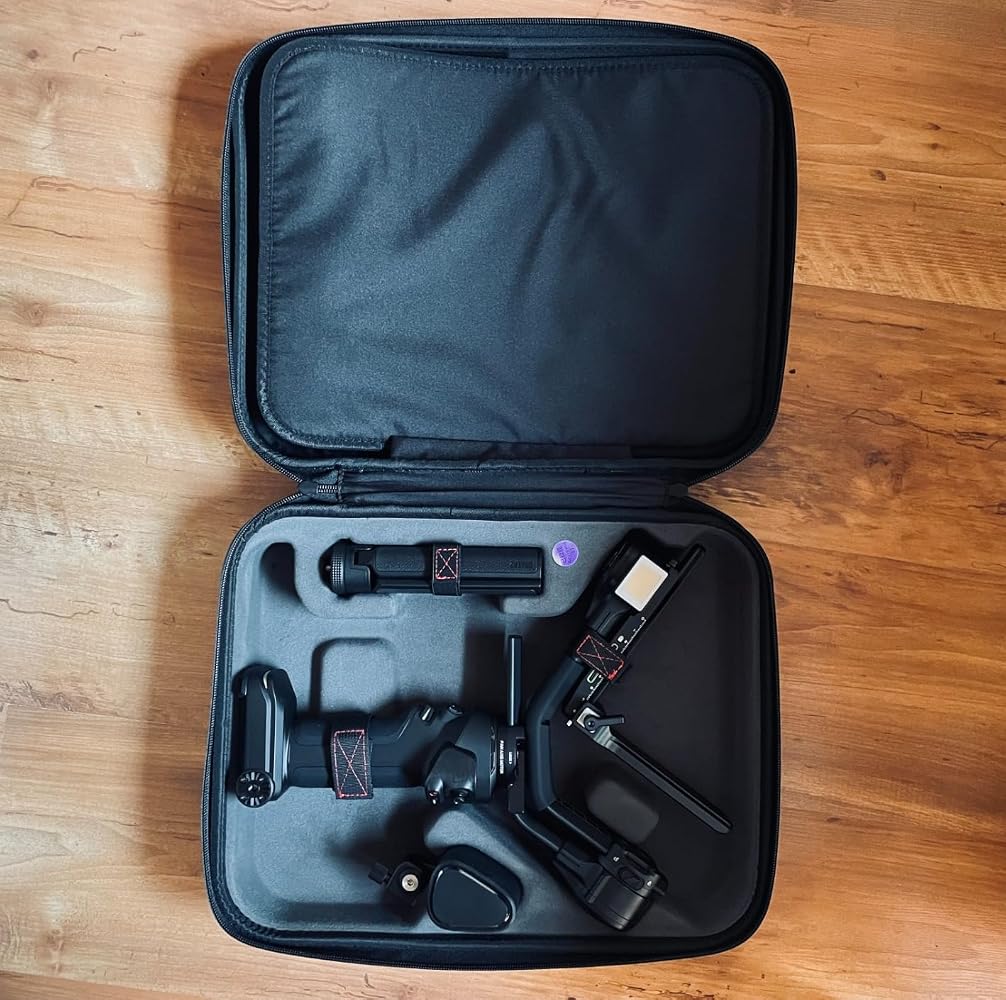
Utilisé avec un Lumix S5 équipé de sa cage et de mon 28-70mm le calibrage se fait sans aucune difficulté ! la poignée ergonomique est solide et permet de mieux controler le gimbal.La qualité de construction est remarquable, les pièces de jonctions sont en métal et inspirent la solidité et donc la durabilité.Je recommande l'achat du CRANE 4 avec sa poignée si vous êtes un vidéaste et que la fiction ou la vidéo évènementiel constitue le gros de vos productions.

A
Very very good
N
So far it��s been an amazing product!Be sure to check all the tutorials before using or you might end up damaging the motors!
L
Thanks to Amazon's General Manager who in the end saved my work after DJI had let me down twice. After 2 of DJI's gimbals died in my hands in a short period, I realized that their product was not safe at all for professionals to use. I ordered DJI items from Amazon and wanted to speed up the refund process when they sadly died so I picked the credit option. After realizing that it is super risky to use DJI I wanted to pick something from an alternative company. Whatever happened, the General manager sorted out the issue I was dealing with and in the end, everything was sorted in the way I was happy to place a new order for this item. Thank you, Amazon. You have amazing customer service. truly recommend Amazon to everyone now. Thanks again to the General manager.
R
Very excited to use the gimbal so much included in the box
B
The media could not be loaded.
It is a work horse of a gimbal, 12 hrs of battery life and surprisingly comfortable to work with. Only problem is the record button only worked half the time , I would manually click the record button instead. Last problem is when you go all the way down to the ground and aim the camera up, you hit the integrated light and you can aim any higher.
M
This is a great camera gimbal and can hold heavy setups. My only problem is that it is extremely heavy and awkward to pick up.
A
Gimbal is great came through a bug but support helped fixed it thanks
E
Todo lleg�� muy bien! Todo como se describe, muchas Grscias !
O
This is what I've been looking for so long! This gadget eliminates three major pieces of equipment that were cumbersome. Thank you Zhiyun!!
Y
GREAT GIMBALL, USE WITH FX6 STRIP DOWN, HAD A PROBLEM WITH THE LCD SCREEN BUT SENT TO ZIHYUN AND THEY FIX IT OR FREE. GOOD AFTER SALE SERVICE. OVERALL HAPPY, VERY SMOOTH AND RELIABLE
G
I have a bmpcc 6k pro with a cage and nato side handle grip (mainly because sometimes i want to go handheld quickly without completely changing my set up. The fact that this is one of the few gimbals that has enough space and can take enough weight makes it perfect. Now is it a gimble you hold with two hand? no lol but its still reasonable if you dont mind a little extra weight for convenience.
J
Very Nice Crane. Works just as intended. I did however return it. Not because it didn't work great... because it did indeed work terrific... But I decided to Buy the Newer Model, The ZHYIUN Crane 4. Which is a bit more expensive. So if you want something slightly cheaper than the Crane 4. The Crane 3S is for you. Don't hesitate. It will get you the results you are looking for.
N
So far it’s been an amazing product!Be sure to check all the tutorials before using or you might end up damaging the motors!
J
Espectacular...
Y
GREAT GIMBALL, USE WITH FX6 STRIP DOWN, HAD A PROBLEM WITH THE LCD SCREEN BUT SENT TO ZIHYUN AND THEY FIX IT OR FREE. GOOD AFTER SALE SERVICE. OVERALL HAPPY, VERY SMOOTH AND RELIABLE
- Choosing a selection results in a full page refresh.
- Opens in a new window.