










Tu carrito
Tu carrito está vacío
News


Best Lighting for Photography: Lights and Setups for Better Photos
Oct 27, 2026
A practical guide to choosing and arranging light for indoor, portrait, studio, and product photography.


How to Use Follow Focus on a Camera Gimbal: A Beginner’s Guide
Oct 21, 2026
Learn what follow focus is and how to use it on a camera gimbal for controlled tracking and rack-focus shots.


Wedding Photography Equipment: The Essential Gear Checklist
Oct 20, 2026
A practical guide to essential wedding photography equipment, accessories, lighting, and backup gear for reliable wedding-day coverage.


Halloween Photoshoot Ideas: Props, Lighting, and Camera Tips
Oct 17, 2026
Explore Halloween photography ideas for solo costumes, families, parties, silhouettes, and ghost effects. This guide explains how to choose Halloween photography props, create atmospheric lighting, adjust camera settings, and capture polished happy Halloween images at home or on location.


Best Phone Gimbal for iPhone and Android: How to Choose the Right One
Oct 14, 2026
Learn how to choose the best phone gimbal based on three-axis stabilization, phone compatibility, AI tracking, app support, and portability. This guide compares suitable options for travel, solo filming, and advanced mobile filmmaking, then provides practical setup tips for capturing smoother footage with an iPhone or Android phone.


Cave Photography Tips: Lighting and Exposure Settings
Oct 10, 2026
These cave photography tips explain how to prepare for a cave photoshoot, choose practical camera settings for caves, and manage cave lighting with continuous light, flash, or light painting. The guide also covers focusing, exposure bracketing, subject separation, and common mistakes for creating detailed cave images safely.


What Is a Gimbal for a Camera? A Beginner’s Guide
Oct 06, 2026
A camera gimbal stabilizer uses sensors and motors to keep a mounted camera level while preserving intentional pan, tilt, and roll movement. This guide explains how a 3-axis camera gimbal works, where a handheld camera stabilizer performs best, how to choose and balance one, and how to use follow focus on a camera gimbal.


Photography Lighting Basics: A Beginner’s Guide to Better Photos
Oct 03, 2026
Better lighting begins with understanding direction, softness, intensity, and color. This guide explains photography lighting basics through practical portrait photography lighting, studio photoshoot lighting, and indoor setup examples, with clear photography lighting tips for shaping and adjusting light.


What Is a Gimbal? How It Works and When You Need One
Sep 30, 2026
A gimbal uses sensors and motors to reduce unwanted camera shake while preserving intentional movement. This guide provides a clear gimbal definition, explains how a gimbal works, compares a gimbal for phone and camera use, and shows beginners how to use a gimbal effectively.


How to Take Better Selfies With a Phone Gimbal: Beginner Tips and Best Tools
Sep 24, 2026
Better selfies start with soft light, enough camera distance, and a relaxed pose. Learn when a handheld or hands-free smartphone gimbal helps with travel, full-body, and iPhone selfies—and how to avoid distortion, harsh light, and over-editing.


Travel Filmmaking Setup: Lightweight Gear for Outdoor Video Creators
Aug 30, 2026
Travel filmmaking requires constant compromise. You want cinematic images, stable movement, clean audio, and controlled light, but every additional piece of equipment must be carried through airports, streets, mountains, beaches, hotels, and unfamiliar locations.
The most effective travel filmmaking setup is not the smallest possible kit. It is the lightest kit that can reliably capture the story you intend to tell.
A creator filming fast travel vlogs may need a different package from a filmmaker producing tourism campaigns or documentary interviews. The setup should be planned around subjects, locations, transport, and delivery formats.
Pack for the Story, Not Every Possible Situation
Before packing, create a simple production map.
Will the film include interviews?Will you shoot mostly landscapes or people?Will you film at night?Will the content be horizontal, vertical, or both?Will you walk long distances?Will electricity be available?Will you encounter sand, rain, cold, or high humidity?
A travel kit built for city vlogging may include one camera, one compact lens, one gimbal, one light, and one microphone.
A commercial travel film may require a wider lens, portrait lens, filters, larger audio kit, lighting modifiers, and more backup storage.
Avoid packing equipment only because it might be useful. Every item should solve a known production problem.
Choose a Versatile Camera and Lens Combination
Lens changes cost time and expose the camera sensor to dust, moisture, and wind. A versatile standard zoom is often the most practical travel option.
A wide lens is useful for:
· Landscapes
· Architecture
· Hotel rooms
· Walking sequences
· Vlogging
· Establishing shots
A standard or short portrait focal length is useful for:
· Interviews
· Details
· Food
· People
· Compressed landscapes
· Environmental portraits
If carrying two lenses, assign a clear role to each. If carrying only one, choose the focal range that covers most of the planned story.
The camera should also remain comfortable on the stabilizer. A compact body and balanced lens reduce operating fatigue.
Use a Lightweight Camera Gimbal for Planned Movement
Travel footage often includes walking through markets, following a guide, entering a hotel, moving along a trail, or revealing a viewpoint. These shots benefit from stabilization.
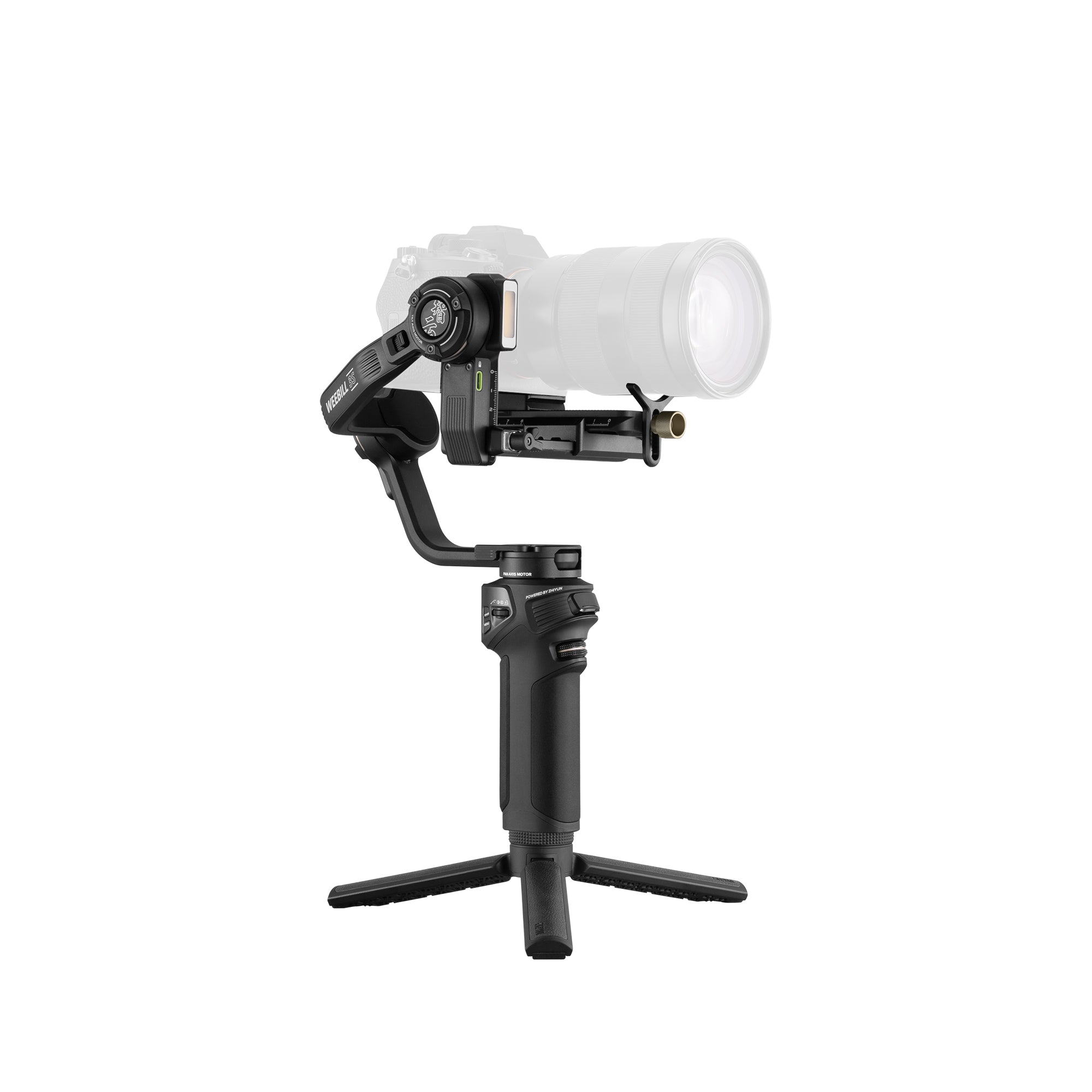
The ZHIYUN Weebill 3E provides a compact lightweight camera gimbal option for mobile filmmakers using mirrorless and lightweight camera packages.
Useful travel gimbal shots include:
· Following a subject through a street
· Side-tracking beside a traveler
· Pushing into a landscape reveal
· Moving through a doorway
· Low-angle walking shots
· Orbiting a person at a viewpoint
· Smooth vertical clips for social media
Do not leave the camera on the gimbal all day unless the shooting plan requires it. Use a quick-access bag or support system so the rig can be stored safely between shots.
Balance the setup before leaving the hotel or vehicle. Rebalancing on a windy beach or busy street wastes time and increases the risk of dropping equipment.
Carry One Portable Light That Solves Multiple Problems
Natural light cannot always be controlled. Hotel rooms may be dark, restaurants may have mixed lighting, and outdoor interviews may place the face in shadow.
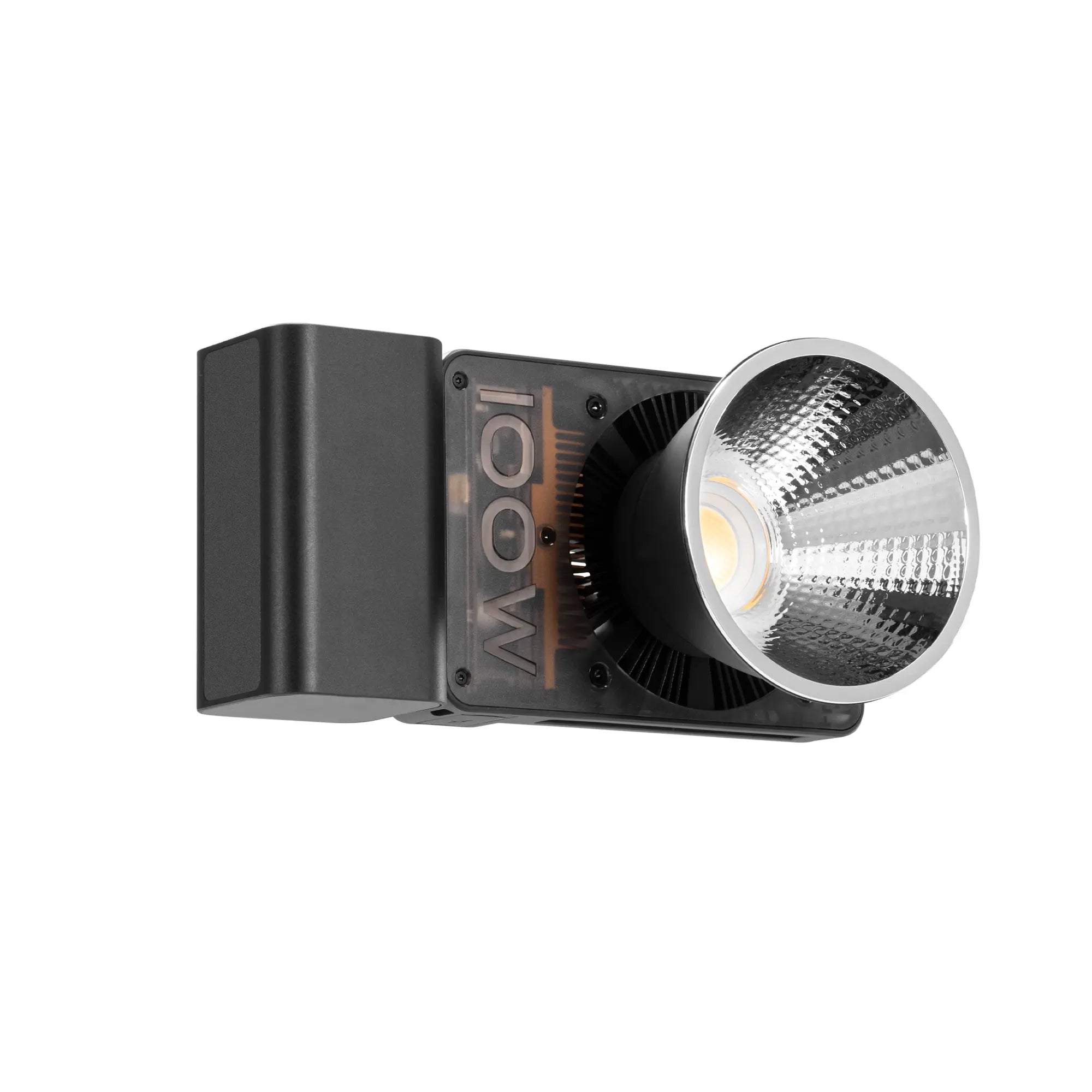
The ZHIYUN MOLUS X100 RGB can serve as a portable key, fill, background light, or creative color source in a travel production.
Use it for:
· Indoor interviews
· Backlit outdoor portraits
· Hotel-room scenes
· Food and product details
· Night street portraits
· Background color
· Emergency location lighting
For outdoor use, keep the setup stable. Large modifiers can catch the wind, so use sandbags, an assistant, or a smaller controlled modifier.
At sunset, use the light as gentle fill rather than overpowering the natural atmosphere. At night, match the light to nearby practical sources or use RGB creatively to complement signs and architecture.
Do Not Neglect Audio, Power and Storage
Travel films often fail because of small operational problems rather than image quality.
A minimal audio kit should include:
· Wireless microphone
· Compact directional microphone
· Wind protection
· Headphones
· Spare cables
A power kit should include:
· Camera batteries
· Gimbal charging cable
· Light power solution
· Phone charger
· Power bank
· International power adapter
A storage kit should include:
· Multiple memory cards
· Card case
· Portable storage
· Laptop or backup device when practical
· Clear folder and file-naming system
Back up important footage every day. Travel locations may not be repeatable, and a lost card can mean losing the entire production.
Protect Equipment from the Environment
Outdoor creators should plan for:
· Rain
· Sand
· Salt
· Dust
· Cold
· Heat
· Condensation
· High winds
Keep a rain cover, microfiber cloth, blower, sealed pouches, and protective bag in the kit. Avoid changing lenses in dusty or windy conditions.
When moving from a cold outdoor environment into a warm building, allow the camera to acclimate before opening bags or changing lenses. This can help reduce condensation risk.
On beaches, never place equipment directly on sand. In high wind, lower stands and reduce modifier size.
A Practical Travel Filmmaking Checklist
A balanced travel kit might include:
· Mirrorless camera
· One versatile zoom lens
· Optional compact second lens
· Weebill 3E
· MOLUS X100 RGB
· ND filter
· Wireless microphone
· Compact windscreen
· Spare batteries
· Power bank
· Memory cards
· Cleaning kit
· Lightweight rain protection
· Compact backpack
This kit can cover landscapes, travel portraits, interviews, walk-throughs, night scenes, and social clips without becoming an oversized production package.
The best travel filmmaking gear is the gear you can carry safely, prepare quickly, and use confidently. A compact system from ZHIYUN helps creators combine smooth camera movement and portable lighting while remaining responsive to changing locations.


Three-Point Lighting Setup Guide for Portraits, Videos and Creator Studios
Aug 27, 2026
A good lighting setup does more than brighten a subject. It shapes the face, controls contrast, separates the subject from the background and establishes the mood of the image.
Three-point lighting is one of the most practical setups for portraits, interviews, talking-head videos, beauty content and creator studios. It uses three lighting functions:
· Key light for the main exposure
· Fill light for shadow control
· Backlight for subject separation
You do not always need three identical fixtures. A reflector, window or practical lamp can replace one of the lights, depending on the room and the visual style.
What Is a Three-Point Lighting Setup?
The three lights each serve a different purpose.
Light
Typical Position
Main Function
Key light
30–45° from the subject
Main exposure and facial shape
Fill light
Opposite the key
Reduces shadow depth
Backlight
Behind and above
Separates subject from background
The key light should remain the dominant source. The fill supports it, while the backlight adds depth.
For beauty videos, the key and fill may be relatively balanced. For a cinematic portrait, the fill is usually weaker. For interviews, the backlight should be subtle rather than highly visible.
How to Position the Key Light
A reliable starting point is to place the key light 30–45 degrees to one side of the camera and slightly above the subject’s eye level.
This creates natural shadows around the cheekbones, nose and jawline.
If the light is too close to the camera axis, the face may look flat. If it moves too far to the side, the shadow side may become excessively dark.
Use a modifier for softer light
Portraits and talking-head videos usually benefit from softer illumination. Common modifiers include:
· Softboxes
· Diffusion panels
· Reflectors
· Lantern modifiers
· Bounce surfaces
A compact fixture such as the ZHIYUN MOLUS X100 RGB can work as the main photography light in small studios, creator rooms and location interviews.
Before adding the other lights, check:
· Skin exposure
· Highlight detail
· Eye reflections
· Nose-shadow direction
· Shadow depth on the opposite cheek
Adjust the key light first, then build the remaining setup around it.
How to Use Fill Light Without Flattening the Face
The fill light should reduce deep shadows without removing all facial definition.
If the fill becomes as bright as the key, the face may look flat and the image can lose direction.
There are three common fill methods.
Use a second light
Place it on the opposite side of the camera and lower the output until some shadow detail becomes visible.
Use a reflector
A white or silver reflector can redirect part of the key light toward the shadow side of the face. This works well in small rooms or one-light setups.
Bounce light from a wall
A neutral wall or ceiling can create broad, soft fill. Avoid colored surfaces because they may introduce unwanted color onto the skin.
Different content requires different fill levels:
Content Type
Recommended Fill
Beauty and skincare
Relatively bright
Corporate interview
Moderate
Cinematic portrait
Low
Dramatic scene
Minimal
The goal is not to eliminate shadows. It is to control them.
How to Add Backlight and Subject Separation
The backlight is positioned behind or above the subject and aimed toward the hair, shoulders or side of the face.
Its main purpose is separation.
A dark-haired subject against a dark background may blend into the scene. A controlled rim or hair light creates a thin highlight around the outline and improves depth.
A useful starting position is:
· Behind the subject
· Slightly above head level
· Pointed downward
· Off to one side
· Outside the camera frame
Avoid making the backlight too strong. Excessive output can remove hair detail or create distracting highlights.
For full-body portraits, larger studios or commercial productions, the ZHIYUN MOLUS X200 RGB can provide greater flexibility when the light must work from a longer distance or through a larger modifier.
How to Use RGB Lighting in the Setup
RGB lighting works best when it supports the visual concept rather than becoming the main distraction.
For interviews, beauty videos and portraits, the facial key light should usually remain neutral. RGB color can then be added to:
· The background
· A wall
· A hair light
· A practical object
· A small edge of the subject
A warm key light can be paired with a subtle blue background. A cool key can be balanced with amber or orange accents.
Lower saturation often looks more professional than highly intense color.
Content Style
Suggested RGB Direction
Technology videos
Blue, cyan or violet
Beauty content
Pink, lavender or peach
Product videos
Brand-color accents
Fashion portraits
Complementary color contrast
Corporate interviews
Very subtle background color
Keep colored light away from the face unless the effect is intentional. Grids, barn doors and careful positioning can help control spill.
A molus x100 rgb is more practical for compact setups and solo creators, while a molus x200 rgb may be better suited to larger modifiers, wider scenes or greater working distances.
Three-Point Lighting for Different Content Types
Portrait photography
Use a soft key at 30–45 degrees, gentle fill from the opposite side and a subtle hair light. Reduce the fill for a more dramatic look.
Talking-head videos
Keep the key slightly above eye level, use moderate fill and place the subject away from the background. This creates depth without requiring a complicated studio.
Beauty videos
Use softer, more frontal lighting. The fill can be relatively bright, but avoid removing all facial shape. Keep the white balance fixed for accurate skin tone.
Product demonstrations
Light the presenter and product separately when necessary. Glossy packaging may reflect the key light, so adjust the product angle or increase diffusion.
Small creator studios
A compact setup may use:
· One key light
· One reflector for fill
· One small backlight or practical lamp
This still provides all three lighting functions without taking up too much space.
X100 RGB vs X200 RGB
The better choice depends on the size of the studio and the required output.
Consideration
MOLUS X100 RGB
MOLUS X200 RGB
Best for
Compact and portable setups
Larger studio and commercial setups
Typical user
Solo creators and small teams
Advanced creators and production teams
Common role
Key, fill or background light
Stronger key or modifier-based light
Portability
Higher
Moderate
Setup scale
Small to medium
Medium to larger
The zhiyun molus x100 rgb is more convenient for small creator rooms, travel work and quick setups.
The zhiyun molus x200 rgb is more suitable when the subject is farther from the light, the modifier is larger or the shooting area needs broader coverage.
Common Three-Point Lighting Mistakes
Making every light equally bright
The key should remain dominant. Equal output from all three lights often creates a flat image.
Placing the backlight in the frame
Check the final camera angle carefully. A small framing change may reveal the light or stand.
Ignoring ambient light
Windows, ceiling lights and practical lamps can change exposure and color. Use them deliberately or reduce their influence.
Mixing color temperatures
Daylight, warm indoor lamps and RGB fixtures can create inconsistent skin tones. Set a fixed white balance and control unwanted light sources.
Overusing RGB color
Strong color does not automatically make an image cinematic. Good contrast and subject separation remain more important.
Three-Point Lighting Checklist
Before filming, confirm:
· The key light creates clear facial shape
· Highlights are not overexposed
· The fill preserves some shadow depth
· The backlight separates the subject
· Skin tone remains natural
· RGB color does not spill unintentionally
· Light stands stay outside the frame
· Reflections in glasses or products are controlled
· Camera white balance is fixed
FAQs
What are the three lights in a three-point setup?
They are the key light, fill light and backlight.
Do I need three physical lights?
No. A reflector, window or practical lamp can perform one of the three functions.
Where should the key light be placed?
Start at 30–45 degrees to one side of the camera and slightly above eye level.
Should the fill be as bright as the key?
Usually not. The fill should be weaker so the face keeps shape and contrast.
Can RGB lights be used for portraits?
Yes. They work especially well for background color, rim light and creative accents.
Final Thoughts
Three-point lighting is useful because it helps creators think about light in separate functions.
The key defines the subject, the fill controls contrast and the backlight adds separation.
Once those functions are understood, the same approach can be adapted to portraits, interviews, beauty videos, product content and creator studios. Equipment matters, but placement, lighting ratio and modifier choice ultimately determine whether the image looks professional.
- Seleccionar una opción actualiza la página completa.
- Se abre en una ventana nueva.