










Solo Creator Gear Setup for YouTube, TikTok and Reels
por Marketing Yinqingli el Aug 10, 2026A solo creator has to perform several jobs at once. You may be the presenter, camera operator, lighting technician, audio recorder, director, and editor—all within the same production.
The best solo creator setup is therefore not the one with the most equipment. It is the one that can be prepared quickly, operated without a crew, repeated consistently, and adjusted for different platforms.
A reliable setup should solve five essential problems: framing, stabilization, lighting, audio, and power.
Start with the Content Format
Before buying or packing equipment, decide how the final content will be viewed.
YouTube tutorials and reviews may require longer horizontal recording, controlled audio, and consistent lighting. TikTok and Reels prioritize vertical framing, fast hooks, close product shots, movement, and short production cycles.
A creator who records both formats should plan enough framing space for horizontal and vertical versions. Alternatively, record dedicated takes for each platform rather than cropping every shot afterward.
Your basic production decisions should include:
· Horizontal or vertical delivery
· Talking-head or moving presentation
· Indoor or outdoor location
· Recording duration
· Whether the creator will remain seated
· Whether product close-ups are needed
· Whether tracking is required
· Whether the content will be edited or streamed live
These decisions determine whether you need a tripod, phone gimbal, compact light, microphone, or more advanced system.
Use a Phone Gimbal for Movement and Solo Tracking
A fixed tripod is ideal for seated tutorials, but it cannot follow the creator around a room or maintain framing during movement.
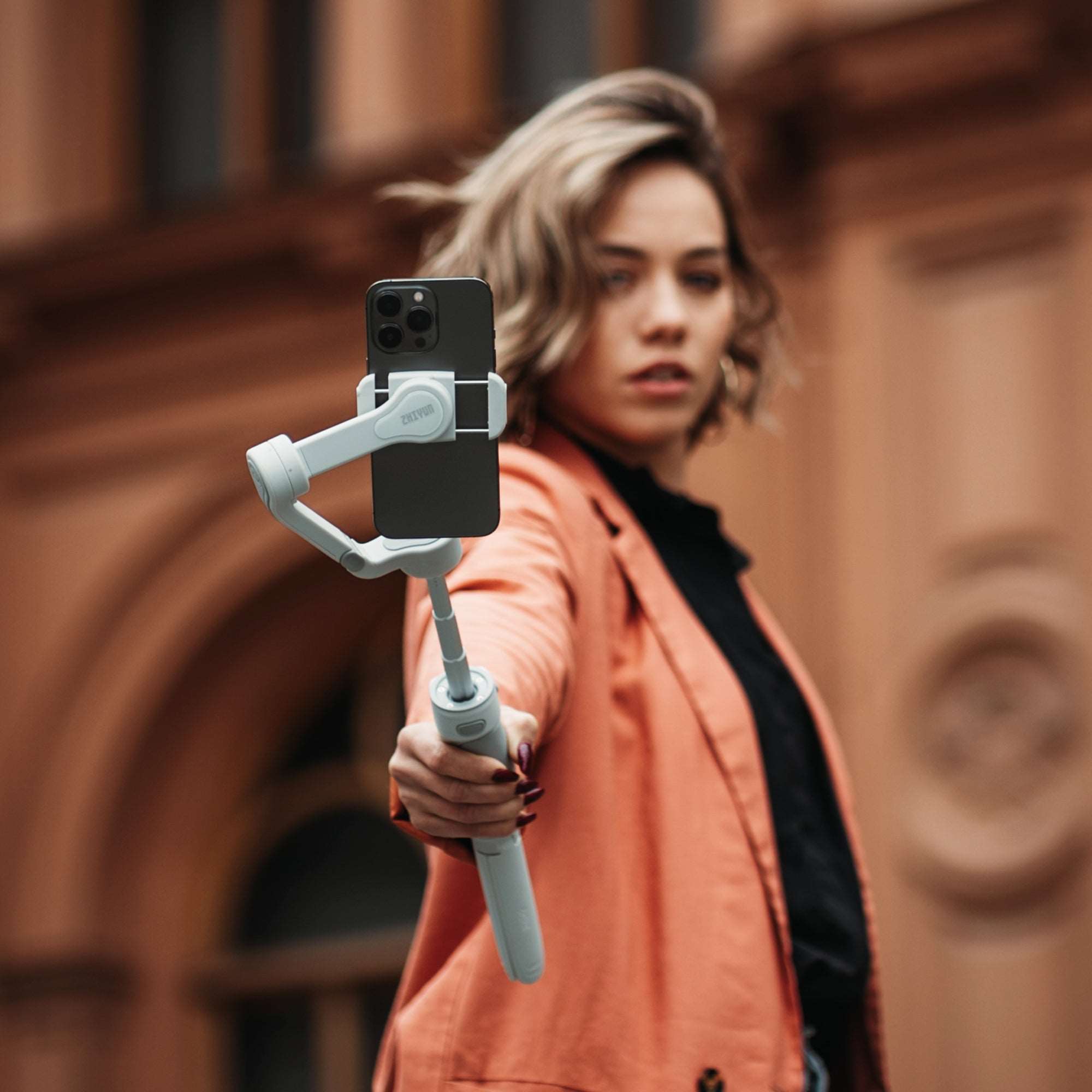
The ZHIYUN Smooth Q5 Ultra gives mobile creators a flexible option for stabilized walking shots, self-filming, overhead demonstrations, lifestyle sequences, and vertical social content.

It is especially useful for:
· Makeup tutorials
· Fitness demonstrations
· Cooking content
· Product walkthroughs
· Travel clips
· Outfit videos
· Room tours
· Moving introductions
· Before-and-after transitions
Tracking can reduce the need to stop recording every time the creator changes position. However, the background should remain clear enough for the system to distinguish the subject, and movement should stay within the planned shooting area.
For a seated video, the gimbal can function as a stable support. For a dynamic Reel, it can create smooth push-ins, side movements, and reveal shots.
Build a Simple Face-Lighting Setup
The creator’s face is usually the visual priority. Poor lighting can make an expensive camera look weak, while controlled lighting can make a simple phone setup appear more professional.
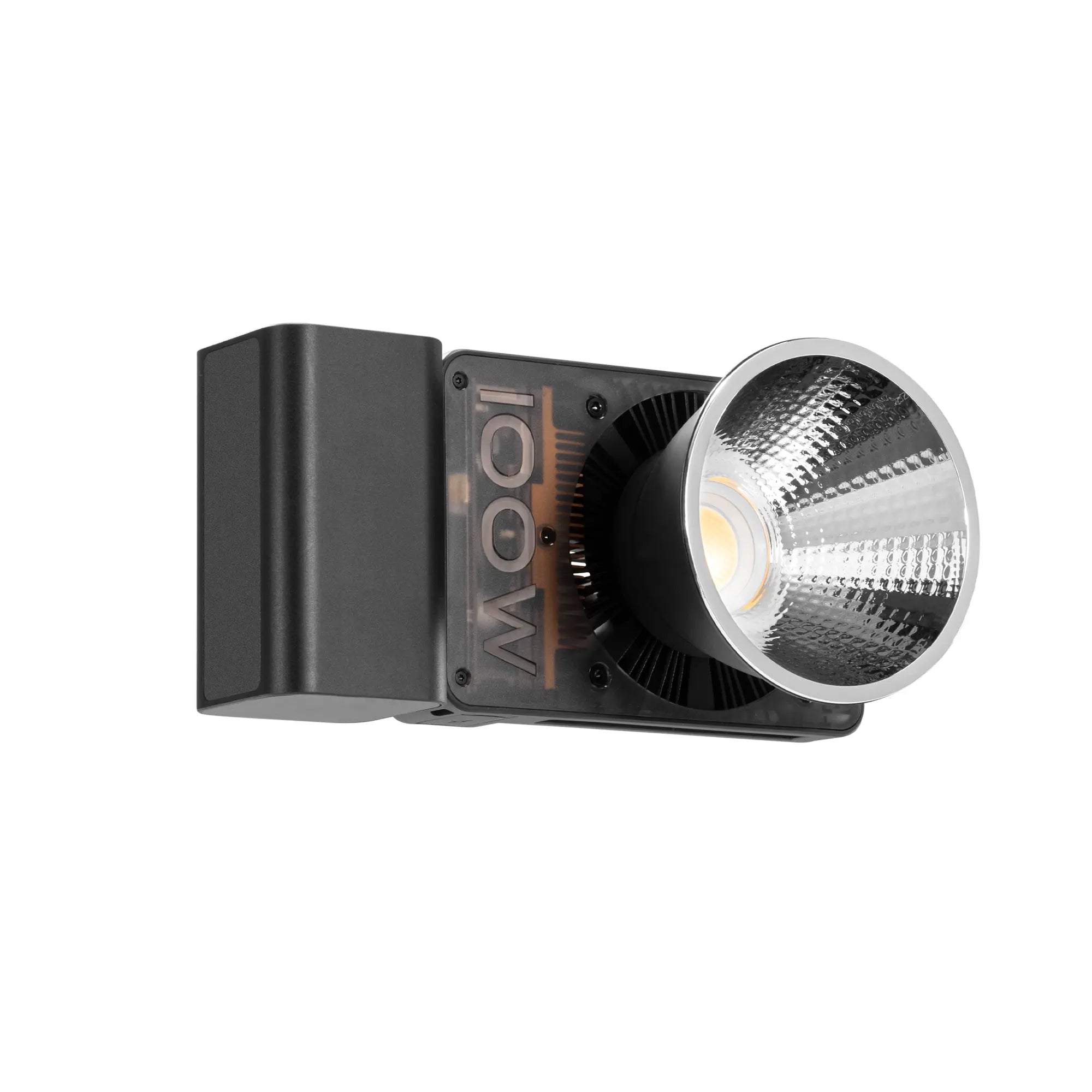
The ZHIYUN FIVERAY M20C is suitable for small creator desks, beauty stations, travel kits, and compact indoor setups.
Place the light slightly above eye level and to one side of the phone. This creates facial dimension while keeping both eyes visible. If shadows become too strong, place a white reflector, wall, or foam board on the opposite side.
For beauty content, move the light closer and soften it to create smoother shadow transitions. For product reviews, angle the light so both the presenter and product remain visible.
Avoid relying only on ceiling lights. Overhead light often produces dark eye sockets, forehead shine, and unflattering shadows beneath the nose and chin.

Keep Audio Close to the Speaker
Viewers may tolerate a less-than-perfect image, but they quickly leave when dialogue is difficult to understand.
For solo content, a wireless lavalier microphone is often the easiest option. It keeps the microphone close to the speaker while allowing movement.
A directional microphone can work for a seated desk setup, but it should remain close to the creator and out of frame. A microphone several meters away will record more room echo and background noise.
Before recording:
Turn off noisy fans or appliances.
Close windows when traffic is distracting.
Record a short test.
Check for clothing noise.
Monitor peak levels.
Capture several seconds of room tone.
For outdoor videos, add wind protection. Even light wind can make speech unusable.
Design a Repeatable Background
A solo creator should not rebuild the entire set for every video.
Choose a consistent recording area with enough space between the creator and the background. This helps create depth and reduces shadows on the wall.
The background can include a shelf, lamp, plant, framed image, product display, or colored accent light, but it should not compete with the subject.
The M20C can be used as a background accent when it is not serving as the main face light. A soft warm glow can suit lifestyle and beauty content, while blue or purple can support technology, gaming, or creative videos.
Save the light position, brightness, phone height, and creator position. Floor tape or small visual markers can dramatically reduce setup time.
Create an Efficient Recording Workflow
A practical solo workflow may look like this:
1. Prepare the script or talking points.
2. Clean the phone lens.
3. Mount and frame the phone.
4. Set the key light.
5. Connect and test the microphone.
6. Lock exposure and white balance where possible.
7. Record a ten-second test.
8. Check focus, sound, background, and skin tone.
9. Record the main section.
10. Capture close-ups and B-roll afterward.
Do not interrupt the main recording every time you make a small verbal mistake. Pause, repeat the sentence, and continue. The error can be removed during editing.
For short-form content, record the final reveal, transformation, or result before changing the set. Then capture the introduction and process clips. This ensures the most important shot is completed while the setup still looks consistent.
Minimal Solo Creator Checklist
A compact creator kit can include:
· Smartphone
· Smooth Q5 Ultra phone gimbal
· FIVERAY M20C portable light
· Wireless microphone
· Charging cable or power bank
· Small reflector
· Basic tripod or support
· Lens-cleaning cloth
· Script or shot list
· Storage space for recorded files
This setup covers a wide range of YouTube, TikTok, and Reels production without overwhelming the creator with equipment.
The objective is not to make every video look like a commercial production. It is to create a dependable workflow that lets you publish consistently.
The wider ZHIYUN creator ecosystem allows solo creators to combine mobile stabilization and compact lighting as their production requirements grow. Smooth footage and controlled light help the audience focus on the message rather than the equipment behind it.


