










Professionelles Kamera-Gimbal-Setup für Hochzeiten, Events und kommerzielle Shootings
von Marketing Yinqingli am Aug 18, 2026Ein professionelles Gimbal-Setup ist mehr als eine Kamera, die an einem Stabilisator befestigt ist. Kameragehäuse, Objektiv, Filter, Kabel, Fokussteuerungen, Montageplatte, Motoreinstellungen, Bedienposition und Bildgestaltung müssen als ein System zusammenarbeiten.
Wenn das Setup korrekt ausbalanciert ist, kann der Kameramann flüssige Verfolgungsshots erstellen, ohne die Motoren zu überlasten oder gegen das Rig zu arbeiten. Bei mangelhafter Vorbereitung kann das Gimbal vibrieren, abdriften, den Horizont verlieren, die Bewegungsfreiheit einschränken oder bei langen Produktionen zu Ermüdung führen.
Für Hochzeiten, Events, Unternehmensvideos, Modefilme und Werbeaufnahmen beginnt ein zuverlässiger professioneller Kamera-Gimbal-Workflow schon vor der Ankunft des Kunden am Set.
Wählen Sie das Kamera-Setup, bevor Sie das Gimbal ausbalancieren
Das komplette Kamera-Setup muss vor dem Ausbalancieren zusammengestellt werden.
Dazu gehören:
· Kameragehäuse
· Objektiv
· Objektivhaube
· ND-Filter
· Speicherkarte
· Akku
· Kameragehäuse, falls verwendet
· Mikrofon oder Empfänger
· Fokus- oder Zoom-Zubehör
· Benötigte Kabel
Balancieren Sie die Kamera nicht und fügen Sie erst danach einen Filter, ein Mikrofon oder ein Kabel hinzu. Selbst kleine Änderungen können den Schwerpunkt verändern.
Die Wahl des Objektivs ist besonders wichtig. Ein Weitwinkel- oder Standardobjektiv ist für Walking-Shots in der Regel leichter zu bedienen. Ein Teleobjektiv verstärkt kleine Bewegungen und erfordert eine präzisere Steuerung.
Für Hochzeiten und Live-Events sollten Sie ein Objektiv wählen, das die wichtigsten Geschehnisse abdeckt, ohne dass häufig Objektivwechsel nötig sind. Bei kommerziellen Produktionen kann die Shotliste einen erneuten Ausgleich zwischen verschiedenen Objektivkonfigurationen rechtfertigen.
Balancieren Sie jede Achse mechanisch
Ein Kamera-Gimbal-Stabilisator muss mechanisch ausbalanciert werden, bevor die Motoren die Kamera halten sollen.
Beginnen Sie mit der Tilt-Achse. Passen Sie die Kameraposition so an, dass sie in verschiedenen Neigungswinkeln stehen bleiben kann, ohne nach vorne oder hinten zu kippen.
Balancieren Sie als Nächstes die Roll-Achse, damit die Kamera waagerecht bleibt und nicht zur Seite kippt.
Balancieren Sie abschließend die Pan-Achse, indem Sie das Gimbal neigen und prüfen, ob sich die Kamera von selbst dreht.
Eine korrekt ausbalancierte Kamera sollte relativ stabil bleiben, selbst wenn das Gimbal ausgeschaltet ist.
Häufige Fehler beim Ausbalancieren sind:
· Das Objektiv während des Ausbalancierens mit der Deckel versehen
· Ein Teleobjektiv nach dem Ausbalancieren ausfahren
· Kabel, die an der Kamera ziehen
· Die Kamera zu weit nach vorne montieren
· Die vertikale Balance ignorieren
· Die Arretierungen vor der letzten Feinabstimmung festziehen
· Während der Produktion Akkus mit einem anderen Gewicht austauschen
Markieren Sie häufig verwendete Plattenpositionen, damit das Rig schneller wieder aufgebaut werden kann.
Wählen Sie den richtigen Kran-Stabilisator für die Produktion
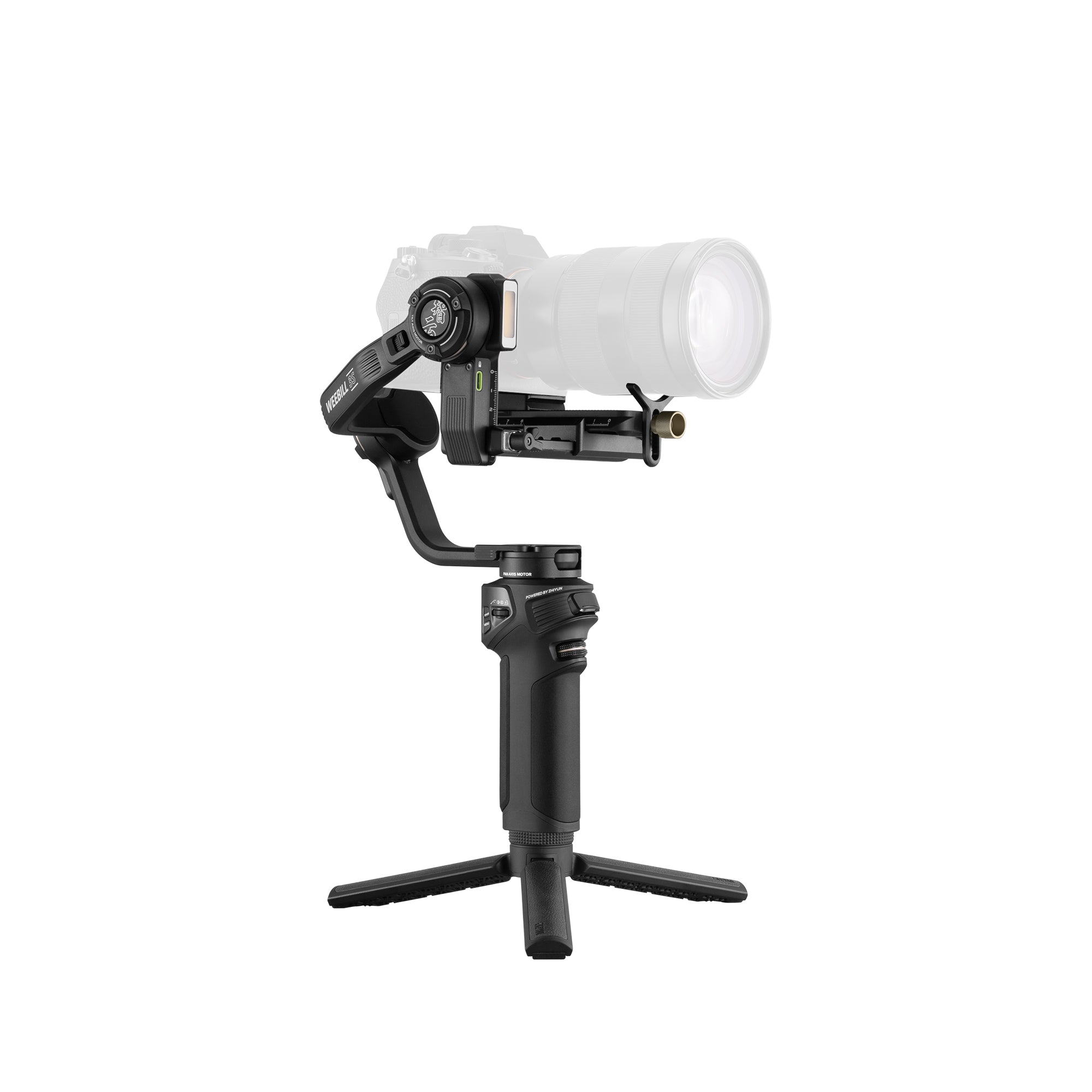
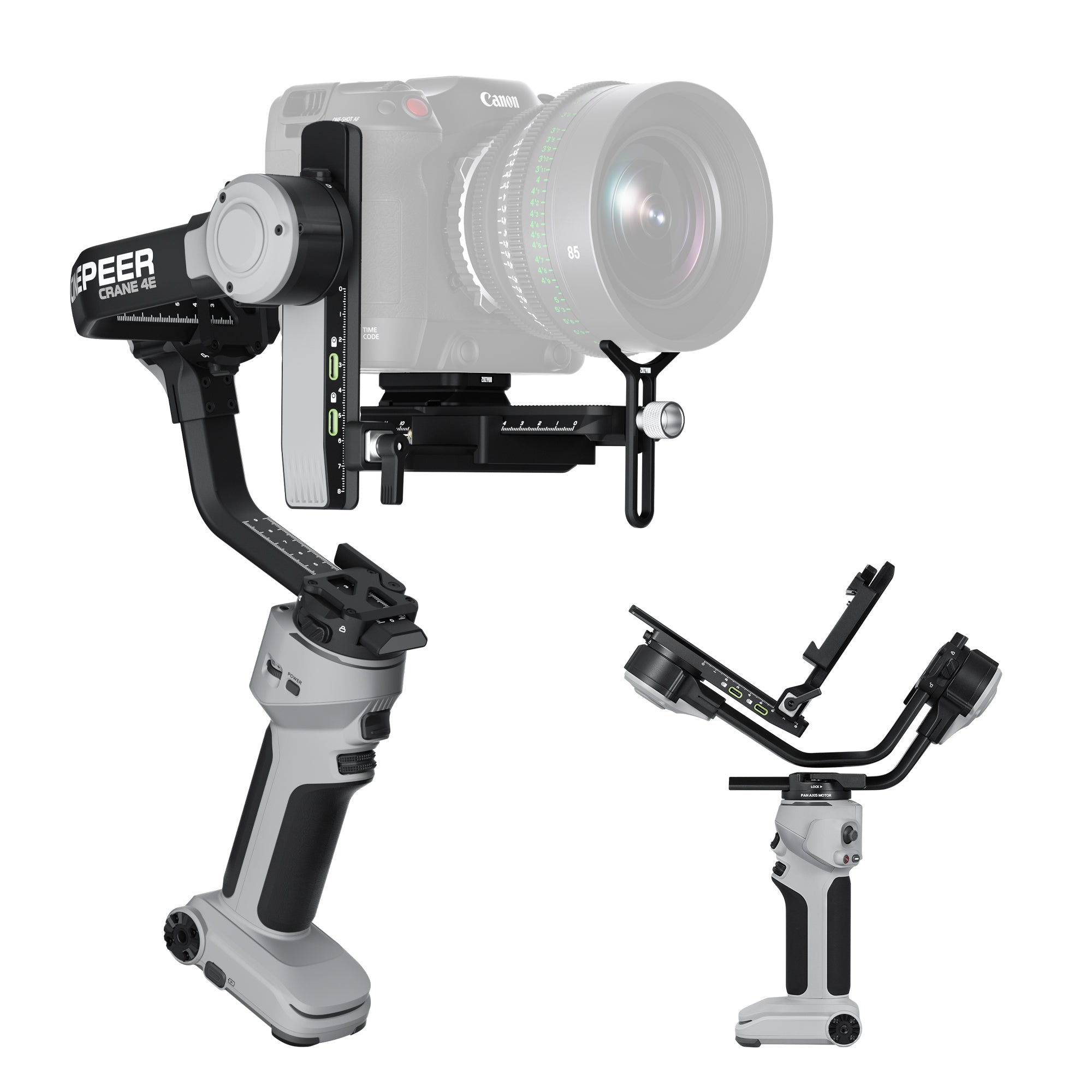
Der ZHIYUN Crane 4E ist für professionelle Content-Ersteller geeignet, die einen leistungsfähigen ZHIYUN Crane Stabilisator für Hochzeiten, Events, Kundenvideos und mobile Werbeaufnahmen benötigen.

Der ZHIYUN Crane 4 ist für anspruchsvollere Produktionsabläufe geeignet, bei denen der Kameramann ein umfassenderes professionelles Steuerungsumfeld und Unterstützung für anspruchsvolle Kamera-Setups benötigt.

Die Wahl sollte auf Folgendem basieren:
· Kamera- und Objektivkombination
· Gesamtbetriebsgewicht
· Dauer des Drehtages
· Benötigtes Zubehör
· Niedrigwinkelaufnahmen
· Fokussteuerungsbedarf
· Vertikales Format
· Crew-Größe
· Transportbeschränkungen
· Art der Kundenarbeit
Wählen Sie nicht ausschließlich nach der maximalen Tragkraft aus. Ergonomie, Platz für die Kamera, Objektivlänge, Zugänglichkeit der Bedienelemente und Bedienposition sind ebenso wichtig.
Motorkraft und Follow-Einstellungen anpassen
Nach dem Ausbalancieren müssen die Motoren für das installierte Kamera-Setup kalibriert werden.
Eine zu geringe Motorkraft kann dazu führen, dass die Kamera ihre Position verliert. Eine zu hohe Motorkraft kann Vibrationen, Geräusche, Hitze oder übermäßig aggressive Korrekturen verursachen.
Verwenden Sie die automatische Kalibrierung als Ausgangspunkt und beobachten Sie das Rig anschließend bei tatsächlichen Bewegungen.
Die Follow-Einstellungen steuern, wie schnell das Gimbal auf die Bewegungen des Kameramanns reagiert.
Bei Trauungen können eine langsame Pan- und Tilt-Reaktion elegante Bewegungen erzeugen.
Bei Live-Events oder kommerziellen Actionaufnahmen kann eine schnellere Reaktion erforderlich sein, um dem Motiv zu folgen.
Zu den wichtigsten Einstellungen gehören:
· Pan-Follow-Geschwindigkeit
· Tilt-Follow-Geschwindigkeit
· Totzone
· Geschmeidigkeit
· Motorkraft
· Joystick-Geschwindigkeit
· Horizontkalibrierung
Speichern Sie, sofern das System dies unterstützt, verschiedene Profile für langsame, filmische Aufnahmen und schnelleres Event-Tracking.
Passen Sie das Gimbal-Setup an den Shot an
Ein Gimbal sollte sich nicht bewegen, nur weil es das kann.
Hochzeiten
Verwenden Sie langsame Rückwärtsverfolgung für Auftritte, kontrollierte Seitwärtsbewegungen für Porträts und sanfte Umkreisungen für inszenierte Paare-Shots. Vermeiden Sie es, während des Ja-Worts herumzulaufen, wenn die Bewegung Gäste oder Fotografen ablenkt.
Live-Events
Verwenden Sie eine weitere Bildkomposition und antizipieren Sie die Bewegungsrichtung des Künstlers. Halten Sie die Bewegungen kurz und kontrolliert. Teleobjektive erfordern langsamere Kameramanöver.
Unternehmensvideos
Verwenden Sie stabile Büro-Rundgänge, das Verfolgen von Referenten, die Präsentation von Anlagen und Produktdemonstrationen. Die Bewegungen sollten präzise und nicht dramatisch wirken.
Werbeaufnahmen
Planen Sie jede Gimbal-Bewegung im Hinblick auf den Schnitt. Legen Sie vor der Aufnahme Start- und Endbilder, das Timing des Motivs, die Fokusstrategie, die Positionierung des Lichts und die Route des Kameramanns fest.
Ein technisch flüssiger Shot kann dennoch scheitern, wenn ihm ein klarer Anfang und ein klares Ende fehlen.
Verbessern Sie die Kameramanöver und reduzieren Sie die Ermüdung
Das Gimbal eliminiert Rotationswackeln, aber der Kameramann muss die vertikale Bewegung weiterhin kontrollieren.
Machen Sie kürzere Schritte, halten Sie die Knie geschmeidig und bewegen Sie sich aus der Hüfte heraus. Halten Sie das Rig nah genug am Körper, um die Belastung zu reduzieren, während die Kamera von Kleidung und Accessoires frei bleibt.
Bei Aufnahmen aus niedriger Perspektive ändern Sie die Bedienposition, anstatt sich über längere Zeit unnatürlich zu beugen. Üben Sie bei langen Einstellungen die Route und identifizieren Sie, wo der Kameramann sicher anhalten kann.
Lange Drehtage erfordern geplante Pausen. Ermüdung beeinträchtigt Bildkomposition, Horizontkontrolle, Reaktionszeit und die Sicherheit der Ausrüstung.
Wenn das Rig nach dem Hinzufügen von Zubehör zu schwer wird, überdenken Sie das Kamera-Setup. Mehr Ausrüstung führt nicht immer zu einem besseren Shot.
Professionelle Gimbal-Checkliste vor dem Dreh
Bestätigen Sie vor Produktionsbeginn:
· Kamera und Objektiv sind sicher montiert
· Jede Achse ist ausbalanciert
· Die Achsenarretierungen sind vor dem Einschalten geöffnet
· Die Motoren sind kalibriert
· Der Horizont ist waagerecht
· Die Akkus sind aufgeladen
· Die Kameraeinstellungen sind korrekt
· Die Speicherkarten haben ausreichend Kapazität
· Die Kabel schränken die Bewegungsfreiheit nicht ein
· Die Fokus- und Zoompositionen sind geplant
· Die Schnellwechselplatte ist verriegelt
· Die Route des Kameramanns ist frei
· Es ist eine Backup-Unterstützung verfügbar
· Das vertikale oder horizontale Format ist bestätigt
Führen Sie einen kurzen Test durch und überprüfen Sie ihn nach Möglichkeit auf einem größeren Bildschirm. Achten Sie auf vertikales Wackeln, Horizontdrift, Fokusfehler, überbelichtete Highlights und Reflexionen des Kameramanns oder des Rigs.
Ein ZHIYUN Crane Gimbal ist ein professionelles Bewegungs-Tool, doch seine Leistung hängt von der Vorbereitung ab. Der Crane 4E und der Crane 4 sind anspruchsvollen Produktionsumgebungen gewachsen, wenn die Kamera ausbalanciert, abgestimmt und gemäß einem klaren Drehbuch bedient wird.
Das Ziel der Stabilisierung ist es nicht, dass der Zuschauer den Gimbal bemerkt. Es geht darum, technische Ablenkungen zu beseitigen, damit das Publikum den Menschen, Produkten, Räumen und Geschichten vor der Kamera folgen kann.


