








Your cart
Your cart is empty
Skeleton text
Skeleton text
Skeleton text
Skeleton text
Skeleton text
Skeleton text
Skeleton text
Sign up to be the first to know when it's back in stock.
Skeleton text
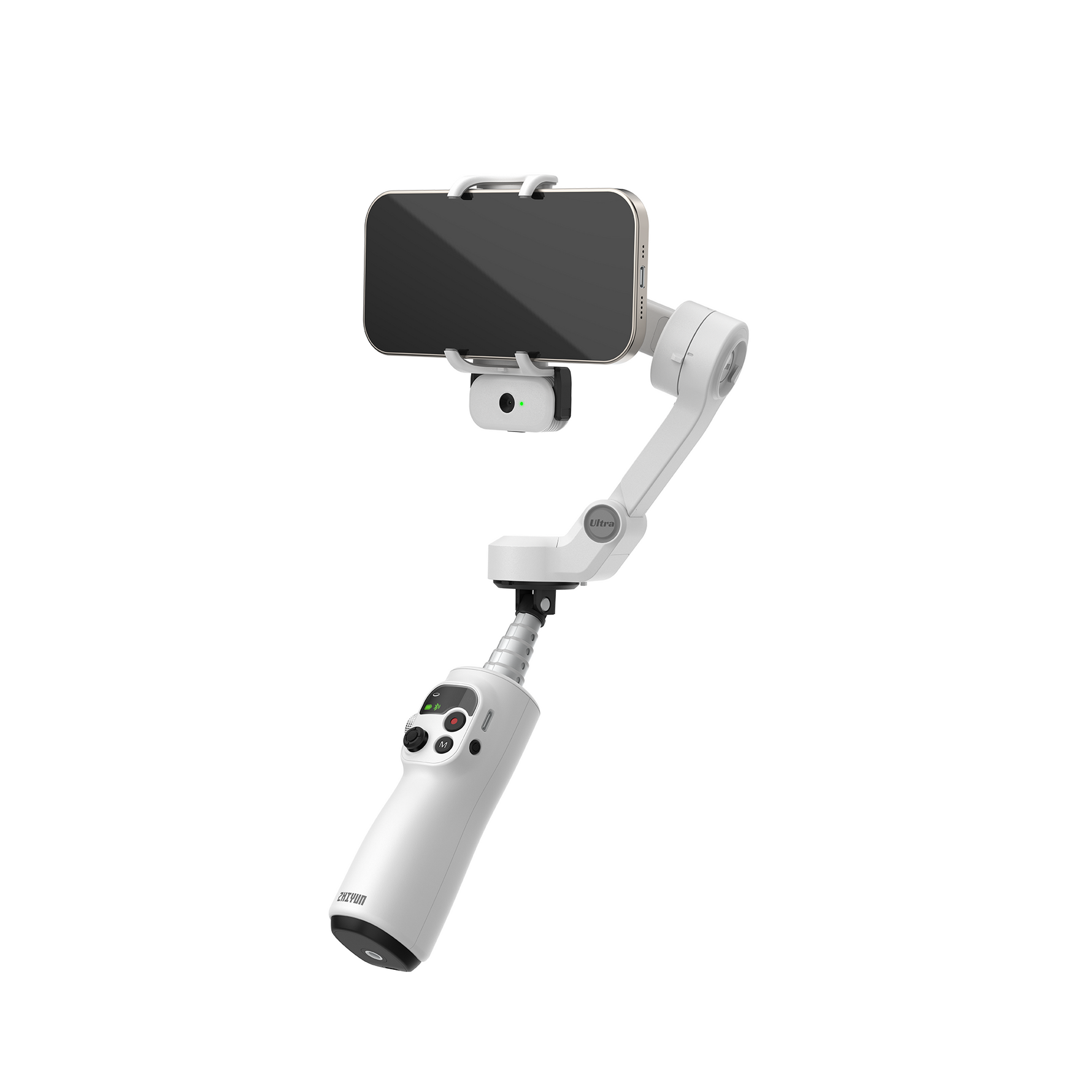


ZHIYUN Smooth Q5 Ultra | AI-Tracking Phone Gimbal Stabilizer
$69.00
$89.00
-22%
6900
Tax included.
Shipping
calculated at checkout.
- Advanced AI Tracking: Keeps moving subjects reliably in frame as you shoot.
- Wireless Remote Control: Adjust framing and key controls from a distance.
- Voice & Motion-Sensing Control: Use voice or remote motion for hands-free control.
- Built-In Fill Light: Adds light on the spot without carrying extra gear.
- Native Camera Control: Trigger supported native camera apps over Bluetooth.
ZHIYUN Smooth Q5 Ultra | AI-Tracking Phone Gimbal Stabilizer
$69.00
$89.00
6900
$69.00
$89.00
6900


-
Dimensions (Unfolded)
286*128*62 (L×W×H, Unit mm)
-
Accessory Interface
1/4" Threaded Interface
-
APP
ZY Cami
-
Bluetooth Control Distance
≤10m
-
Operating Frequency
2.4GHz
-
Bluetooth
Bluetooth 5.4
-
Charging Time
About 2 hours
-
Battery Life
about 13.5 hours
-
Heavy use
about 5.5 hours
-
Fast Charging Protocol
5V-1A
-
Builtin Battery Capacity
1100mAh 7.4V / 8.14Wh
-
Fill Light Illuminance
226lx (5600K)
-
Maximum Controllable Speed
100°/s
-
Telescopic Rod Length
215mm
-
Compatible Phone Width
60 to 85 mm
-
Compatible Phone Thickness
6 to 10.5 mm
-
Compatible Phone Weight
170 to 300g
-
Net Weight (Bare Unit)
390g
Q: What are the differences between the ZHIYUN Q5 and the ZHIYUN SMOOTH Q4?
A: The zhiyun smooth q5 ultra brings a generational leap over the SMOOTH Q4. It features a fully upgraded, detachable AI tracking module, an all-new wireless remote control, and introduces intuitive voice and motion control. Additionally, it delivers significant algorithm improvements in stabilization, extended battery life, and a more ergonomic user experience.
Q: What are the highlights of the AI tracking and voice control on the smooth q5 gimbal?
A: This next-gen ai tracking phone gimbal stabilizer elevates hands-free creation through two core technologies:
- AI Tracking: Delivers significantly more accurate subject recognition, faster re-locking, and rock-solid tracking stability even during rapid movements.
- Voice Recognition: Expands solo shooting capabilities by integrating frequently used commands directly into the system, allowing you to trigger recording or framing hands-free.
Q: Can the ZHIYUN Q5 control a smartphone's native camera?
A: Yes, it does. Once connected via Bluetooth, you can directly trigger your phone's native camera shutter to shoot video or photos.
Note: Please ensure that your smartphone's native camera settings support triggering the shutter via the physical volume buttons.
Q: How does the motion control function work, and what should I keep in mind?
A: The motion control feature utilizes built-in precision sensors inside the wireless remote control to detect your hand gestures, allowing you to control the tilt and roll axes intuitively.
How to Activate: Simply press and hold the joystick button on the remote control.
Best Practice: Avoid making sudden, overly violent, or massive sweeping movements during operation to maintain optimal tracking accuracy.
Q: What should I do if the ZHIYUN Q5 is tilted or misaligned after turning it on?
A: If you experience any horizon tilting or orientation alignment issues, please follow these troubleshooting steps:
Check Balance: Re-verify that your smartphone is properly centered and securely balanced within the phone clamp before powering on.
Restart: If the phone is mounted correctly but remains tilted, power off the device and turn it back on.
Calibrate: If restarting does not resolve the issue, perform a standard six-side calibration via the official app (please refer to the user manual for detailed step-by-step instructions).
Q: How do I turn on the built-in fill light on the ZHIYUN Q5 gimbal arm?
A: You can control the integrated fill light using either physical or voice commands:
Button Control: Press and hold the control wheel on the left side of the handle to turn the light on/off. Single-press the wheel to cycle through the three brightness levels.
Voice Control: Say "Hey Zhiyun". Once the indicator light flashes twice, speak the voice command: "Turn on fill light" or "Turn off fill light".
Q: How do I switch between landscape and portrait modes on the ZHIYUN Q5?
A: You can switch orientation seamlessly using any of the following four methods:
Trigger Button: Triple-press the physical trigger button on the gimbal handle.
Remote Control: Triple-press the joystick button on the wireless remote.
Voice Control: Say "Hey Zhiyun, landscape mode" or "Hey Zhiyun, portrait mode".
Gesture Control: Use specific hand gestures in front of the lens to trigger the orientation switch (detailed illustrations are available in the user manual).
Q: Which smartphones are compatible with the ZHIYUN Q5?
A: The zhiyun smooth q5 is universally compatible with most mainstream iOS and Android smartphones on the market. For optimal stabilization performance, ensure your phone fits within the following specification ranges:
- Width: 60 to 85mm
- Thickness: 6 to 10.5mm
- Weight: 170 to 300g
The full, updated smartphone compatibility list can be downloaded under the Support section on our official website.
Q: Which apps are supported by the ZHIYUN Q5?
A: The device exclusively supports the official ZY Cami app for advanced smart features, template shooting, and parameter adjustments.
Please note: It does not support the StaCam app.
Q: What kits/configurations are available, and what are the differences?
A: The product is currently available in two tailored configurations to fit your shooting style:
Standard Kit: Includes the handheld gimbal, tripod, Type-C charging cable, quick start guide, and storage bag.
Combo Kit: Includes everything in the Standard Kit, plus the magnetic AI tracking module, wireless remote control, custom wrist strap, and an upgraded premium carrying bag.
-
Question:What should i do if the product does not work properly?Please contact ZHIYUN service center for assistance online customer service at service@zhiyun-tech.com. For more information, please visit
-
Question: How to get in touch with Zhiyun?
We provide online service via email, Facebook, Whatsapp, Instagram, and YouTube
-
Question: What are the product warranty terms?Customers are entitled to free repair service from Zhiyun within 12 months from the date of delivery (accessories and fttings excluded). Aftersales Support: https://www.zhiyun-tech.com/en/support
-
Question: What is the product repair process?Customers need to send the product back to Zhiyun and then the customer service center will have the device inspected and tested.If the product failure is caused by a material or workmanship issue and the product is within the warranty period, Zhiyun will cover the cost of inspection, material, labor, and shipment. If the product is proven to be damaged by artificial causes or beyond the warranty terms. Customers can choose to get the device repaired with payment or get the product back. If the device does not work due to improper operation or other situations which do not apply to warranty terms, we will charge a certain amount of fee. Zhiyun does not support IWS (International Warranty Service) due to product version difference. Warranty service is only provided in Zhiyun authorized service center.
-
Question: How does a stabilizer work?A stabilizer is a device that is designed to hold a camera or other filming devices to prevent it from shaking during video shooting. The stabilizer senses disruptive motion by the built-in gyroscope and compensates for camera instability by the force of the three motors.
-
Question: What can we use a stabilizer for? How?We can use the stabilizer when shooting videos. It can compensate for the unwanted shaking movement. For the specific operation, please check ZHIYUN official website https://www.zhiyun-tech.com/contact/en For detail product information, please check Zhiyun-tech on YouTube, Facebook and Instagram.
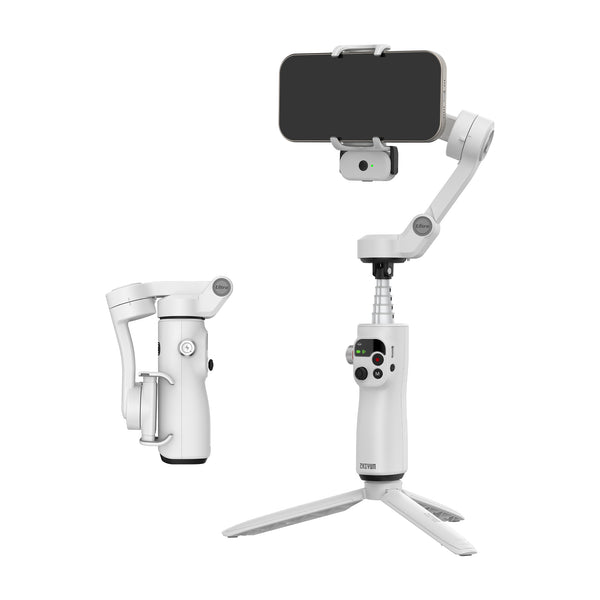
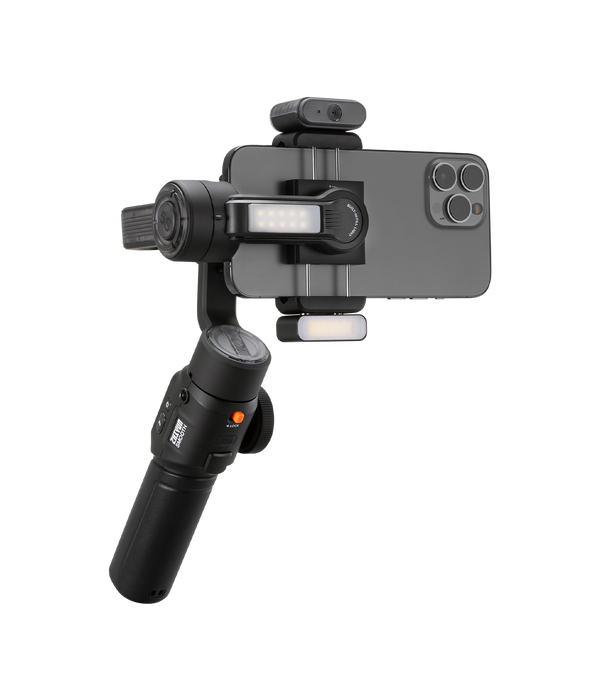
Reasons for Recommendation
All-in-one AI-powered follow-up Intelligent voice remote control
AI Tracking Magnetic AI Tracking Magnetic Fill Light
Gimbal Dimensions (Without Accessories)
305*210*72.5mm
311*168*52mm
Max Carry Weight
170-300g
150g-300g
Net Weight
390g
678g
Battery Capacity
1100mAh
2600mAh
Horizontal / Vertical Shooting
Vortex Mode
AI Tracker
Magnetic Fill Light
Runtime
11.5H
2H20min-26H
Charging Time
2H
2H-3.5H
Recently viewed products
- Choosing a selection results in a full page refresh.
- Opens in a new window.