










What Is a Gimbal? How It Works and When You Need One
Camera shake is one of the most common problems in handheld video, making travel vlogs, everyday clips, and event footage more difficult to watch. A gimbal stabilizer helps solve this problem by stabilizing a camera or smartphone as the operator moves. This article explains what a gimbal is, how it works, when it is useful, and how to choose the right type for your shooting needs.
What Is a Gimbal and How Does It Work?
A gimbal reduces unwanted camera shake while allowing intentional camera movement. This helps create smoother footage when walking, panning, or following a subject.
What Is a Gimbal?

A simple gimbal definition is a stabilizing support that holds a camera or smartphone and helps keep it level during movement. A phone gimbal applies the same stabilization principle to mobile shooting. In a motorized gimbal, built-in sensors detect unwanted motion, while motors make real-time corrections to reduce shaking and sudden changes in camera angle.
Even minor hand movements can become distracting when viewed in recorded footage. By reducing this movement, a gimbal helps produce smoother handheld video while preserving intentional pans, tilts, and tracking shots.
How Does a Gimbal Work?
A motorized gimbal keeps a mounted phone or camera steady by controlling its movement across up to three axes. As the operator moves, the gimbal responds according to the selected shooting mode, allowing smooth camera movement while reducing sudden shake.
Understanding Pan, Tilt, and Roll
Pan moves the camera left or right. Tilt points it upward or downward. Roll keeps the camera level by correcting sideways rotation.
These three axes work together to stabilize the camera’s orientation on a camera gimbal. However, they do not control the physical rise and fall of the entire setup. This is why a three-axis gimbal can keep the horizon level but may not completely remove the bounce caused by walking.

How Sensors and Motors Reduce Shake
Built-in sensors monitor changes in the camera’s position and send that information to the gimbal’s processor. The processor then directs the motors to make small, rapid corrections.
The selected operating mode determines how the camera responds. Follow mode allows the camera to turn gradually with the operator, while lock mode keeps it pointed in a fixed direction. A gimbal cannot correct missed focus, subject motion blur, or poor composition, so controlled movement and proper camera settings remain important.
When Is a Gimbal Most Useful?
A gimbal is most useful for people who regularly record while moving or need smooth, controlled camera motion. Its value depends on the types of shots you capture rather than your level of experience.
Travel and Walking Videos
Travel vloggers can use a gimbal to record walking tours, follow a companion, or create smooth reveals of a destination. Travelers who mainly take photos or record stationary clips may not need the additional equipment.
Solo Recording and Subject Tracking
For tutorials, workouts, and product demonstrations, compatible subject tracking can help keep the creator properly framed without a camera operator. Tracking controls composition, but reliable focus and clear image quality still depend on the phone or camera. For practical guidance on light, camera distance, and framing when shooting yourself, see our guide on how to take better selfies.
Events and Filmmaking
A gimbal helps filmmakers and event videographers follow people, move through crowded spaces, and capture smooth approach or orbit shots. A tripod remains the better option for fixed interviews and other stationary scenes, so both tools can serve different roles in the same production.
Types of Gimbals for Different Shooting Scenarios
A gimbal for phone use and a gimbal for camera use follow the same basic stabilization principle, but each type is designed for different equipment and shooting scenarios. A phone gimbal vs. camera gimbal comparison helps clarify which setup is better suited to travel, everyday content, event coverage, or filmmaking.
|
Feature |
Phone Gimbals |
Camera Gimbals |
|
Designed For |
Smartphones |
Mirrorless cameras and DSLRs |
|
Typical Uses |
Travel videos, everyday recording, vlogs, and social content |
Events, interviews, commercial projects, and filmmaking |
|
Mounting System |
Phone clamp or compatible magnetic mount |
Adjustable mounting plate and balancing arms |
|
Setup Process |
Usually quick to mount and begin recording |
Requires careful mounting and axis balancing |
|
Portability |
Generally lighter and easier to carry |
Larger due to the camera support structure |
|
Common Capabilities |
Subject tracking, fill lighting, extension rods, and vertical shooting |
Camera controls, quick-release plates, vertical mounting, and accessory support |
|
Best Fit |
Creators who prioritize convenience and mobile recording |
Creators who need greater control over dedicated camera setups |
Phone Gimbals for Travel and Everyday Videos
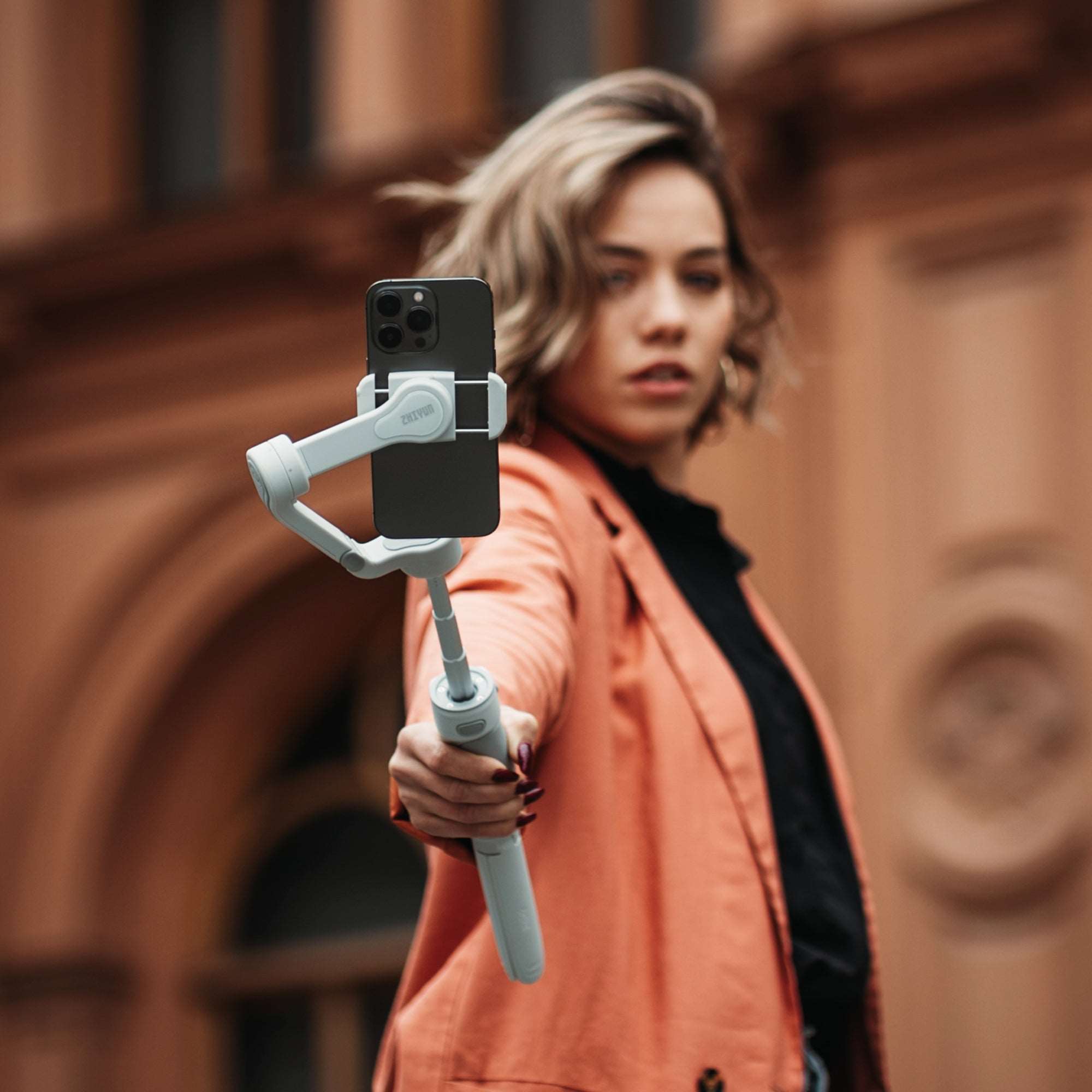
Phone gimbals use a clamp or compatible mount to stabilize a smartphone during handheld recording. For travel and everyday use, the most practical models are easy to set up, provide direct access to essential controls, and support quick changes between horizontal and vertical framing.
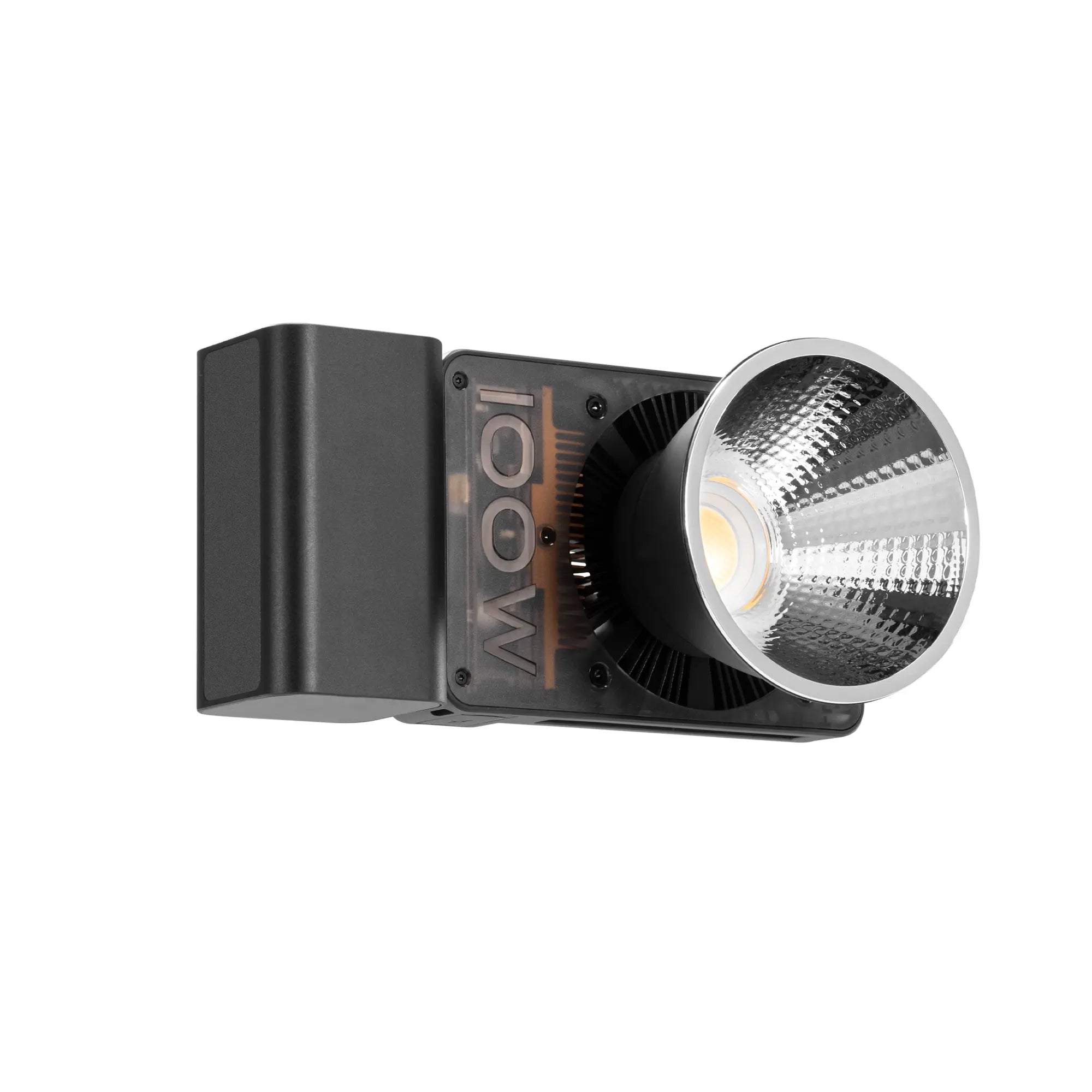
Travel videos often shift between walking footage, scenic shots, and solo presentations, so stabilization and lighting can be more valuable than additional shooting effects. The ZHIYUN SMOOTH 5S AI combines three-axis stabilization with a built-in fill light, helping creators maintain smoother movement and more consistent facial lighting in one setup. For hands-free framing, the Combo and Pro packages include a magnetic AI tracking module. The Pro package also adds a magnetic fill light, color filters, a wrist strap, and a storage bag for creators who need a more complete mobile shooting kit.

Camera Gimbals for Events and Filmmaking
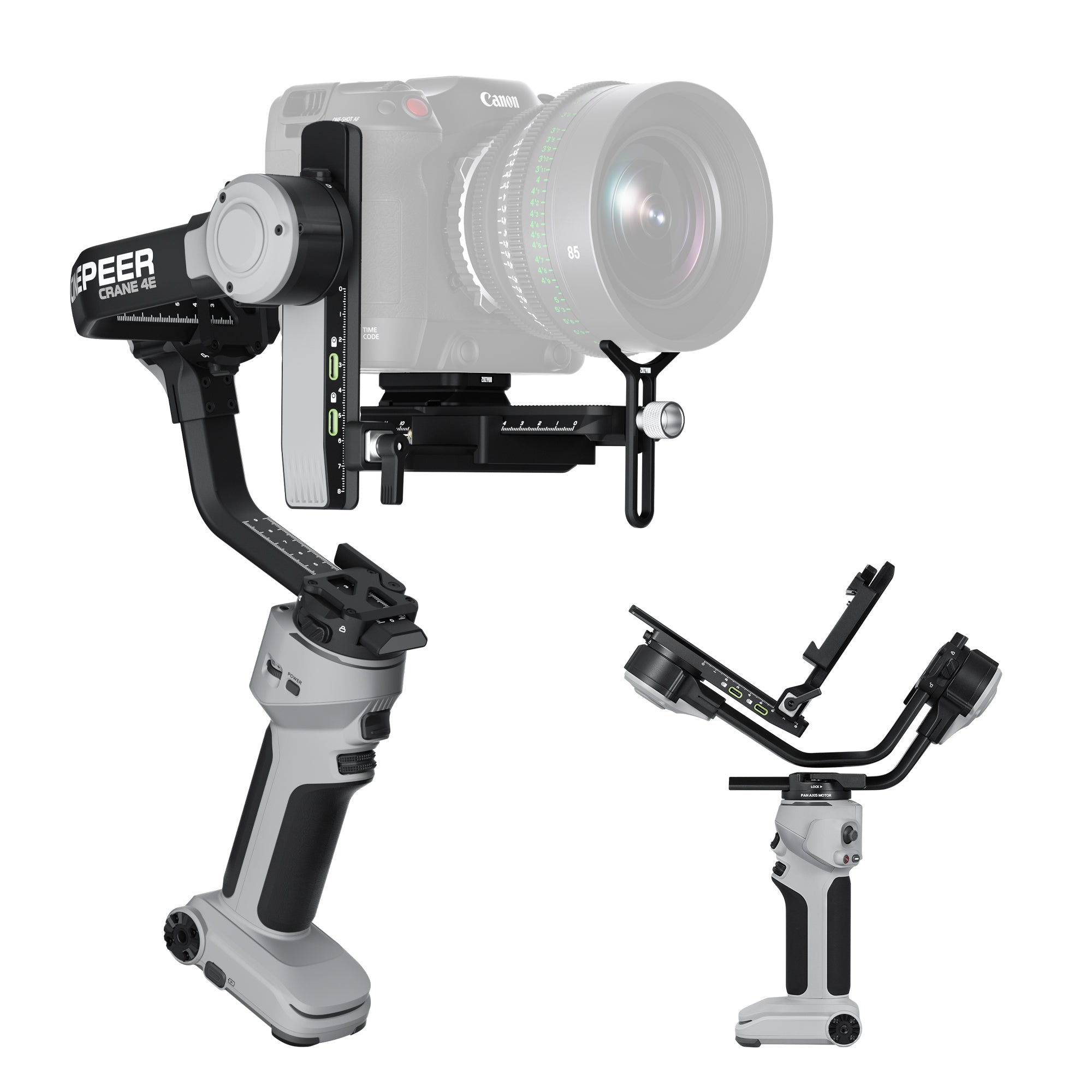
Camera gimbals are designed to stabilize mirrorless cameras, DSLRs, and other compatible camera-and-lens combinations. Adjustable mounting plates and balancing arms help support heavier equipment while giving the operator greater control over tracking shots, low-angle movement, and smooth transitions through a scene.
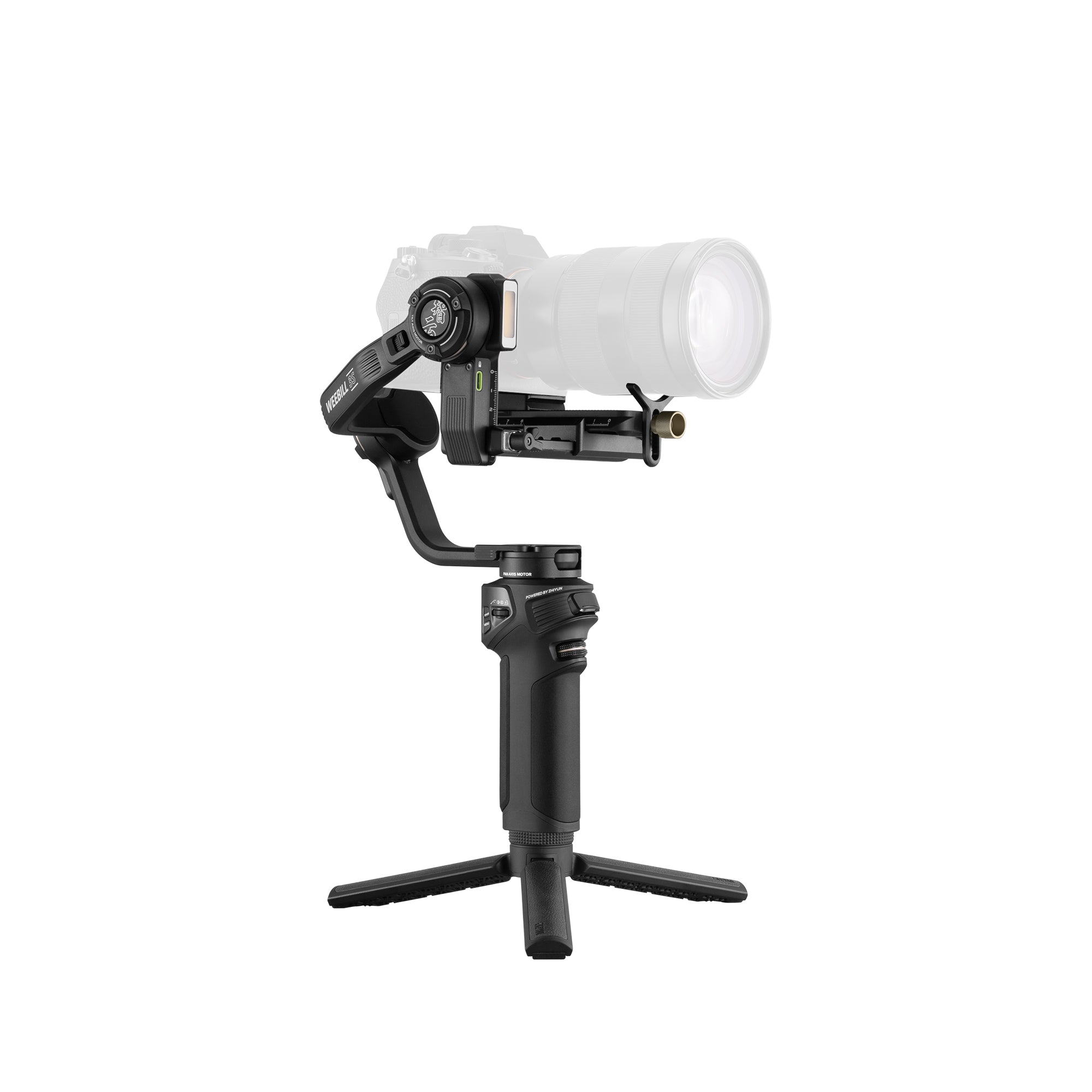
During an event or film production, the camera may follow a person through a venue, move around a product, or shift between horizontal footage and vertical social clips. The ZHIYUN WEEBILL 5 supports these changing demands with native vertical shooting and a payload capacity of up to 3 kg. For productions that also require solo subject tracking or more comfortable low-angle operation, the Combo package includes an AI tracking module, a sling grip with wrist support, and a storage bag. These additions create a more complete setup for event coverage, filmmaking, and other projects that involve frequent camera movement.
How to Pick the Right Gimbal
The right gimbal should fit your equipment, remain comfortable during a typical shoot, and support the way you record. Begin with practical requirements before comparing additional features.
Check Device Compatibility
For a phone, confirm that its size, weight, and case work with the gimbal’s clamp. For a camera, consider the body and lens together, along with any microphone or other accessory that will remain attached during filming.
Compatibility also affects control functions. A gimbal may stabilize a device even if some recording, zoom, or focus controls are unavailable, so check the supported functions for your specific phone or camera.
Consider Weight and Setup Time
Evaluate the weight of the complete setup rather than the gimbal alone. Equipment that feels comfortable during a short test may become tiring during a long event, travel day, or filming session.
Setup time is equally important. Phone gimbals are usually faster to prepare, while camera gimbals may require more careful mounting and balancing. The most practical option is one you can prepare and operate consistently.
Match Features to Your Shooting Style
Select features according to the content you regularly create. Subject tracking is useful for solo presentations, vertical shooting supports social content, and a sling grip can improve control during low-angle shots.
Some functions require an app, compatible camera connection, or separate accessory. Focus on features that address your usual shooting needs rather than options you are unlikely to use.
What to Watch Out for When Using a Gimbal
Careful setup helps the gimbal operate smoothly and keeps the mounted device secure. Repeat these checks whenever you change the phone case, camera lens, or attached accessories.
- Confirm that the phone, camera, lens, and accessories are compatible.
- Secure the clamp or mounting plate before lifting the gimbal.
- Balance the mounted device before turning on the motors.
- Make sure cables and accessories do not block the moving arms.
- Walk steadily and use gradual starts, turns, and stops.
- Charge both the recording device and the gimbal before longer shoots.
If the gimbal vibrates, makes an unusual noise, or cannot move freely, turn it off and check the mounting and balance again. Do not force the arms or continue recording until the problem has been corrected.
Conclusion
Not every shot requires a gimbal, but it becomes valuable when the camera needs to move with the subject while maintaining smooth, controlled footage. Select a phone or camera gimbal that fits the complete setup, remains comfortable during the expected shooting time, and provides features suited to the content you regularly create. With proper balance and controlled technique, the right gimbal can make handheld movement feel more intentional and easier to watch.
FAQ
Which Gimbals Are Best for Beginners?
The best beginner gimbal fits your device and has a setup process you will repeat comfortably. Prioritize clear controls and manageable weight over the longest feature list.
Is a Gimbal the Same as a Tripod?
No. A tripod supports a fixed camera position, while a motorized gimbal controls orientation during movement. A gimbal mounted on tripod legs can combine stationary support with compatible tracking.
What Is the Difference Between a Gimbal and a Stabilizer?
“Stabilizer” is the broader category. A motorized gimbal is one type; other stabilization systems use counterweights, springs, optical elements, sensor movement, or digital processing.
How to Use a Gimbal
Learning how to use a gimbal starts with correct setup. Secure the phone or camera, balance it according to the product instructions, and select a shooting mode that matches the intended movement. Record a short test before trying turns, tracking shots, or other complex movements.
Does an iPhone Need a Gimbal?
Not necessarily. Test your existing stabilization first; supported iPhones also offer Action mode. A gimbal becomes useful when you want more controlled camera movement or compatible tracking—not merely because you shoot on an iPhone.