










Your cart
Your cart is empty
Skeleton text
Skeleton text
Skeleton text
Skeleton text
Skeleton text
Skeleton text
Skeleton text
Sign up to be the first to know when it's back in stock.
Skeleton text


/
/
ZHIYUN Crane M3S | 3-Axis Lightweight Gimbal Stabilizer
$299.00
29900
Tax included.
Shipping
calculated at checkout.

Shop Pay From $74.75/mo or 0% APR
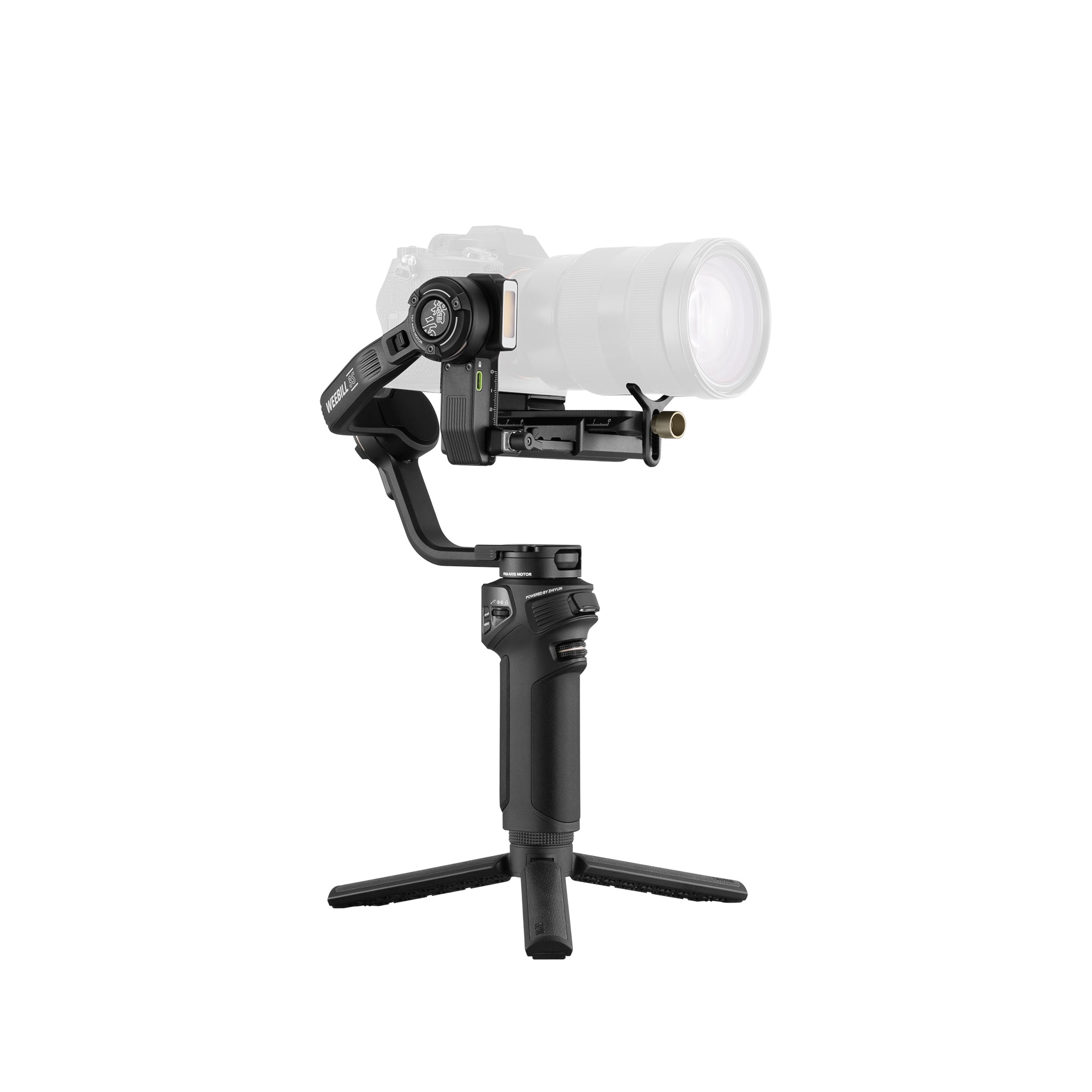
- Ultra-Lightweight Design:705g compact body for mirrorless and compact cameras.
- Built-In Bi-Color Fill Light:Create brighter vlogs and mobile content anytime.
- One-Tap Vertical Shooting:Switch instantly for social media-ready content.
- Quick-Release System:Fast setup with easier balancing and camera changes.
- Stable Smooth Performance:Capture steady footage for travel and daily shooting.
ZHIYUN Crane M3S | 3-Axis Lightweight Gimbal Stabilizer
$299.00
29900
$299.00
29900

Control the Shot. Lose the Cables.
Pair CRANE-M 3S with a compatible camera via Bluetooth and start or stop recording—or trigger the shutter—directly from the gimbal. With no control cable getting in the way, you can react faster and stay focused on the moment.
*Camera control functions vary by model. Please refer to the compatibility list.
Mount Fast. Keep Your Balance.
The upgraded 2-in-1 quick-release system lets you swap batteries without taking apart your camera setup or balancing from scratch. Spend less time resetting your gear and more time creating.
*Camera installation and battery access may vary by camera model.
Turn Every Move Into a 3D Dream.
3D Dream Mode coordinates multi-axis movement to create fluid rotation and striking spatial depth. Transform simple gestures and everyday scenes into immersive, cinematic shots that pull viewers into the frame.


Package Contents.
(Combo Version Includes Additional Accessories)


B
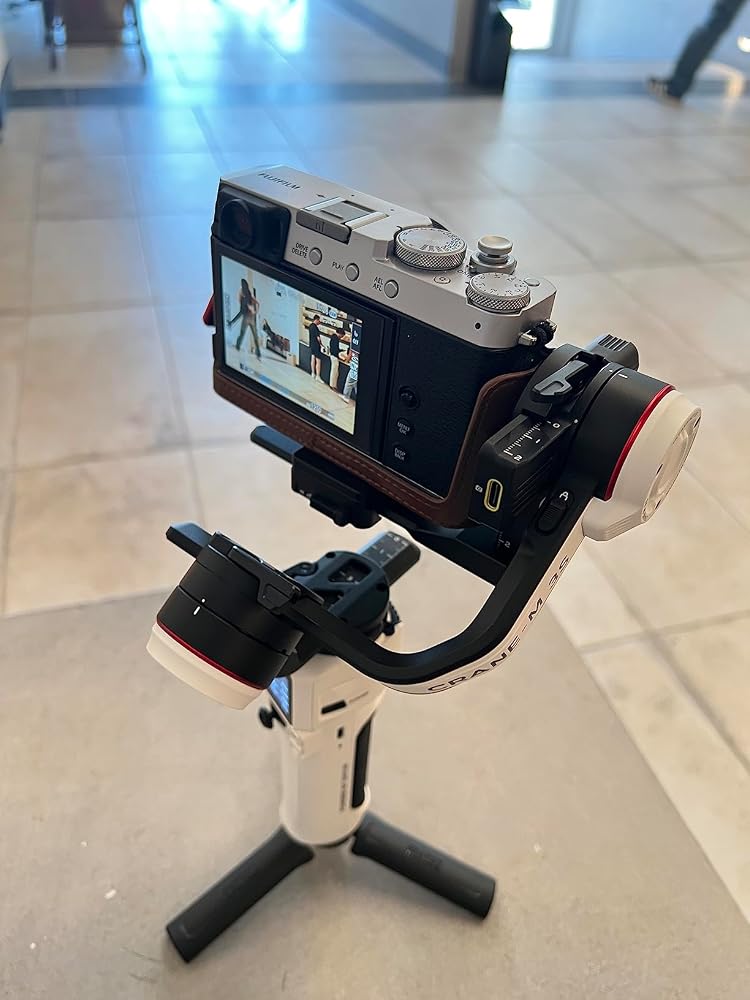
Once I received the product I was immensely impressed by its built quality. Very sturdy but at the same time extremely light. From my experience this product zhiyun crane M 3S is one of the best gimbals I have used. Easy to assemble and instill confidence when using it. I highly recommend to get this excellent device.


L
The media could not be loaded.
Few things I noticed about this product after open and assembled it.1) very high quality material and the built quality is very strong as well. Looks very sturdy.2) well designed color combinations and buttons are in functional and ergonomically placed.3) the interface are logically implemented that making using it enjoyable.I would highly recommend this product to my friends and colleagues.


L
The media could not be loaded.
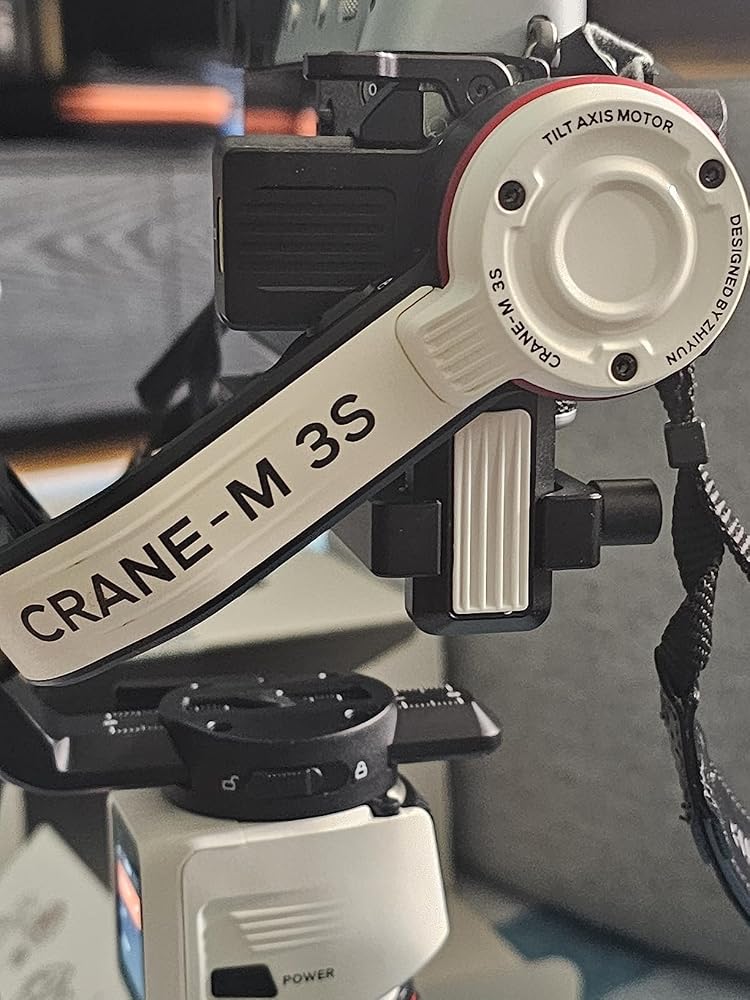
I has M3 before and it works good on my canon R6 with 16mm and now even better on R7 with 16mm. I know R7 is much lighter but they also up grade the power motor on the M3s. Also better way of the layout of the buttons. I like the way they did the quick release plate on this new version and it's much easer to remove the battery this time. Not to mention its light and with a new up grade of the LED light. I Love it!
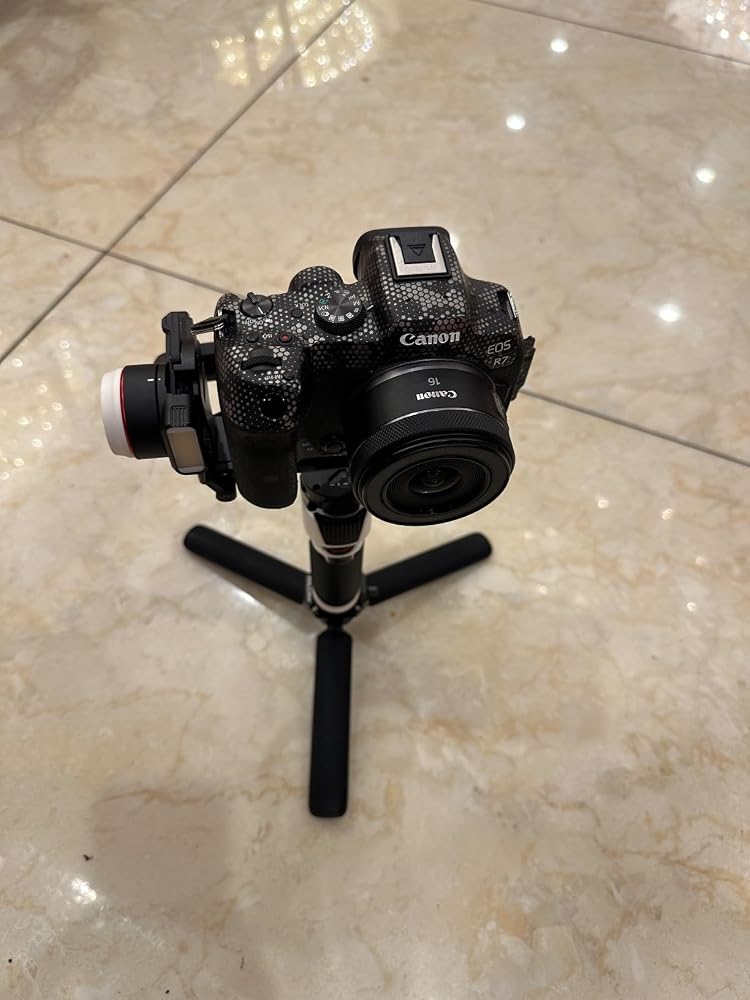

W
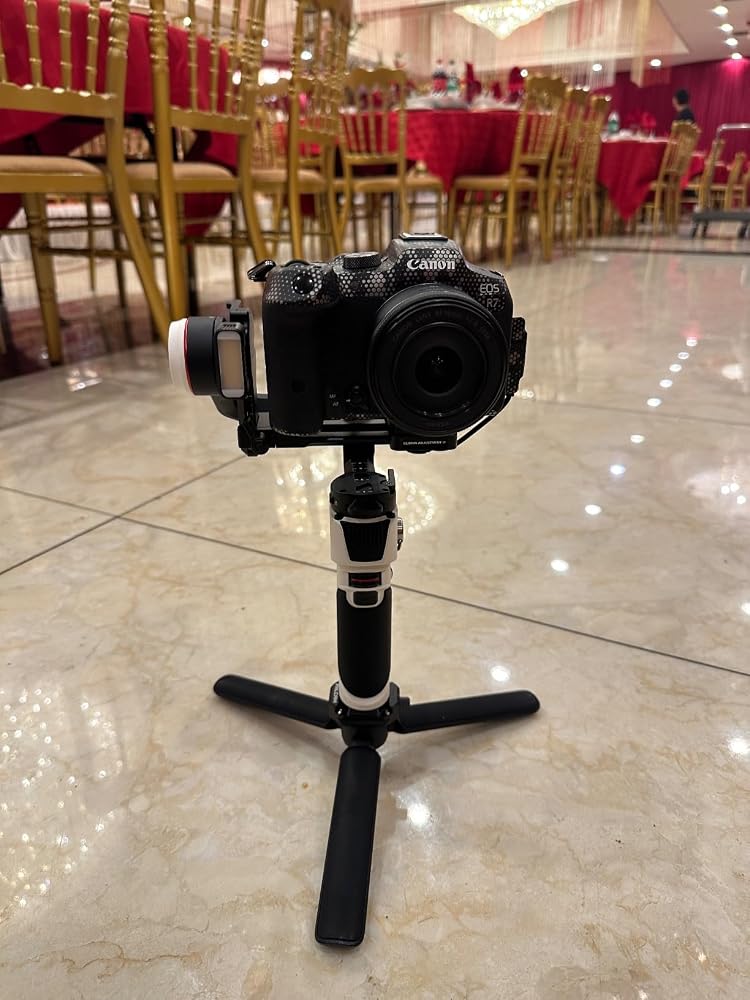
Love this for the fact that balancing took less than 45 seconds. I used a Sony A6500 and it balanced it right away.The options on this are just incredible, not only is there an action button on the back, but theres also a dial! Normally these are side mounted etc, but ive found myself loving the back dial and not needing a 2nd hand to utilize it.The options and app are all pretty standard, but the overall construction of this is much better also. Arms are made from aluminum and not plastic. Storage and size are small for the weight it can handle. This is defiantly becoming my goto for the crop sensor camera.


W
The media could not be loaded.
Zhiyun crane m3s s is easily one of the most portable and powerful gimbles I have used. I like the button layout and intuitive menu system. It pairs with my Sony mirrorless camera and lens really well. It's a really well built tool that helps realize my creative style and vision
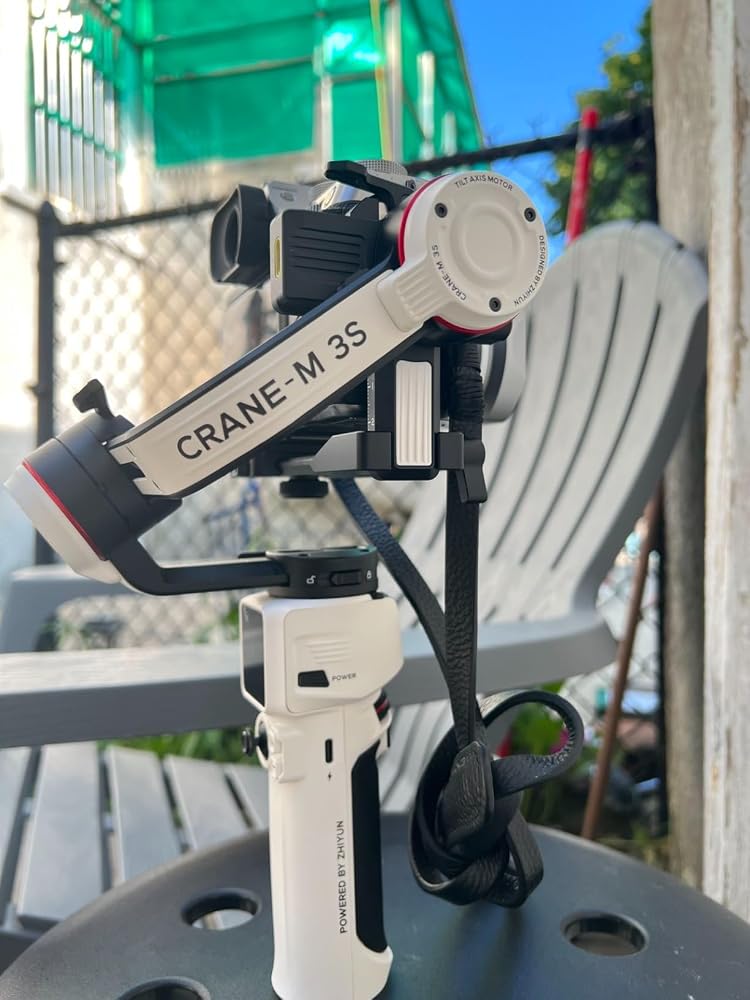


C
I��ve been holding off on buying a gimbal for my camera and when I have decided to purchase one, I��m actually loving it. I have never used a gimbal on my camera because I think they are bulky and heavy and to my surprise, this gimbal is super lightweight and portable. It works flawlessly with my ZVE10. I have always hated my camera��s stabilization and with this gimbal, it indeed made my videos look amazing. I love how it matches my white ZVE10 and the light is a plus.

J
The media could not be loaded.
Today I'm reviewing the Crane-M 3S by Zhiyun,We're going to go ahead and open the box. The first thing I notice is that they include a foam carrying case. Inside we find a service card, quick start manual, and then the equipment itself.A small screw-on tripod base, the frame of the gimbal itself with the axis' locked. Then a small box of accessories such as the screw to lock the camera on and a selection of USB cables.It is fairly lightweight, and I like that it is white in color vs the typical black of my other gimbals.This gimbal was a little more finicky to balance than some of my others. Mainly this tilt-axis height adjustment. Basically, when you loosen it up this little tooth here doesn't stay straight. So, you think you have it in the right spot, I don't have the camera here, so it'll probably be a little easier to do here. You get it to where you think it's right, then you tighten it down and it would shift. This made it a bit difficult to dial-in. This is something you're probably not going to do very often, just when you switch out a lens or camera body altogether. For me this is going to be dedicated to a particular camera so once i got it balanced that one time it was fine, but it was a little frustrating the way that that functioned.This gimbal works pretty well for its size. The camera I'm dedicated this to isn't actually supported so there is a big loss of functionality, but that is not the gimbals' fault it is all on the camera manufacturer.I was not able to confirm the usability of some of the best features such as Bluetooth camera connectivity and control as I do not have a camera that is compatible with those features. This gimbal is helping to stabilize my footage and I like it better that the scorp-mini for the size.I'm rating this gimbal four out of five stars.Pros- Quick setup- Lightweight- Compact- Built-in fill-lightCons- Tilt-axis height adjustment is finicky- Not a wide range of stabilized movement
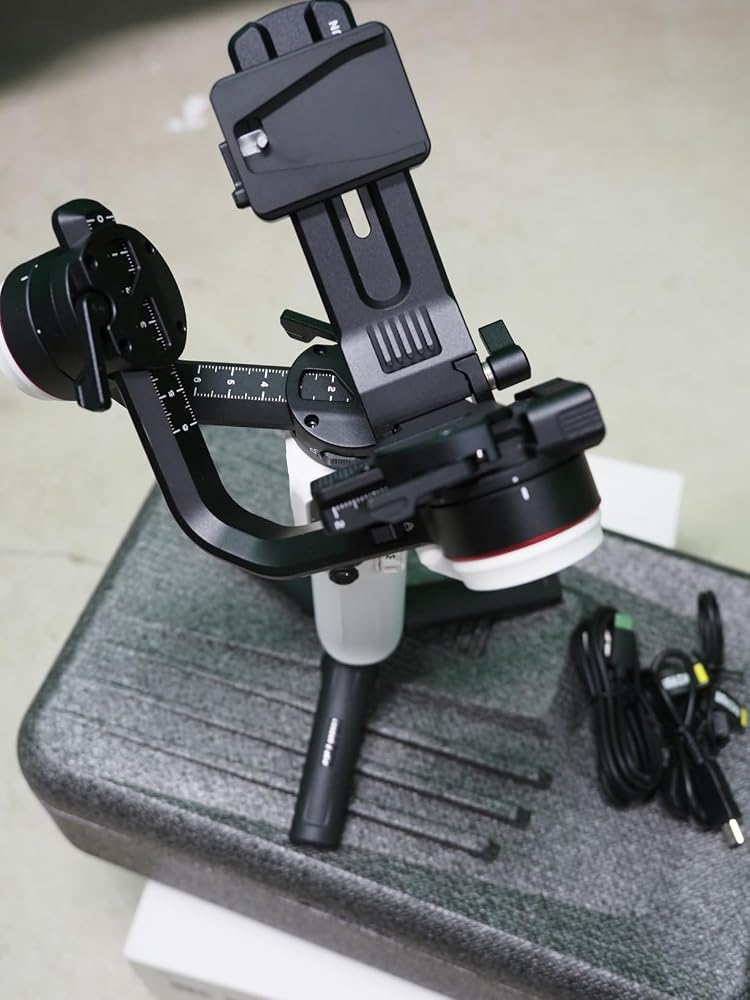


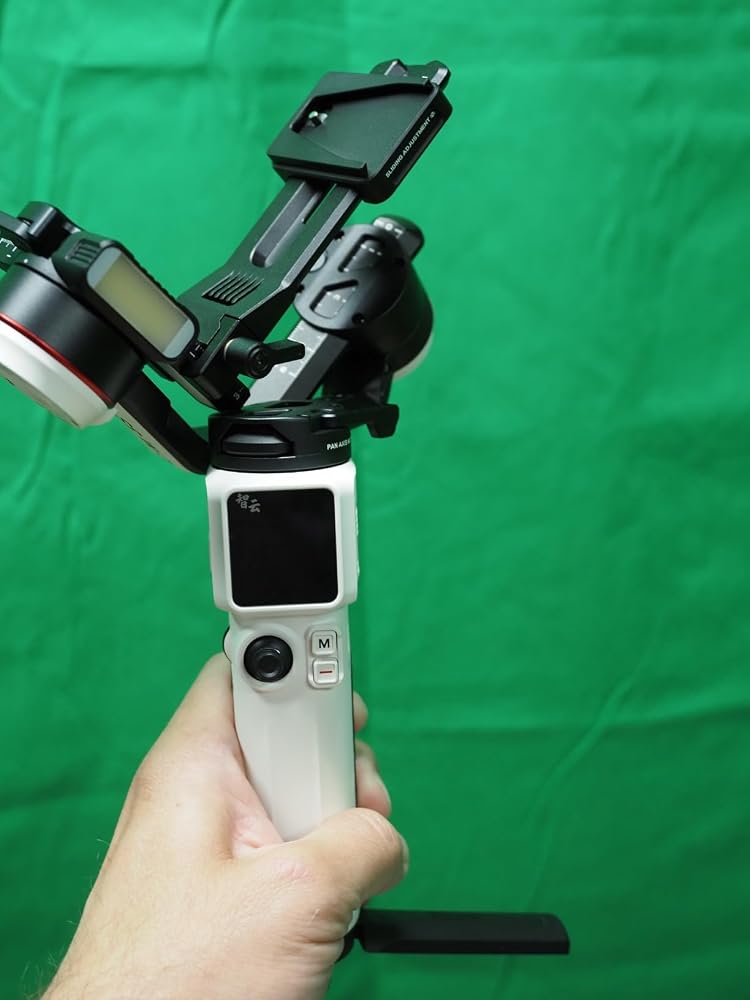
M
Il y a deux semaines, j'ai d��cid�� d'investir dans le stabilisateur ZHIYUN Crane M3S, et je ne pourrais pas ��tre plus satisfait de mon achat. Ce petit bijou a vraiment r��volutionn�� la fa?on dont je capture mes vid��os.Tout d'abord, l'installation a ��t�� un jeu d'enfant. Les instructions ��taient claires et le processus ��tait rapide. En un rien de temps, j'avais mon appareil photo (ZV-E10) solidement fix�� et pr��t �� ��tre utilis��. La construction du stabilisateur est robuste, ce qui m'a imm��diatement donn�� confiance en sa durabilit��.En termes de performances, le Crane M3S est tout simplement incroyable. La stabilisation est fluide et permet des mouvements de cam��ra ultra-pr��cis. M��me en marchant ou en bougeant rapidement, mes vid��os restent nettes et professionnelles. Cela a vraiment ajout�� une touche cin��matographique �� mes projets.De plus, la dur��e de vie de la batterie est impressionnante. J'ai pu filmer toute une journ��e sans avoir �� m'inqui��ter de recharger. Cela ajoute une dimension pratique �� cet accessoire d��j�� fantastique.En r��sum��, le ZHIYUN Crane M3S a d��pass�� mes attentes �� tous les niveaux. Si vous cherchez �� am��liorer la qualit�� de vos vid��os et �� donner une dimension professionnelle �� vos projets, c'est l'accessoire qu'il vous faut. C'est un investissement qui vaut chaque centime !! ??

A
Definitivamente las cumpli��, uso una canon r50 con jaula y la estabiliza bastante bien, cuesta un poco tener equilibrio cuando le agregas filtros ND pero nada del otro mundo, en general est�� chido!

c
I wanted to give an update to my M3S experience after about a year of use.It dropped my FX3 and 14mm GM the other day. Hard. Onto concrete. Six feet or so. The mechanism for the plate unlock has developed a real hair trigger. Breathe on it and it will let go. I don't think I will trust it again.The axis locks are both shot. It is the metal the tabs slot into. They've all beveled to a 45 degrees now and the tabs just get pushed out if the axis is moved. Effectively I can only lock the pan axis.The theme seems to be bad metallurgy and poor attention to tolerances.I'm not getting rid of it, but I won't use it for anything but low end bodies and lenses going forward.I owned the original M3. They made a lot of mistakes and shortcuts on that one. Terrible baseplate. Not quite good enough to carry common payloads. Etc etc.No Bluetooth to camera.The S solves every problem. Buy it.Do not ever buy the original M3. It's worthless in comparison.


M
The media could not be loaded.
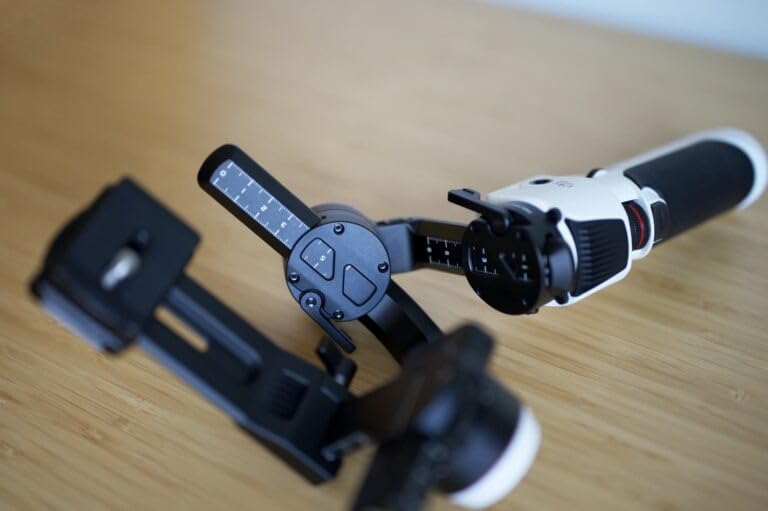
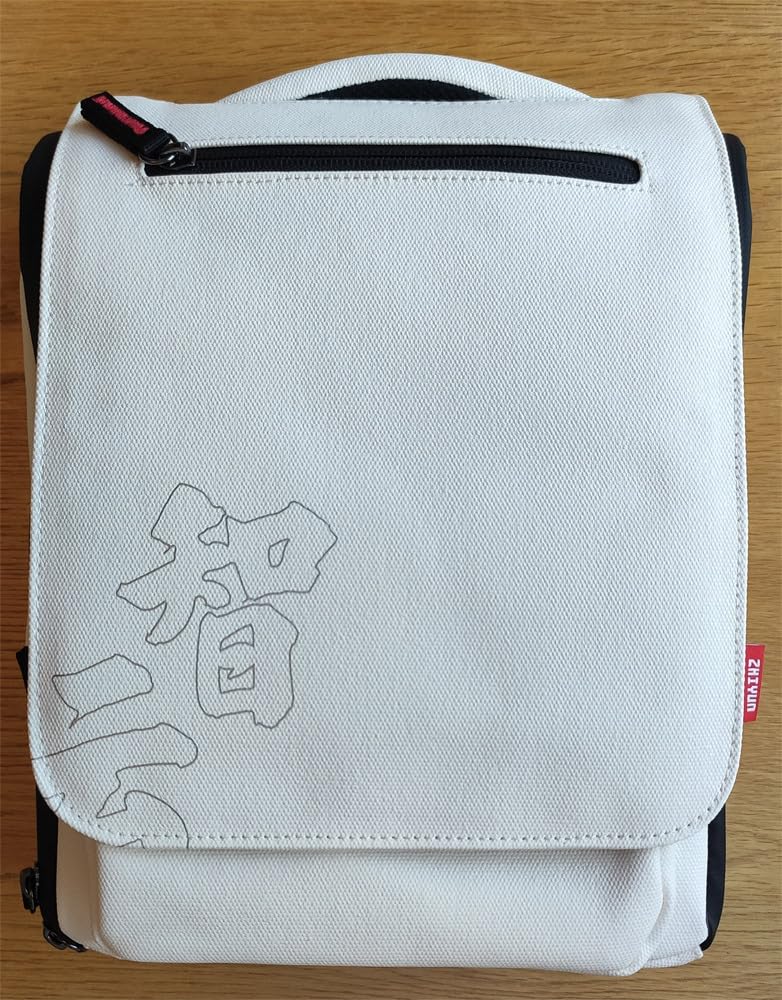
This gimbal arrived in its own padded storage/carry case inside a cardboard box that was itself wrapped in thick grey plastic. The security seals on the box were all intact.There is a quick start guide included and the full user manual can be downloaded in .PDF format from the Zhiyun website.The case has a comfortable handle and it can be converted into a backpack by clipping the supplied straps onto the plastic loops on the rear of the bag. The white colour will get dirty easily but it has a wipe clean finish so it shouldn��t be too much of a problem. The gimbal and its accessories all fit neatly into the bag and there��s plenty of room in the bag itself and its exterior pockets for other gear.There are lots of in depth reviews of this gimbal available on the web (Digital Camera World, PC Mag etc.) that go into great detail about all of its technical aspects so I��ll just be giving a general overview.The first thing that struck me is the light weight and small size of this gimbal. I regularly use a DJI RS4 and this is much smaller and lighter than that. In fact, it��s smaller and lighter than my Zhiyun Smooth 4 phone gimbal even though it can cope with much heavier cameras. I��ve attached a picture of this gimbal alongside the Smooth 4 and DJI RS4 for comparison.Initial balancing is similar to most gimbals and only takes a couple of minutes. After initial balancing is done the gimbal has an auto calibration feature.The 1.22�� touch screen on the back of the grip is clear and easy to use (even with my large fingers) and all of the controls are in easy reach. The small size of this gimbal makes this a bit of a problem. I have quite large hands and constantly found myself accidentally nudging the joystick or turning on the fill light by accident. This may simply be because I��m used to the larger RS4 but this grip is small and the controls are a bit tightly packed for large hands. A control locking feature would be useful.Another criticism is that you have to adjust all of the arms to their shortest length to fold the gimbal and manually lock them. This means setting the balance up every time you unpack it if you store it folded (I miss the auto fold and lock of the RS4).Battery life is excellent and there��s a USB-C charging port to plug your camera into (a variety of cables are supplied for this).All in all this is a good quality gimbal and reasonably priced at ��359 (currently on offer at ��299 �C even better!). It lacks some of the useful features of larger, more expensive gimbals but it compensates for this with its light weight and small size so if you film on the move a lot this might be just what you��re looking for. My only real criticism is that the small grip means that the controls are so easy to nudge accidentally if you have large hands. This might get better with practice but I��m knocking off a star because of it.




?
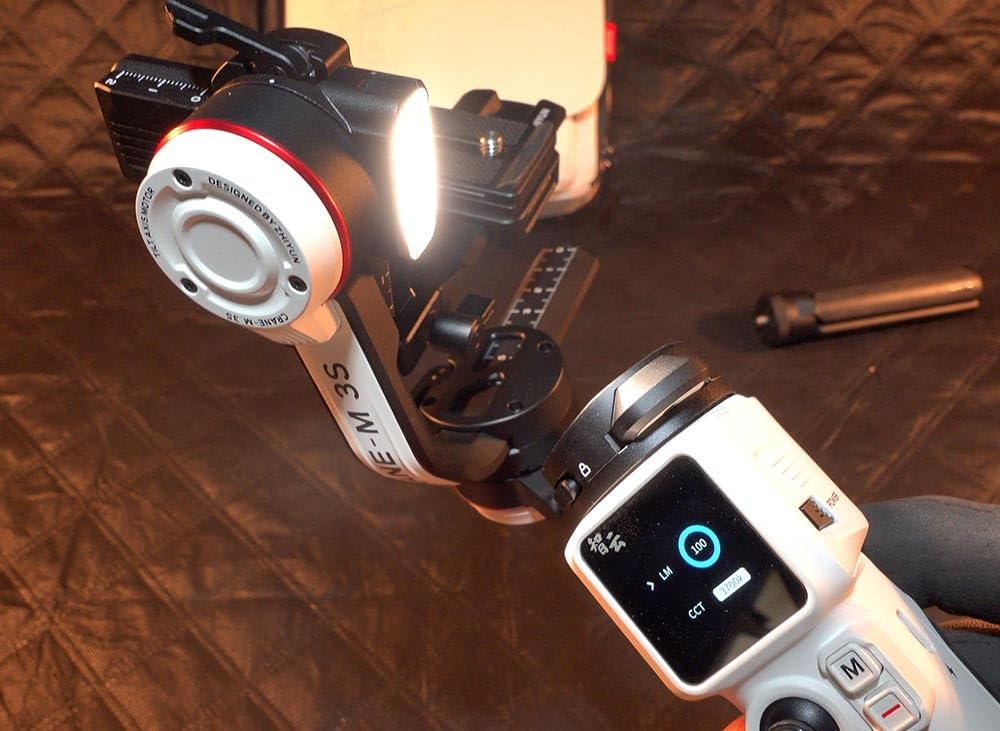
�� ceux qui se demandent qu'est-ce que ce mod��le apporte dans un march�� d��j�� bien comp��titif,?je vous invite �� lire mon analyse apr��s une bonne semaine d'utilisation.? Historiquement la M3 ��tait une gimbal pour les DSLR un petit peu lourds?et donc parfaitement adapt��e pour tous ceux qui shootent avec tes appareils comme le Sony A7 ou m��me la FX3.Avec cette version S, Zhiyun?vient d'effacer la fronti��re qu'il existait avec les smartphones.?? Du tout ou rien!Tout en conservant sa compatibilit�� et sa puissance sur des combos un peu lourds vous avez d��sormais un produit qui fonctionne absolument parfaitement m��me avec un t��l��phone.? Le plus surprenant, et c'est bien la premi��re fois que je vois ?a,?m��me sans aucun appareil pos�� sur la gimbal, elle ne se met pas �� vibrer dans tous les sens. Il est possible de la stabiliser m��me �� vide.C'est donc un investissement intelligent car vous n'avez pas besoin d'autre chose que ceci quel que soit le poids de la cam��ra ou du smartphone que vous posez.Vous filmez actuellement avec votre t��l��phone mais pensez-vous investir dans mon appareil photo? C'est parfait elle vous suivra ce moment-l��Vous utilisez normalement votre cam��ra vid��o mais?vous avez oubli�� les batteries est seul votre smartphone est disponible??Et bien bravo cette gimbal ne va pas vous laisser tomber parce que elle n'a pas suffisamment de poids sur sa monture.?? Combo k��zako ?J'ai achet�� la version combo, c'est-��-dire qu'il y a un sac qui est fourni avec et qui permet de la prot��ger ainsi que les accessoires.?Il y a plein de poches un petit peu partout donc on fait largement l'utiliser pour placer d'autres choses.La gimbal est bien maintenue par deux scratchs au fond du sac et ne va pas tomber m��me si le sac s'ouvre??car le zipper fait bien le contour complet.Il y a m��me des sangles pour pouvoir le mettre en mode mini sac �� dos,?mais ce sont juste des straps qui n'ont pas de pad donc un usage limit�� �� de courts trajets.La gimbal?poss��de des blocages sur tous les axes pour qu'elle ne bouge pas lorsqu'on la met dans le sac. C'est aussi une certaine s��curit�� pour la placer en position d'attente sans que la cam��ra voit son objectif pencher en avant et s'��clater sur la table.?Tous les marquages sont en blanc sur un fond noir tr��s facile �� lire.??? Un point de montage pour vos accessoiresIl y a enfin un point de montage sur la gimbal qui vous permet de placer des accessoires comme une lampe d'��clairage ou simplement un micro afin de parfaire la vid��o.Le second point de montage se trouve sous la poign��e pour pouvoir y placer un pied qui est d'ailleurs fourni dans le sac. Il vous offre deux avantages.D'une part, cela rallonge votre poignet pour pouvoir bien la maintenir sans appuyer par m��garde sur les boutons,?et d'autre part cela vous permet de le poser directement sur une table m��me avec la gimbal allum��.?M��me sans aucun appareil photo install��, la gimbal peut rester sur une table sans se mettre �� vibrer dans tous les sens car elle est capable de d��tecter il n'y a rien et ne veut pas s'activer puisse se mettre en d��faut comme le reste de la concurrence.?? L�� o�� c'est plus discutableDans les trucs qui ne m'ont pas forc��ment trop subjugu��s,? je dirais que la couleur blanche omnipr��sente?est �� mon avis une erreur.?? Je comprends la marque qui souhaite avoir un produit imm��diatement reconnaissable �� ses couleurs mais malheureusement si vous devez filmer et que vous passez devant une vitrine ou n'importe quelle surface un peu r��flexive, la gimbal va se voir plus facilement que si elle ��tait de couleur plus sombre.?? Le deuxi��me d��faut de cette couleur c'est bien entendu que c'est toutefois bien plus salissant surtout que la poign��e de maintient et aussi dans les m��mes tons.?Mon travail m'am��ne souvent dans les usines bien poussi��reuses cela n'est pas forc��ment id��al?? Comme c'est l'habitude chez ce fabricant,?il n'y a pas possibilit�� de changer les batteries mais il est quand m��me possible de la faire fonctionner en la branchant sur l'entr��e USB avec une batterie externe.?? Il n'y a pas non plus de chargeur offert et je vous invite �� prendre un truc bien puissant pour un chargement rapide.?? Dommage qu'il n'y ait pas d'autres langues que l'anglais et le mandarin pour les menus.?? La documentation est vraiment succincte et vous renvoie en vid��o ce qui n'est pas forc��ment pratique si vous ��tes au milieu de nulle part avec une connexion r��seau un peu limit��e.?Je suis de la vieille ��cole et je trouve qu'un PDF c'est quand m��me pas mal surtout si on peut la voir en fran?ais ce qui n'est malheureusement pas le cas ici.?? Un ��cran tactile surprenant? L'��cran est bien visible avec une taille plus large que sur les mod��les pr��c��dents. Il n'y a aucun probl��me pour le voir en plein soleil.? L�� o�� j'ai ��t�� beaucoup plus surpris, c'est qu'il est en fait tactile.Lors de la premi��re mise sous tension de l'appareil, la gimbal vous invit...


I
?? TEST E CONSIDERAZIONI ??Questo gimbal pu�� essere utilizzato con mirrorles, smartphone e action cam. Una delle caratteristiche migliori di questo modello �� data dalla sua dimensione piccola e leggera. Risulta infatti molto maneggevole da usare e non stanca da tenere in mano perch�� ha un peso molto ridotto rispetto ad altri stabilizzatori. Nonostante questo pu�� supportare un carico notevole, aumentato rispetto al predecessore. Bisogna tenere in conto per�� che con un carico elevato si andr�� a perde un po�� di stabilit�� e quindi opterei per uno stabilizzatore pi�� grande in questi casi.Il dispositivo �� realizzato molto bene e permette di ottenere delle riprese fluide e cinematografiche. Ha una comoda impugnatura ad una mano che pu�� essere estesa montando il treppiede per tenerlo con entrambe per un controllo pi�� preciso. Il treppiede pu�� inoltre essere montato lateralmente, una soluzione molto comoda perch�� questo gimbal ha una modalit�� portrait, utilissima per fare delle riprese in verticale da caricare sui social.Mi piace molto anche lo schermo di dimensioni pi�� grande rispetto al solito, per controllare tramite i comandi touch tutte le varie impostazioni del gimbal. Si pu�� scegliere la modalit�� da utilizzare tra le varie tipologie che permettono di bloccare uno o pi�� assi in base alla ripresa che si vuole realizzare. Molto utile anche la possibilit�� di controllare se il bilanciamento della camera �� corretto, con la possibilit�� di utilizzare l��autocalibrazione per modificare l��eventuale errore.Tra le caratteristiche migliorate in questa nuova versione troviamo un led pi�� potente che permette di illuminare la scena che si sta riprendendo. Riesce ad emettere una buona luce che risulta utile soprattutto quando ci si riprende in prima persona per illuminare meglio il volto. L��altra comodissima funzionalit�� aggiunta �� la connessione bluetooth che permette di controllare la camera senza bisogno di doverla collegare fisicamente al gimbal con il cavo. Questo punto unito al nuovo supporto quick release, permette di sganciare e montare in un attimo la propria macchina sullo stabilizzatore.Il dispositivo pu�� inoltre essere collegato, sempre tramite bluetooth, al proprio smartphone per usare l��app ZY Play. Purtroppo su Android l��applicazione pu�� essere usata solo per utilizzare il telefono come un telecomando e controllare a distanza i movimenti dello stabilizzatore, mentre su ios �� presente una seconda modalit�� utilizzabile quando si monta lo smartphone sul gimbal per filmare. Speriamo venga implementata presto questa funzione anche per il sistema Andorid.In conclusione trovo che sia un gimbal veramente molto interessante perch�� permette di ottenere filmati molto fluidi e cinematografici, con vari tipi di dispositivi, dalle mirrorles, alle action cam, fino agli smartphone, il tutto rimanendo molto compatto e leggero.Viene venduto in due versioni e questa in particolare �� quella definita combo, dove vengono forniti alcuni accessori, come la bella borsa con apertura magnetica al cui interno si trovano il treppiede, una serie di cavi e il supporto per lo smartphone.


1. Is the ZHIYUN CRANE M3S a good gimbal for mirrorless cameras?
Yes. The ZHIYUN CRANE M3S is well suited to compact and lightweight mirrorless setups, particularly for travel, vlogging and run-and-gun filming. Its 705g body combines three-axis stabilization, portrait shooting, a built-in fill light and Bluetooth shutter control on compatible cameras. For heavier cameras, large zoom lenses or accessory-loaded rigs, consider a higher-capacity camera gimbal.
2. What cameras and lenses are compatible with the CRANE M3S?
The CRANE M3S supports selected Canon, Sony, Nikon, Panasonic, Fujifilm and Sigma cameras, but compatibility depends on the complete camera-and-lens combination. Physical mounting, Bluetooth shutter control and wired camera control are separate compatibility considerations, so a camera may balance on the gimbal without supporting every control function. Check the official CRANE M3S Camera Compatibility List before purchasing.
3. How much weight can the ZHIYUN CRANE M3S hold?
The current ZHIYUN Store product page lists a maximum carrying weight of 1000g for the ZHIYUN CRANE M3S. However, compatibility also depends on the camera’s dimensions, lens length, center of gravity, and available clearance—not weight alone. Calculate the complete rig weight and confirm the camera-and-lens combination using the official CRANE M3S Camera Compatibility List.
4. Do I need to balance the CRANE M3S before turning it on?
Yes. Mount the complete camera setup while the CRANE M3S is turned off, unlock the axes and balance the tilt, roll and pan axes before powering it on. Rebalance the gimbal whenever you change the camera, lens, filter or another accessory that affects weight distribution.
5. Can the CRANE M3S switch between horizontal and vertical shooting?
Yes. The CRANE M3S supports Portrait Mode for recording vertical content for platforms such as Instagram, TikTok and YouTube Shorts. Portrait Mode can be selected through the gimbal’s touchscreen menu, but you should confirm that the mounted camera has sufficient clearance and remains properly balanced. Additional instructions are available in the official CRANE M3S tutorials.
6. Does the CRANE M3S support AI subject tracking?
The CRANE M3S does not include built-in hardware AI subject tracking for a mounted mirrorless camera. ZY Play can provide supported gimbal controls, but this should not be confused with native AI tracking of the subject through the camera. Any smartphone-based tracking functions may depend on the phone, app version, and shooting mode.
7. How long does the CRANE M3S battery last?
The CRANE M3S provides up to 7.5 hours of runtime under ZHIYUN’s specified test conditions. It takes approximately two hours to charge with a compatible 9V/12W PD charger and can be powered while shooting. Actual runtime varies with payload, balance, motor strength, operating mode and temperature, as detailed in the official specifications.
8. What is the difference between the CRANE M3S and CRANE M3?
The CRANE M3S adds Bluetooth shutter control, an upgraded two-in-one quick-release system, redesigned axis locks, and an optimized arm structure that supports more camera-and-lens combinations. Its built-in fill light delivers up to 1000 lux with an adjustable 2700K–5500K color-temperature range, compared with the CRANE M3 light’s 800-lux maximum output. The CRANE M3S has a listed maximum runtime of 7.5 hours, while the CRANE M3 is rated for up to 8 hours under its respective test conditions.
-
Max Carry Weight
1000g
-
OPERATING VOLTAGE
MAX 12.6V ; STANDARD 11.1V; MIN 9.6V
-
OPERATING CURRENT
MAX 4000mA; MIN 135mA
-
OPERATING TEMPERATURE
MAX 50℃ ; STANDARD 25℃; MIN -10℃
-
BATTERY CAPACITY
STANDARD 1150mAh
-
RUNTIME
7.5H
-
RUNTIME TEST CONDITION
(TESTED AT 25℃ AMBIENT TEMPERATURE, WITH CRANE-M 3S + FULLY CHARGED 1150MAH BATTERY; SONY α1+FE 24 MM F1.4 GM MOUNTED AND BALANCED, GIMBAL POWERED ON, PLACED STATICALLY IN PF MODE. MAXIMUM RUNTIME IS 7H30MIN)
-
CHARGING TIME
2H
-
CHARGING TIME TEST CONDITION
(TESTED AT 25℃ AMBIENT TEMPERATURE USING A 9V-12W PD FAST CHARGER. CHARGING TIME IS 2H. ACTUAL CHARGING TIME MAY VARY DUE TO ENVIRONMENTAL FACTORS. IN ADDITION, THE LOWER THE CHARGING TEMPERATURE, THE SMALLER THE CHARGING CURRENT AND THE LONGER THE CHARGING TIME)
-
TILT AXIS MECHANICAL RANGE
STANDARD 305°
-
ROLL AXIS MECHANICAL RANGE
STANDARD 314°
-
PAN AXIS MECHANICAL RANGE
STANDARD 360°
-
BLUETOOTH
BLUETOOTH 5.0
-
TOUCH SCREEN SIZE
1.22INCH
-
PRODUCT DIMENSIONS
284.2*74.5*163.5 (W*D*H)
-
PRODUCT NET WEIGHT (MAIN UNIT ONLY)
705g
-
PRODUCT NET WEIGHT NOTE
(INCLUDING BATTERY, EXCLUDING TRIPOD)
-
Question:What should i do if the product does not work properly?Please contact ZHIYUN service center for assistance online customer service at service@zhiyun-tech.com. For more information, please visit
-
Question: How to get in touch with Zhiyun?
We provide online service via email, Facebook, Whatsapp, Instagram, and YouTube
-
Question: What are the product warranty terms?Customers are entitled to free repair service from Zhiyun within 12 months from the date of delivery (accessories and fttings excluded). Aftersales Support: https://www.zhiyun-tech.com/en/support
-
Question: What is the product repair process?Customers need to send the product back to Zhiyun and then the customer service center will have the device inspected and tested.If the product failure is caused by a material or workmanship issue and the product is within the warranty period, Zhiyun will cover the cost of inspection, material, labor, and shipment. If the product is proven to be damaged by artificial causes or beyond the warranty terms. Customers can choose to get the device repaired with payment or get the product back. If the device does not work due to improper operation or other situations which do not apply to warranty terms, we will charge a certain amount of fee. Zhiyun does not support IWS (International Warranty Service) due to product version difference. Warranty service is only provided in Zhiyun authorized service center.
-
Question: How does a stabilizer work?A stabilizer is a device that is designed to hold a camera or other filming devices to prevent it from shaking during video shooting. The stabilizer senses disruptive motion by the built-in gyroscope and compensates for camera instability by the force of the three motors.
-
Question: What can we use a stabilizer for? How?We can use the stabilizer when shooting videos. It can compensate for the unwanted shaking movement. For the specific operation, please check ZHIYUN official website https://www.zhiyun-tech.com/contact/en For detail product information, please check Zhiyun-tech on YouTube, Facebook and Instagram.
Recently viewed products
- Choosing a selection results in a full page refresh.
- Opens in a new window.