










あなたのカート
カートは空です


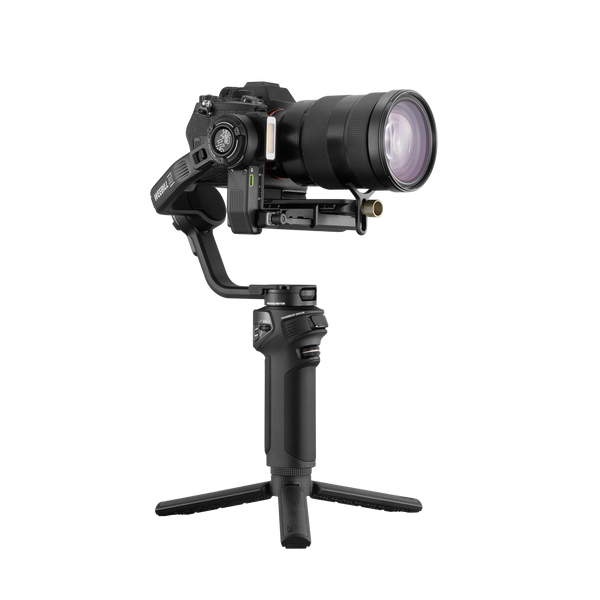
ZHIYUN Weebill 5 | ハンドル内蔵 AIトラッキング対応 軽量3軸ジンバル
$429.00


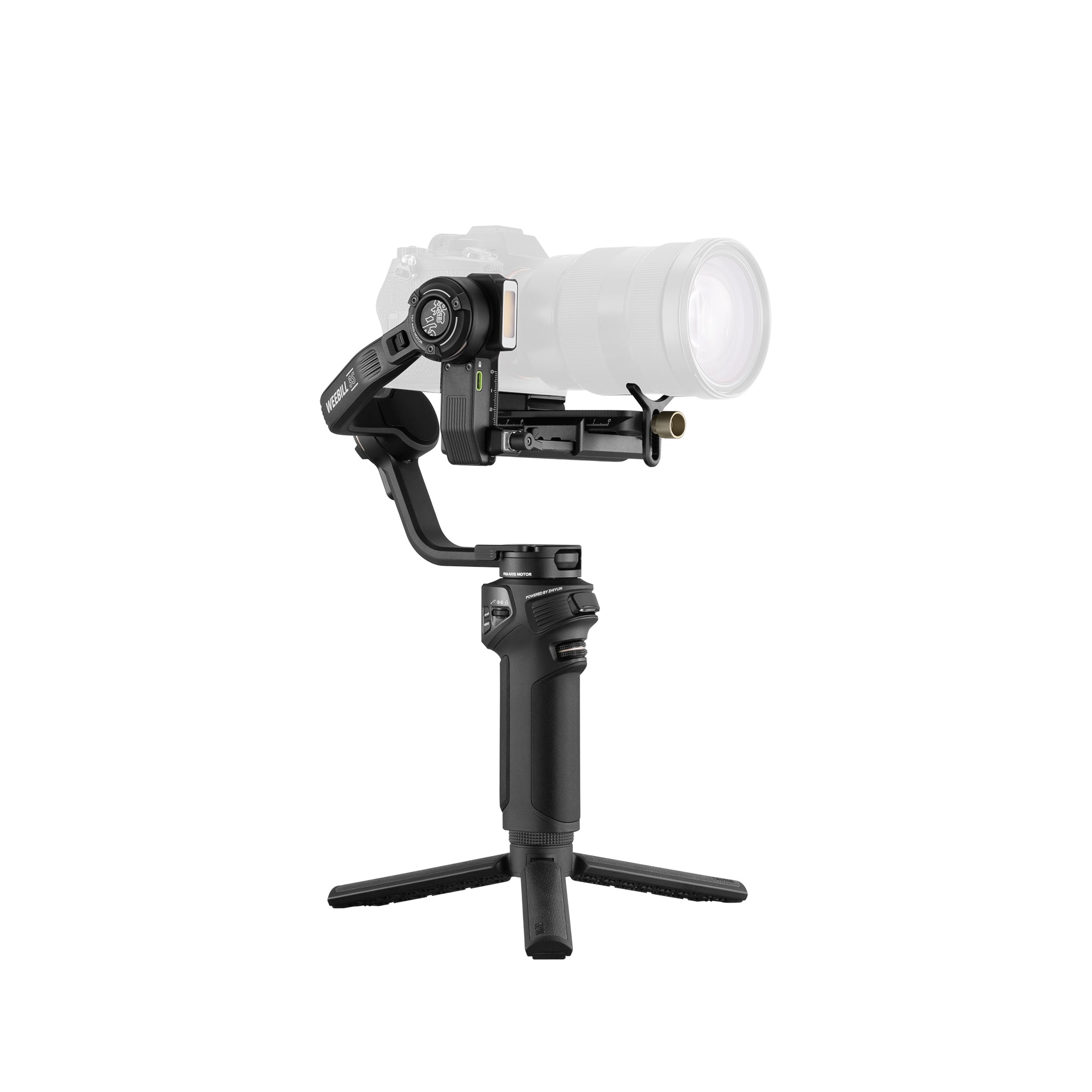
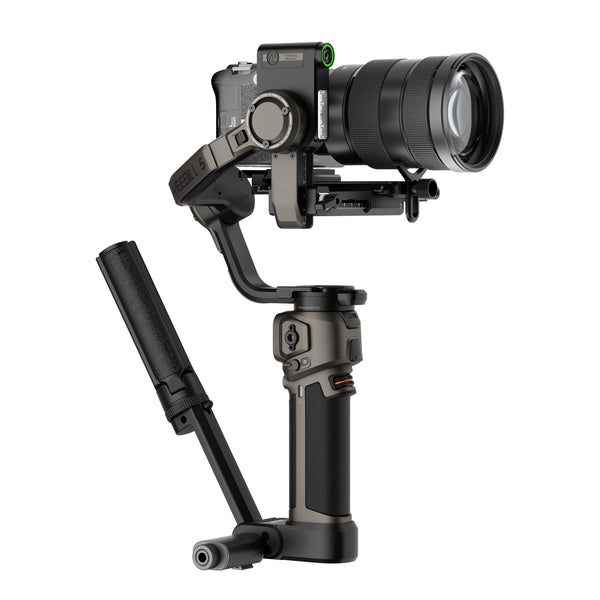
- 内蔵伸縮式スリングハンドル(コンボのみ):引き出すことで重心を移動でき、腕を疲れさせずにローアングル撮影ができます。
- 内蔵AIトラッキングモジュール(コンボのみ):被写体を自動でフレーミングし、ハンドジェスチャーで撮影を自在に操作できます。
- フラッグシップ級の手ブレ補正と3kgの積載能力:高トルクモーターにより、重い撮影機材でも驚くほど滑らかな映像を実現します。
- 縦位置撮影対応システム:追加プレートなしで、数秒で横位置と縦位置を切り替えられます。
- 1.8インチタッチスクリーンUI:設定やモードをその場で直接調整できるので、スマートフォンをポケットから取り出す必要はありません。
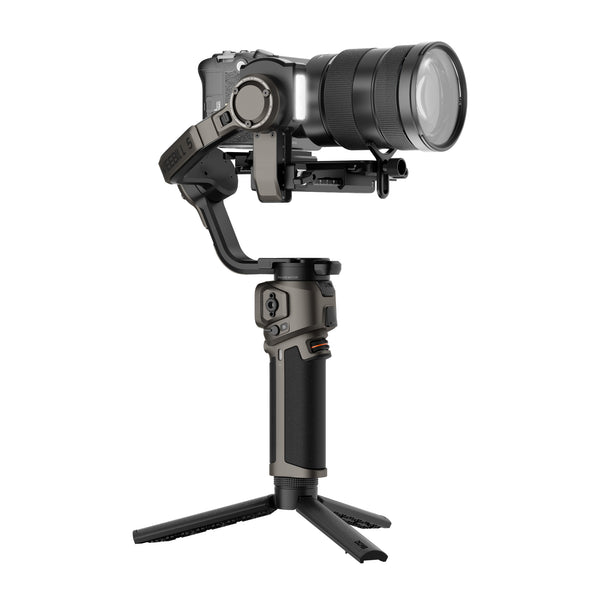
- 二層式クイックリリースプレート:再バランス調整なしでバッテリーをすばやく交換でき、微調整ノブでガタつきをしっかり抑えられます。

配送ポリシー

返金と交換

お問い合わせ


$429.00
$429.00


地上目線のシネマティックな撮影:
自由自在に撮影する
AIアシストによる構図:傑作級のショットを瞬時に撮影
プロレベルの構図を取り入れられます。


地上目線のシネマティックな撮影:
自由自在に撮影する

ミリ単位の微調整:
バッテリー交換後も再調整不要

見どころ

フルタッチコントロール

ネイティブBluetooth同期

一日中使える電力供給

ハンズフリーAIトラッキング

いつでも最高の状態で

一日中快適なエルゴノミクス

フルリグの拡張性

頑丈な輸送用ロック
あなたのためのオールインワンのシネマティックパートナー。
大型リグに対応し、滑らかな動きと簡単な操作を実現。どんな撮影もシンプルに。

風を感じて、その瞬間を切り取ろう。
ローアングル撮影でも、腕が疲れません。ビーチを走るときも、波辺を散歩するときも、動きながら安定して撮影でき、躍動感あふれる瞬間をすべてビジュアル素材に収められます。

コンパクトな形状で、プロフェッショナルな効果を発揮。
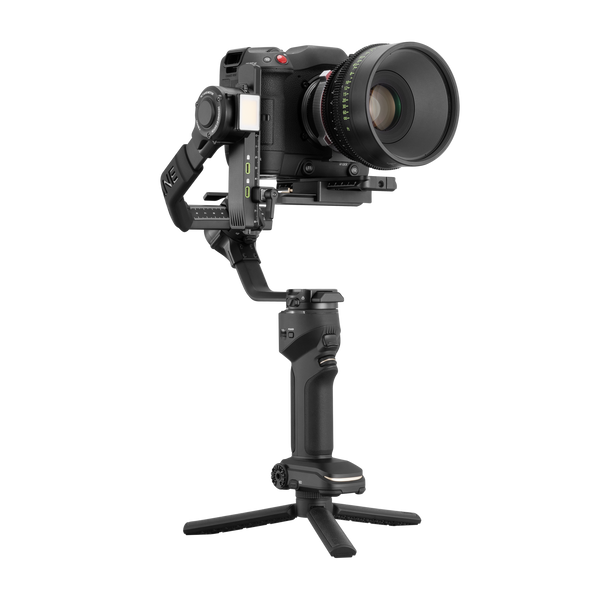
重量級のリグでも、非常に滑らかなシネマティックな動き。狭いスタジオ空間でも、フルサイズ機材のセットアップを簡単に扱い、あらゆるクリエイティブなコンセプトを高品質なビジュアル素材へと変えます。

フィールド上のハイライトに注目しましょう。
複雑な屋外環境でも、AIトラッキングが被写体をフレーム内に捉え続けます。スイングの一瞬一瞬の緊張感を逃さず、素材の中でアクションと力強さを際立たせましょう。

ストリートの流れ、動き続ける躍動感。
瞬時に縦方向へ切り替え、遅延なく作成。追加の縦向きアクセサリーを使わず、数秒で構造を切り替えられます。オーリーや着地の一瞬を捉え、リアルなアーバンストリートカルチャーをユニークなクリエイティブ素材に仕上げます。
Specification
同梱品は何ですか?


よくある質問
ZHIYUN WEEBILL 5のAIトラッキングの使い方と、その性能について教えてください。
1. 操作とインタラクション:主な操作方法は2つあります。1つ目は、タッチスクリーンで被写体を選択するか、トリガーボタンを1回押してすばやく設定するトラッキングです。2つ目はジェスチャー認識で、画面に触れずにトラッキングの開始・一時停止や構図の調整ができます。
2. トラッキング距離と応答速度:AIトラッキングの有効範囲は最大10メートルで、遠距離でのカメラ移動中や広い屋外での撮影中も、被写体を安定して捉え続けます。ターゲットロックの応答時間は0.2ミリ秒以下です。
3. 遮蔽物がある場合のトラッキング:内蔵のインテリジェント自動復帰トラッキングにより、歩行者や木などに遮られたり、最大10秒間フレームから外れたりしても、素早くターゲットを再捕捉します。接続が途切れない連続トラッキングにより、繰り返し選択し直す必要がなく、クリエイティブな作業の効率が大幅に向上します。
ZHIYUN WEEBILL 5は重いですか?サイズはどのくらいですか?
WEEBILL 5は、収納時に折りたたむと210 × 65 × 317 mmになり、内蔵スリンググリップを取り付けたままでもキャリングケースに簡単に収まります。
本体重量はわずか1,080 gで、550 mlの水のボトル約2本分。プロ向けスタビライザーの中でも、ジンバル本体は非常に軽量です。
ZHIYUN WEEBILL 5の最大積載量はどれくらいですか?また、どのカメラに対応していますか?
ZHIYUN WEEBILL 5は最大3 kgの強力なペイロード容量を誇り、主流のフルサイズカメラを軽々と支えます。さまざまなアクセサリーを装着しても、安定性は抜群です。
*対応するカメラの具体的なモデルについては、公式サイトのドキュメントをご覧ください。
ZHIYUN WEEBILL 5にはどのようなパッケージオプションがありますか?
ZHIYUN WEEBILL 5には、StandardとComboの2種類があります。Comboには、AI Tracker Module、リストレスト付きスリンググリップ、収納バッグが追加されます。
Standardパッケージの同梱品:ZHIYUN WEEBILL 5ジンバル、レンズサポート、CR130三脚、Type-C制御ケーブル、充電ケーブル、レンチ、クイックスタートガイド。
Comboパッケージの同梱品:ZHIYUN WEEBILL 5ジンバル、レンズサポート、CR130三脚、Type-C制御ケーブル、充電ケーブル、AI Tracker Module、リストレスト付きスリンググリップ、レンチ、収納バッグ、クイックスタートガイド。
ZHIYUN WEEBILL 5のスタンダード版とコンボ版の選び方
予算を抑えつつ、主に安定した撮影を必要とする方には、スタンダードバージョンがおすすめです。
AIトラッキング、1人での撮影、スリンググリップを使った充実した操作感、屋外での収納を必要とする方には、コンボパッケージがおすすめです。
さらに、インフルエンサー活動、結婚式、イベントの撮影、Vlogを主な撮影シーンとする方には、コンボパッケージを強くおすすめします。AIモジュールと内蔵スリンググリップにより、実際の制作効率が大きく向上するためです。
ZHIYUN WEEBILL 5はどのような撮影モードに対応しており、それぞれどのように使用しますか?
ZHIYUN WEEBILL 5は、次の3つのモードに対応しています。
1. 標準モード:通常の手持ち撮影、追従撮影、カメラを前後に動かす撮影に適しています。
2. スリングモード:ローアングル撮影、地面に近い位置でのカメラ移動、追従撮影に適しています。
3. 延長ロッドモード:高い位置からの俯瞰撮影、人混みの上からの撮影、特殊なアングルでの撮影に適しています。
内蔵のスリンググリップは頑丈ですか?長期間使用すると緩みますか?
ZHIYUN WEEBILL 5に内蔵されたスリンググリップは、高強度アルミニウム合金製の一体型構造です。モード切り替えに関するZhiyunのラボ耐久試験に合格しており、外付けのスリンググリップよりもはるかに長い寿命と優れた安定性を備えています。
ZHIYUN WEEBILL 5はワイヤレスBluetoothコントロールに対応していますか?
はい、対応しています。ZHIYUN WEEBILL 5はBluetooth 5.0を使用してカメラの撮影をすばやく操作でき、データ通信距離は10メートルです。
ZHIYUN WEEBILL 5はどのような被写体追跡に対応していますか?
人物、車両、ペット、物体など、さまざまな被写体をインテリジェントに認識して追跡できます。実際の使用時には、撮影対象に応じて追跡する被写体を選べるため、人物の追跡、ペットの記録、商品展示、動きのある車両の撮影などに適しています。
ZHIYUN WEEBILL 5は使い方が複雑すぎますか?
いいえ。内蔵のスリンググリップにより、追加の取り付けの手間が省けます。1.8インチのタッチスクリーンで、設定もより直感的に操作できます。
AIトラッキングは、画面上でのフレーミング、トリガーボタン、または手のジェスチャーですばやく起動できます。また、ネイティブの縦向き撮影にもすばやく切り替えられます。
ジョイスティックと録画ボタンは中央に配置され、操作がよりスムーズになり、効率も向上しました。
ZHIYUN WEEBILL 5はジンバルモードを素早く切り替えられますか?
はい。ZHIYUN WEEBILL 5には3段階のジンバルモード切り替えボタンが追加され、画面を見ずに操作できるほか、モードをカスタマイズできます。また、各モードの触覚感度を個別に設定できるため、ユーザーごとのカメラの動かし方に合わせて調整できます。
Wer wie ich die ersten Generationen von Gimbals kennt und auch den aktuellen Platzhirsch im Schrank stehen hat weiss wie dramatisch der Fortschritt in den letzten Jahren war. Damals war schon ein ruhig laufendes Bild eine Leistung, heute kommt KI-Tracking, integriertes Licht und ein vollwertiger Touchscreen dazu und das alles in einem Gerät das man problemlos den ganzen Hochzeitstag trägt. Der Weebill 5 ist noch mal ein deutlicher Schritt nach vorne und das merkt man von der ersten Minute an.Das KI-Tracking ist das was am meisten beeindruckt und den grössten praktischen Unterschied macht. Die Reaktionszeit von unter 0,2 Sekunden und die intelligente Wiedererkennung bei kurzzeitiger Verdeckung des Motivs machen den Unterschied zwischen einem Tracking das man im Schnitt ständig korrigieren muss und einem das einfach mitläuft. Auf Hochzeiten wo Bewegungen oft unvorhersehbar und schnell sind, Gäste sich durch das Bild bewegen und das Brautpaar sich dreht, ist das ein erheblicher Vorteil der die Arbeit spürbar erleichtert.Der integrierte Sling-Griff der dritten Generation ist eine der durchdachtesten Neuerungen. Der Wechsel zwischen aufrechter Haltung und Sling-Modus geht in Sekunden ohne Umbau, Schrauben oder Werkzeug. Die ausziehbare Stange für niedrige Aufnahmen direkt am Boden oder hohe Winkel über den Köpfen der Gäste macht das gesamte Setup noch flexibler und ersetzt damit Zubehör das man sonst extra mitschleppen müsste. Dazu kommt die neue Handgelenkstütze die bei längeren Drehtagen einen spürbaren Unterschied macht, die Ermüdung ist nach Stunden Shooting deutlich geringer als bei früheren Modellen.Das integrierte Aufhelllicht mit 2150 Lux, einem CRI von über 95 und dem breiten Farbtemperaturbereich von 2700 bis 9000 Kelvin ist für Hochzeitsmomente bei schlechtem Licht oder Social Media Aufnahmen in Innenräumen ein echter Mehrwert den man sonst als separates Gerät mitführen und befestigen müsste. Ein Tastendruck und das Licht unterstützt die Szene auf eine natürliche Art ohne hart zu wirken.Die zweilagige Schnellwechselplatte nach Arca-Swiss Standard spart beim Wechsel zwischen Stativ und Gimbal erheblich Zeit weil eine erneute Nivellierung entfällt. Die Feinjustierungsräder vorne und hinten erlauben dabei eine präzise Ausrichtung die deutlich schneller geht als bei älteren Systemen. Der 1,8 Zoll Touchscreen macht die gesamte Bedienung intuitiv und man kann Motive beim KI-Tracking direkt auf dem Display antippen und wechseln ohne Umwege über eine App oder externe Bedienelemente.Für alle die professionell oder semiprofessionell auf Hochzeiten oder für Social Media filmen und dabei ein modernes, durchdachtes und wirklich alltagstaugliches All-in-One Setup suchen, eine begeisterte und uneingeschränkte Empfehlung.
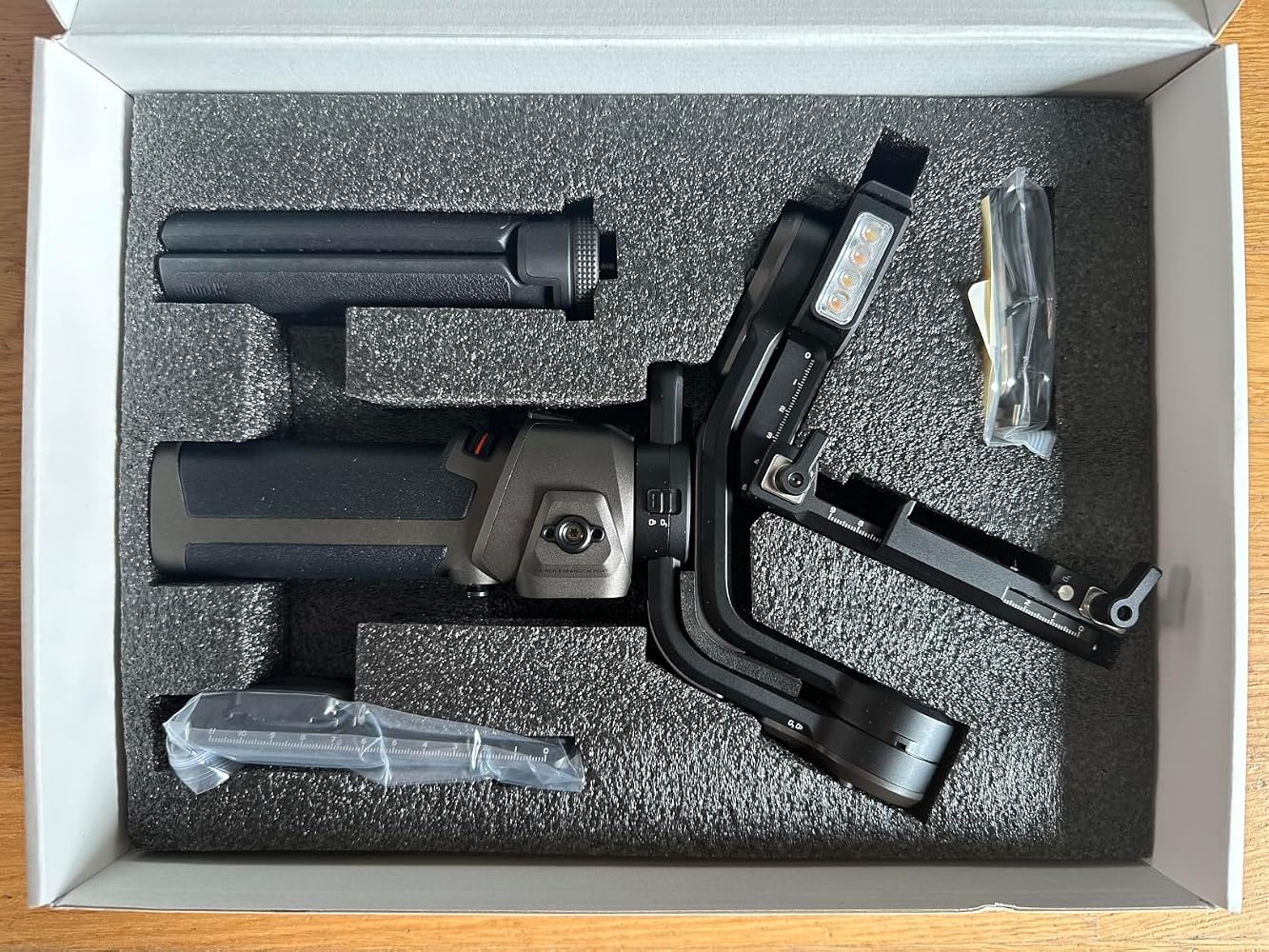


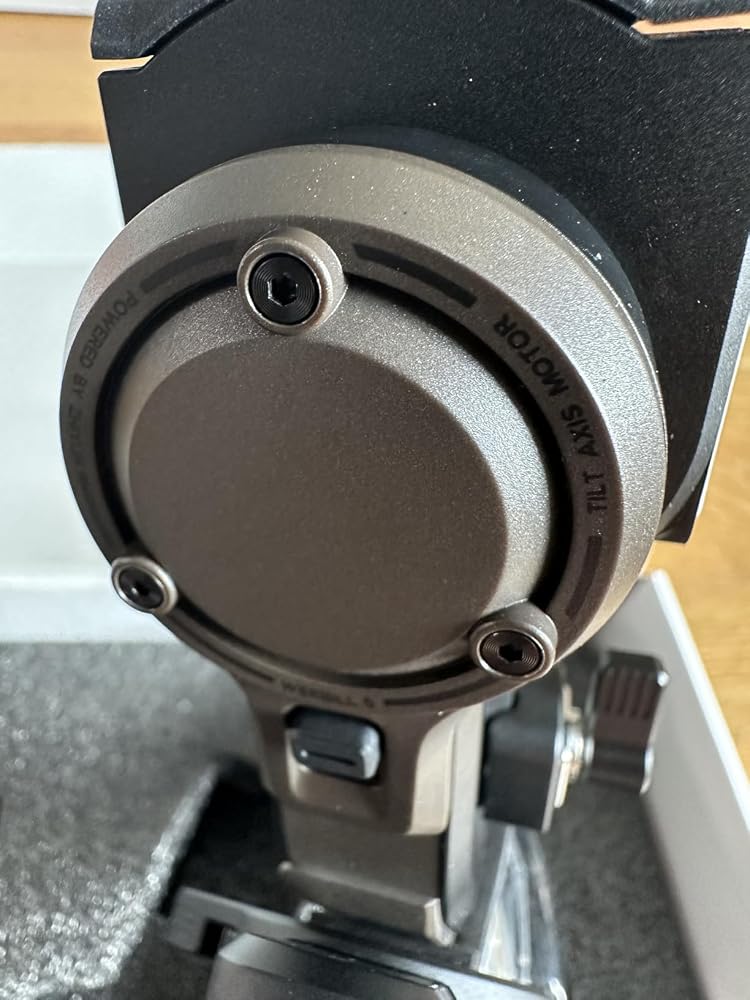
This ZHIYUN WEEBILL 5 gimbal stabiliser is for cameras and weighs in at 1.184kg with the usually necessary small tripod adding a further 159 grammes, making a total of 1.343kg plus your camera and anything else you add. This has a capacity of 3kg so as long as the camera's centre of gravity is within limits, it should be all right.On the top of the gimbal is the expected 3D mechanics of it. On the grip part at the bottom are two threaded quarter inch BSW sockets. The small tripod screws into one of these. On the front - the side facing you - there is a colour touch screen and below that are a joystick and a record button. On the right are the power buttons and a three position lever switch; and, on the back, there is a trigger and a wheel.On the left and the right, there are two quarter inch BSW sockets with ARRI holes so that you can mount an additional handle if you need to, for instance, if you have a heavy rig on the gimbal - use of these is pictured in the photographs.Construction of the mechanical part of the gimbal is metal for the structural part with some plastic used for covers - this is verified by using a thermographic imager. The bottom half is plastic and rubber on the surface as you would expect.Unlike a lot of other gimbals, most of the adjustments on this are together, underneath where the camera sits. There are three levers there: one for the camera's quick release shoe which needs you to press a button as well, in order to release the camera which is a very good idea; the others locking the forward-backward adjustment for the camera; and, the the sideways movement of the camera.The forward-backward adjustment has a silver coloured lever and also a silver coloured knob that you can adjust the bed's position using a rack and pinion mechanism which gives you a finer control and is very useful because that is most likely to change if you change lens.The left-right adjustment is via a black lever on the bottom and you simply push the camera along to get it in the correct position.The up-down adjustment is on the right, where it joins one of the main, structural members and it is tightened with a normal single winged nut which you can pull out to change the angle that it locks at so that it doesn't get in the way of anything.If you want to have a portrait orientation, just undo move the bottom black lever to the left, press the silver button at the end of that beam in and pull it off the end. Rotate through 90 degrees and slide the beam into the grip on the end, tightening with the single-winged nut - you can see this arrangement in the photographs.All of those adjustments are on the same substructure, making it a lot simpler. The next adjustment is where the bottom of the arm meets the handle and that is a simple slide with a scale on it so that you can remember where it was set for a particular camera configuration. The adjustments aren't large here because it is the centre of gravity of the whole system that you are catering for. In this way, there is no slide on several of the arm sections so when you put it away or get it out, it is simpler to do.Like other gimbals, you can lock the arm joints in the main position that they will be operating in so you can start off by getting the balance on the camera arm correct first and then working your way down, progressively unlocking them and balancing them as you go until you are ready to switch the gimbal on.To switch it on, long-press the power button which is located on the right hand side, just above the hand grip - it is small and lies flush with the surface so it is virtually impossible to press by accident. With it on and sitting still and level on the tripod on a flat surface, you can touch the little green camera in the upper left quadrant of the screen, and after a second or so, it will give you a live assessment of the biases of the various motors and therefore the balance. You can position the camera using the joystick and see if anything gets too out of hand.Press the back arrow at the top to take you back to the main screen and press the icon in the lower right. This shows you the current settings for the motor strength of the the three dimensions. If you tap the bottom of the screen where it says 'Auto Calibration' it will run a series of rotational inertial mass tests where it assesses how strong each motor needs to be and sets it to that. Go back to the main menu and now its movements are optimised for the camera configuration you have mounted on the gimbal.On the right hand side, next to the power button is a small lever switch which has three positions. Each one of them is a programmable preset so you can select, say, the top position and set the type of follow and the speed. If you are also doing a different type of shot, you can switch it to, say, the middle position and set those parameters - the same with the third position. This makes things a lot easier if you have a P.O.V. type of shot and a locked shot.Apart from the p...


Große Gimbals haben mir schon länger gefehlt in meinem Setup. Ich hatte von diesem Hersteller vor Jahren eine Handy Gimbal erstanden, der recht gut war. Ich filmr ja für Podcasts, kleine Produktionen, gelegentlich auch draußen mit dem Hund – und der Stabilisator ist dabei meist das Teil, das ich zu Hause vergesse weil er so umständlich war einzupacken. Der WEEBILL 5 ist da erstmal positiv aufgefallen: kompakter als erwartet, 1,08 kg, liegt gut in der Hand.Das Balancieren hat beim ersten Mal vielleicht 15 Minuten gedauert. Danach – deutlich schneller, weil das zweilagige Schnellwechselsystem wirklich funktioniert. Obere Platte bleibt an der Kamera, untere am Gimbal. Kamera drauf, einrasten, fertig. Das ist kein Marketing-Versprechen, das hält tatsächlich was es verspricht. Besonders wer zwischen Stativ und Gimbal hin- und herwechselt, wird das zu schätzen wissen – Arca-Swiss-kompatibel obendrein. Perfekt für mich - ich nutze seit Jahreny Arca.Die Stabilisierung selbst ist das, was man sich erhofft: flüssige Bewegungen mit der GH6 beim Gehen, kein Nachfedern bei Schwenks. Ich hab damit eine Sequenz bei schwachem Licht gedreht, Innenbereich, mäßige Beleuchtung – da hat das integrierte Aufhelllicht tatsächlich geholfen. 2150 Lux klingt technisch, in der Praxis bedeutet es: ein paar Meter Reichweite, angenehmes warmes bis neutrales Licht einstellbar. Als Haupt-Lichtquelle bei totaler Dunkelheit würde ich es nicht hernehmen, als Aufheller im Rauminneren aber durchaus brauchbar.Der 1,8-Zoll-Touchscreen ist überraschend reaktionsfreudig. Symbole könnte man etwas grösser gestalten – bei der Bedienung mit einer Hand und einem Auge am Sucher tippt man schonmal daneben. Der Joystick sitzt gut, der Auslöser liegt griffig. Die drei Modi (Pan Follow, Free, POV) sind per Schalter wählbar, ohne ins Menü zu müssen – ein Details, der im Eifer des Gefechts viel wert ist.Was mich etwas überrascht hat: Das KI-Tracking-Modul, das in sämtlichen Produktfotos so prominent auftaucht, liegt hier nicht bei. Es handelt sich ums Standard-Set. Wer das Tracking will, braucht das Combo-Kit. Das sollte man wissen bevor man bestellt.Die Bedienungsanleitung ist auf Deutsch vorhanden, aber eher knapp gehalten. Für manche Funktionen hab ich ein bisschen herumprobieren müssen. Nicht dramatisch, aber in dieser Preisklasse hätte ich gerne mehr Erklärungen.Mein persönliches Fazit: Der WEEBILL 5 macht seinen Job als Gimbal ausgezeichnet. Die Schnellwechselplatte ist ein echter Fortschritt gegenüber älteren Konstruktionen, die Stabilisierung überzeugt ohne Einschränkung, und das eingebaute Licht ist ein praktischer Bonus den ich öfter nutzen werde als gedacht. Wer kompromisslose Profi-Features sucht – Tracking, Case, vollständige Dokumentation – sollte das Combo-Kit oder eine Klasse höher ins Auge fassen. Wer einen robusten, alltagstauglichen Gimbal will, der schnell einsatzbereit ist, der ist hier richtig.Dieses Produkt wurde mir im Rahmen des Amazon Vine Programms zur Verfügung gestellt. Meine Einschätzung bleibt davon unberührt. Der Preis von 449 Euro ist OK.
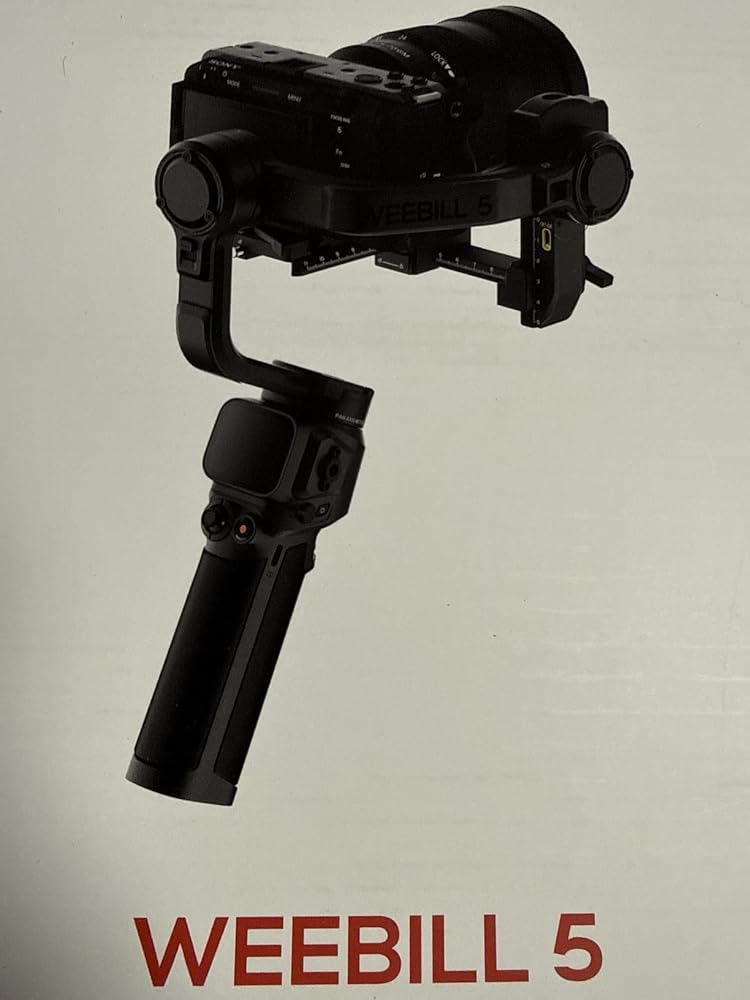
This gimbal has some genuinely useful features, and the built-in light is one of the best additions. It is really helpful for low-light situations where you just need a quick boost without adding another piece of gear to the setup.As a gimbal, it is easy to use and does the main job well. Balancing and operating it felt straightforward, and I do like the overall design.That said, in this market, I think a new gimbal really needs to take cues from competitors and include things like auto-locking and resetting position when powering off. Those little convenience features matter a lot when you are using gear regularly.I am also disappointed that the briefcase feature is locked behind the combo pack. Having that built into all models would have made this stand out more. So just keep in mind that if you want the fuller feature set, including things like AI tracking, you will need to spend more.Overall, I still like it and think it is a solid gimbal, especially with the built-in light, but a few missing or paywalled features keep it from being a perfect option for me.

This gimbal has some genuinely useful features, and the built-in light is one of the best additions. It is really helpful for low-light situations where you just need a quick boost without adding another piece of gear to the setup.As a gimbal, it is easy to use and does the main job well. Balancing and operating it felt straightforward, and I do like the overall design.That said, in this market, I think a new gimbal really needs to take cues from competitors and include things like auto-locking and resetting position when powering off. Those little convenience features matter a lot when you are using gear regularly.I am also disappointed that the briefcase feature is locked behind the combo pack. Having that built into all models would have made this stand out more. So just keep in mind that if you want the fuller feature set, including things like AI tracking, you will need to spend more.Overall, I still like it and think it is a solid gimbal, especially with the built-in light, but a few missing or paywalled features keep it from being a perfect option for me.
Den WEEBILL 5 habe ich für ein paar Drehs mit meiner Vollformatkamera herangezogen. Schon beim Auspacken fällt die hochwertige Verarbeitung auf – Metall, griffige Beschichtung, nichts klappert. Trotz solider Bauweise liegt der Gimbal angenehm leicht in der Hand, längere Aufnahmen wurden für mich nicht zur Kraftprobe.Das Balancieren und die Schnellwechselplatte funktionieren nach kurzem Eingrooven zügig. Die eigentliche Stabilisierung ist tadellos: Egal ob ich gehe, die Kamera schwenke oder leicht zittere – das Bild bleibt butterweich. Die Bedienknöpfe sind logisch verteilt, das Touch-Display reagiert schnell und macht den Moduswechsel fast schon intuitiv.Was mich jedoch echt Zeit gekostet hat, ist die dürftige Anleitung. Viele Features sind nur angerissen, einige gar nicht erklärt. Ich musste per Trial-and-Error erkunden, wie ich bestimmte Einstellungen vornehme. In dieser Preisklasse hätte ich ein ausführlicheres Handbuch oder zumindest klarere Online-Hilfen erwartet.Hat man den Dreh einmal raus, liefert der WEEBILL 5 aber genau das, was er soll: stabile, ruhige Aufnahmen ohne sichtbares Nachfedern. Daher solide 4 Sterne – ein Stern Abzug für die sparsame Dokumentation. Wer bereit ist, sich einzuarbeiten, bekommt einen sehr leistungsfähigen Begleiter für dynamische Kamerafahrten.

The media could not be loaded.
This is missing a couple of features that make the Weebill 5 special. First, this doesn't have the AI module for tracking subjects. Second, this doesn't have the trick handle that can convert from handle, to tripod, to low angle handle. They only included a plastic tripod. It doesn't do anything special. I guess I can buy it separately when it comes out as an accessory. The same is true with the AI module. The USB connector is there in case I want to upgrade.BUILD QUALITY:Now that that's out of the way, I can talk about the quality of this gimbal, as is. It feels really nice in your hands, and the ergonomics are good. It also feels really solid, and the motors are silky smooth. It's very well made, and it feels like a premium product. I have several gimbals for my action cams and phone, but this feels way more sturdy and sophisticated. With sturdiness comes weight, though. This is very heavy, even with my small mirrorless. I attached my A5100 to this gimbal, and it works great. I was afraid that the camera might be too light for it, but I was able to setup the camera just fine. The metal adjustments aren't super smooth, but they are fairly easy to slide when you're setting up the camera. The gimbal is mostly made from machined aluminum.SETUP:Currently, Zhiyun does not have a tutorial for setting it up, and the manual in the box is useless. Fortunately, it's very similar to the Weebill 3, so I followed the tutorial video on youtube, and was able to setup the gimbal. I really like the quick release levers, but it still takes a while to balance each part. The parts are made from machined aluminum, but they can be a little sticky, so it can be frustrating at times. I think they will loosen up over time. Once it's balanced, you won't have to go through the process again unless you change cameras or lenses. The camera attaches to a small mount, so you can slide out the camera, and leave all the settings in place.DISPLAY AND JOYSTICK:The small display is fantastic. It's visible in daylight, and it's a touchscreen as well. You won't need to use it often, but it makes changing the settings very easy. The settings are clear and easy to read. There are so many settings available, you can customize the gimbal to a particular shot. The joystick is a joy to use. It's very smooth, and the pan/tilt speed is gradual, so you can make it tilt slowly or quickly.APP:This uses the "ZY Play" app, but you don't need it to start using the gimbal. I was able to use the gimbal without the app. I'm not sure if it will shut down after a few uses like the DJI products. It requires location, camera, mic, storage and device info permissions. I don't like the pages and pages of terms that you have to agree to, though. I've never seen anything like it. It reminds me of the terms in those credit card applications, except this one comes in three volumes, and two of them are super long. The app isn't very useful, but I installed it anyway for this review. The app has a joystick, and zoom controls, so you could use it as a remote. Other than that, I don't see much use for it. The display on the gimbal is big enough to make changing settings a breeze. If you can avoid installing it, then skip it. I already uninstalled the app.WEIGHT:As I mentioned earlier, this thing is heavy, and when you add a camera to it, it's a real workout for your arms. It doesn't come with a wrist rest or other handles. It only comes with a plastic tripod, so you can set it down when you're done shooting. If you buy this gimbal, plan on getting additional gear to help you with the weight. If you use a heavy camera, or add a monitor, it needs to be operated with two hands. Even with a small mirrorless, after 5-10 minutes of shooting, my arm was sore, especially my forearm. Getting those low shots really puts a strain you your muscles.LED LIGHT:The built in light is very nice. It's compact, yet bright. You can adjust the intensity, as well as the color temp. You could use it to light a subject 5-10 feet away, but beyond that you'll need a larger lamp.PERFORMANCE:I only tested it with my lightweight A5100, but it will handle my heavier cameras. The motors are smooth and silent. The gimbal will jiggle a little on some shots, but it can be fixed in post. Most of the time the shot is silky smooth. It tends to jiggle when I have the camera low to the ground, and I'm walking. I hope it's a bug that can be fixed in an update.BATTERY:There's a beefy battery that should last many hours. I was using the gimbal without the light, or AI enabled. After an hour or two of use, the battery took a small hit, so this should last most of the day. The battery is not removable, so you need to keep an eye on it. This is the biggest problem I have with the gimbal. I have several pocket gimbal cameras and the batteries are not removable either. One is dea...
I've been shooting more video lately and kept running into the same problem: even with a lens that has built-in optical stabilization, walking shots and slow pans came out looking shaky or slightly jittery in a way that made footage feel amateur no matter how careful I was with my hands. Digital stabilization in editing software helps some, but it crops into the frame and can warp the image if there's too much movement to correct. A motorized gimbal solves that at the source instead of trying to fix it after the fact, using small motors on three separate axes, pan, tilt, and roll, to physically counteract hand movement in real time, so the camera stays level and smooth no matter what your body is doing underneath it. That's the appeal of something like the Weebill 5, and it's why I picked it through the Vine program in exchange for an honest review, rather than continuing to fight with handheld shots or investing in a cheaper stabilizer that couldn't handle a full-frame body with a standard lens attached.My first impression out of the box was that this is a noticeably more serious piece of gear than the lighter gimbals I'd looked at before landing on this one. It comes with a double-layer quick-release plate, a lens support bracket, a small tripod, a USB-C to USB-C cable, a wrench, an extra 1/4 inch screw, and a quick start guide, so there's clearly an expectation that you're mounting real camera bodies and lenses rather than a phone or a small action camera. The 1.8 inch touchscreen is responsive and the redesigned interface is easy to navigate without digging through nested menus, and the joystick and record button sit close enough to the center that one-handed operation feels natural rather than like a stretch. Balancing the camera on the plate the first time took some patience, mostly because getting a lens perfectly centered on any gimbal is a fiddly process no matter the brand, but the fore-aft micro-adjustment knob on this one made fine-tuning noticeably easier than eyeballing it by sliding a plate back and forth. At 1.08 kg for the gimbal itself, it has enough heft to feel sturdy without becoming a burden to carry around for a full day of shooting.Once it's balanced, the mechanics behind it are straightforward - the three motors continuously sense and correct for tilt and shake using internal sensors, which is the fundamental thing a gimbal does that your hands and arms can't: it isolates the camera from your body's micro-movements instead of just dampening them. The rated payload is 3 kg, or about 6.6 lbs, which is enough for a full-frame body paired with a standard lens, and Zhiyun rates the battery at roughly 9 hours of runtime, which should comfortably cover a long shoot day without a mid-session charge. There's a built-in LED fill light for low-light situations, which is a nice inclusion rather than something you'd need to rig separately - you can adjust the brightness and color temperature very preceisely, which is great, and new 1/4 inch mounting ports with locating holes on both sides let you attach a mic, a small monitor, or an additional light without it shifting around once it's screwed in. Native vertical shooting is a genuine convenience if you're producing anything for TikTok, Reels, or other vertical formats, since you can rotate into portrait orientation instantly rather than rebalancing the whole rig from scratch, and the 3-position physical mode switch lets you flick between assigned shooting modes without taking your eyes off the frame.Where this sits in the market is worth spelling out, because Zhiyun sells several tiers of the same basic idea. Their own Weebill 3E and 3S models are lighter and cheaper, generally aimed at creators who mostly shoot with mirrorless bodies and want something easy to carry, while the step up to something like the Crane 4 gets you a bigger, heavier rig built for larger cinema cameras at a noticeably higher price. The Weebill 5 lands in the middle of that lineup, and the payload capacity, touchscreen, and built-in fill light put it in the same conversation as other gimbals around this price point from competing brands, where you're generally paying for the combination of higher payload capacity, faster balancing hardware, and extra mounting options rather than any single standout feature. For someone who already owns a full-frame or similarly sized camera and wants smooth, professional-looking motion without hiring a second person to operate a stabilizer rig, this feels like the right tier to be shopping in. It's not the gimbal to buy if you're mounting a phone or a small mirrorless body with a light kit lens, since you'd be paying for payload capacity and weight you'll never use, and a lighter model in Zhiyun's own lineup would serve that use case better and cost less. I haven't had it long enough yet to speak to how it holds up after months of regular shoots, but the balancing system and build quality give me a reasonable amount of confidence that...
first thing I noticed: this has more heft than I expected.That isn't automatically bad. Once balanced, the weight makes the whole thing feel planted and the stabilization works nicely. There is also plenty of adjustment travel in the sliding plates, which made balancing my camera much less annoying than rigs where I run out of rail right when I'm almost there.Still, weight adds up fast once the camera and lens go on. After holding the whole setup for a while, I definitely know I'm carrying it.Battery life is the other part I wish were better. It gets through normal use, but I wouldn't head into a long shooting day without thinking about charging or having a power plan.The balancing system is probably my favorite part. Enough movement to actually find the center of gravity without performing tiny mechanical miracles, and once it's dialed in I can stop touching it and shoot.
I've been shooting more video lately and kept running into the same problem: even with a lens that has built-in optical stabilization, walking shots and slow pans came out looking shaky or slightly jittery in a way that made footage feel amateur no matter how careful I was with my hands. Digital stabilization in editing software helps some, but it crops into the frame and can warp the image if there's too much movement to correct. A motorized gimbal solves that at the source instead of trying to fix it after the fact, using small motors on three separate axes, pan, tilt, and roll, to physically counteract hand movement in real time, so the camera stays level and smooth no matter what your body is doing underneath it. That's the appeal of something like the Weebill 5, and it's why I picked it through the Vine program in exchange for an honest review, rather than continuing to fight with handheld shots or investing in a cheaper stabilizer that couldn't handle a full-frame body with a standard lens attached.My first impression out of the box was that this is a noticeably more serious piece of gear than the lighter gimbals I'd looked at before landing on this one. It comes with a double-layer quick-release plate, a lens support bracket, a small tripod, a USB-C to USB-C cable, a wrench, an extra 1/4 inch screw, and a quick start guide, so there's clearly an expectation that you're mounting real camera bodies and lenses rather than a phone or a small action camera. The 1.8 inch touchscreen is responsive and the redesigned interface is easy to navigate without digging through nested menus, and the joystick and record button sit close enough to the center that one-handed operation feels natural rather than like a stretch. Balancing the camera on the plate the first time took some patience, mostly because getting a lens perfectly centered on any gimbal is a fiddly process no matter the brand, but the fore-aft micro-adjustment knob on this one made fine-tuning noticeably easier than eyeballing it by sliding a plate back and forth. At 1.08 kg for the gimbal itself, it has enough heft to feel sturdy without becoming a burden to carry around for a full day of shooting.Once it's balanced, the mechanics behind it are straightforward - the three motors continuously sense and correct for tilt and shake using internal sensors, which is the fundamental thing a gimbal does that your hands and arms can't: it isolates the camera from your body's micro-movements instead of just dampening them. The rated payload is 3 kg, or about 6.6 lbs, which is enough for a full-frame body paired with a standard lens, and Zhiyun rates the battery at roughly 9 hours of runtime, which should comfortably cover a long shoot day without a mid-session charge. There's a built-in LED fill light for low-light situations, which is a nice inclusion rather than something you'd need to rig separately - you can adjust the brightness and color temperature very preceisely, which is great, and new 1/4 inch mounting ports with locating holes on both sides let you attach a mic, a small monitor, or an additional light without it shifting around once it's screwed in. Native vertical shooting is a genuine convenience if you're producing anything for TikTok, Reels, or other vertical formats, since you can rotate into portrait orientation instantly rather than rebalancing the whole rig from scratch, and the 3-position physical mode switch lets you flick between assigned shooting modes without taking your eyes off the frame.Where this sits in the market is worth spelling out, because Zhiyun sells several tiers of the same basic idea. Their own Weebill 3E and 3S models are lighter and cheaper, generally aimed at creators who mostly shoot with mirrorless bodies and want something easy to carry, while the step up to something like the Crane 4 gets you a bigger, heavier rig built for larger cinema cameras at a noticeably higher price. The Weebill 5 lands in the middle of that lineup, and the payload capacity, touchscreen, and built-in fill light put it in the same conversation as other gimbals around this price point from competing brands, where you're generally paying for the combination of higher payload capacity, faster balancing hardware, and extra mounting options rather than any single standout feature. For someone who already owns a full-frame or similarly sized camera and wants smooth, professional-looking motion without hiring a second person to operate a stabilizer rig, this feels like the right tier to be shopping in. It's not the gimbal to buy if you're mounting a phone or a small mirrorless body with a light kit lens, since you'd be paying for payload capacity and weight you'll never use, and a lighter model in Zhiyun's own lineup would serve that use case better and cost less. I haven't had it long enough yet to speak to how it holds up after months of regular shoots, but the balancing system and build quality give me a reasonable amount of confidence that...
first thing I noticed: this has more heft than I expected.That isn't automatically bad. Once balanced, the weight makes the whole thing feel planted and the stabilization works nicely. There is also plenty of adjustment travel in the sliding plates, which made balancing my camera much less annoying than rigs where I run out of rail right when I'm almost there.Still, weight adds up fast once the camera and lens go on. After holding the whole setup for a while, I definitely know I'm carrying it.Battery life is the other part I wish were better. It gets through normal use, but I wouldn't head into a long shooting day without thinking about charging or having a power plan.The balancing system is probably my favorite part. Enough movement to actually find the center of gravity without performing tiny mechanical miracles, and once it's dialed in I can stop touching it and shoot.
I will be comparing these to the DJI Ronin series as I use those exclusively for work and have quite a bit of time with them.The Zhiyun felt like a mixture between the Ronin 5 and 4 for me. Setup on the Zhiyun was actually friendlier than the Ronin sense it doesn't give you that annoying "You can only use this 5 times before you have to register it prompt" the Ronin does. Phyiscally setting up the Weebill feels close to the Ronin except some of the adjustment areas are in a different location. Balancing the gimbal is super easy and doesn't time at all.Something the Ronin 5 has which the Zhiyun doesn't have is the one touch expanding tripod feet. It's really hard to go back to the three movement feet that the Zhiyun still has once that features used. It's incredible. Falcam does have a version of that that works very well called the treeroot.The gimbal is very smooth and easy to use. I like the feel of the grip, and the slight angle forward grip wise is noticeable and appreciated though the screen feels like it should be angled also.I like that a lot of same button presses on the Weebill match the Ronin, like double tap to center, etc.Something that the Weebill has that the Ronin doesn't is that neat fill light. Odd it's off on the side, but it is useful in some situations.Something very different is the built in battery on the Weebill reminds me more of the Ronin Mini. Battery life hasn't been an issue with the weebill, but I don't think it would be easy for work as the Rronin has where the batteries can be swapped whenever needed.This probably wouldn't matter for a lot of people, but it's huge for my company is the Smallrig Vmount mount for where the Raveneye unit on the Ronin goes is incredible. Gives our gimbals 6~7 hours of shooting rather than 90 minutes normal. There isn't an option like that on the Weebill. Yes there are side mounts, but we use those for extra handles. The Weebill feels like it would be great for small gigs and stuff, but for long productions like my company does, the weebill might not work as well.For the price, I enjoyed the Weebill and think it's a good alternative to the Ronin for a majority of users. I've talked to other weebill users and I they tend to love the product also and I can see why. While I still will use my Ronin's for work, this Gimbal will be great for some projects.
- 選択するとページが完全に更新されます。
- 新しいウィンドウで開きます。